
🦊 v6.5.5
New
-
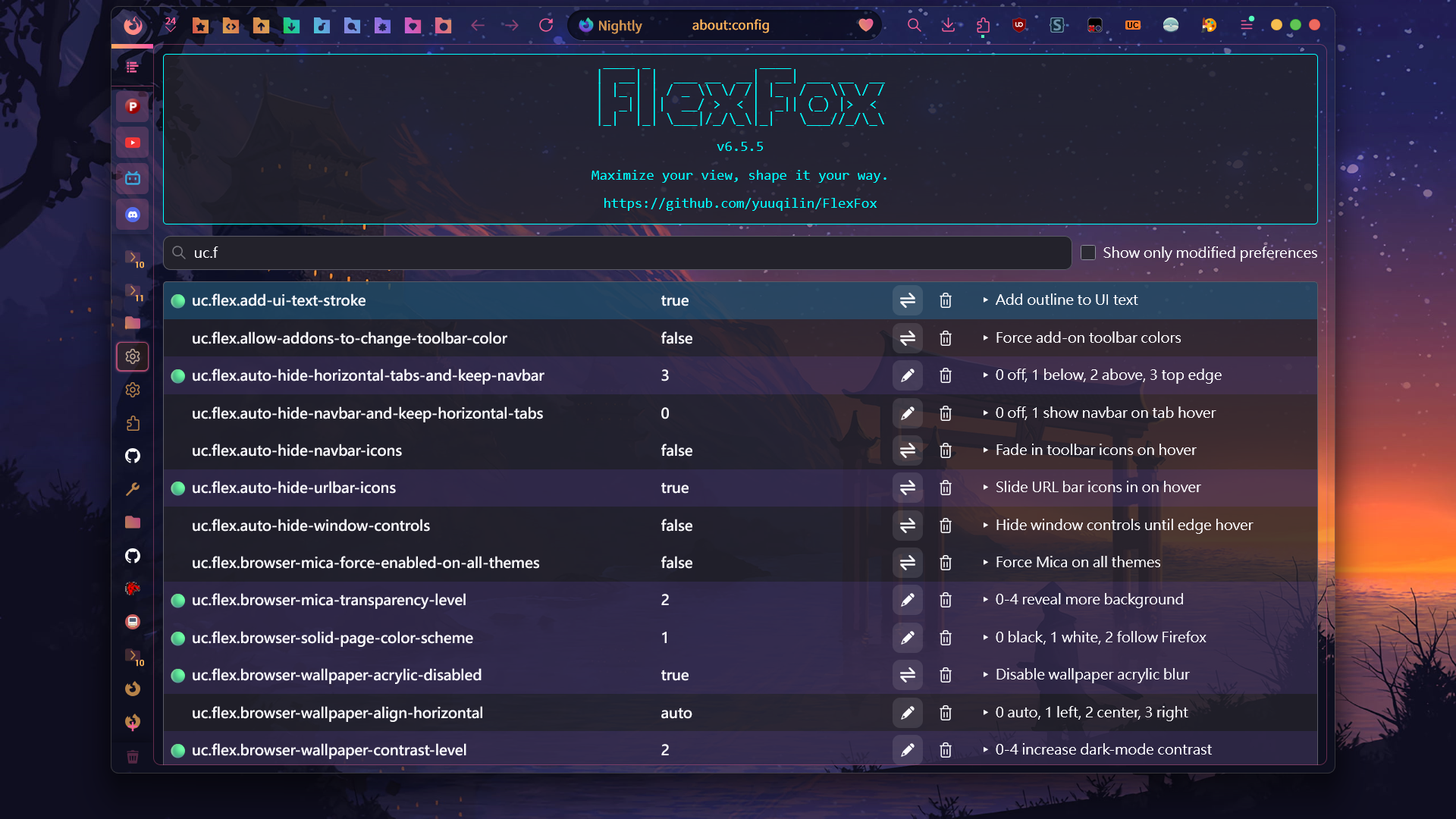
Improved the
about:configexperience.- Centered the FlexFox version entry and made the version number easier to identify.
- Added short descriptions next to the FlexFox preference list.
- Preference descriptions are aligned with the full
uc.flexlist. To keep them matched, importuser.jsor manually add all FlexFox preferences.
-
Reworked the PowerShell installer.
- The installer is now
scripts/install-flexfox.ps1. - It detects the installed FlexFox version and downloads the latest release only when needed.
- Added SHA-256 verification for downloaded packages.
- Added an interactive menu for selecting a Firefox profile or entering a custom profile path.
- Added command-line options for unattended installation: use
-ProfilePath 'path'to specify the profile path and-Silentto run without prompts. - See PowerShell Script for details.
- The installer is now
-
Updated the Git Pull automation scripts.
- Added an interactive menu for selecting a Firefox profile or entering a custom working directory.
- Added command-line options for unattended updates: use
-ProfilePath 'path'to specify the working directory and-Silentto run without prompts. - Improved handling of user-modified files and Git conflicts.
- See Git Pull for details.
Breaking
- Changed
uc.flex.show-flexfox-version-info-in-about-configfrom a Boolean preference to a Number preference.0: Hide FlexFox version information.1: Show version information only.2: Show version information and preference descriptions. This is the default.- Delete the old preference, then create a new preference with the same name and select Number as the type.
Updated
- Moved
user.jsfrom thescriptsfolder to the root folder to simplify installation.
Removed
- Removed
deploy-userchrome.ps1from the root folder.