
🧊 v4.0.0 – Major Feature Update
-
Added support for the Mica visual effect on Windows 11.
- To enable Mica, configure the following settings in
about:config:widget.windows.mica = true widget.windows.mica.popups = 2 widget.windows.mica.toplevel-backdrop = 2 browser.tabs.allow_transparent_browser = true uc.flex.browser-mica-transparency-level = 2 - Be sure to set the theme to
System theme — auto; Mica won't take effect under other themes. - Requires restarting Firefox.
- For details, see: 🧊 Visual Background & Mica Effects
- If the Mica background appears obstructed by inactive windows, you can use the shortcut Win + Home to minimize all other windows. For convenience, consider assigning this action to a mouse gesture or automation script.
Displays the native Mica background effect. Web content transparency (as shown on YouTube) is achieved using the Transparent Zen extension.
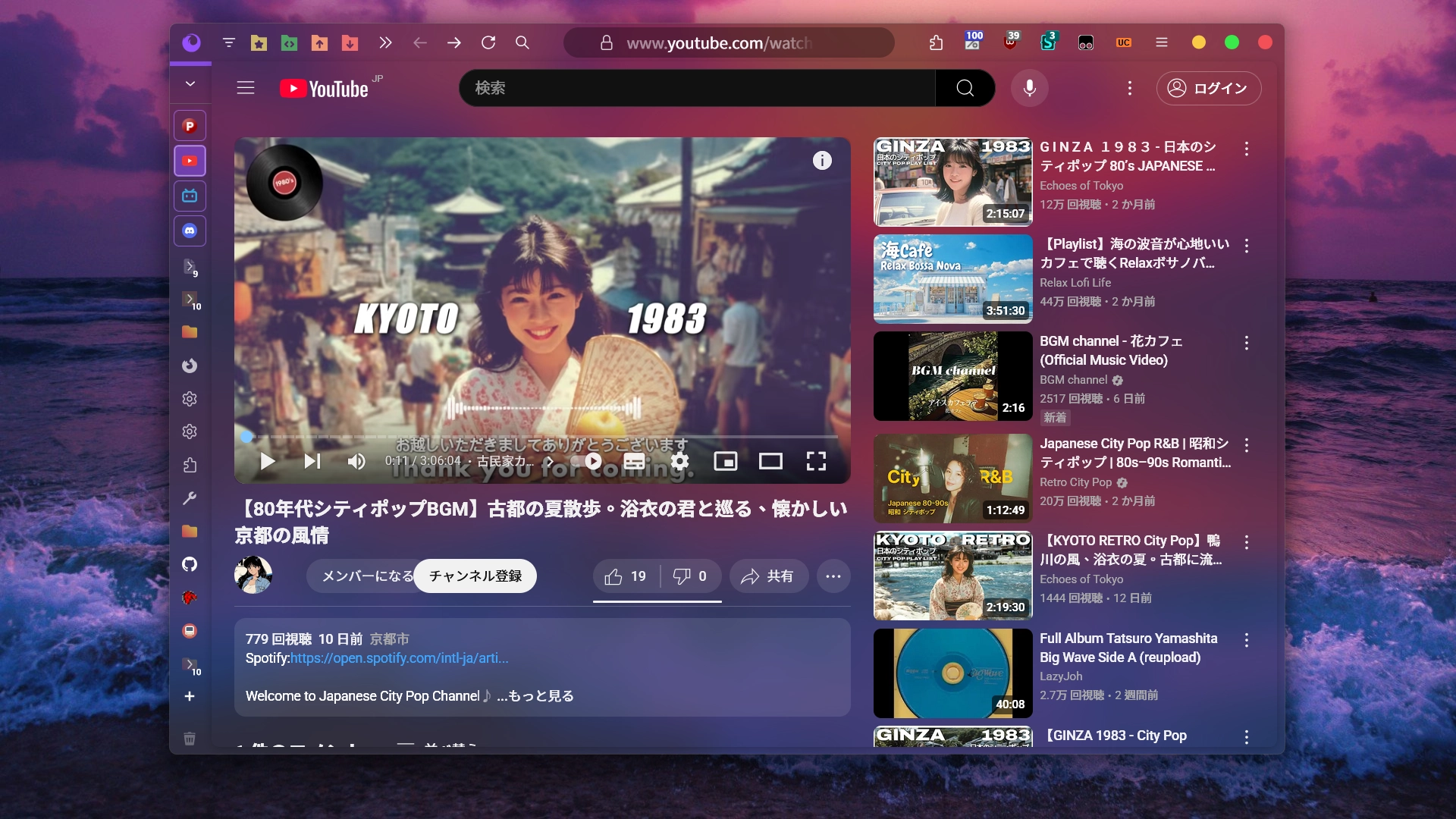
- To enable Mica, configure the following settings in
-
For systems that don't support Mica or prefer a fixed wallpaper, FlexFox now supports custom background wallpapers for the browser.
- Enable it via the following settings in
about:config:uc.flex.browser-wallpaper-enabled = true uc.flex.browser-wallpaper-index = 1 uc.flex.browser-wallpaper-acrylic-disabled = false browser.tabs.allow_transparent_browser = true uc.flex.browser-wallpaper-transparency-level = 2 uc.flex.browser-wallpaper-contrast-level = 2 - Requires restarting Firefox.
- Supports up to 9 images named
main-image-1.jpgtomain-image-9.jpg, placed in../icons/wallpaper/. - Wallpapers use an Acrylic blur effect by default. While not identical to native Mica, it offers a similar visual style.
- Enabling the custom background wallpapers feature overrides the native Mica background. If both Mica and wallpaper are enabled, the wallpaper will be shown.
Shows the custom background wallpaper feature with Acrylic blur enabled. Compared to native Mica, the blur, tone, and texture are distinct.
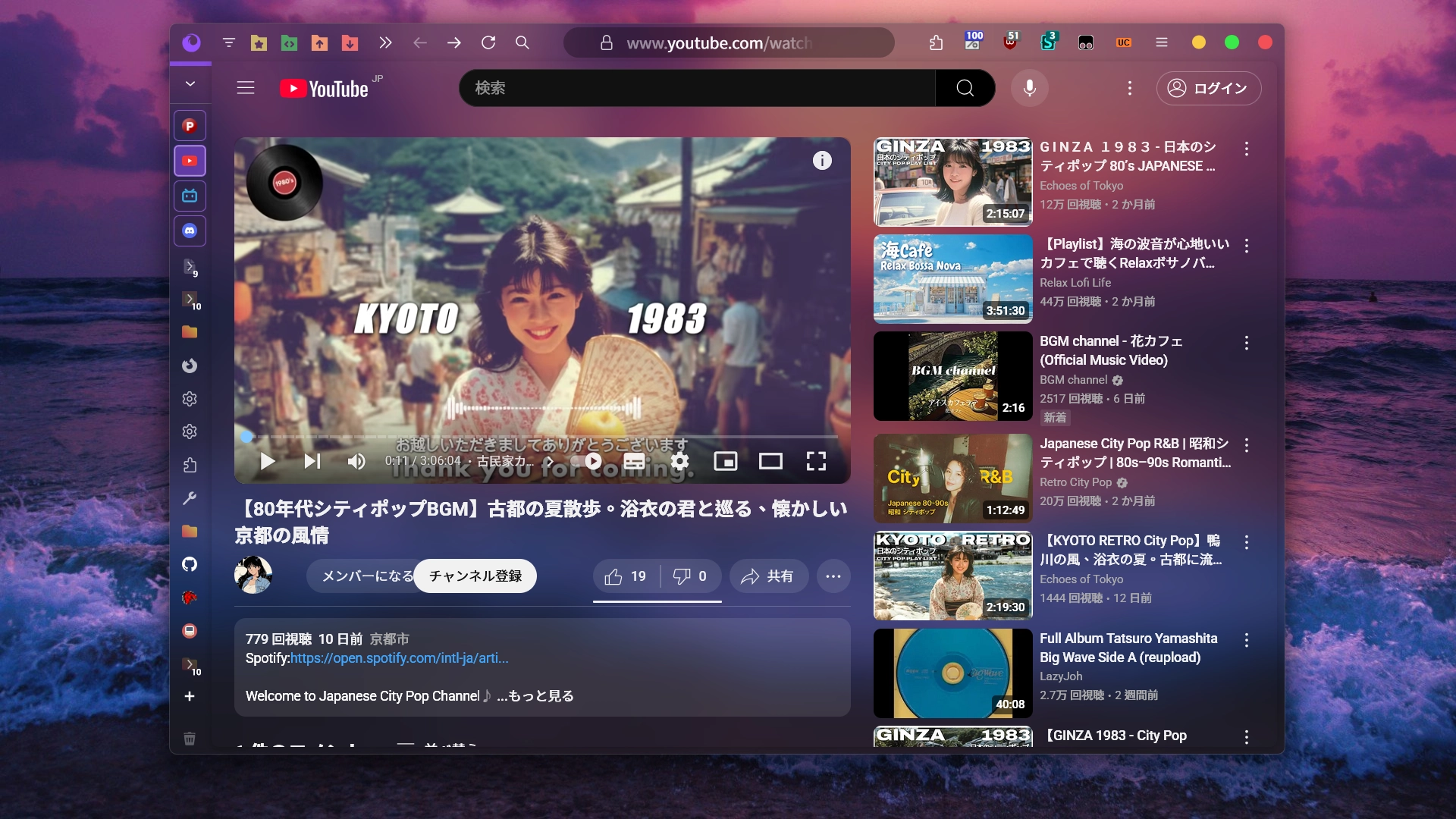
A custom wallpaper with Acrylic blur disabled. The wallpaper appears sharp and clear; use the transparency level setting to maintain text readability.
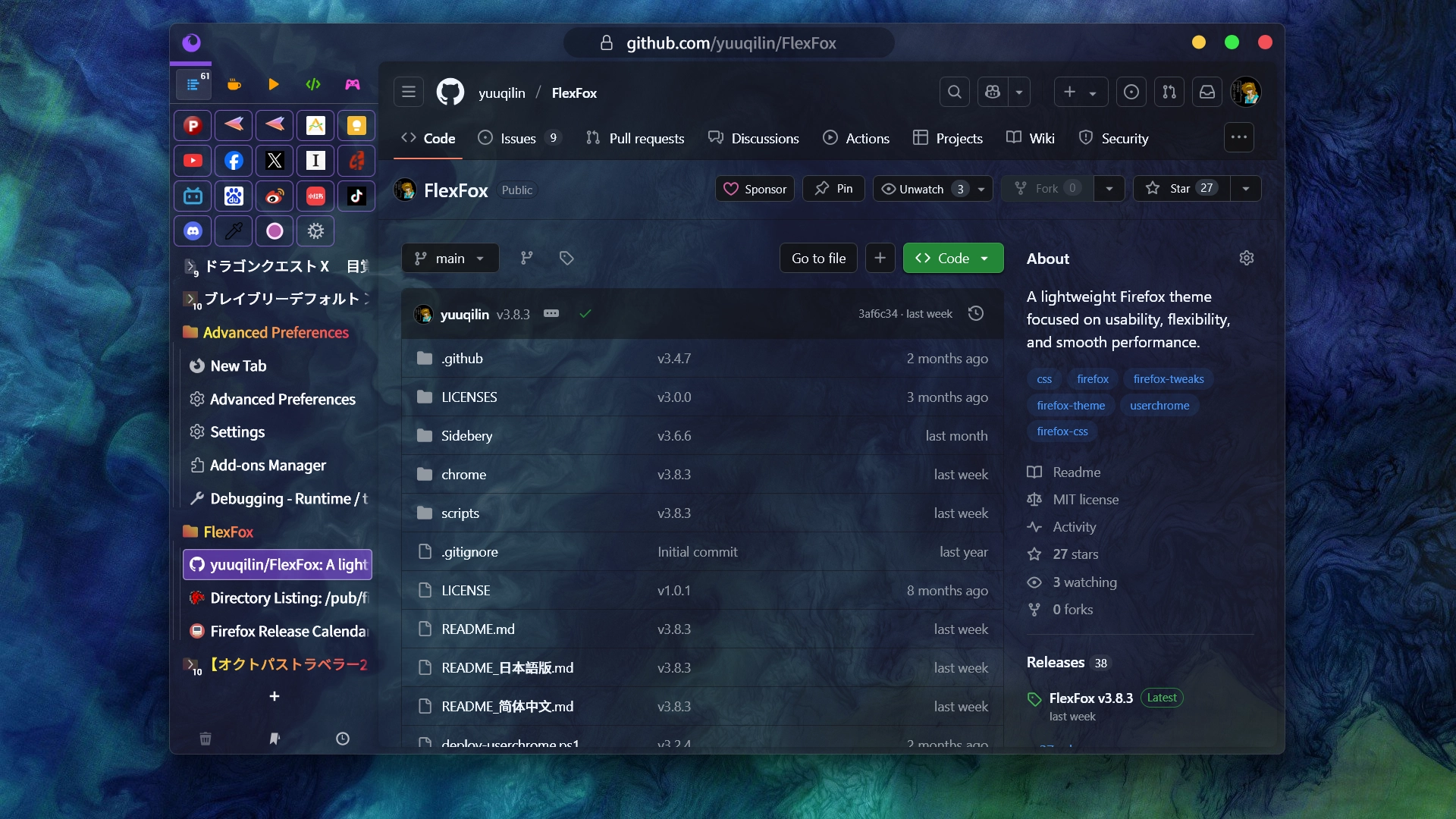
- Enable it via the following settings in
-
Sample wallpaper sources and credits:
- a blue and purple background with wavy shapes (Unsplash) – Provided as one of the built-in background options in Firefox's new tab customization.
- Seashore Waves (Unsplash) – Provided as one of the built-in background options in Firefox's new tab customization.
- Churning in the Chukchi Sea (NASA) (Download)
-
To display Mica or wallpaper backgrounds behind Sidebery and web content,
browser.tabs.allow_transparent_browsermust be enabled.- Web content transparency requires the Transparent Zen extension.
- If some pages become unreadable due to full transparency, pairing it with Dark Reader is recommended.
-
New option:
uc.flex.sidebery-apply-expand-speed-to-toolbars- Applies the expand/collapse animation speed used by Sidebery and native vertical tabs to the navigation bar and bookmarks toolbar, unifying all animation speeds.
- Once unified, you can use
uc.flex.sidebery-fast-hover-expandoruc.flex.sidebery-slow-hover-expandto adjust the animation speed of the navigation bar and bookmarks toolbar. - When Mica or custom wallpaper is enabled, FlexFox will automatically unify animation speeds internally, so manual adjustment of this option is not needed in those cases.