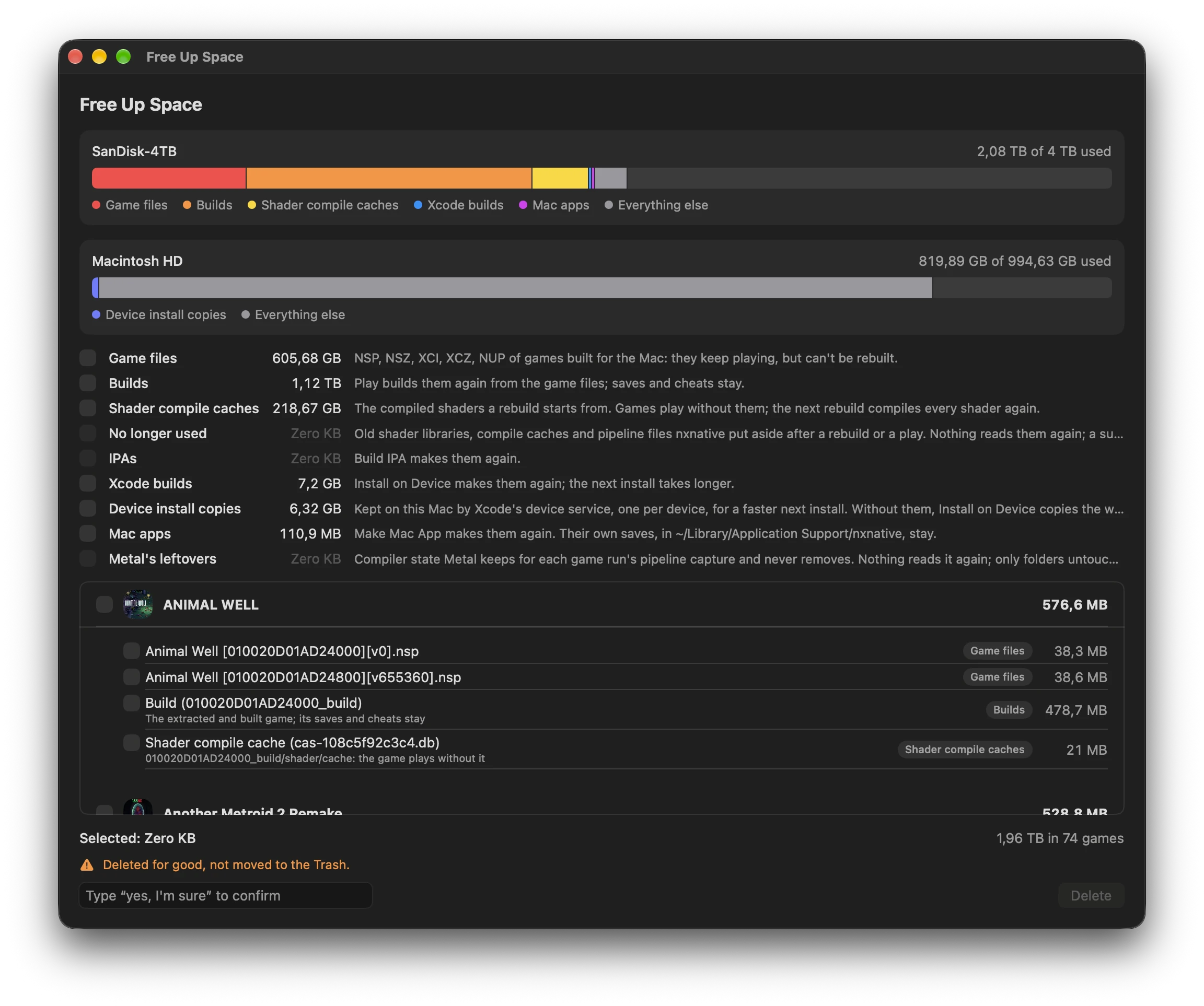
Added
- Beside the first section's count, the library shows the filter that's on, if any, and the order as icons, so a count isn't taken for all the games. Click it for the same choices as the toolbar's Sort and Filter menu.
- Free Up Space shows a storage bar for each drive its files are on, as System Settings › Storage does: how much each kind takes, the rest of what's used, and what's free. The bars fill in as the sizes are measured, the rest striped until then; hover a part for its size.
Changed
- The library's first section is called Games instead of Extracted.
Fixed
- The View menu no longer shows, at times, an empty line above as Grid.
- Coming back to NX Play with Free Up Space open no longer refreshes the library twice and measures every game again, which made the app slow to respond.