
Pump Up the Jam. For his entire career Squachy has been a mime. He waved, he danced, he got thrown across the screen and landed on his face, and not one peep came out of him. Meanwhile the two Freenove S3 boards had a speaker plug sitting on the edge the entire time, wired to a real audio chip, doing absolutely nothing. That's like owning a jukebox and using it as a side table. Plug a little speaker in and Squachy finally makes noise: blips, chimes, a siren, a wheee, and a very satisfying splat. We tested it. It is LOUD. So it starts at 25%, and it starts switched off. You're welcome, everyone else in the room.
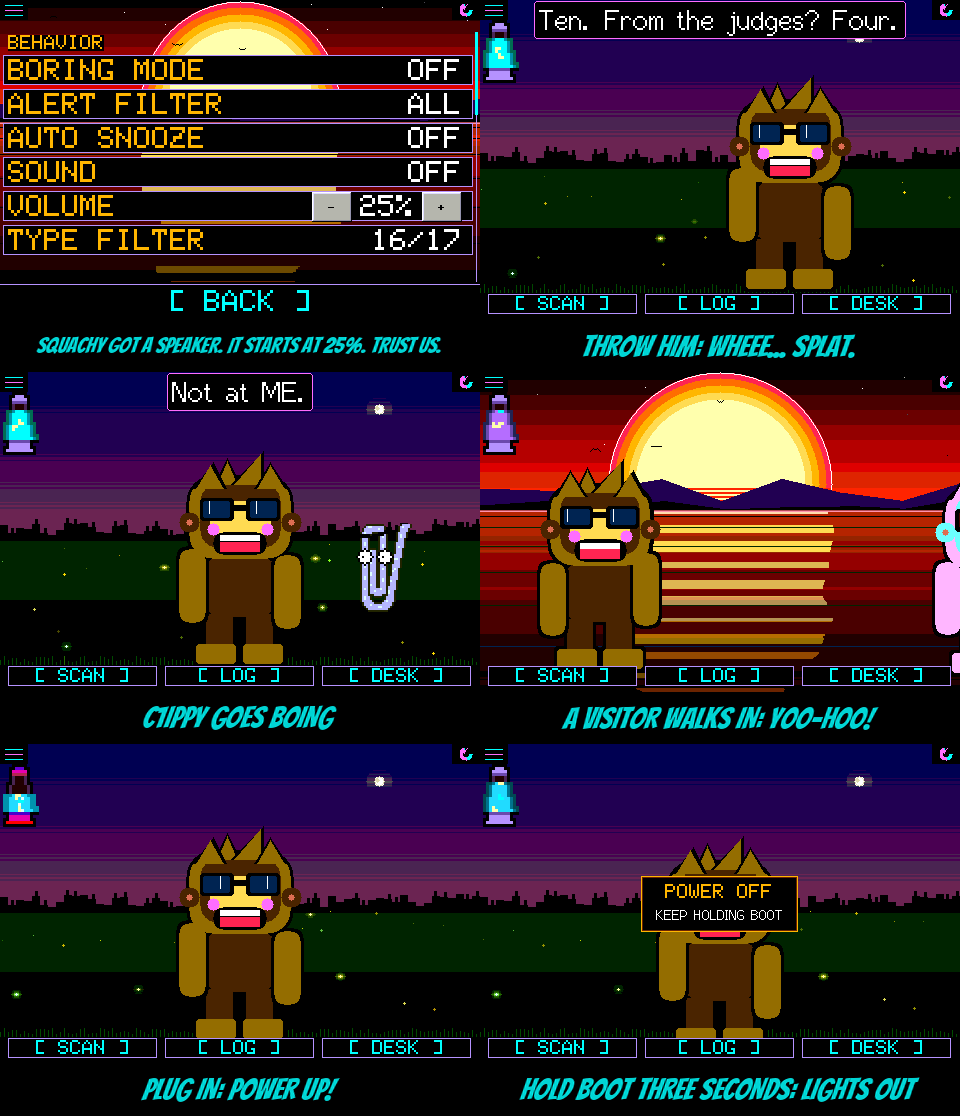
The speaker. Eleven sounds, all 8-bit style tones made on the fly, so they cost almost nothing to store and the screen doesn't slow down a frame while they play. The amplifier only switches on while a sound is actually playing, so a quiet board spends nothing on it. SOUND in Settings has three settings:
- OFF, the default. Nothing.
- ALERTS: three climbing blips for a device you've never seen, a two-tone siren for something on your watch list, and two tired notes when the battery dips under 10%.
- ALL: everything above, plus a ding-dong for a squad message, a sing-song yoo-hoo when a visitor walks in, a wheee when you throw Squachy (or a pet), a splat when they land, a springy boing when C1iPPY pipes up, a ptoing when the toaster pops, and a little power-up tune when the lamp notices the cable (and a sad slide when it comes back out).
Every sound was picked by ear from a lab of three takes each. It stays quiet while the screen is dimmed, and at night (11 pm to 5 am), except for a watch-list hit, because that's the whole point of a watch list. C1iPPY only gets one boing every twenty seconds. We love him, but no.
Real buttons. VOLUME goes from 0 to 100% in steps of five, on a proper [ - ] and [ + ], and each press plays the blips at the new level so you can hear what you picked. BRIGHT got the same buttons on every board. It used to be "BRIGHT - +" written in the label with the row split down the middle, so a thumb landing anywhere on it nudged your brightness. Now only the buttons do. On the StickS3 and the Cardputer the cursor stops on each button.
POWER OFF. The Freenove S3 boards take a battery but have no power switch, so the BOOT button is the switch now. Hold it: at one second it says KEEP HOLDING BOOT, at three the screen goes dark, let go and the board goes to sleep. Press BOOT and it boots right back up. Getting there took three tries: the board froze waiting to talk to a computer that wasn't listening, then it woke itself up instantly because you were still holding the button that wakes it, then it woke itself up two seconds later because the button's own pull-up nods off in deep sleep. All three are fixed, and it slept for seventeen minutes straight until it was told to wake. On those two boards CHARGE MODE moved to the Settings list, since the button has a new job.
And. On the 3.5", the charge screen, the boot-time calibration prompt and the update check used to come out as green static, because they were drawing straight at a screen that only takes pictures through its own driver. They draw properly now. And squachwatch.com's flasher is the three-step page: pick your board, connect, flash.
The actually-useful part
Added
- A speaker on the Freenove ESP32-S3 2.8" and 3.5": eleven tones through the ES8311 codec, SOUND in Settings (OFF, ALERTS, ALL), off by default, quiet while dimmed and at night except a watch-list hit, silenced through the security wipe.
- VOLUME in Settings, 0-100% in fives with - and + buttons, starting at 25%. Each press plays a sample.
- POWER OFF on the Freenove S3 boards: hold BOOT three seconds, let go, and it sleeps until BOOT is pressed.
- Console:
SOUND nplays sound n,SOUND AMP HIGH/LOWflips the amplifier pin,POWER OFF, andSCREENsays why the screen is dark and lights it. - Emulator:
SQUACHSIM_SPEAKERlists the speaker rows,SQUACHSIM_POWEROFFshows the power-off note.
Changed
- BRIGHT has real - and + buttons on every board; a tap anywhere else on the row does nothing.
- On the Freenove S3 boards, holding BOOT powers off instead of starting CHARGE MODE, which is on the Settings list.
- A BOOT press already held when the board starts is ignored until it's let go.
- The three-step flasher is squachwatch.com's main page.
- PINOUT, README and FAQ cover the speaker and POWER OFF.
Fixed
- The 3.5"'s charge screen, calibration prompt and update-check message came out as green static, and the charge screen covered only part of the panel.