
Hold Still. A few hundred of you flashed SquachWatch after the video, and a few of you wrote in to say that in portrait your taps landed somewhere near the button, in the way a Sasquatch sighting lands somewhere near a Sasquatch. Squachy took it personally. "I've been poked in the wrong place by better people." This release puts touch right on every board, once, and then gets out of your way.
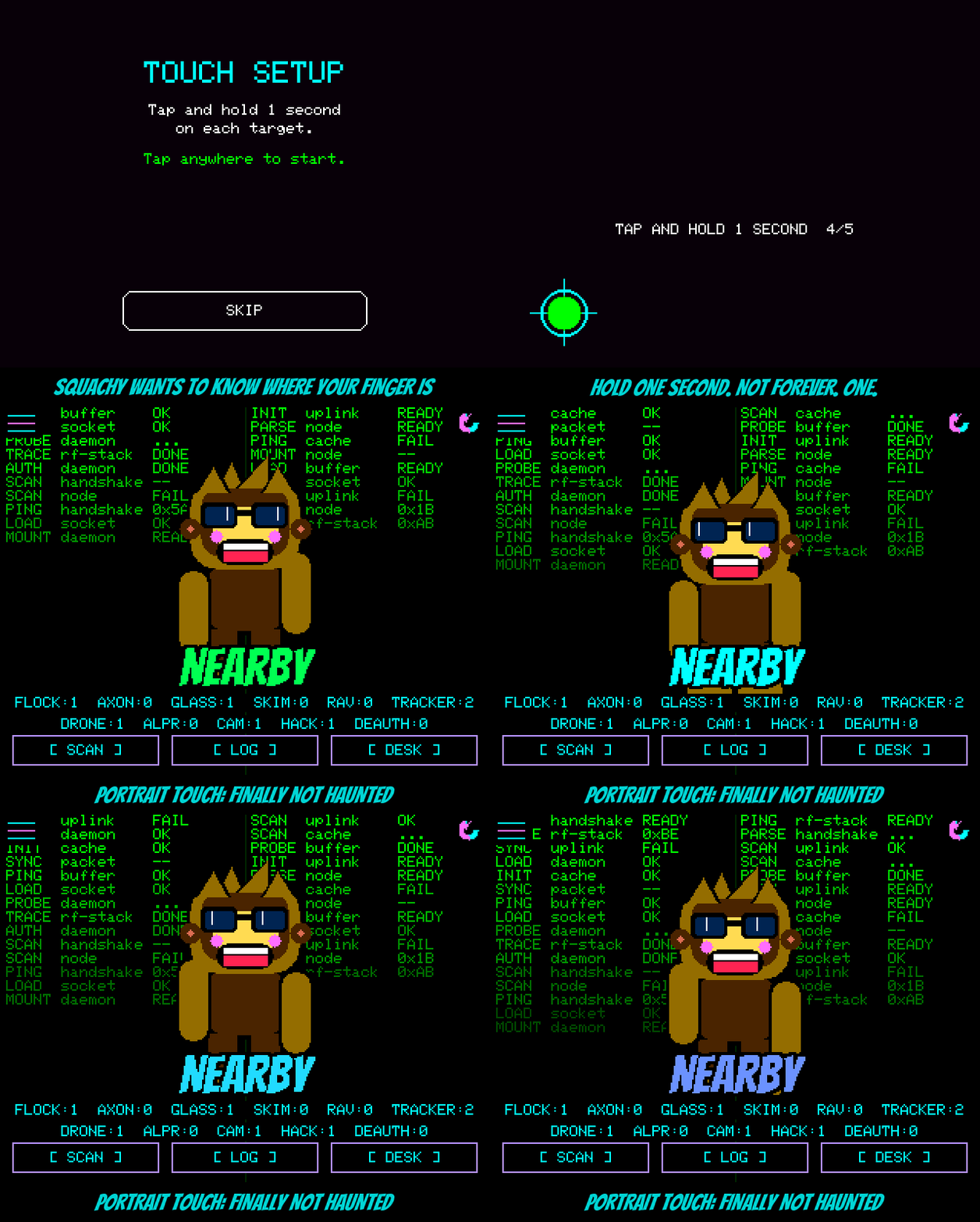
New first-boot ritual. Every board now asks for five taps the first time it starts: four targets near the corners and one in the middle. Tap, hold one second (the target turns green; it is not a staring contest), next. Then it puts a dot somewhere new and asks you to hit it, and shows you where your tap landed, because Squachy trusts, but verifies. If the taps don't add up, it asks for one more go. If they still don't, it saves nothing and leaves your touch exactly as it was. Nobody gets a worse screen for trying.
None of the targets are hiding under your case. The old calibration put its crosshairs right in the corners, which is precisely where a case keeps its lip. The AWOK was the worst: you pressed the plastic, the panel felt something else, and the calibration learned a lie. The new targets sit well inside the edges, and the math works out where the corners are from there. The case can keep its corners.
Calibrate once, rotate all you like. It used to be that the 2.8" boards really only calibrated properly sideways, and if you did it in portrait the numbers came out sideways too. That's the haunting. The 3.5" made you calibrate every rotation separately, like a cryptid that needs to be introduced to you four times. Now one calibration covers all four rotations on every board, and it can even straighten out a touch panel that's glued on a hair crooked, which the old one flat out couldn't.
Already happy? SKIP. Updating from an older version, you'll see the setup screen once, with a SKIP button. SKIP keeps exactly the touch you had — we checked, to the pixel — and it won't ask again. Walk away from it and it'll carry on booting and ask next time instead. Change your mind later with SETTINGS > CALIBRATE TOUCH, and if touch is ever so far off you can't reach that, hold the screen while it boots to wipe it and start fresh. "Not paranoid. Just well-informed."
Tested on the whole zoo. 2.8" resistive, 2.8" capacitive, 2.8" ILI9341, the RL Phantom, the AWOK, and the 3.5" BETA, each calibrated and spun through its rotations on the bench. The best check tap landed one pixel off the dot. Squachy has asked us to stop bragging about it. We have not.
The actually-useful part
Added
- A five-target touch calibration on first boot, on every board, with targets inset 15% from the edges and a tap-the-dot check at the end.
- SKIP on that screen for boards with a calibration worth keeping; it keeps the old touch exactly and stops asking.
- DIAGNOSTICS shows raw touch on every board, and whether the calibration is new, from older firmware, or built in.
- The emulator renders the calibration screen (
touchcal), played by a scripted finger.
Changed
- One calibration now works in all four rotations; the 3.5" no longer calibrates each rotation separately.
- AWOK and the 3.5" read touch through the same path as every other board instead of the display library's own calibration.
- The on-screen hint is "Tap and hold 1 second", and the hold really is about a second.
Fixed
- Touch landing off-target in portrait on the 2.8" boards.
- Calibration targets sitting under a case's lip, worst on the AWOK.
- Calibrating in portrait on a 2.8" failing, or saving an inverted result.