
Orbit Store 1.2.0 (Beta)
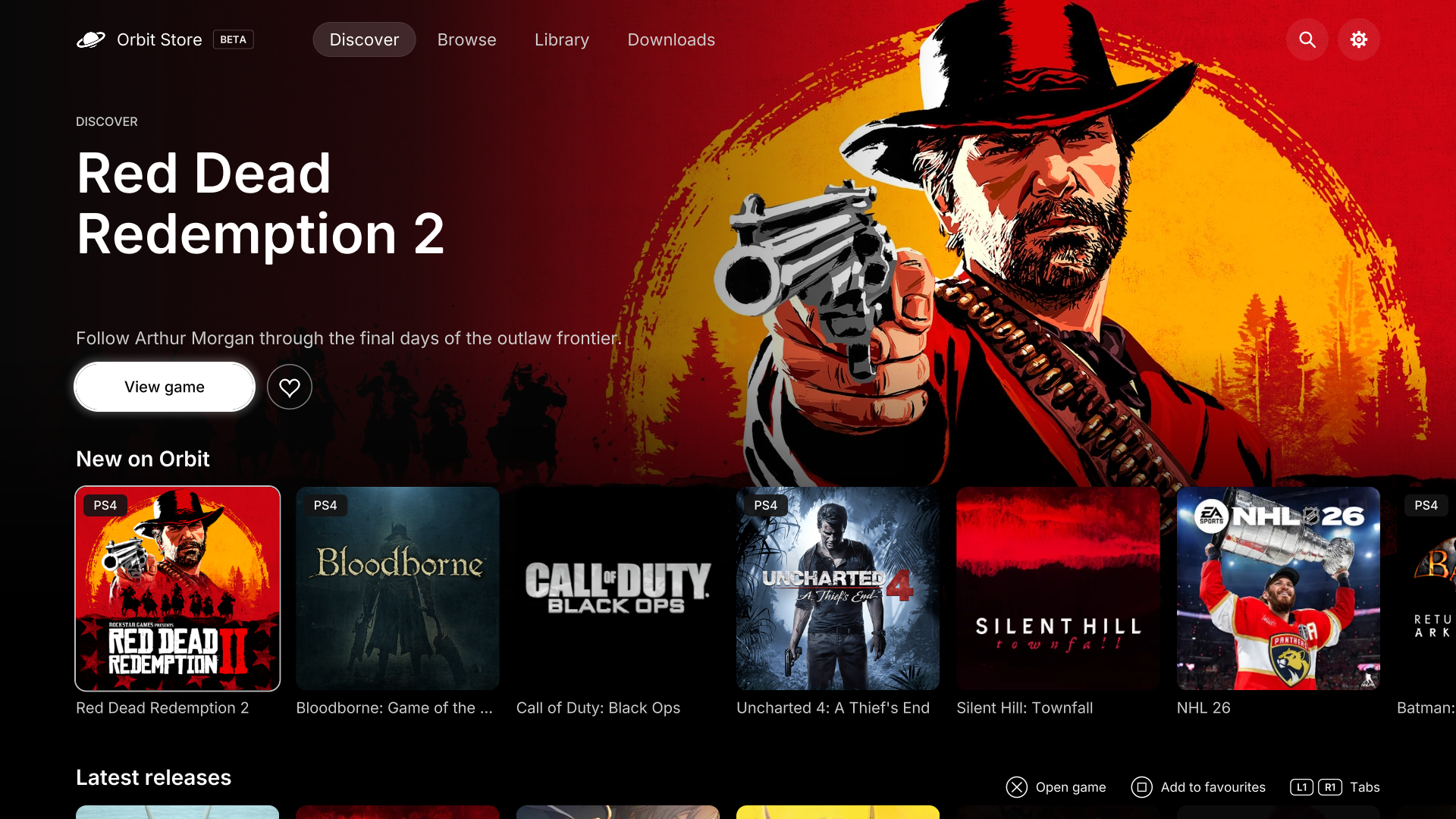
More games, more sources and built-in ZIP, RAR and 7z archive extraction.
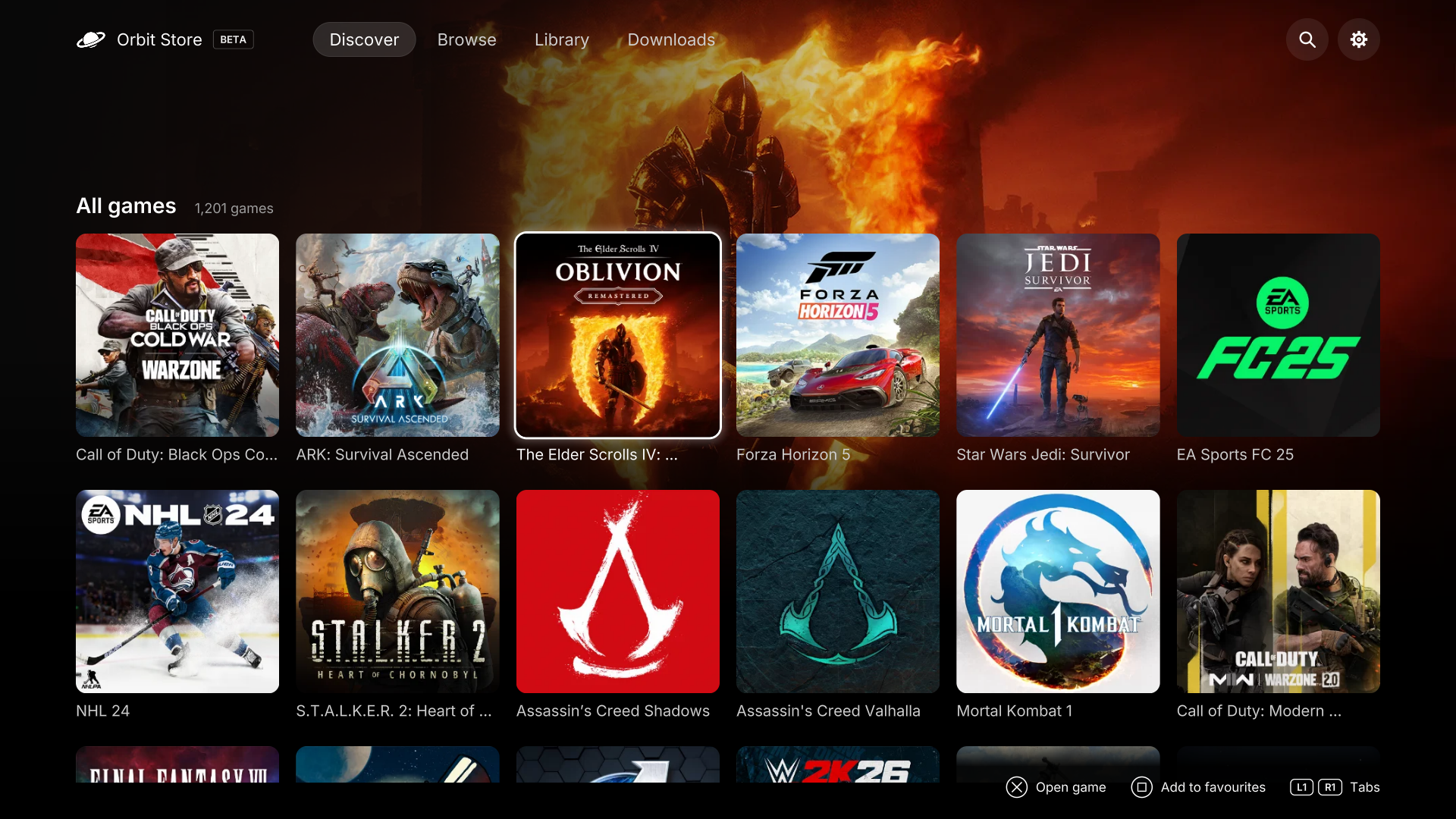
- 271 new games: 200 PS4 and 71 PS5, bringing Orbit’s catalogue to 1,201 games across all three apps.
- AkiraBox joins Orbit. Choose from 272 AkiraBox download links across the catalogue. First, open your Sources settings, enable AkiraBox and save your selection. Then open AkiraBox, complete verification and wait. Orbit automatically picks up the download link, so there’s no need to press Download manually.
- More download choices. We’ve added 578 download links: 272 for the new games and 306 additional source or format options for 264 existing games. These additions include 41 compressed downloads across the supported sources.
We’re constantly adding more games and download sources.
Orbit Store · PS5 browser and native app
- Archive extraction on PS5. Download and extract supported ZIP, RAR and 7z files directly to your selected drive, with password entry when needed.
- Improved external USB drive downloads. Addresses stalls when downloading large files to USB drives and prevents a busy USB drive from blocking checks on other drives.
- Download controls across the apps. Choose 1–8 simultaneous games in the browser and native app.
- Browser and controller improvements, clearer storage information and release years on game details.
- More reliable catalogue updates. New catalogue versions load correctly after updating the app.
Orbit Zero · Mac, Windows and Linux
- Download and extract ZIP, RAR and 7z archives. Supports password-protected files and custom passwords, then transfers the extracted files to your PS5.
- AkiraBox downloads. Choose AkiraBox alongside Archive.org and Vikingfile.
- Choose your download limit. Set 1–8 simultaneous games in Download settings, with one active download by default.
Install Orbit Zero on Mac, Windows or Linux · Set up a PS5 without internet · Update Orbit Store on PS5
Install the native TV app
Download PPSA99177.ffpkg and its .sha256 file from Assets, verify the checksum, then copy the FFPKG to /data/homebrew/ on your PS5. Let ShadowMountPlus register it and open Orbit Store from the Games row. Choose your sources in App settings → Download sources.
If an older Orbit service is running, stop it before opening the updated app so its new bundled service can start. The native app is 1.5.0, bundled with Orbit Store service 1.2.0. Native installation and update guide.
Use or update the browser version
Download orbit_store.elf and its .sha256 file from Assets. Verify the checksum, then run the ELF through Payload Manager or your ELF loader. Open the Orbit shortcut in the Media tab, or open http://<ps5-ip>:34177/ on another device on the same network.
When replacing a running version, select App settings → Update / reinstall → Stop Orbit to restart, then launch the new ELF. Uploading a replacement alone does not replace an already-running session. Your pairing, source choices and queue stay saved.
Install Orbit Zero on your computer
Download the Orbit Zero 1.2.0 package matching your computer from Assets and check it against SHA256SUMS:
- Mac: choose
mac-arm64.dmgfor Apple Silicon ormac-x64.dmgfor Intel. Open the DMG, drag Orbit Zero into Applications, and open it there. Mac instructions. - Windows: choose
win-x64.zipfor Intel/AMD orwin-arm64.zipfor ARM. Extract the whole ZIP, then open Orbit Zero.exe. Windows instructions. - Linux: on Ubuntu/Debian, install
linux-amd64.debfor Intel/AMD orlinux-arm64.debfor ARM64. Portable.tar.gzpackages are also available. Linux instructions.
Keep your computer and PS5 on the same local network over Wi-Fi or Ethernet. With the PS5 jailbreak and Payload Manager or ELF loader running, open Console in Orbit Zero, enter your PS5’s local IP address and select Start Orbit on PS5. Zero supplies the matching payload, with no separate ELF download needed. Pair using the code on your PS5. The PS5 does not need internet access when your computer handles the downloads.
Updating Orbit Zero? Quit it before replacing the app. Stop the old Orbit service on your PS5, then use the updated Zero app’s Console → Start Orbit on PS5 controls to start its matching service. Your saved pairing and queue are kept. Full update instructions.
Downloads and source
orbit_store.elfand its.sha256: PS5 download service and browser interface.PPSA99177.ffpkgand its.sha256: native TV app, including the same ELF.Orbit-Zero-1.2.0-*: desktop packages for Mac, Windows and Linux.orbit-store-1.2.0-source-bundle.zip: corresponding Orbit Store application and dependency sources, licence notices and rebuild instructions. Orbit Zero source is not included.SHA256SUMS: checksums for the release files.BUILD-INFO.jsonidentifies the builds and exact Orbit Store source snapshot.
Keep your PS5 awake during downloads and extraction. Leave room for both the archive and its extracted contents. See the download guide for formats, destination drives and installation steps.
Automatic archive passwords
Orbit Store and Orbit Zero automatically try these passwords when extracting password-protected ZIP, RAR and 7z downloads, so you usually don’t need to enter one yourself:
DLPSGAME.COM[DLPSGAME.COM]SuperPSXwww.DLPSGAME.COMdownloadgameps3.comhako
Passwords are case-sensitive. If the archive uses a different password, select Enter archive password on the download, enter the password provided by its source, then choose Retry extraction. Orbit uses the archive already downloaded, so you don’t need to download it again.
Provider download steps
- Vikingfile: open the download page, complete verification, press Download, then return to Orbit.
- AkiraBox: open the download page, complete verification and wait without pressing Download. Orbit captures the ready link. The PS5 browser returns to Orbit automatically; if you started in the native app, return to it to follow progress. Orbit Zero closes the provider window when the file is ready.