
Introducing Orbit Zero, our desktop app for Mac, Windows and Linux.
- Download on your computer, transfer to your PS5. Orbit Zero downloads files and transfers them to your console at the same time. Works over your local network: Wi-Fi or Ethernet.
- Use Orbit without internet on your PS5. Your computer handles online downloads while your PS5 stays connected to your home network. Browse and receive files on the console without giving it internet access.
- Control downloads from either device. Browse and manage your computer's queue from Orbit Zero or the matching Orbit Store app on your PS5.
- Choose where downloads run. Use your computer, or prefer direct PS5 downloads when the console can reach the source. Save your preference once.
- See both stages clearly. Track download and PS5 transfer speeds separately, with pause, resume and reconnect controls.
- Start Orbit on your PS5 without internet. Install and open Orbit Zero, go to Console, enter your PS5’s local IP address, then use Start Orbit on PS5 to upload and launch Orbit. Pair with the code shown on your PS5. No separate ELF download is needed. Keep both devices on the same local network, with your PS5’s jailbreak and Payload Manager or ELF loader already running.
- Already using Orbit Store 0.9.x? Stop the old service in Orbit Store’s browser app under App settings → Update / reinstall → Stop Orbit to restart. Then upload and start the new ELF through Orbit Zero. Your settings, pairing and queue stay saved. If you use the native TV app, install this release’s PPSA99177.ffpkg too.
We’re continually improving download and transfer speeds across Orbit. Thank you for your patience.
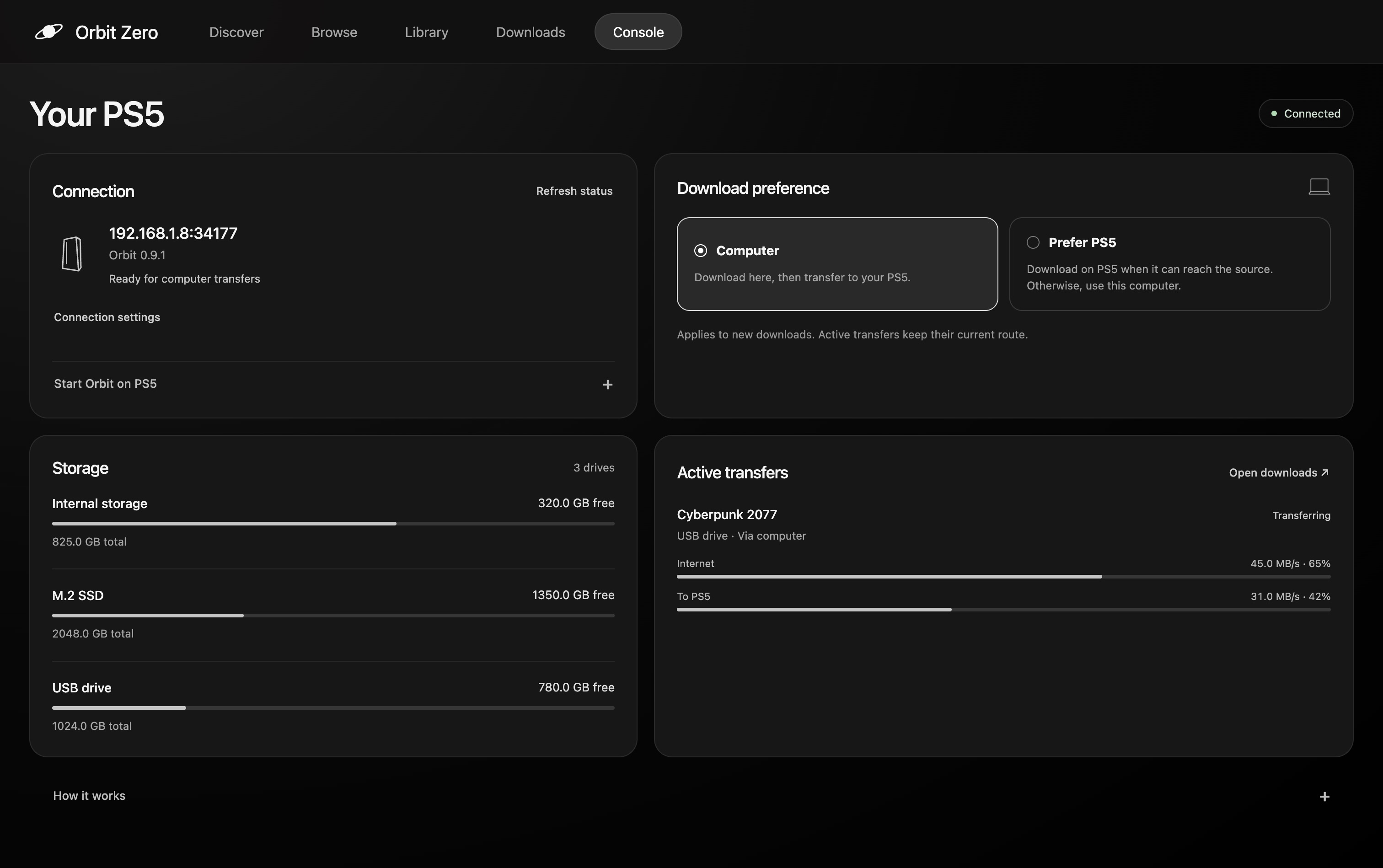
Your PS5, at a glance
Check your connection, available storage, download preference and active transfers from the Console page.
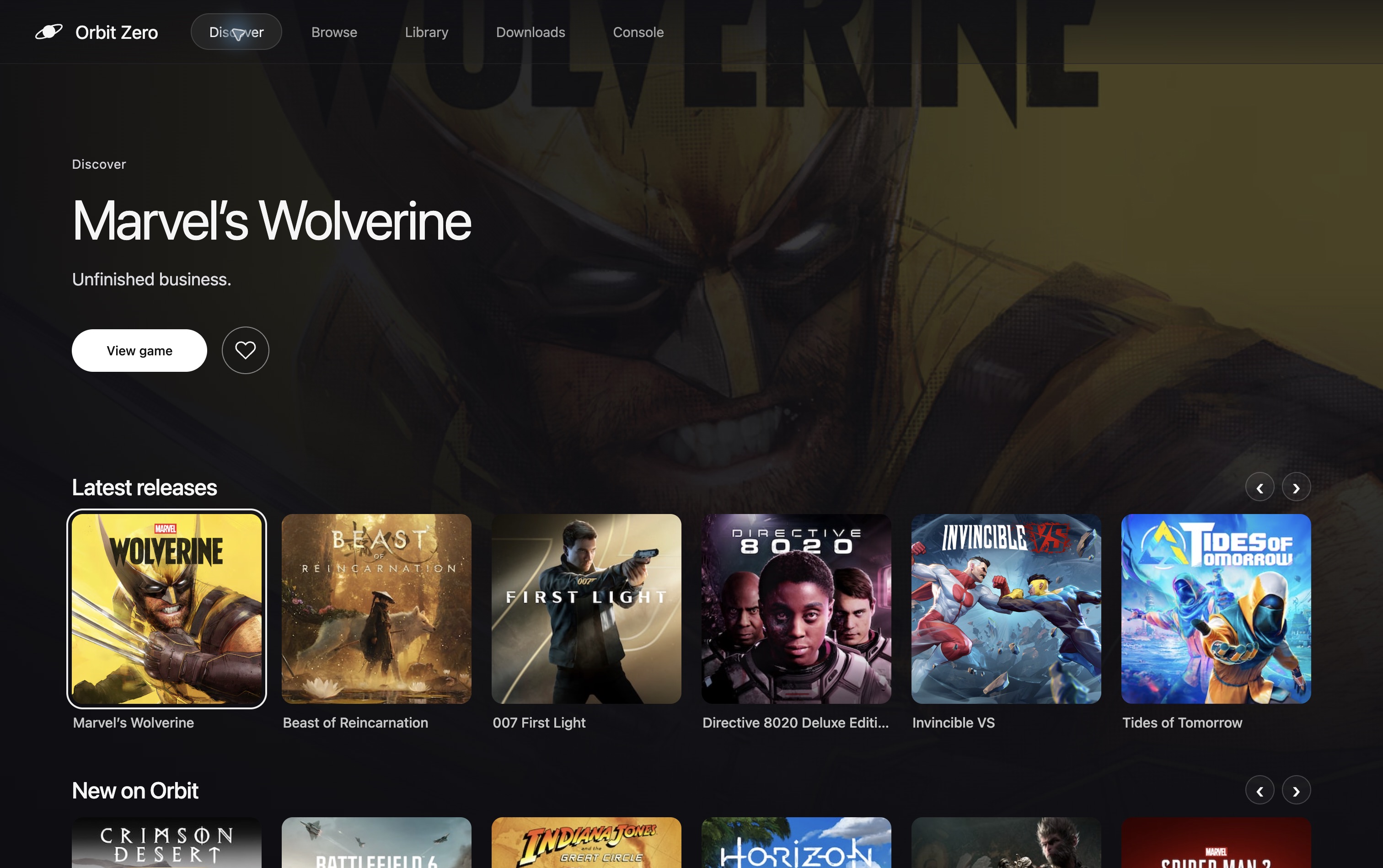
Discover on your computer
Browse your games with full artwork and quick access to your favourites.
Downloads on your computer
Track download and PS5 transfer progress separately, with pause and resume controls.
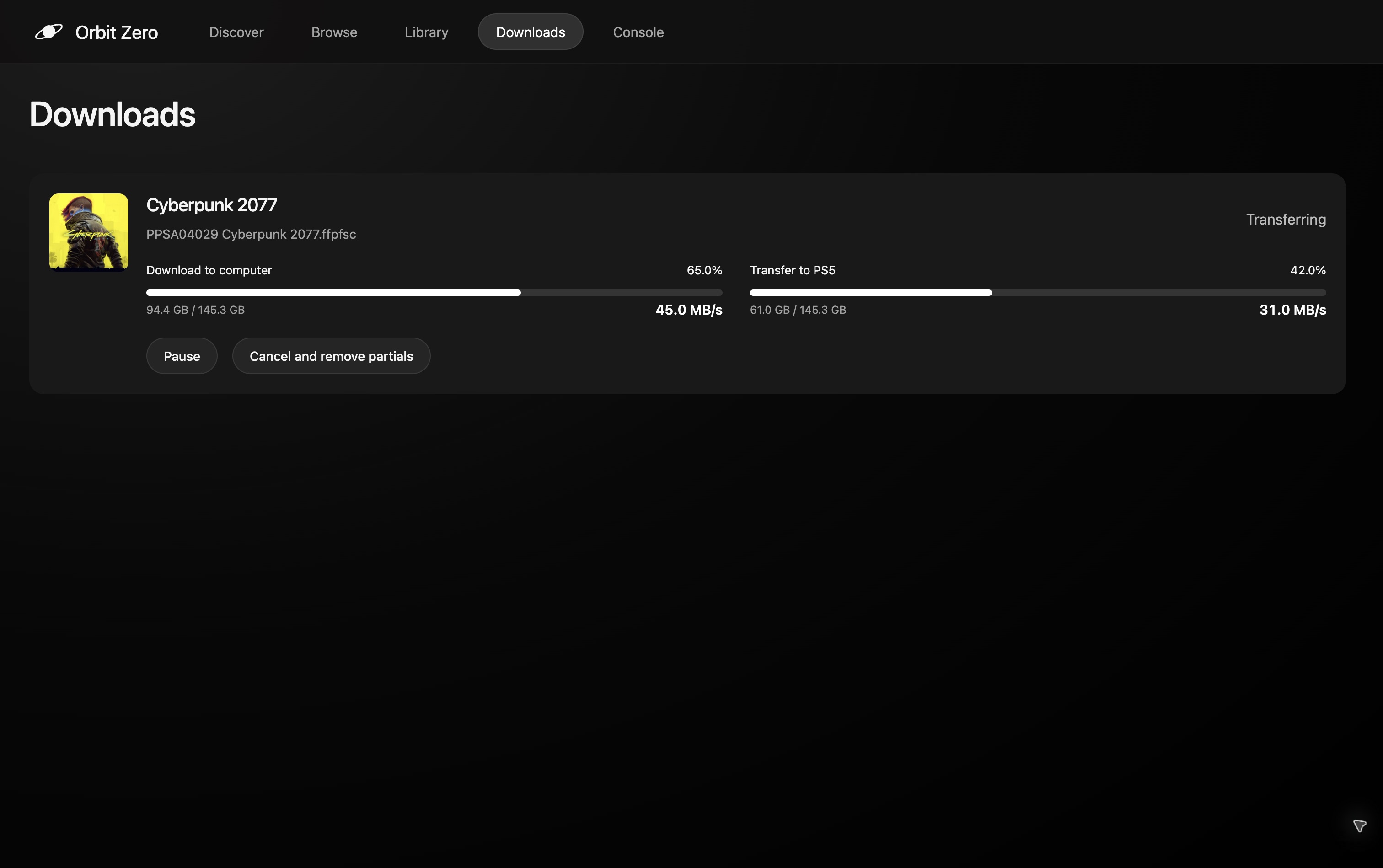
Screenshots show the desktop interface; storage and transfer values are illustrative.
Install Orbit Zero
Desktop builds are available for ARM64 and x64. Choose the file matching your computer, then follow the guide for your operating system:
- Install on macOS
- Install on Windows
- Install on Ubuntu or Debian
- Other Linux systems / portable archive
The guides cover first-launch permissions, updates and pairing. Keep your computer and PS5 on the same home network. No internet connection is needed on the PS5. Start the PS5's jailbreak and Payload Manager or ELF loader before connecting.
Install or update Orbit Store on PS5
Use the matching ELF and native FFPKG from this release for Orbit Zero support.
- Install the native PS5 app
- Use the browser version
- Set up a PS5 without internet
- Connect Orbit Zero to your PS5
Orbit Zero's initial desktop interface is English-only. Orbit Store retains its existing language support.
Experiencing slow downloads or transfers? Try the optional speed-optimized Orbit Zero builds in Assets. Choose a file with speed-optimized in its name; the original builds remain available. These builds also reconnect to your saved PS5 when you reopen the app.
To the copycats: keep up. We’re just getting started. 👎🏼