
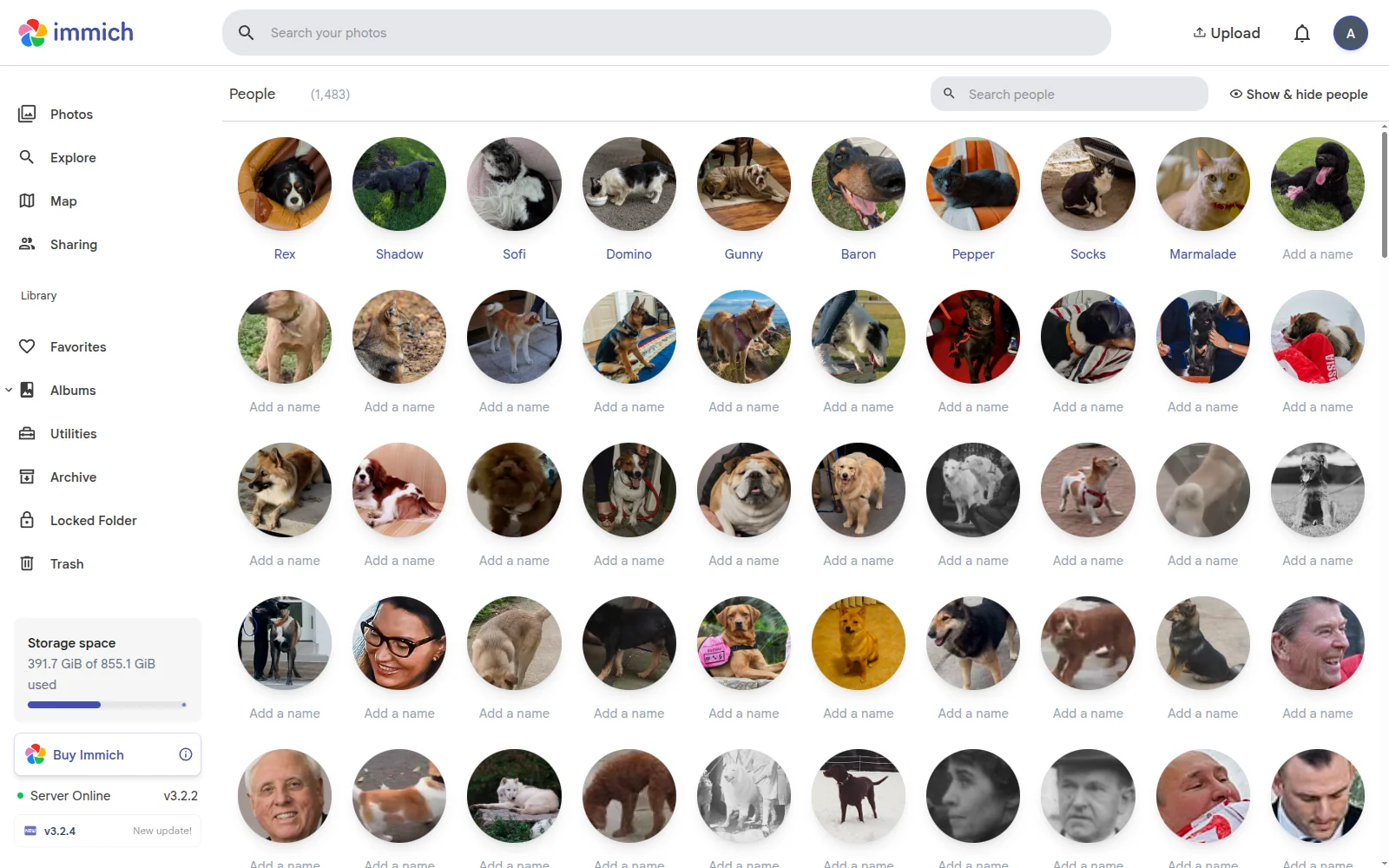
The animal-ml sidecar now finds and groups your cats as well as your dogs in Immich's People tab.
What's new
- Cats. 99% of held-out test cats are detected (0.2.0 found 8%). In simulated households, 70 of every 100 cats end up as one correct person. Dogs and cats are kept apart.
- Dogs merge a little less. 0.2.0 merged more dogs than 0.1.x, so 0.3.0 tightens Max Distance slightly. You may see a few more stray dog faces to merge by hand. Detection is unchanged.
- New settings:
CAT_MIN_SCOREandCAT_MAX_DISTANCE, which work like the dog ones.
Full numbers are in the model card.
Upgrading from 0.2.0
The new model can't reuse 0.2.0's dog faces, so remove them first. Dog names and merges are lost; human faces are untouched.
- Administration → Settings → Machine Learning: set the URL back to
http://immich-machine-learning:3003. - Job Queues → Face Detection → Refresh, and wait for it to finish.
- Change the image tag to
ghcr.io/rtp4jc/animal-ml:0.3.0, then rundocker compose up -d animal-ml. If you setDOG_MAX_DISTANCEyourself, remove it. - Set the Machine Learning URL to
http://animal-ml:3003again. - Face Detection → Refresh again.
New install
Next to your Immich docker-compose.yml, create docker-compose.override.yml:
services:
  animal-ml:
    container_name: animal_ml
    image: ghcr.io/rtp4jc/animal-ml:0.3.0
    environment:
      UPSTREAM_ML_URL: http://immich-machine-learning:3003
restart: always- Run
docker compose up -d animal-ml. - Administration → Settings → Machine Learning: set the URL to
http://animal-ml:3003. Leave the other settings alone; the sidecar uses its own values for pets. - Job Queues → Face Detection → Refresh. Use Refresh, never Reset: Reset deletes every named face.
Full instructions and troubleshooting: sidecar/README.md
Model files are attached; verify them with sha256sum -c SHA256SUMS. Licensed AGPL-3.0; some training data is for non-commercial use only, see NOTICE.