
FileFluss 1.5
FileFluss 1.5 is about knowing what your storage is doing and getting things out of it: share links straight from the right-click menu, a Storage Analysis window that finds what's eating your space on every account, and transfers that tell you what they're actually doing.
Highlights
Sharing is caring
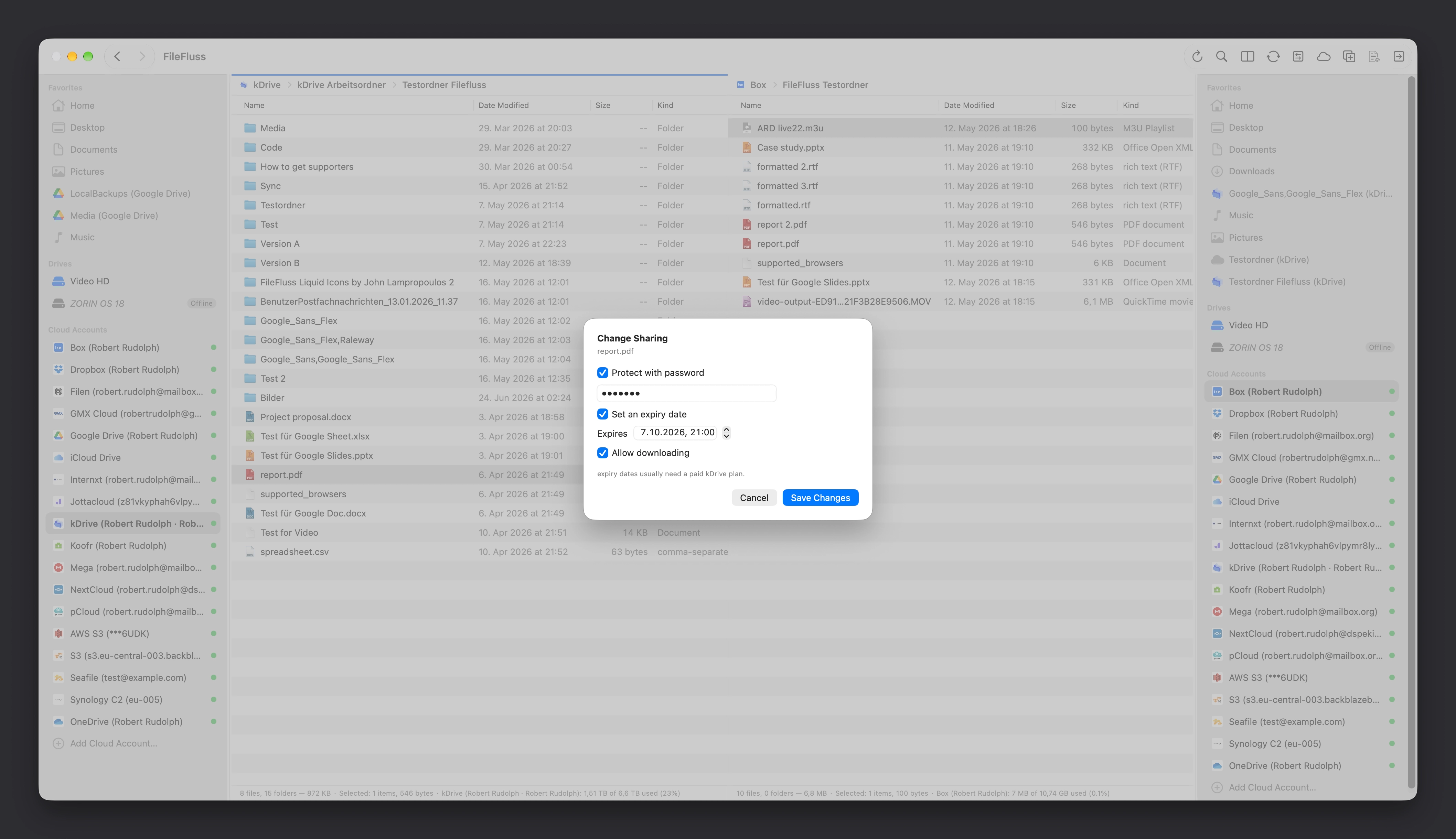
Right-click any file on a supported cloud account and choose Share Link — FileFluss asks the provider to make it shareable and puts the link straight on your clipboard. Where the provider allows it you can set a password and an expiry date, and only the options that account can actually honour are offered, so you don't get an error after the fact.
Links are checked before you hand them out: FileFluss fetches each one anonymously, the way the recipient will, and tells you if it only works while signed in. You can also copy an existing link again, change its password or expiry, and stop sharing entirely.
Supported on Dropbox, Google Drive, OneDrive, Box, pCloud, kDrive, Koofr, Jottacloud, NextCloud, Seafile, Synology C2, Synology Drive, WordPress, AWS S3 and S3-compatible storage.
Find storage hogs with Storage Analysis
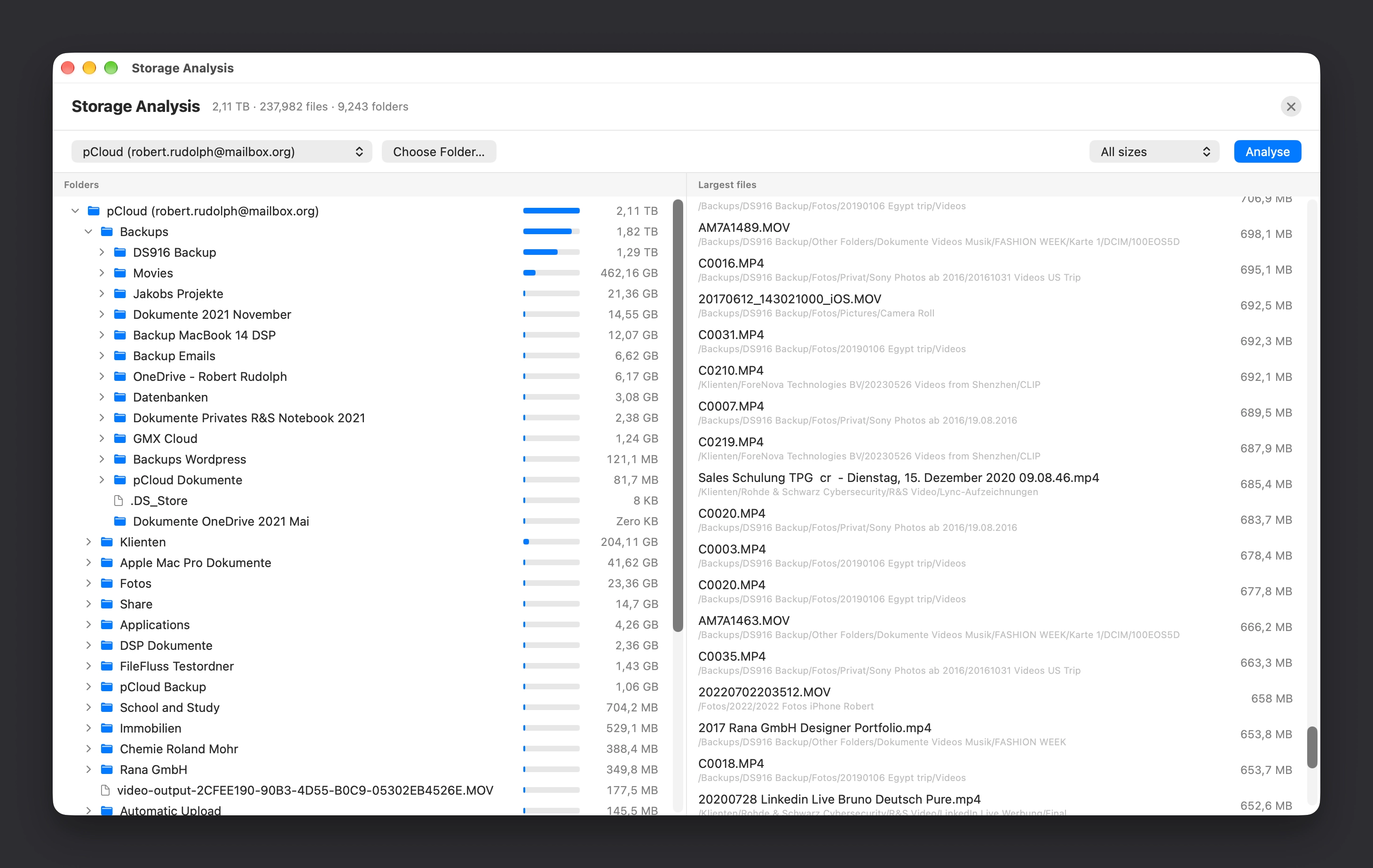
A new window shows which folders and files use the most space, on any cloud account or local folder. Scan a whole account or just one subfolder; results fill in progressively while the scan runs, so a 2 TB account is useful long before it's finished.
You get a folder tree sorted by size and a list of the largest individual files. Jump straight from any row to that folder or file in the panel — and delete it there.
More transfer details
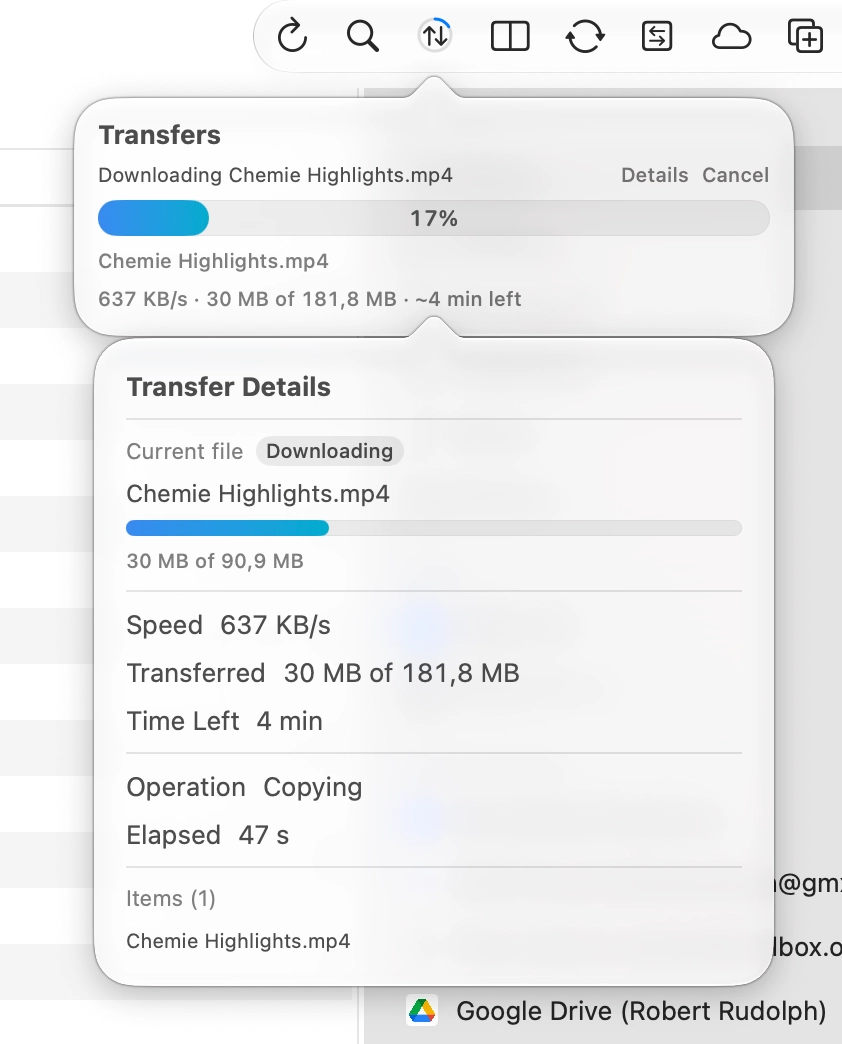
Transfers now say what they're doing: the file currently moving, the live transfer speed, and an estimated time left. Open Details during a transfer for the current file's own progress bar, the download/upload phase on cloud-to-cloud copies, and the list of items finished so far.
Every figure appears only when it's genuinely measured — no invented speeds for operations that can't report them.
Also new
- Easier drag & drop across cloud providers. Drop files onto a favourite or a cloud account in the sidebar to copy or move them there. Rest a drag on a sidebar row or a folder and it opens, so you can carry on into a subfolder — Finder's spring-loaded folders.
- A Transfers button in the toolbar. A ring that fills with overall progress, and a drop-down listing every transfer in both panels, with speed, time left and Details for each. Both sidebar sections (Transfers and Folder Sizes) can now be switched off in Settings → General.
- Automatic updates, built on the Sparkle framework. FileFluss checks for new versions and installs them itself; updates are signed and verified. Turn it off in Settings → General.
- macOS 27 fixes, including icon flickering in the file lists and cleaner separation between the sidebars and the window title.
- More snappiness and stability. Big transfers no longer pay a main-thread hop for every network chunk, the compare tree stops being rebuilt on every redraw, and window size and position are remembered again across updates. Optionally reopen the folders from your last session.
- AWS S3 and Box fixes. S3 no longer needs account-wide bucket listing when a bucket is named, presigned links work with mixed-case bucket hosts, and Box stops asking you to sign in again every few days.
Install
brew install --cask rana-gmbh/filefluss/fileflussAlready have FileFluss? brew upgrade --cask filefluss, or just let the app update itself.