
FileFluss 1.4
FileFluss 1.4 brings full multilanguage support, a configurable cache location so big transfers don't fill your internal disk, a focused single-pane view, much smoother keyboard navigation, and a new cloud provider.
Highlights
Now in four languages
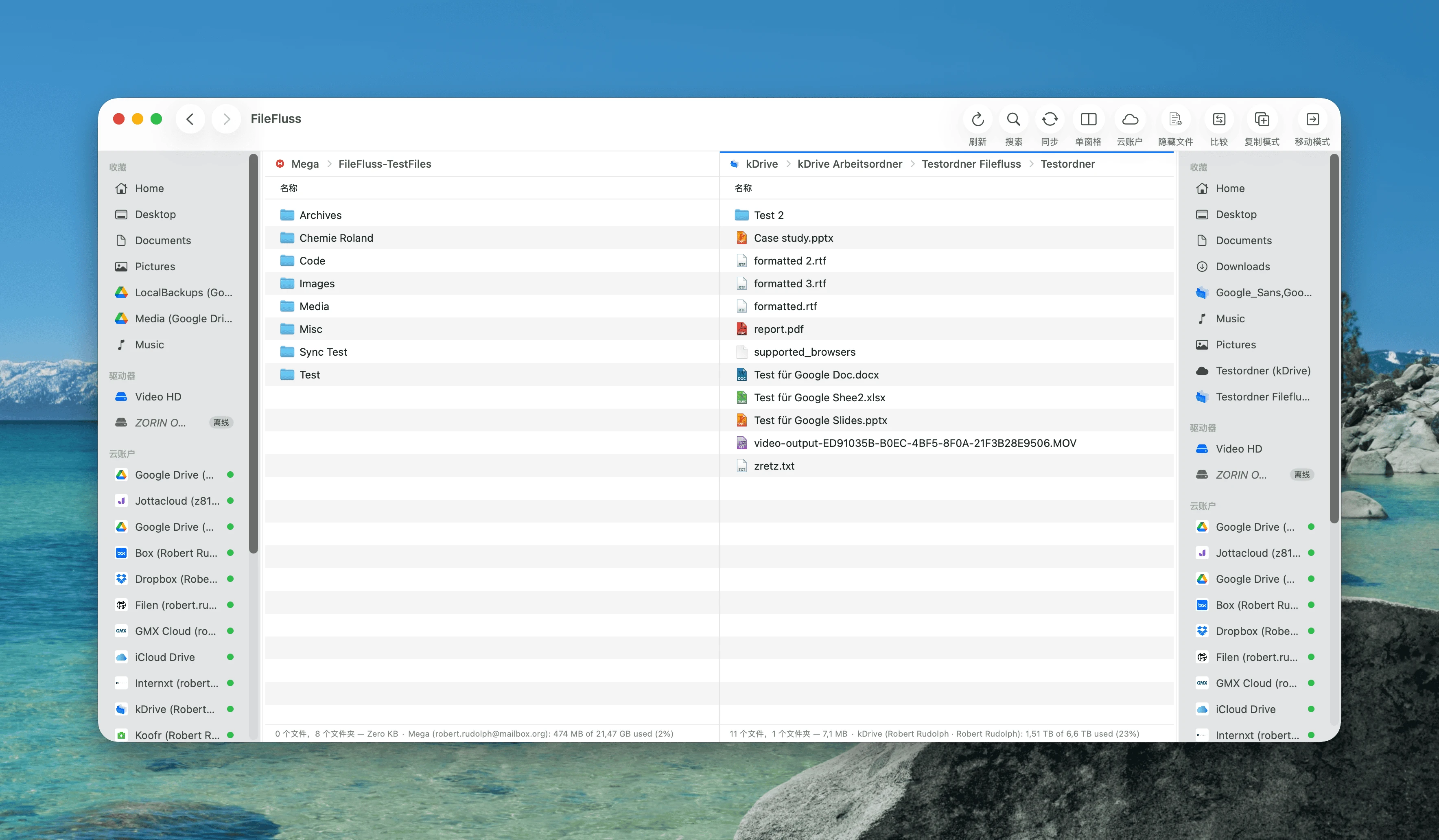
FileFluss is now fully localized in English, German, Simplified Chinese, and Traditional Chinese. Choose your language in Settings → General — the window switches instantly, and the menu bar follows after a quick relaunch. By default it follows your macOS system language.
Put the cache on an external drive
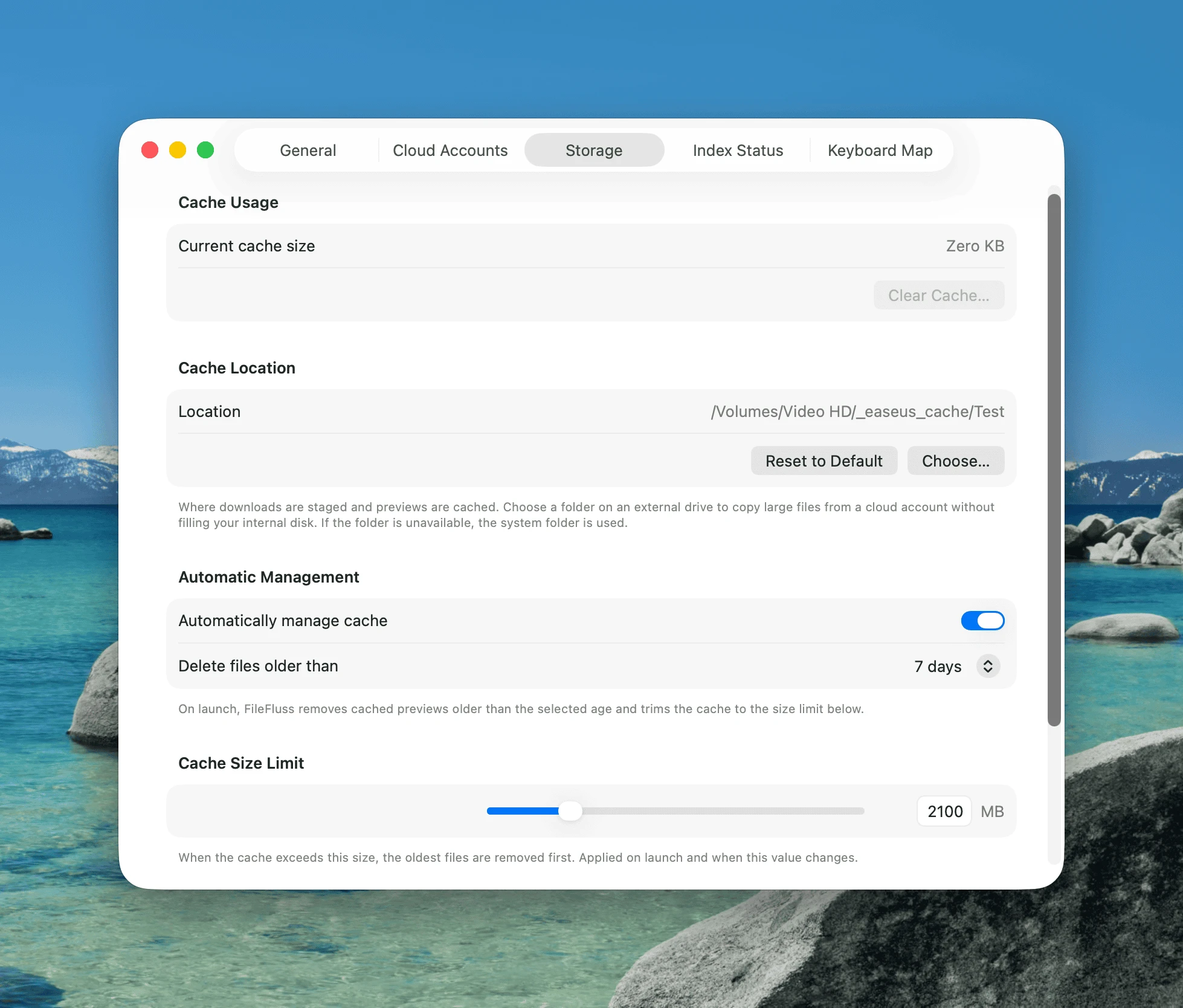
Copying a large file from a cloud account stages it through a cache folder first — which can fill up a Mac with a small internal disk. In Settings → Storage you can now choose a cache folder on any drive. Point it at an external hard drive and big cloud-to-external transfers stay off your internal disk. Falls back to the system folder automatically if the chosen folder isn't available.
Single-pane view
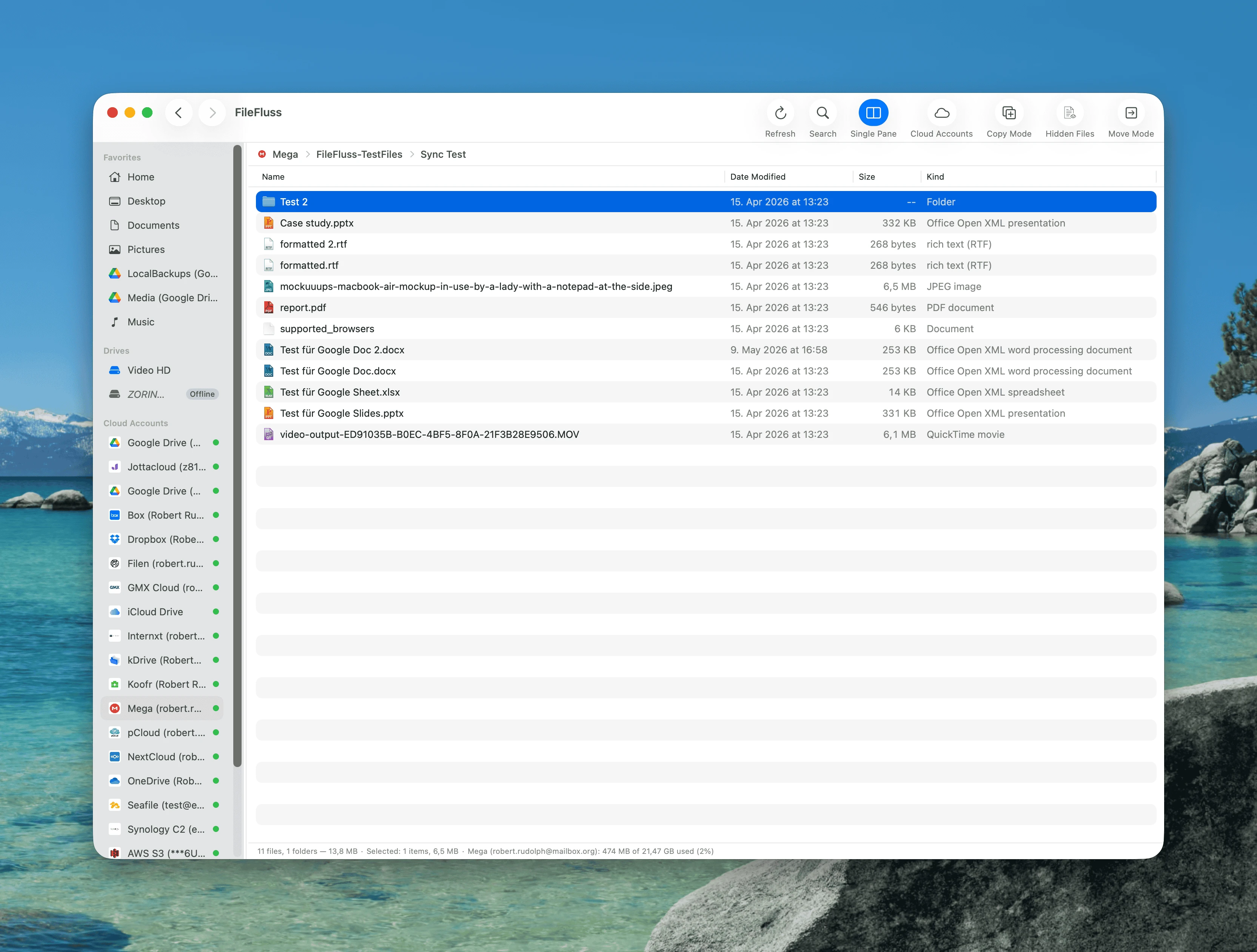
A new toolbar toggle collapses the two panels into one, for focused navigation within a single cloud account or drive. You can still copy and move files within that pane; the two-panel-only actions (copy/move to the other panel, Compare, Sync) are hidden while it's on.
Much better keyboard navigation
Moving through folders with the keyboard is far smoother now:
- ⌘↓ "Open Folder" steps into the selected folder, and ⌘↑ goes to the parent — both customizable in Settings → Keyboard.
- Focus now stays in the file list after you navigate, so the arrow keys keep working without clicking back into the pane.
- A single click on a path-bar breadcrumb in the inactive pane navigates immediately (no more click-twice).
New provider: Jottacloud
FileFluss now connects to Jottacloud (jottacloud.com), alongside the 20+ services already supported. Browse, upload, download, sync, and compare just like any other account.
Google Drive: optional folder-picker connection
Google limits how many apps can have full Drive access. FileFluss now also offers an alternative folder-picker connection: you pick specific folders inside Google Drive to grant access to. FileFluss can read and write the files and folders you create through it, but it can't see files and folders that already existed in your Drive. Use it if the standard full Google Drive connection isn't available to you.
Other improvements
- Rename cloud accounts directly in Settings → Cloud Accounts (now between Edit and Remove).
- Smarter inline rename — only the file name is selected, not the extension, matching Finder.
- Open in Finder added to the right-click menu (reveals local files, and offers to mount a cloud account first).
- Local drives now show free / total space, and the optional copy/move space check no longer falsely warns on external drives.
- A new toolbar cloud button jumps straight to Settings → Cloud Accounts.
- Various UI polish and small reliability fixes.
Upgrading from 1.3
Your cloud accounts carry over — no need to re-add them after upgrading.
Installation
Homebrew
brew upgrade --cask fileflussManual
Download the DMG below and drag FileFluss.app into your Applications folder.
Requirements
- macOS 14.0 (Sonoma) or later