
FileFluss 1.3
This release takes your cloud accounts beyond FileFluss itself — mount them straight into Finder — plus a roomier icon-only view, smarter storage-quota safeguards, and a new end-to-end encrypted provider.
Highlights
Mount your cloud accounts in Finder
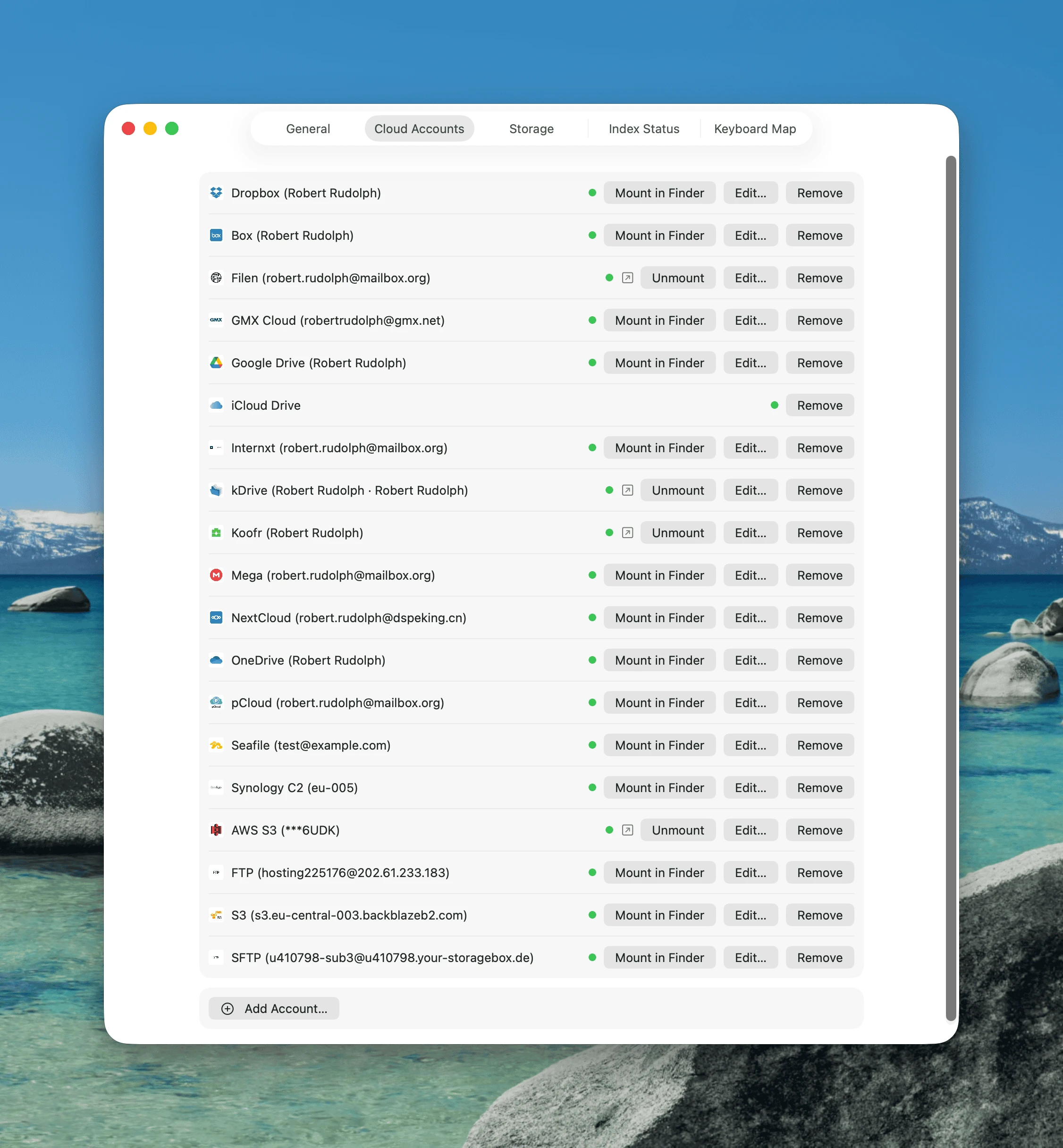
Mount any connected cloud account as a drive in Finder and use it from every app on your Mac — not just inside FileFluss. Open a cloud document straight into Word or Preview, attach files from a Save/Open dialog, drag into Mail — your cloud storage behaves like a local folder for file workflows everywhere in macOS. Mount and unmount from the sidebar, with a one-click Reveal in Finder.
Enhanced icon-mode view
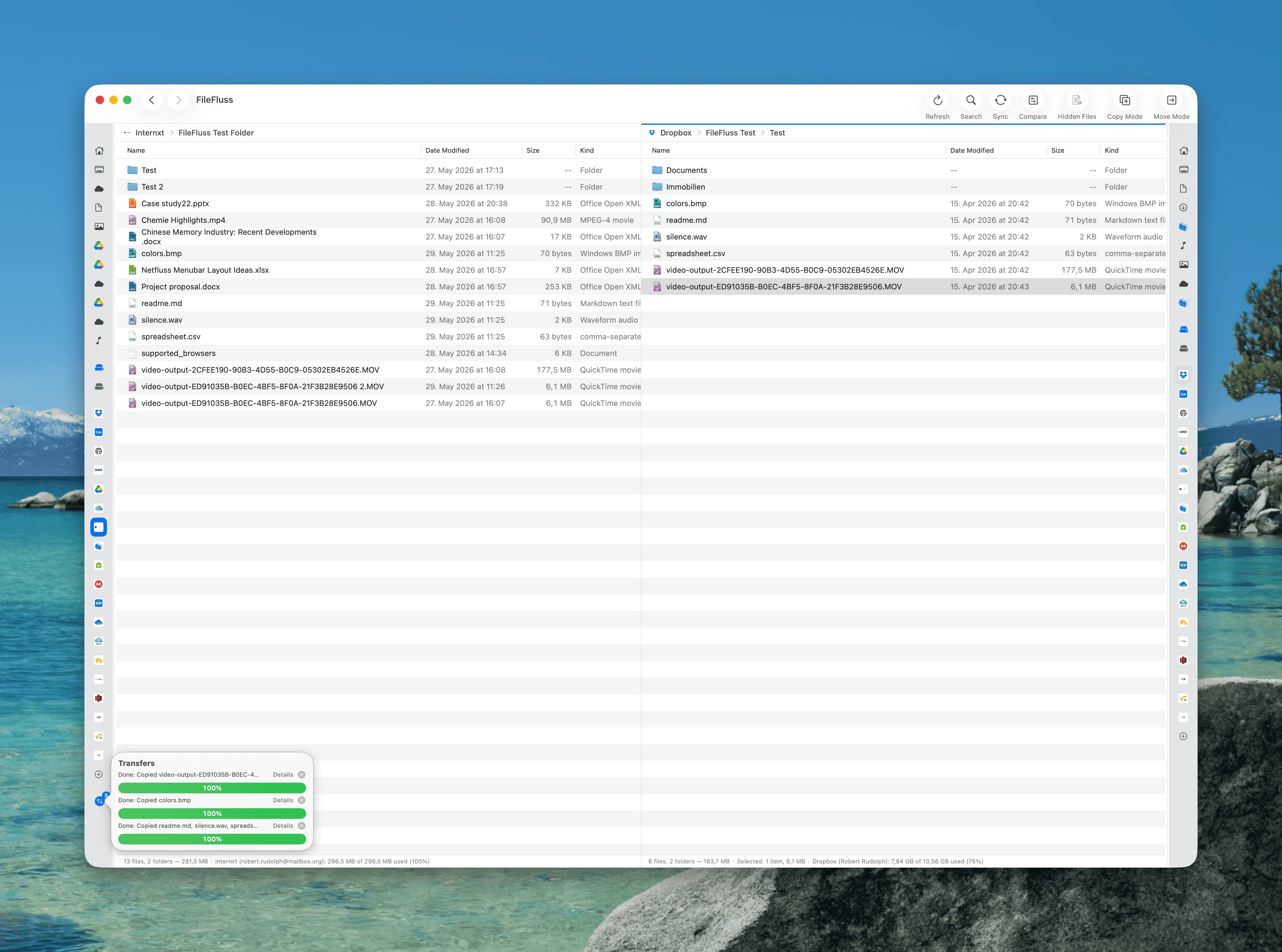
The sidebars now collapse to a refined, extra-small icon-only mode — each panel keeps its favourites, locations, and cloud accounts a click away while giving the file lists the maximum room. Left and right collapse independently and remember their width.
Storage-quota awareness for file operations and sync
- Optional warning before copy & move. Turn it on in Settings → General and FileFluss checks whether a transfer would exceed the destination's storage quota (or local free space) before it starts, with a Cancel / continue-anyway choice. Off by default so everyday file operations stay instant.
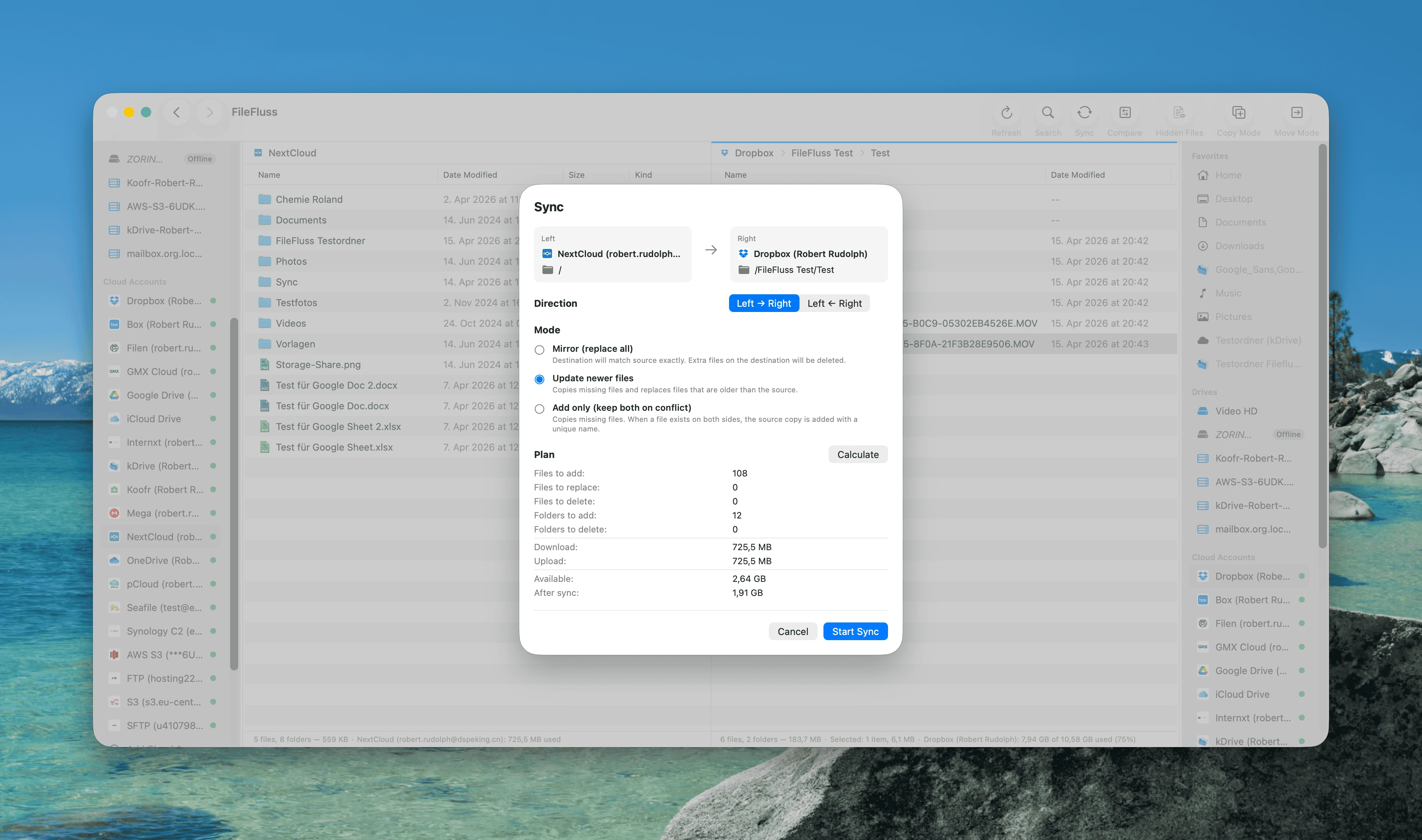
- Storage in the sync plan. The sync pre-flight now shows the destination's available space and how much will be left after the sync, and warns when a sync would overflow the target — before a single byte moves.
New provider: Internxt
FileFluss now connects to Internxt (internxt.com), the end-to-end encrypted cloud storage, alongside the 20+ services already supported. Browse, upload, download, sync, and compare just like any other account.
Other improvements
- Dropbox now reliably shows its storage quota and account name, and recovers a stuck "Unknown" name on its own.
- SFTP folders no longer appear empty on standard servers — fixes a listing bug that affected many SSH/SFTP hosts.
- Reliability fixes for Internxt file replacement and transient server hiccups.
Upgrading from 1.2
Your cloud accounts carry over — no need to re-add them after upgrading.
Installation
Homebrew
brew upgrade --cask fileflussManual
Download the DMG below and drag FileFluss.app into your Applications folder.
Requirements
- macOS 14.0 (Sonoma) or later