
FileFluss 1.1
FileFluss 1.1 is a much bigger update than the small version jump suggests.
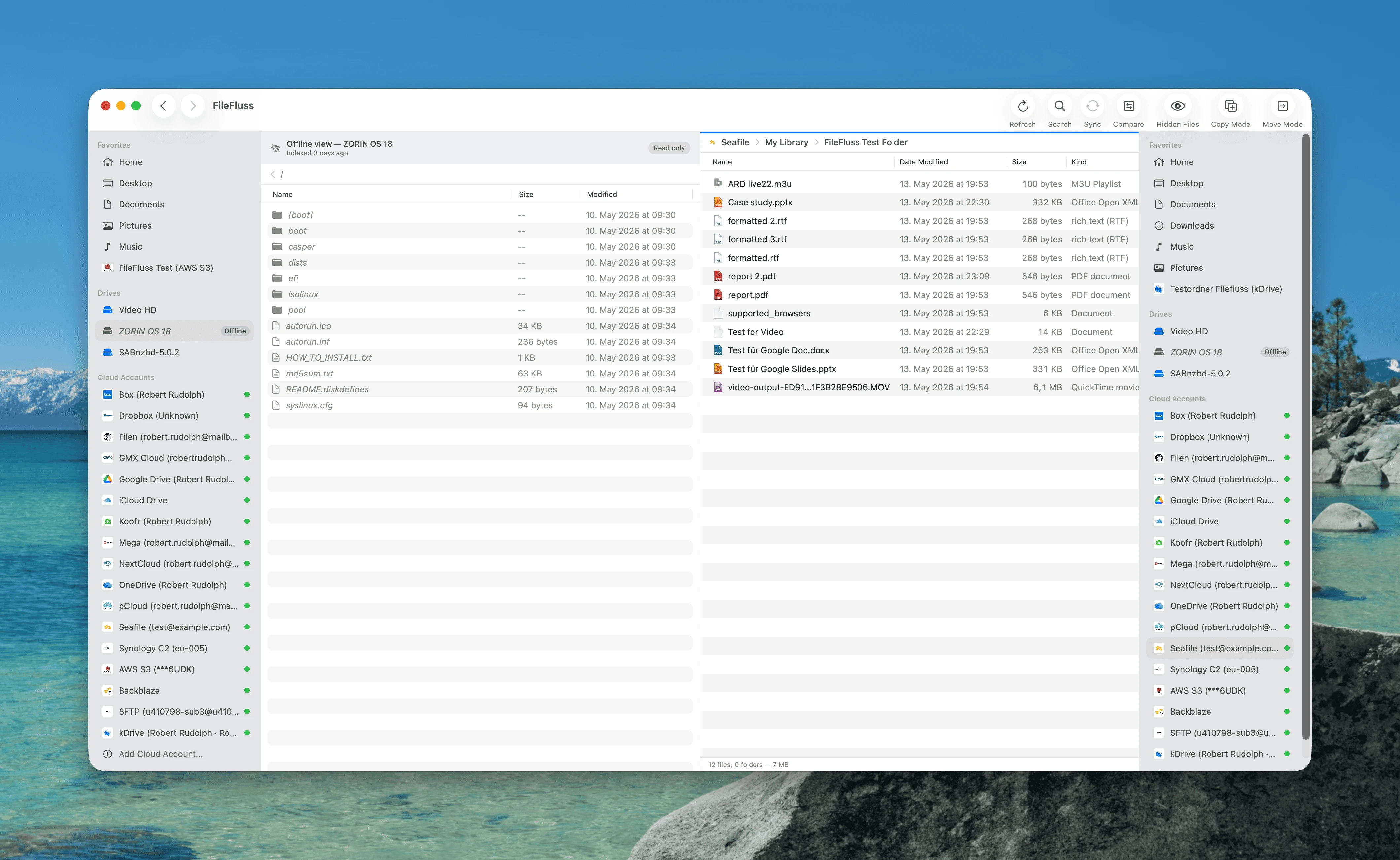
Offline Mode with offline file search
Indexed cloud accounts now work even when you're offline — or when you want them to.
- Right-click an indexed cloud account in the sidebar → Go Offline / Go Online. Toggle on the fly without touching network settings.
- Offline accounts show their last-indexed file tree from the local search index, so you can keep browsing structure and find files by name without a connection.
- The unified search bar (⌘F) now searches every connected cloud account at once, plus any indexed drives — and includes offline accounts in the results.
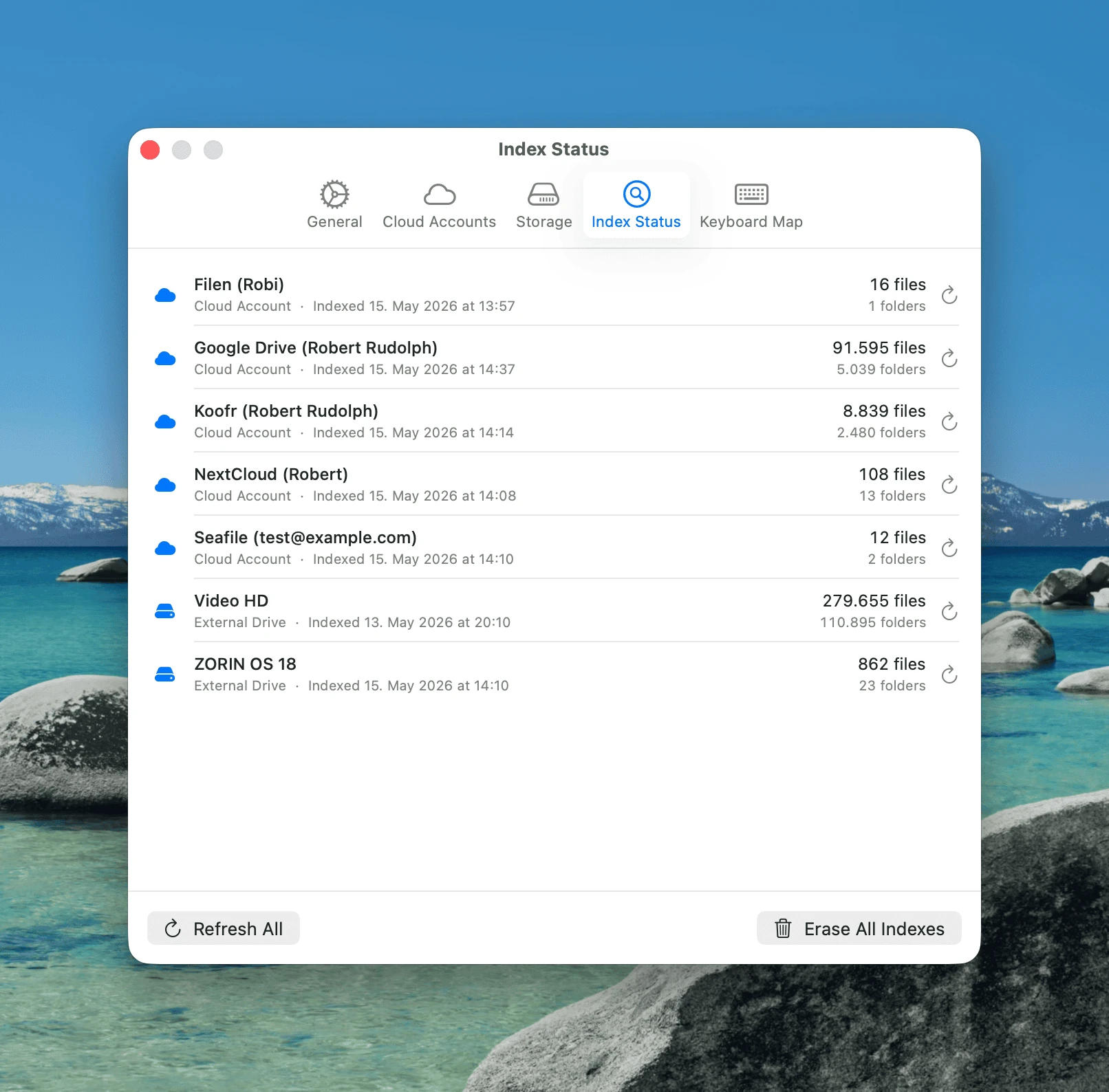
- Settings → Index Status is a new panel that lists every indexed source (cloud account or drive) with last-indexed date, file/folder counts, total bytes, and a per-source refresh button.
Customizable keyboard shortcuts
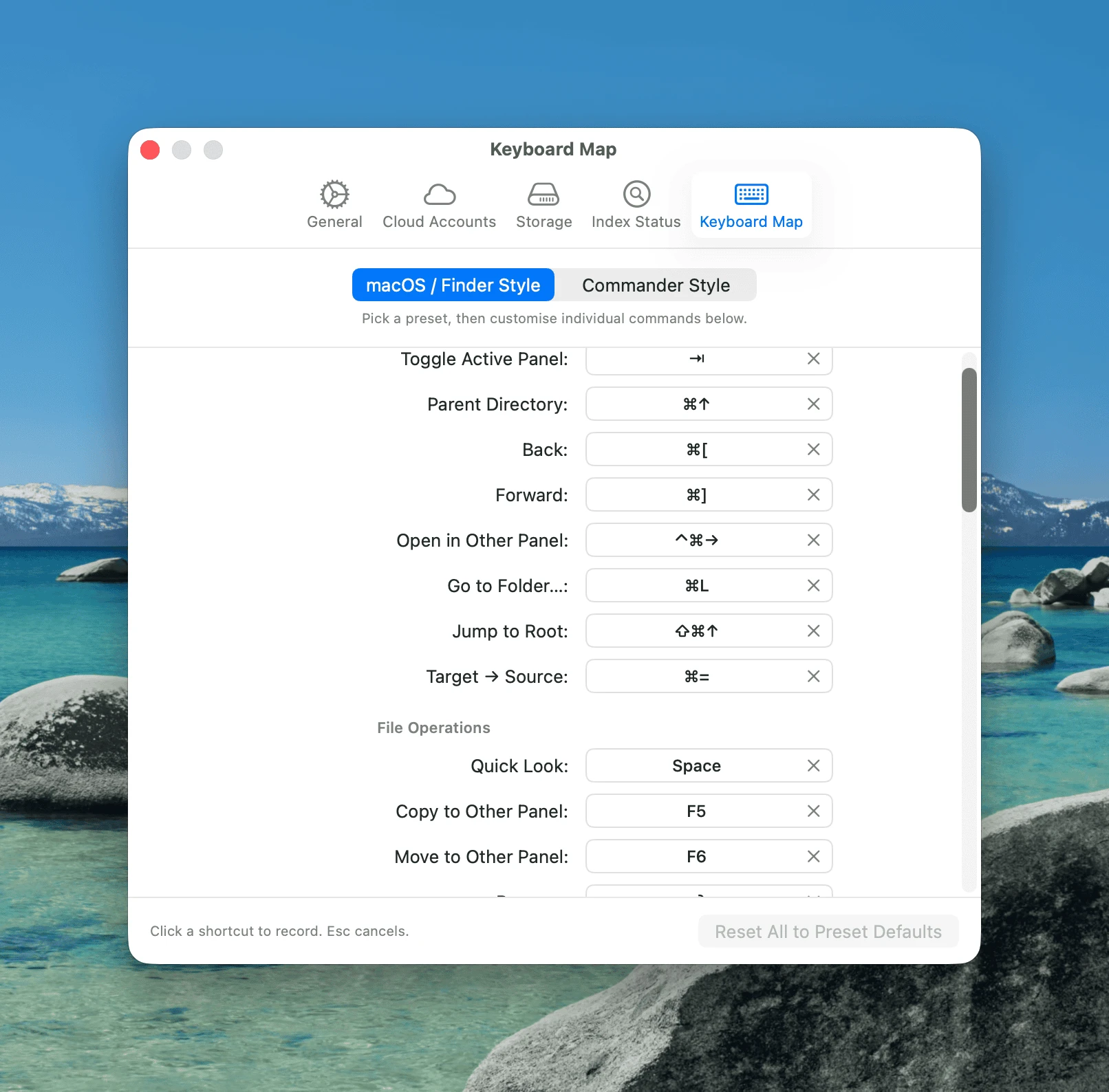
A new Settings → Keyboard panel lets you remap every common file-manager command. Pick one of three presets — Finder-like, Total Commander, or Norton Commander — or build your own.
- Single keys (
F5to copy,F6to move, etc.) or full modifier chords (⌘C/⌃X) are all supported. - The active preset is recorded in your preferences, so "Reset to defaults" restores the preset you picked instead of throwing it away.
New supported protocols and cloud accounts
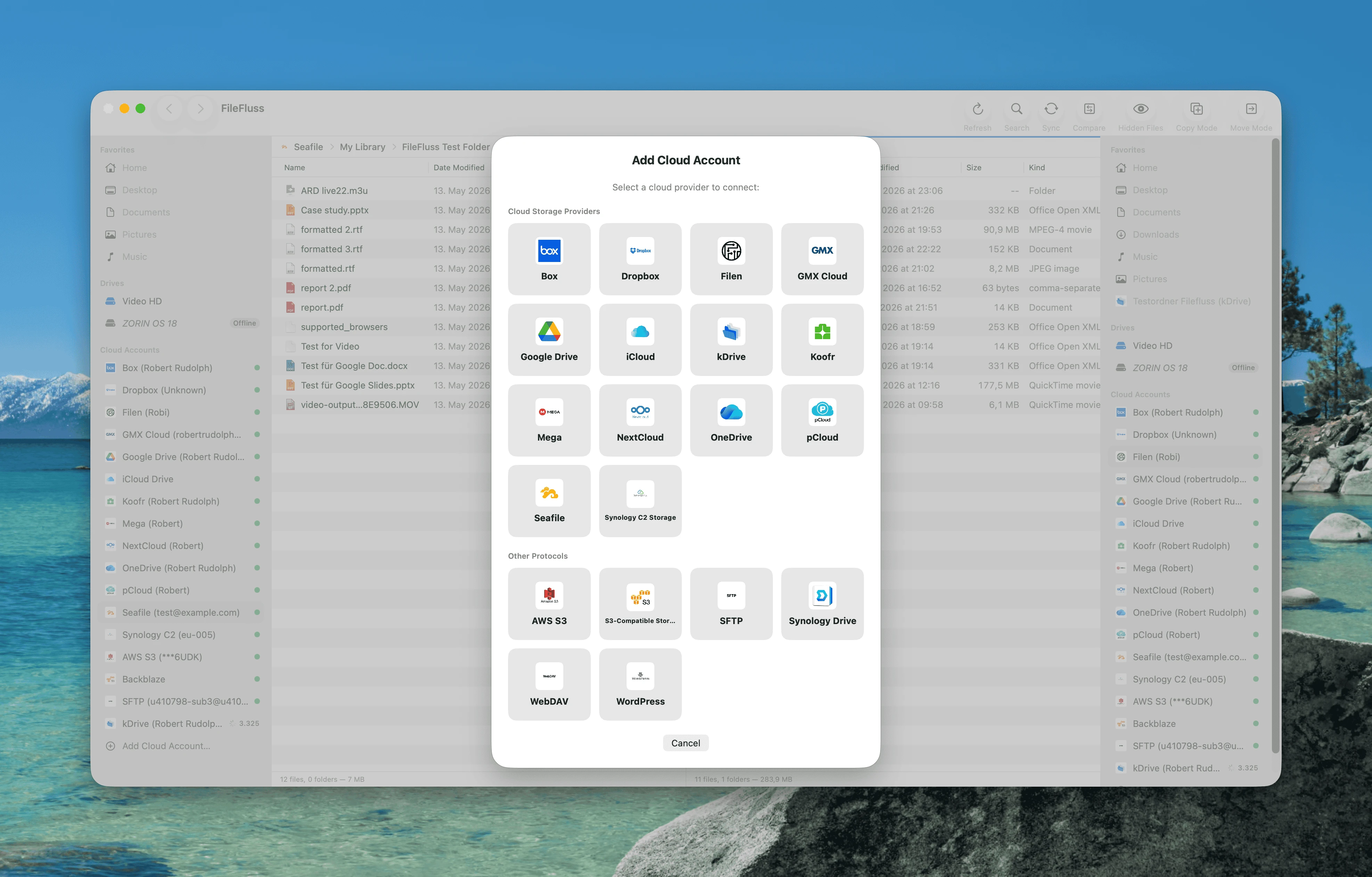
Six new providers in this release. The Cloud Accounts settings panel handles each one with its own connection flow:
- Box — Loopback OAuth with PKCE under a FileFluss-owned client ID.
- Filen (filen.io) — Pure-Swift implementation of Filen's v2 client crypto (PBKDF2 login + AES-256-GCM metadata / chunked file ops), so no third-party SDK ships in the binary.
- Seafile — Self-hosted and the public service. Password → API-token exchange on add, with opt-in self-signed certificate support for LAN servers.
- Synology Drive and Synology C2 — Now distinct providers (one is the on-NAS Drive Server, the other is Synology's S3-compatible C2 cloud).
- Generic S3-compatible — Bring-your-own-endpoint provider that covers Hetzner Object Storage, MinIO, Wasabi, Backblaze B2, Cloudflare R2, DigitalOcean Spaces, Linode, and most other S3-API services.
- AWS S3, WordPress (Media Library), WebDAV, and GMX Cloud rounded out earlier in the 1.x series remain fully supported.
OneDrive's auth now uses loopback OAuth with PKCE under a FileFluss-owned client ID (no more device-code flow). MEGA gained 2FA support — the add-account form has a dedicated 6-digit code field plus a "Solving security challenge…" hint when MEGA's anti-abuse proof-of-work takes a moment. kDrive's add-account flow now offers a drive picker for Infomaniak Organization accounts that have shared workspaces alongside the personal drive.
Cache management
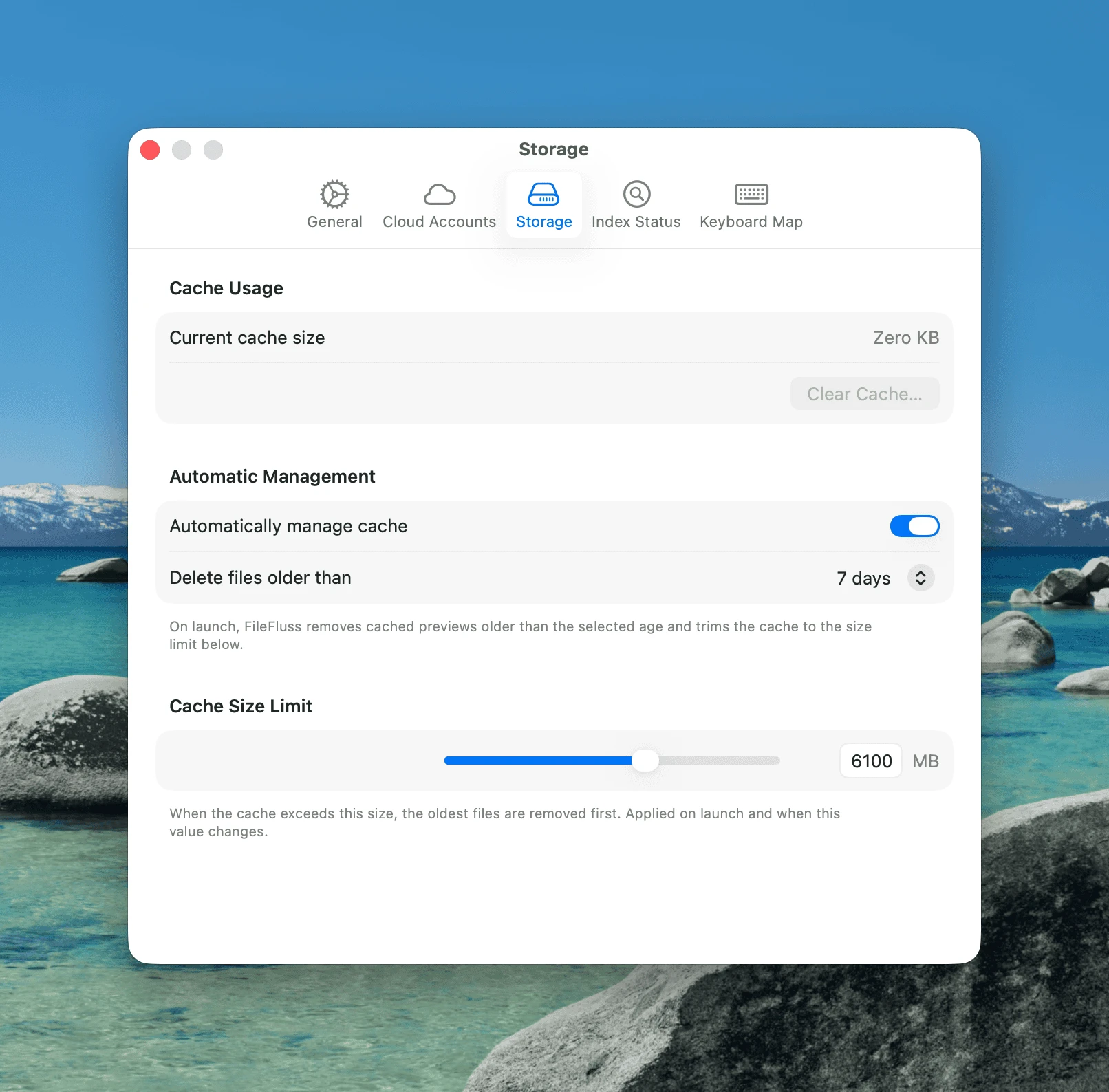
The Storage settings panel that's been gradually filling in over the 1.x series is finished:
- A live, accurate "Current cache size" reading (cached cloud previews and downloads).
- "Clear cache" with confirmation.
- Optional auto-management on launch: prune entries older than N days, then enforce a size cap.
- Tunable max size (slider + numeric field) and auto-delete age.
Smaller changes
- App icon — new Light and Dark variants. The Dock swaps live when macOS toggles appearance.
- Window resize / splitter drag — the file list's Name column now stays fitted to the panel width, so dragging the splitter or restoring from minimize no longer hides file names off-screen (#21).
- Cloud panel navigation — switching between two cloud accounts no longer briefly shows stale entries from the previous one.
- Index Status panel — renaming a cloud account reflects immediately; removing an account also drops its indexed rows so old incarnations don't linger.
- Drag & drop — cloud-to-cloud paste progress no longer lags behind the actual byte count.
- Sync — bidirectional sync is hidden in v1.1 until proper conflict detection ships. Upload-only and download-only continue to work as before.
- About window — icon stays crisp at every size after the multi-slice icns regeneration.
- Several security and stability updates.
Thanks
App icon by @JohnnyFireOne — thank you for the beautiful new artwork.
Installation
Homebrew
brew upgrade --cask fileflussManual
Download FileFluss-v1.1.dmg below and drag FileFluss.app into your Applications folder.
Requirements
- macOS 14.0 (Sonoma) or later