
Notice
Warning: While installing custom firmware does not automatically void the product warranty, any damage caused by or attributable to the installation or use of custom firmware is not covered under warranty. Use at your own risk. See Snapmaker Terms of Use for details.
If you notice a problem, always reproduce it on stock firmware before contacting Snapmaker support. Despite our best efforts, bugs can occur. Only contact support if the issue also occurs on stock firmware.
Custom firmware is intended for users with appropriate technical knowledge. Ensure you understand the implications before proceeding.
New Features and Key Changes
- Firmware updated to Snapmaker's stock
1.6.0— see below #648 (@paxx12) - Firmware Upgrade Channel: choose whether this project's own firmware updates are checked for (
Stable/Testing/Develop) or disabled entirely, fromfirmware-config— no more manually blocking Snapmaker's auto-update #516 (@paxx12) - DragonBreath: community open chamber-heater firmware, now the recommended option alongside Panda Breath, with a one-click LAN migration path for existing Panda Breath users — see below #666 (@plastikman / @paxx12)
- Bypass MCU (Disconnected) mode: keep printing on the other toolheads when one toolhead's board is dead or unplugged, not just when its thermistor fails — see below #678 (@paxx12)
- Add
Force Generic Vendormode to SpoolLink, for Spoolman vendors the U1/Orca doesn't recognize #619 (@Dragon2203) - Expose the air purifier's exhaust/circulation fans as standard Klipper
fan_genericobjects, controllable from Fluidd/Mainsail andSET_FAN_SPEED#673 (@justinh-rahb) - Fix:
SET_SPOOL_IDmissing a fallback for E-prefixed lanes #684 (@Fibdorius) - Fix: filament manager's websocket connection now passes an access token, closing an authorization gap #659 (@krzmaz)
- Fix: Moonraker zeroconf mDNS not resolving after boot #658 (@lagnat)
- Fix: SpoolLink now resolves the correct spool on same-UID channel swaps, using
CARD_EVENT_TIME#657 (@paxx12) - Fix: restored five PRs that were silently reverted by the
1.6.0firmware-bump PR (#648) #674 (@paxx12) - Fluidd (
v1.37.4) and Mainsail (v2.19.0) bumped to their latest versions
Full changelog: #663
Firmware 1.6.0
This release bumps the base Snapmaker firmware to 1.6.0. Upstream changelog:
- Added 0.4 mm high-flow nozzle option in Print Head Information editing.
- Added selectable filament types in the Filament Details page for quicker filament matching.
- Added an AI monitoring issue report function after print completion, available only in Cloud mode, not available in Local Area Network mode.
- Improved the tip-forming effect during filament unloading, reducing the chance of failure caused by filament expansion.
- Enhanced loading and unloading efficiency, shortening waiting times.
- Fixed an issue where the device did not respond when moving the Z-axis in 0.1 mm steps.
- Fixed an abnormal page jump in the Wi-Fi Management page after tapping the Enter key on the soft keyboard.
- Fixed an issue where, after resuming a print job started via the official client, unused channels would still check filament information.
- Fixed an issue where the top-cover setup guide would not display properly after completing the U1 initial setup wizard.
See Snapmaker's official V1.6.0 release notes for the full upstream changelog.
DragonBreath Chamber Heater
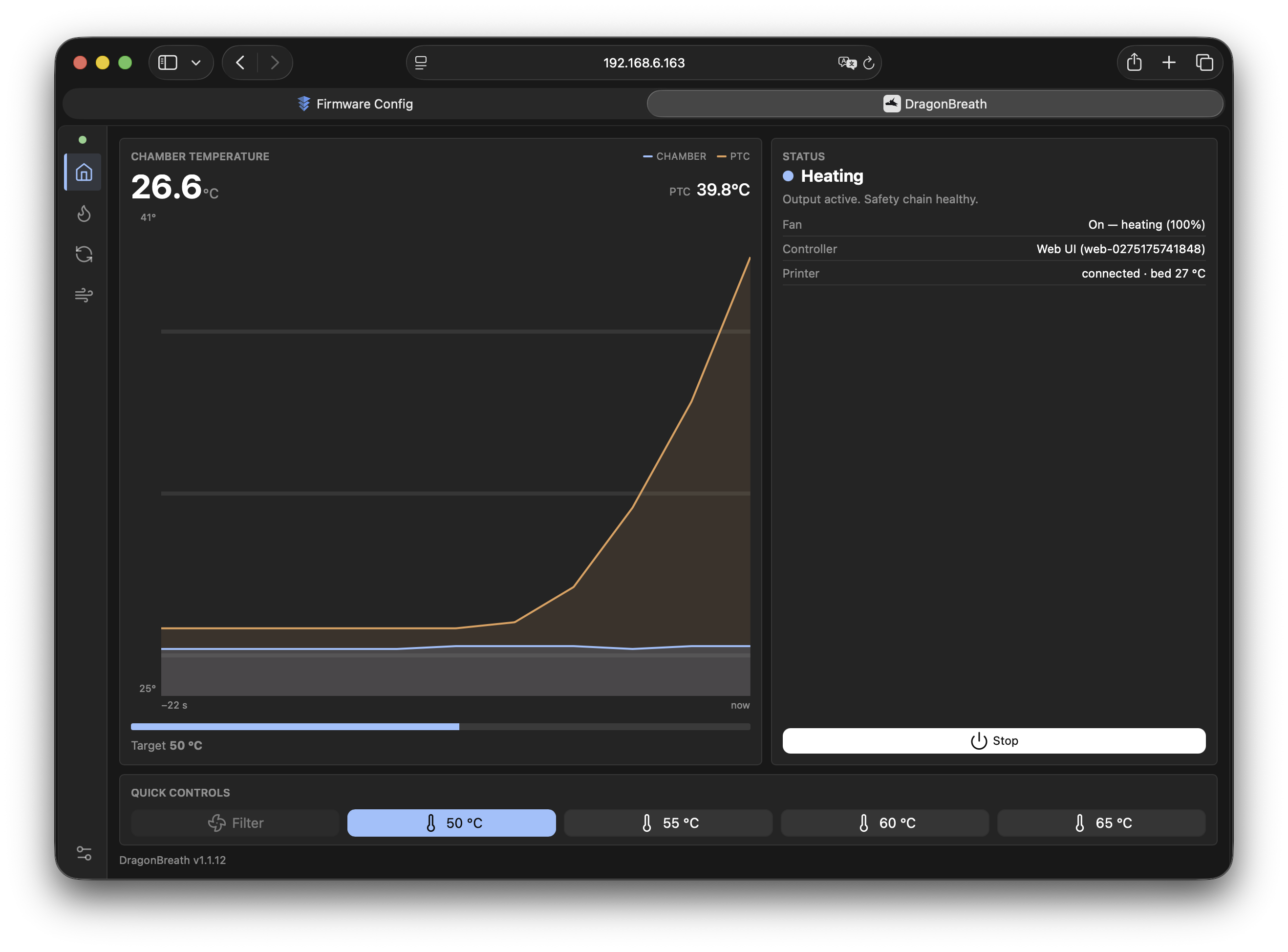
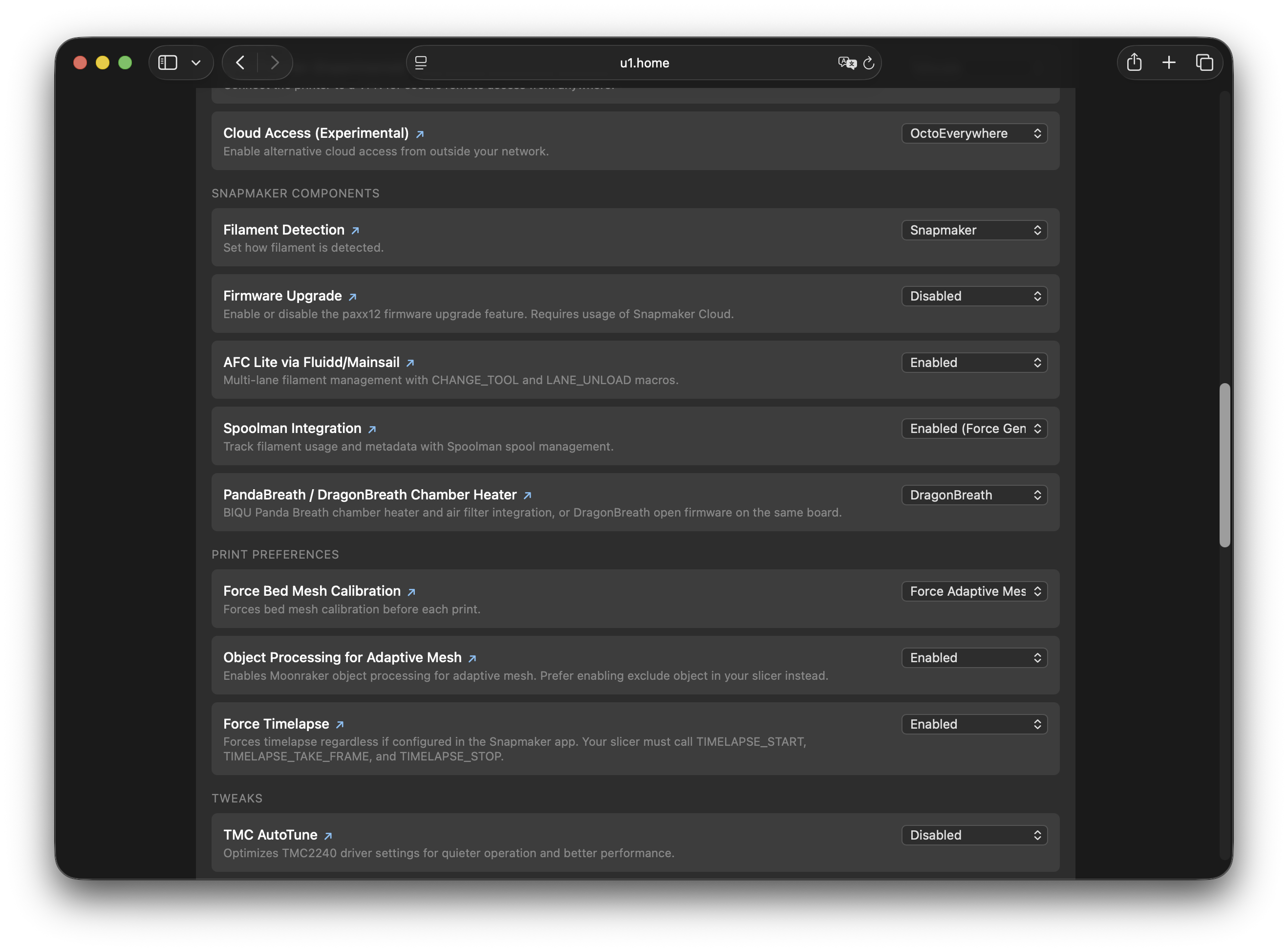
@plastikman's open-source DragonBreath firmware - replacing Panda Breath firmware - is now a selectable option in firmware-config under Snapmaker Components > Chamber Heater, alongside Panda Breath, and is now the recommended option.
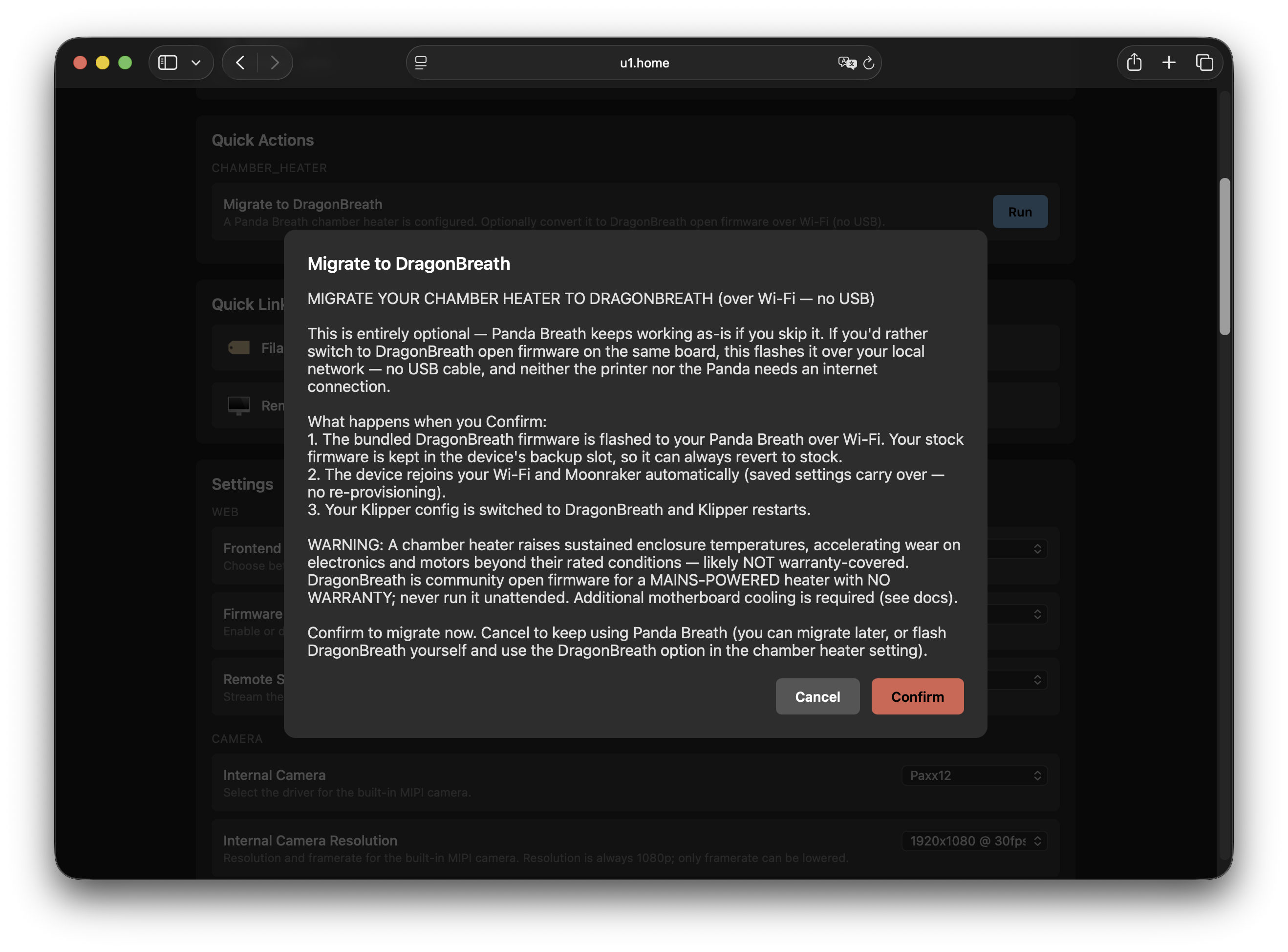
Nothing about an existing Panda Breath install changes automatically. If you're already on Panda Breath and want to switch, a "Migrate to DragonBreath" action flashes the DragonBreath firmware to your Panda board over Wi-Fi — no USB cable, no internet access needed on the printer or the Panda — then swaps the Klipper config over for you.
Heads up: Panda Breath support is planned for removal in a future release. If you're still on stock Panda Breath firmware, consider migrating to DragonBreath when convenient.
Control Top-Cover fans from Fluidd/Mainsail
The @justinh-rahb contributed change to control official Top Cover fans from Fluidd/Mainsail:

Bypass MCU Mode & Toolhead Simulator
Stock Klipper treats any toolhead MCU connection failure as fatal for the whole printer — one dead board or unplugged cable used to take down all four toolheads. The new "Bypass MCU (Disconnected)" mode lets you disable a toolhead whose board is dead or unplugged entirely, not just one with a bad thermistor, and keep printing on the other three.

Heroes
The Hero of this release is @plastikman, for building and maintaining DragonBreath - the open-source chamber-heater firmware that's now the recommended option for the chamber heater integration.
Install
For detailed installation instructions, see the Installation Guide.
Quick steps:
- Download
.binand put on FAT32 formatted USB device - On the printer go to
Settings>About>Firmware Version>Local Update - Select
.binand confirm.
Troubleshooting
- Persistent issues after extended recovery: Place
full-recover.txton a FAT32 USB drive and insert it while the printer is running. This performs a full wipe of printer data and overlays, then rebuilds from defaults on the next boot. Note: extensions installed over SSH (such as HelixScreen) live outside the managed overlay and may not be removed by recovery — reflash stock firmware in that case. - Existing Spoolman spool mappings: the mapping format changed with SpoolLink — mappings are no longer stored in
Lot Nr, but in a newExtra Fields > Card UIDfield. Existing mappings need to be moved over manually in Spoolman (strip thecard_uid:prefix when moving the value). - Tags carrying an OpenSpool
spool_id: SpoolLink does not readspool_idoff the tag, onlycard_uids. Re-scan those tags with one of the mobile apps in docs/spoolman.md to migrate them to acard_uidslink. - For the most reliable SpoolLink spool resolution, use Snapmaker's built-in RFID Detection System (
firmware-configunder Snapmaker Components > RFID Detection System) rather than OpenRFID/alternative detection — alternative systems aren't guaranteed to report a UID for every tag, which SpoolLink needs to resolve a spool. - DragonBreath migration fails or the device is unreachable: confirm the Panda Breath board has a static DHCP lease and is powered on, then retry the migration from
firmware-config. If it's already been flashed to DragonBreath, the migration step is safe to re-run.
Found an issue or have feedback on Spoolman/SpoolLink/the apps? Please use this issue to report it, rather than opening a new one — it helps us track feedback on this feature in one place.
Revert
- Download
.binfrom the Snapmaker U1 Wiki. - Follow the same as for install.
Community
Join the Snapmaker Discord and visit the #u1-printer channel to connect with other users using the custom firmware, share experiences, and get help.
Support
If you find this project useful and would like to support its development, you can:
🖨️ Buy a Snapmaker U1 — ordering via the link below supports this project. Optionally use code PAXX12CUSTOM for $20 off, or any other discount you find online:
- EU store: https://snapmaker-eu.myshopify.com?ref=paxx12
- US store: https://snapmaker-us.myshopify.com?ref=paxx12
- Global store: https://test-snapmaker.myshopify.com?ref=paxx12
Checksums
| File | MD5 | SHA256 | Size |
|---|---|---|---|
| U1_extended_1.6.0-paxx12-22_upgrade.bin | a3f9cc368cf2d1c76bace3fa8a18ae19 | eea907c22847b6f165640f0ae5e835ca42181f7a39b722ff062fd138d47a689c | 247180032 |