
PS5_RetroArch-v2.0.0-beta-2

PS5 RetroArch is a passion project, not a piracy project.
It exists so you can play the games you own on the console you own.
- Piracy is not condoned.
- No games, BIOS files, console firmware or decryption keys are included, and they never will be.
- Use only legally obtained backups of games you own, made yourself from your own discs, cartridges or digital purchases.
- Use only BIOS and firmware files dumped from hardware you own.
- Requests for, or links to, games, BIOS files, firmware or keys are not welcome in this project's issues or discussions.
PlayStation 2, rebuilt for the PS5. Frames made between frames. Your achievements, online.
 At a glance
| What this beta brings | |
|---|---|
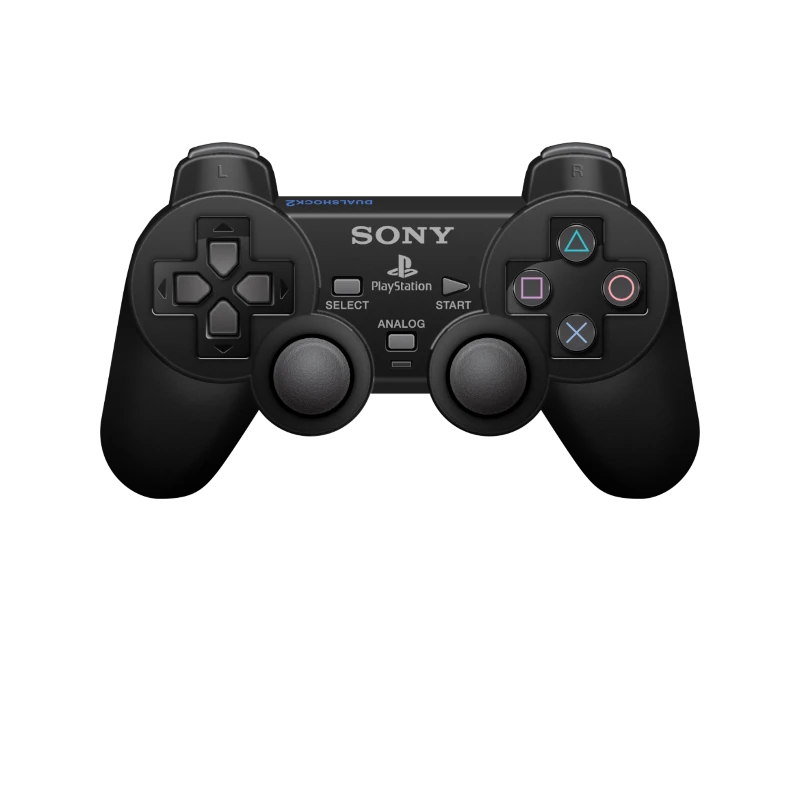
| PS5SX2, the new PlayStation 2 core. PCSX2 made for the PS5, now inside RetroArch, up to 4K internal resolution. |

| Frame Generation. A trained network makes the frames between a game's own, up to 120 fps. |

| RetroAchievements. Sign in once and earn achievements in the games that have them. |

| NetPlay. Play together over the network. |

| The WebUI in 16 languages. Chosen once, remembered by your PS5 for every device. |

| Six more ES-DE themes and system icons on RetroArch's game tabs. |
In this release
PS5SX2 · Frame Generation · RetroAchievements · NetPlay · WebUI languages
Your library · Tested games · Upgrading · Source and credits
PlayStation 2, made for the PS5
PS5SX2 replaces LRPS2. It is Swordpdf's PS5SX2, the PCSX2 edition built around the PS5's hardware, brought into RetroArch as a core: its recompilers, its fixes, and its Vulkan renderer drawing on the same GPU device RetroArch uses.
| Option | Choices |
|---|---|
| Internal Resolution | Native, 2×, 3×, 4× (≈1440p, the default), 5× (≈1800p), 6× (≈2160p, 4K), 8× (≈2880p) |
| Aspect Ratio | 4:3 or 16:9 |
| Renderer | Hardware (Vulkan) or Software |
| Fast Boot | Start the game directly, or watch the BIOS intro first |
- Save states from the Quick Menu, like every other core.
- RetroAchievements for PS2 games, with the console's main memory and scratchpad exposed the way RetroAchievements reads them.
- Rumble on your DualSense when the game asks for it.
- Your BIOS stays where it is. Keep your own dumps in
system/pcsx2/bios; PS5SX2 picks the newest USA one there, or the newest of any region.
Use only a BIOS dumped from a PlayStation 2 you own. Compatibility and performance vary by game.
Frame Generation. Motion, smoothed.
A trained network (PS5_FrameGen) makes the frames between a game's own, so a 30 or 60 fps game reaches your screen at a higher frame rate. It is on by default, for every core.
| Option | What it does |
|---|---|
| Frame Generation | On or off. |
| Target Framerate | 120 fps: a 60 fps game gets one made frame between each pair, a 30 fps game three. 60 fps: a 30 fps game gets one; a 60 fps game is shown as it is. |
| Method | Neural, the trained network. Blend and Repeat are the baselines to compare it with. |
| Content Frame Cadence | Auto measures how often a game makes a new frame. Force 1 to 4 when a game is misjudged (30 fps games: 2). |
| Working Size | The most pixels the generator works at: up to 4K, 1440p, 1080p or 720p. Smaller is faster. |
| Status On Screen | The method, the rate, the frame size and a count of made frames, over the game. |
| Recommended Settings | On, 120 fps, Neural, Auto, up to 4K, status off. |
Find it in three places: the leftmost tab in RetroArch's XMB, the first entry of RGUI's main menu, and EmulationStation's menu. A choice made in one is the choice in all three.
The frame rate counter now tells the two apart: Base Rate is the game's own new frames a second, FrameGen the frames you see.
RetroAchievements
Sign in with your retroachievements.org account and earn achievements in the games that have them.
- Sign in from the WebUI (Settings → Achievements) or from RetroArch's own menu.
- Your password is used once. After the first sign-in RetroArch keeps a sign-in token, and the password is removed from your console's settings files. The WebUI never shows a saved password or token.
- Switching accounts works first time. A new user name or password replaces the previous account's token.
- Hardcore mode is off by default. Turn it on for the stricter rules: no save states, rewind, slow motion or cheats while playing.
- Secure connections. HTTPS now checks the server's certificate, so nothing on your network can stand in for RetroAchievements and read your sign-in.
NetPlay
RetroArch is now built with networking, so NetPlay is here: host a game or join one over the network, from RetroArch's NetPlay menu. Its settings, including the NetPlay password, are also in the WebUI under Settings → Netplay, where passwords can be set but never read back.
The Online Updater is gone from RetroArch's menu: cores and assets come with each release, built for the PS5.
The WebUI speaks your language
Choose from 16 languages, each with its flag, in the page header or at the foot of Settings: English, Español, Français, Deutsch, Italiano, Português (Brasil), Русский, 日本語, 한국어, 简体中文, 繁體中文, Tiếng Việt, Türkçe, Polski, Nederlands and Bahasa Indonesia.
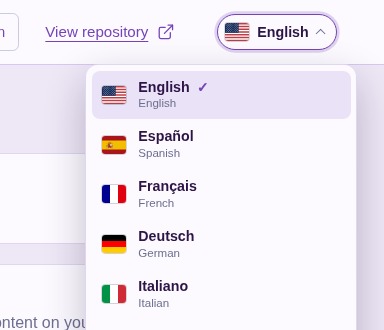
Your PS5 remembers the choice. Every phone and computer that opens the WebUI uses it, and a change made on another device follows within ten seconds.
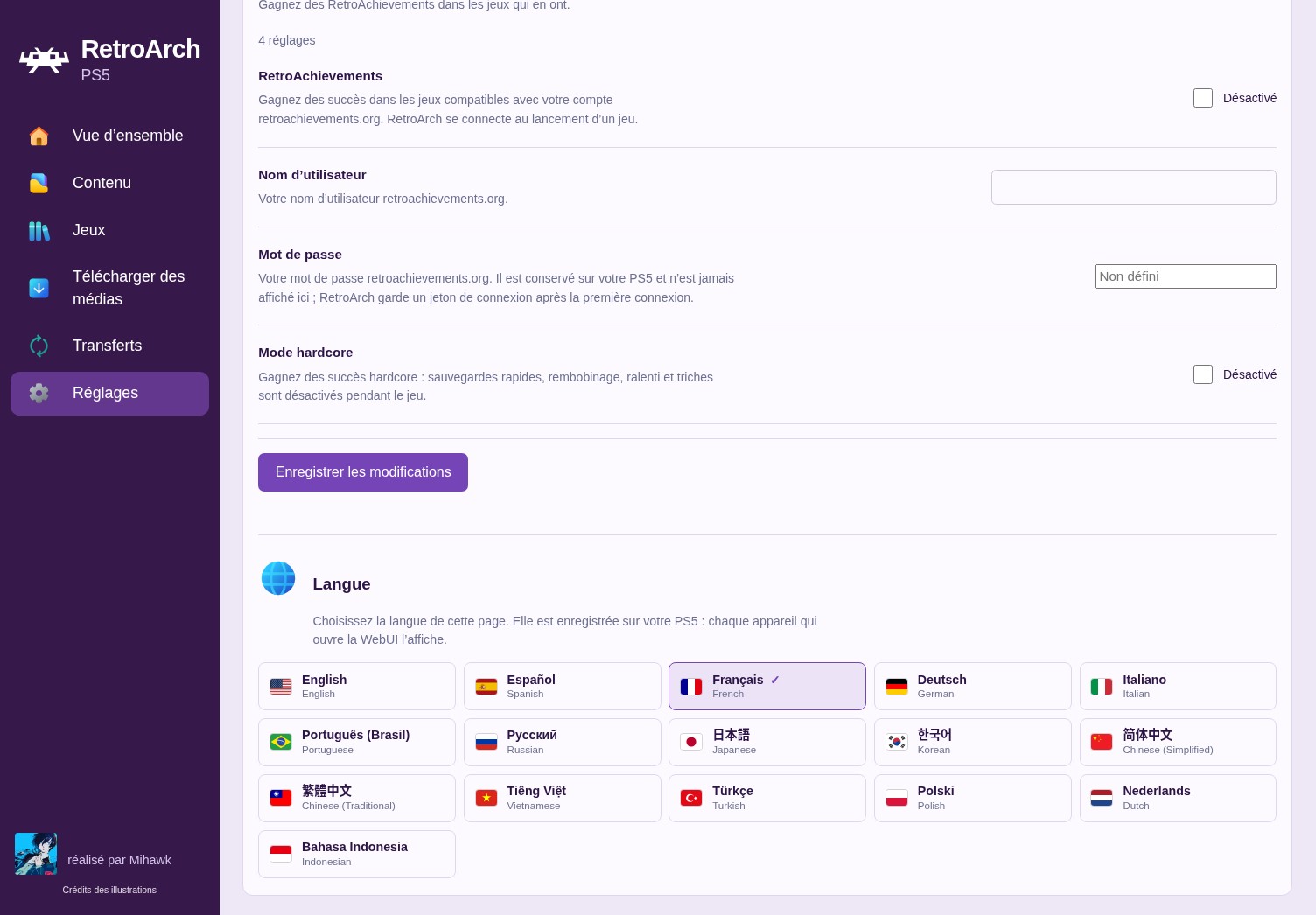
Settings in French, with the new RetroAchievements options and the language tiles. Game, file and system names always stay exactly as they are.
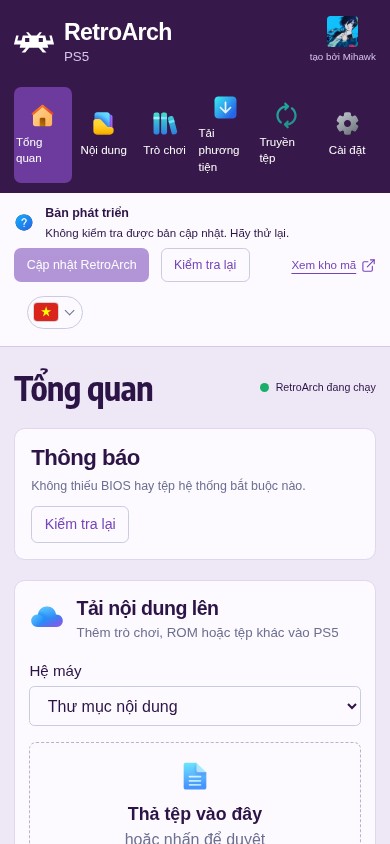
The overview in Vietnamese. On a phone the header keeps the flag alone.
On a phone
Guided Settings for 18 more cores. Every core added in v1.0.0-beta.1 now has its options explained in plain words, grouped by what they change.
 Your library, ready from the first start
- A folder for every system. The title creates a content folder for each system its cores run, so you know where every game goes.
- EmulationStation finds your games straight away. Its ROM folder is the title's content folder from the very first start.
- Six more ES-DE themes: Colorful Simplified, Colorful Revisited, Art Book Next and Retrofix Revisited by anthonycaccese, PlayStation-X by RobZombie9043, and Artflix Revisited by TheGrizzMD, beside Alekfull NX.
- System icons on RetroArch's game tabs. Each playlist tab in XMB shows its system's console or controller, drawn from the WebUI's artwork, even for a playlist you named yourself, such as "PS2" or "Nintendo 3DS".
- Add Game no longer forgets a system you choose while the list is still loading.
Played on a Base PS5
Every system below was started on a Base PS5 from this build and ran to its intro, title screen or menu, then closed on its own.
| System | Core |
|---|---|
| PlayStation 2 | PS5SX2 |
| PlayStation | Beetle PSX HW |
| Nintendo 64 | Mupen64Plus-Next |
| GameCube | Dolphin |
| PSP | PPSSPP |
| Super Nintendo | Snes9x |
| Nintendo DS | DeSmuME |
| Nintendo 3DS | Azahar |
In PS5SX2 a game also rendered at 6× (4K), saved and loaded a state, and was recognised by RetroAchievements after signing in.
 Upgrading from v1.0.0-beta.1
- Back up your existing title folder, especially configuration, saves, states, system files, content and any custom media.
- Save your PS2 games in-game, to a memory card. Save states made with LRPS2 do not load in PS5SX2.
- Merge the complete
PPSA99169folder from the beta package into your installation, keeping your own files and configuration. - Delete LRPS2's files, which a merge leaves behind:
cores/pcsx2_libretro.so,cores/pcsx2_libretro.infoandinfo/pcsx2_libretro.info. - Fully close and reopen PS5 RetroArch. If a PS2 playlist still names LRPS2, choose PS5SX2 as its core once.
- Sign in to RetroAchievements from Settings → Achievements in the WebUI, and choose your language in its header.
No games, BIOS files, console firmware, or decryption keys are supplied. Use only legally obtained backups of games you own and system files dumped from hardware you own.
 Source, licences, and credits
Changes since v1.0.0-beta.1. Release source; component source links and exact revisions are included in licenses/components.json. PS5SX2 is built from Libretro_PS5SX2, its libretro edition.
Snes9x, FinalBurn Neo, Genesis Plus GX, PicoDrive, Opera, and the Alekfull NX theme carry non-commercial restrictions. This distribution may not be sold, and this release carries no donation link. The package's licenses/ directory records component licences and exact source revisions. RPCS3 is not included.
Thank you to Swordpdf for PS5SX2 and to the PCSX2 team whose emulator it builds on; to RetroAchievements and its community; to the ES-DE theme authors anthonycaccese, RobZombie9043 and TheGrizzMD; and to the RetroArch/libretro community, emulator and ES-DE developers, PS5 homebrew contributors, and everyone testing and reporting issues. Language flags come from flag-icons; interface icons from Microsoft Fluent Color.
Ready to get started? Available releases · Installation guide · Source and credits