
🎬 Screencast
New page.screencast API provides a unified interface for capturing page content with:
- Screencast recordings
- Action annotations
- Visual overlays
- Real-time frame capture
- Agentic video receipts
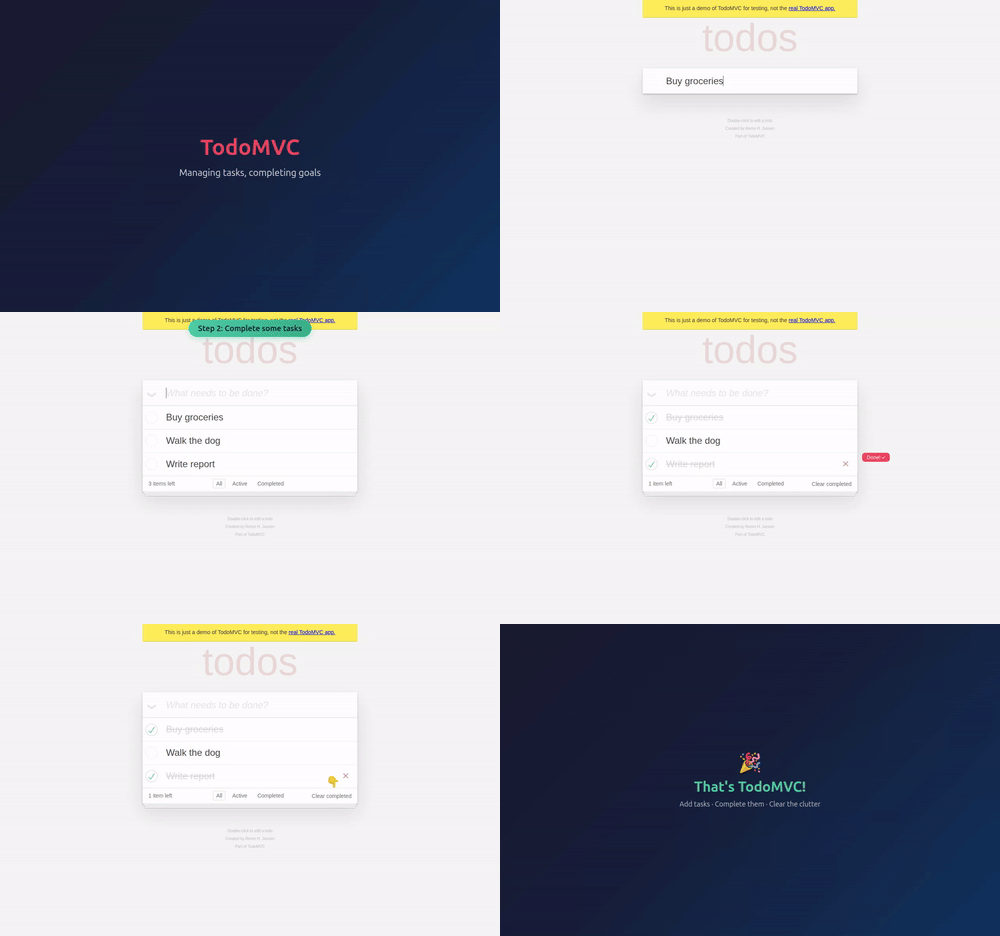
Screencast recording — record video with precise start/stop control, as an alternative to the recordVideoDir option:
page.screencast.start(path="video.webm")
# ... perform actions ...
page.screencast.stop()
Action annotations — enable built-in visual annotations that highlight interacted elements and display action titles during recording:
page.screencast.show_actions(position="top-right")screencast.show_actions() accepts position ('top-left', 'top', 'top-right', 'bottom-left', 'bottom', 'bottom-right'), duration (ms per annotation), and font_size (px). Returns a disposable to stop showing actions.
Visual overlays — add chapter titles and custom HTML overlays on top of the page for richer narration:
page.screencast.show_chapter("Adding TODOs",
    description="Type and press enter for each TODO",
    duration=1000,
)

page.screencast.show_overlay('<div style="color: red">Recording</div>')
Real-time frame capture — stream JPEG-encoded frames for custom processing like thumbnails, live previews, AI vision, and more:
page.screencast.start(
    on_frame=lambda frame: send_to_vision_model(frame["data"]),
)
Agentic video receipts — coding agents can produce video evidence of their work. After completing a task, an agent can record a walkthrough video with rich annotations for human review:
page.screencast.start(path="receipt.webm")
page.screencast.show_actions(position="top-right")

page.screencast.show_chapter("Verifying checkout flow",
    description="Added coupon code support per ticket #1234",
)

# Agent performs the verification steps...
page.locator("#coupon").fill("SAVE20")
page.locator("#apply-coupon").click()
expect(page.locator(".discount")).to_contain_text("20%")

page.screencast.show_chapter("Done",
    description="Coupon applied, discount reflected in total",
)

page.screencast.stop()
The resulting video serves as a receipt: chapter titles provide context, action annotations highlight each interaction, and the visual walkthrough is faster to review than text logs.
🔍 Snapshots and Locators
- Method page.aria_snapshot() to capture the aria snapshot of the page — equivalent to
page.locator('body').aria_snapshot(). - Options
depthandmodein locator.aria_snapshot(). - Method locator.normalize() converts a locator to follow best practices like test ids and aria roles.
- Method page.pick_locator() enters an interactive mode where hovering over elements highlights them and shows the corresponding locator. Click an element to get its Locator back. Use page.cancel_pick_locator() to cancel.
New APIs
Screencast
- page.screencast provides video recording, real-time frame streaming, and overlay management.
- Methods screencast.start() and screencast.stop() for recording and frame capture.
- Methods screencast.show_actions() and screencast.hide_actions() for action annotations.
- Methods screencast.show_chapter() and screencast.show_overlay() for visual overlays.
- Methods screencast.show_overlays() and screencast.hide_overlays() for overlay visibility control.
Storage, Console and Errors
- Method browser_context.set_storage_state() clears existing cookies, local storage, and IndexedDB for all origins and sets a new storage state — no need to create a new context.
- Methods page.clear_console_messages() and page.clear_page_errors() to clear stored messages and errors.
- Option
filterin page.console_messages() and page.page_errors() controls which messages are returned. - Method console_message.timestamp().
Miscellaneous
- browser_context.debugger provides programmatic control over the Playwright debugger.
- Method browser_context.is_closed().
- Method request.existing_response() returns the response without waiting.
- Method response.http_version() returns the HTTP version used by the response.
- Option
livein tracing.start() for real-time trace updates. - Option
artifacts_dirin browser_type.launch() to configure the artifacts directory.
🔗 Interoperability
New browser.bind() API makes a launched browser available for playwright-cli, @playwright/mcp, and other clients to connect to.
Bind a browser — start a browser and bind it so others can connect:
server_info = await browser.bind("my-session",
    workspace_dir="/my/project",
)
Connect from playwright-cli — connect to the running browser from your favorite coding agent.
playwright-cli attach my-session
playwright-cli -s my-session snapshot
Connect from @playwright/mcp — or point your MCP server to the running browser.
@playwright/mcp --endpoint=my-sessionConnect from a Playwright client — use API to connect to the browser. Multiple clients at a time are supported!
browser = await chromium.connect(server_info["endpoint"])Pass host and port options to bind over WebSocket instead of a named pipe:
server_info = await browser.bind("my-session",
    host="localhost",
    port=0,
)
# server_info["endpoint"] is a ws:// URL
Call browser.unbind() to stop accepting new connections.
📊 Observability
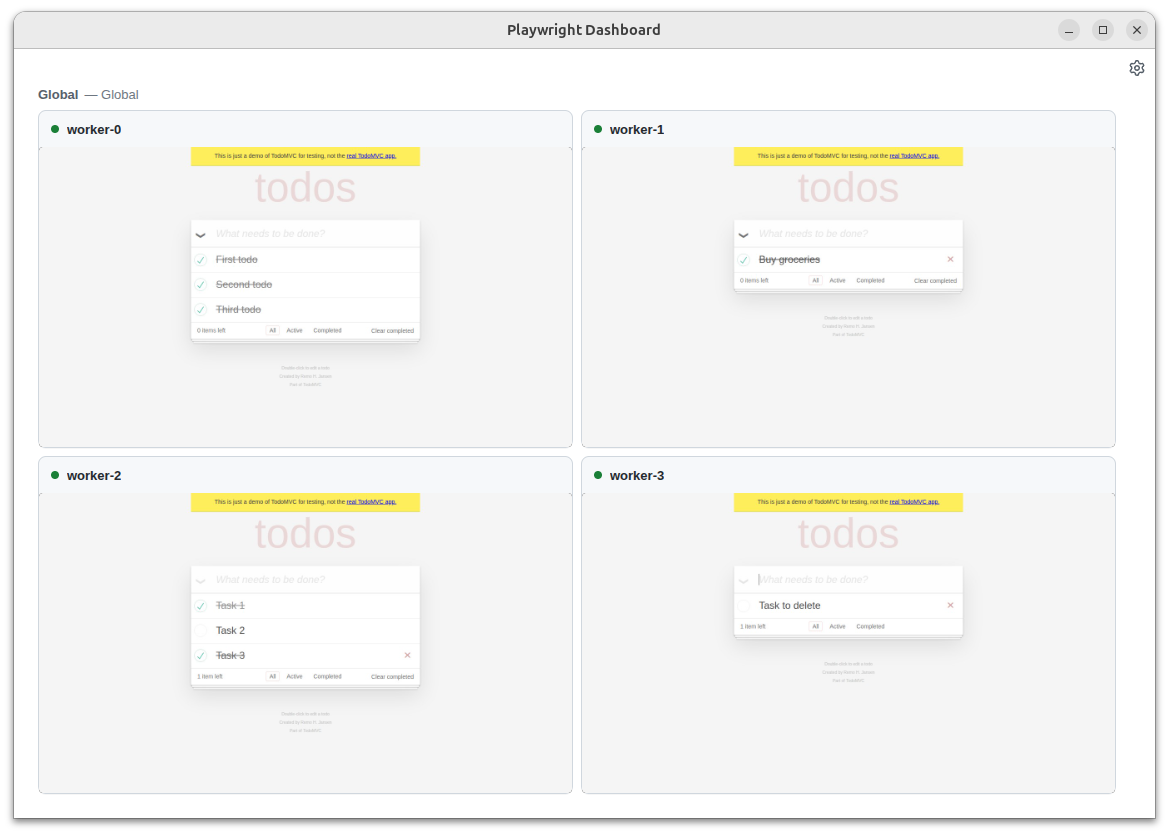
Run playwright-cli show to open the Dashboard that lists all the bound browsers, their statuses, and allows interacting with them:
- See what your agent is doing on the background browsers
- Click into the sessions for manual interventions
- Open DevTools to inspect pages from the background browsers.
Breaking Changes ⚠️
- Removed macOS 14 support for WebKit. We recommend upgrading your macOS version, or keeping an older Playwright version.
Browser Versions
- Chromium 147.0.7727.15
- Mozilla Firefox 148.0.2
- WebKit 26.4
This version was also tested against the following stable channels:
- Google Chrome 146
- Microsoft Edge 146