
Video conferencing
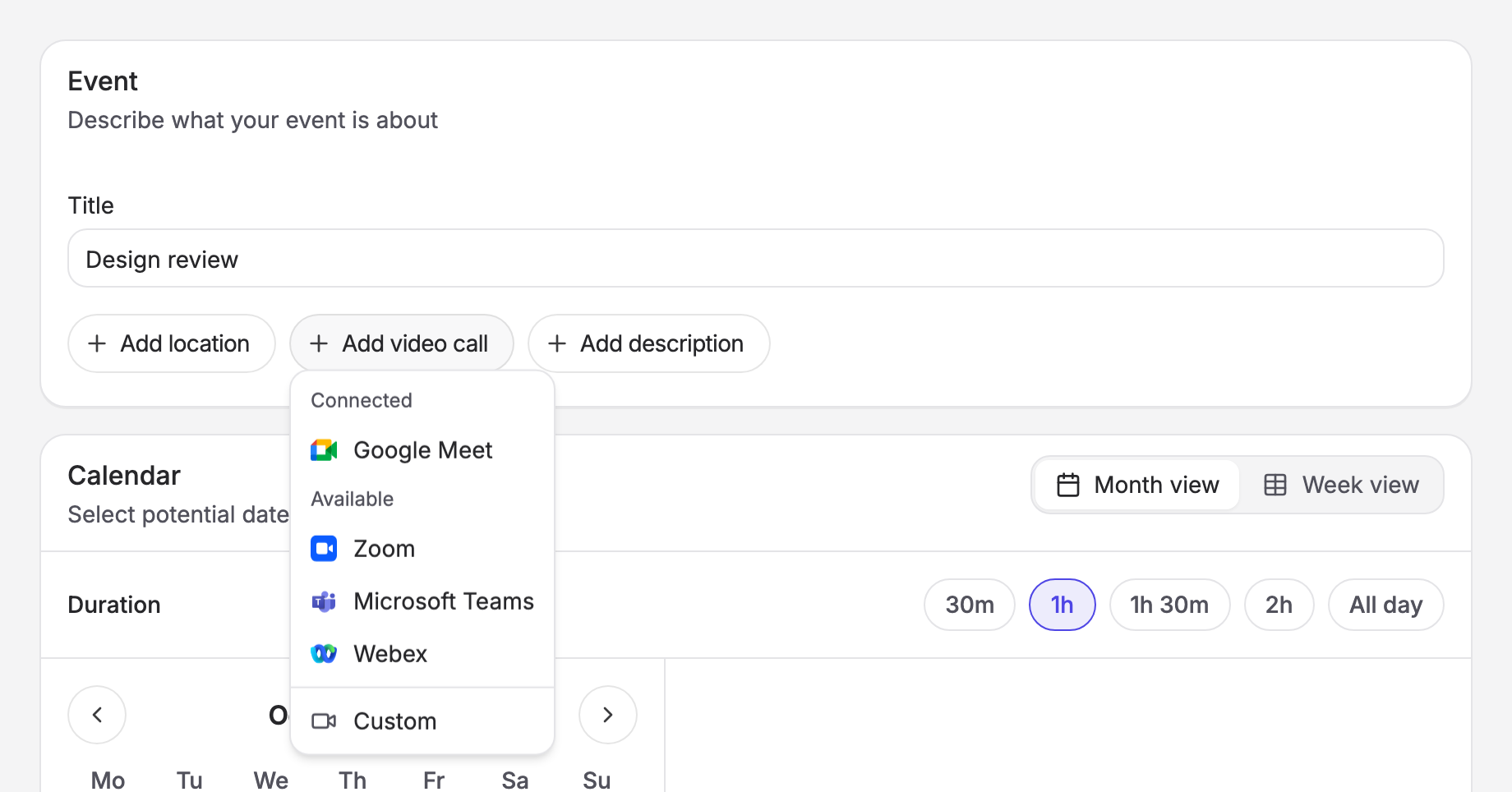
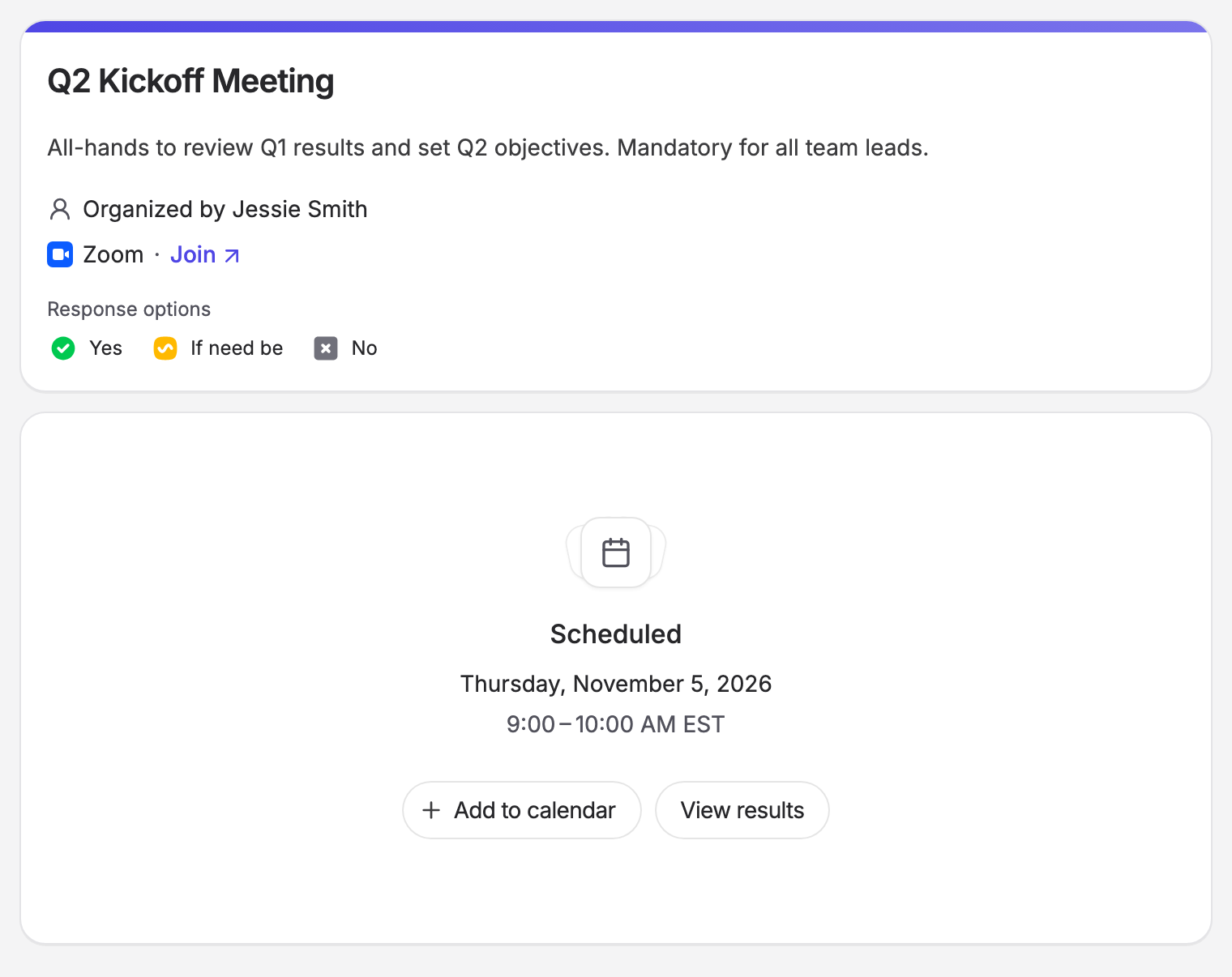
Organizers can now add a Google Meet, Zoom, Microsoft Teams or Webex call to a poll. Rallly creates the meeting on the organizer's account when the poll is finalized and puts the join link in the event, the calendar invite and the confirmation emails.
| Add a video call when creating a poll | The join link on the scheduled event |
|---|---|
| 
|
Conferencing is off by default, and you turn on each provider separately. Each one needs an OAuth app registered by you, because its redirect URI is tied to your domain. Google Meet and Microsoft Teams reuse the app you already have for SSO, but your SSO credentials alone never turn them on. Set the provider's variables, list it in CONFERENCING_PROVIDERS (for example CONFERENCING_PROVIDERS=google-meet,zoom), then restart.
Organizers can paste their own video call link on every instance, with or without a provider.
Setup guide: https://support.rallly.co/self-hosting/conferencing
Finalizing a poll
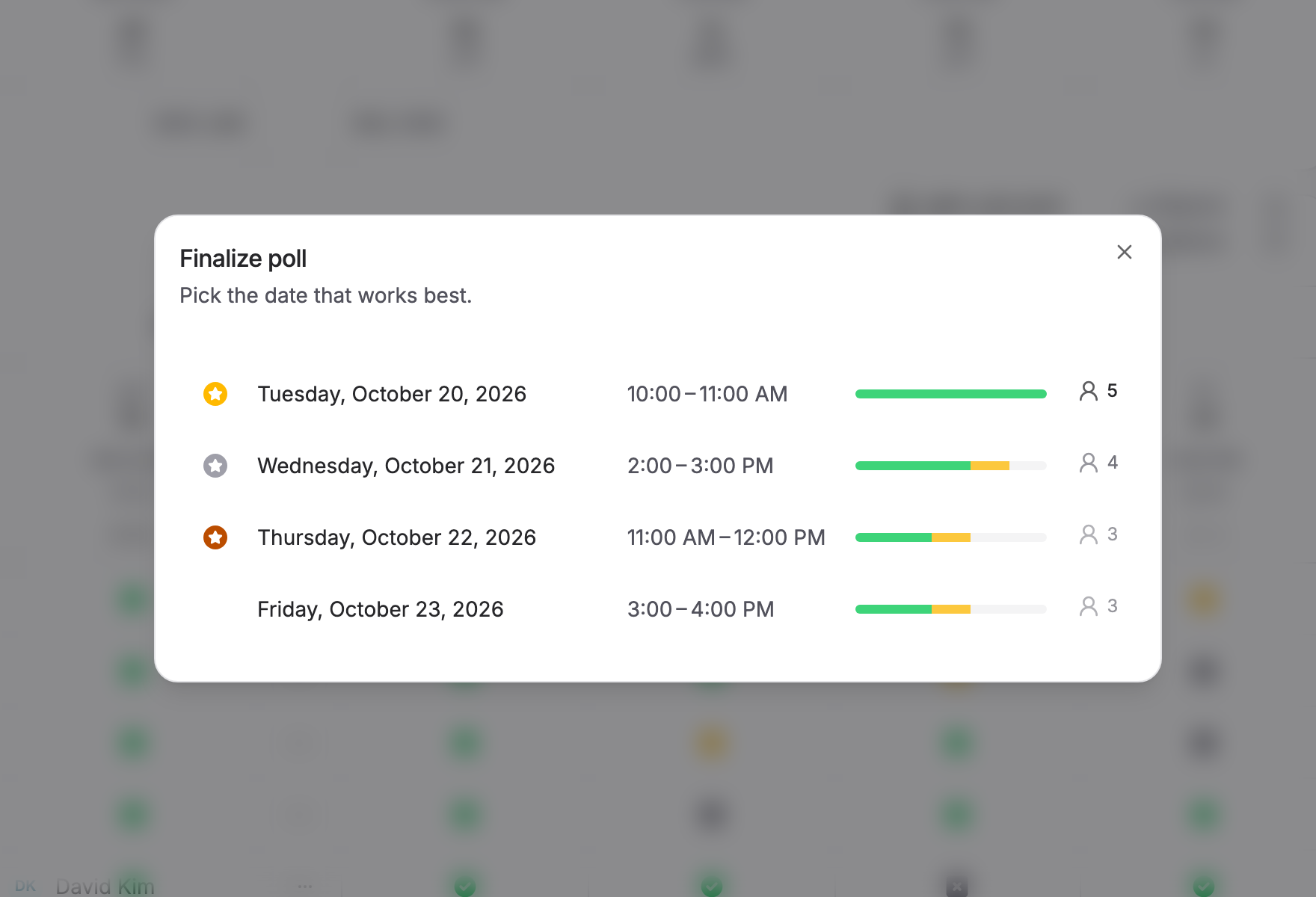
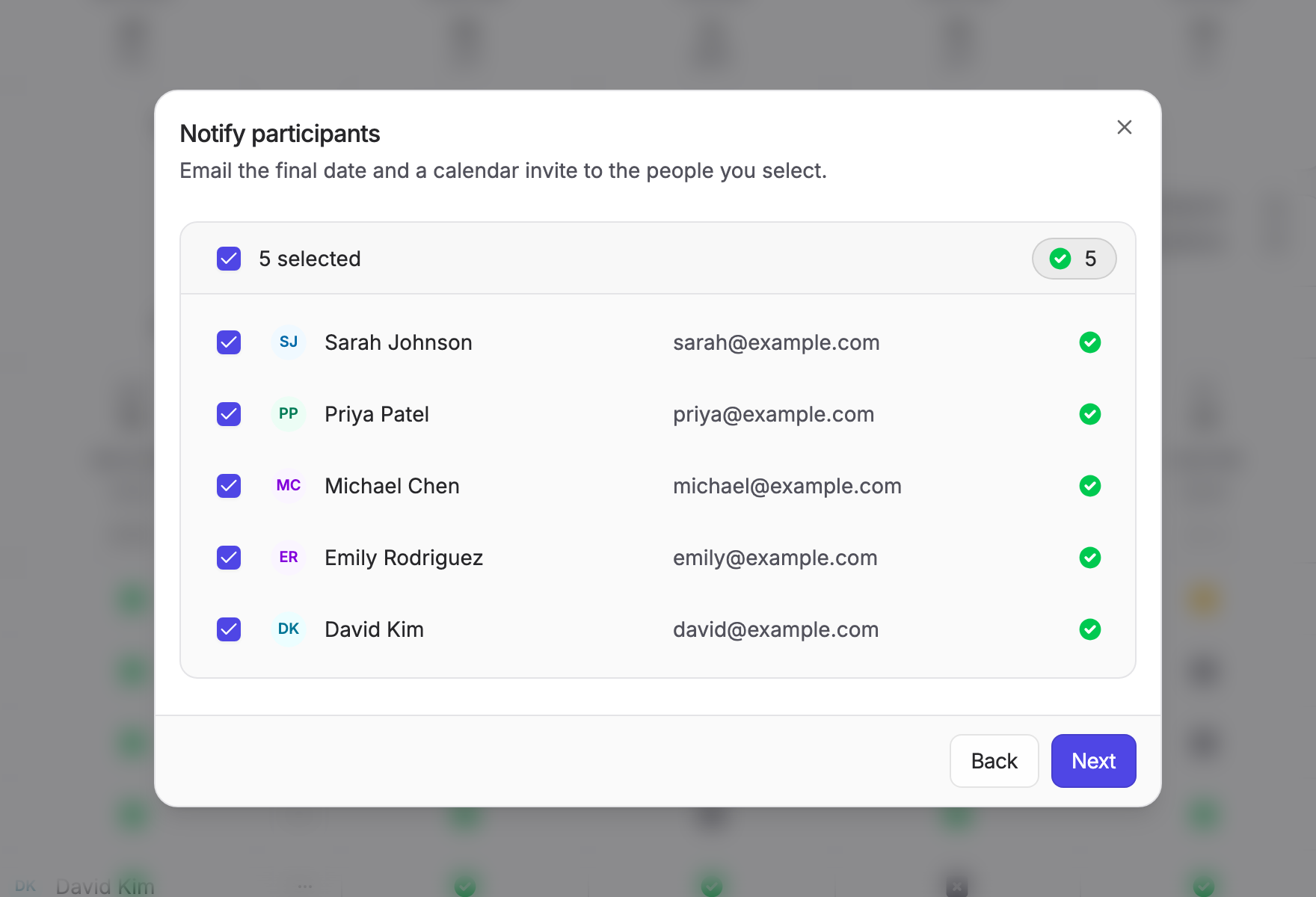
Finalizing is now a three step flow that shows the time zone and each option's votes. Participants are told how they voted in the confirmation email, and invites are sent in batches from a queue inside the app, so large polls no longer hold up the request. No cron is needed.
| Pick the date | Choose who to notify |
|---|---|
| 
|
Polls
- Plain yes or no polls: the "if need be" vote can be turned off.
- One edit page for details, options and settings. Old edit links redirect to it, and each change appears in the poll's activity feed.
- Edit and Duplicate from the polls list.
Also in this release
- A refreshed interface with list views for polls, events, members and home.
- When removing a member, choose whether their polls are reassigned or deleted.
- The login page remembers which method you used last.
- The Control Panel tells you when an update is available and whether it fixes a security issue. Rallly checks
api.rallly.cohourly, sending only the version and an anonymous instance ID. On a restricted network the check fails silently; see Corporate Networks.
Upgrade notes
Important
Microsoft sign in on a multi-tenant endpoint (MICROSOFT_TENANT_ID unset, common, organizations or consumers): new sign ins are now refused unless your Entra app registration sends the verified email claims. Existing users are not affected. Follow the Microsoft setup guide to add them before upgrading.
- Rate limits: response submission is now limited to 200 per poll per hour. Counts are kept in memory. If you run your own reverse proxy, make sure it sets
X-Real-IPto the visitor's address, or setRATE_LIMIT_ENABLED=false. SMTP_DEBUGno longer does anything and can be removed. Send failures now log the SMTP server's response.- Database: 13 migrations run on start. None of them removes data: they add tables, columns and indexes, and a safeguard that keeps every space owner a member of their space (restoring any owner membership that went missing). As always, back up before upgrading.
Full Changelog: v4.15.0...v4.16.0