
Note
Coming from 2.15 or earlier? Read the 2.16 notes first: the card layout changed, and the Web Manager has to Organize the card once. Coming from 2.16 or later there is nothing to reorganise: 2.19 does not move any file.
What's New in 2.19
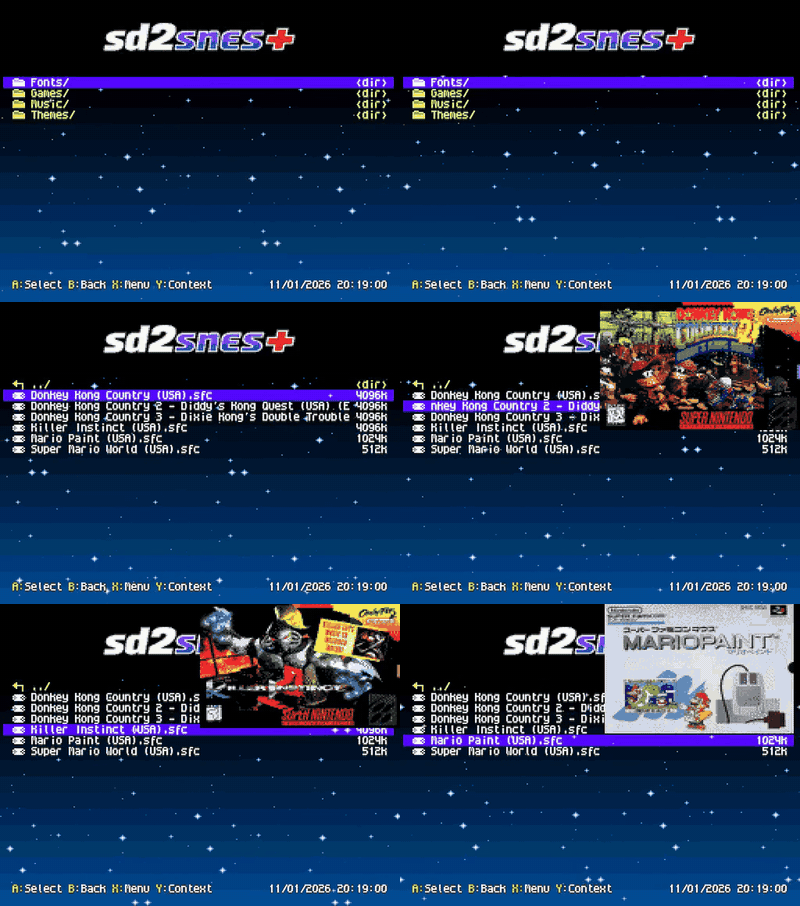
Animated menu background
A block of image repeats and slides slowly behind the list, while the header with the logo stays still. The default theme comes with a starry sky over the theme's gradient.
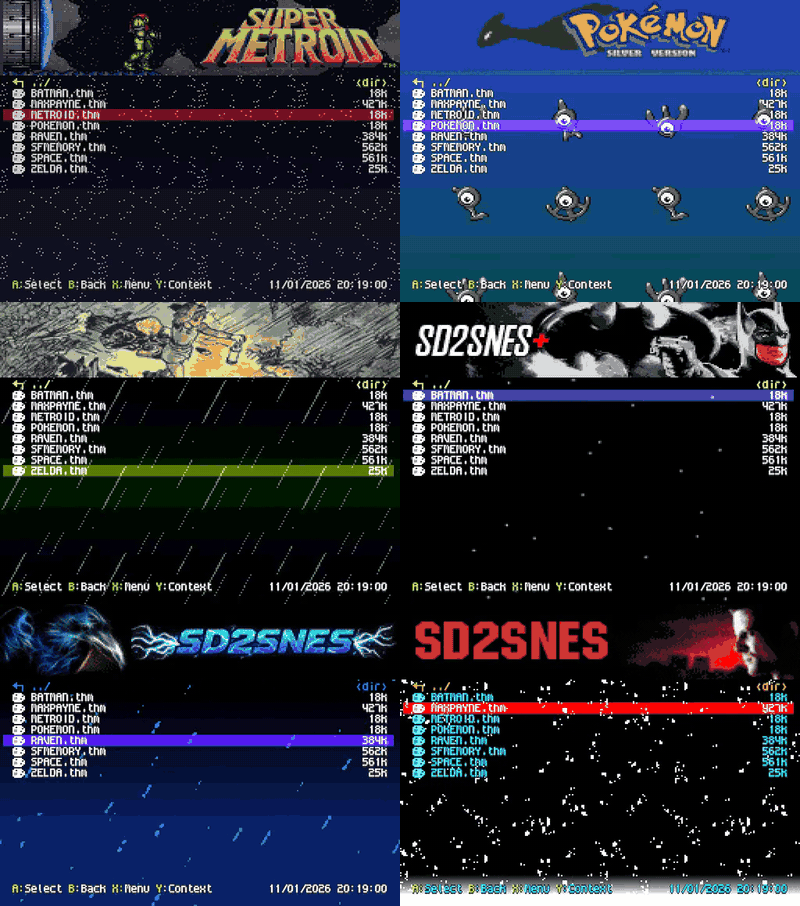
- A version-2
.thmcan bring its own background: an image of up to 15 colours plus transparent (which shows the theme's gradient), in up to 32 different 8×8 cells, with its own direction and speed. Make one from any picture in the Theme Creator. - A theme can also set its own gradient for the game info screen and the in-game menu. Without one, those two screens use the menu gradient.
- A theme without a background shows only its gradient, as before. Restore classic theme (
/sd2snes/classic.thm) now brings back the sd2snes+ look without the animation; it no longer restores the old Ikari/teal look. - The info card hides the background while it is open. In Japanese and Chinese the menu shows none, because their text uses the same video memory.
Important
A theme with a background, a font or sounds needs 2.19 or later: earlier firmware refuses the whole file. The gallery also offers such themes in a version without a background for older firmware.
Themes with a font, music and sounds
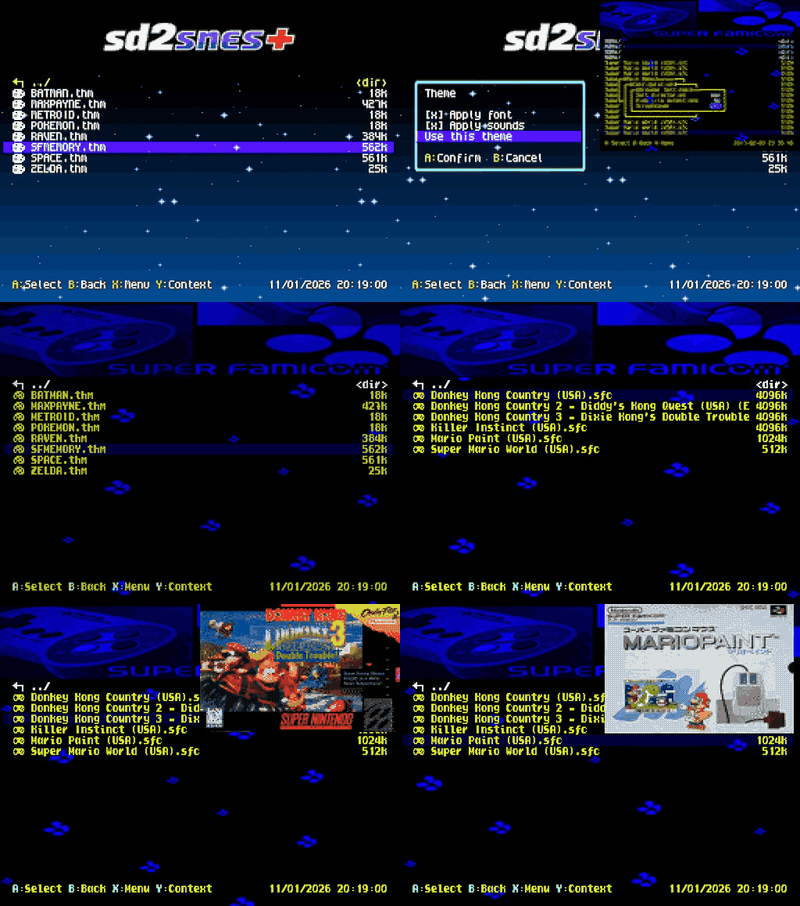
A .thm can now also carry a font, a menu music track, the four navigation effects and a preview picture. Picking such a theme opens a box with the picture and two choices, Apply font and Apply sounds. A theme with none of these applies at once, as before.
- Nothing is extracted: everything is read from inside the
.thm, your files on the card stay as they are, and switching themes undoes it all. - The last choice wins: a
.sfnfont picked afterwards replaces the theme's font, and a.spcpicked afterwards replaces only the theme's music (its effects stay). With the menu music off, a theme does not turn it on. - The choices are kept in
config.ymlasThemeUseFont,ThemeUseSoundandThemeUseMusic.
Font files (.sfn)
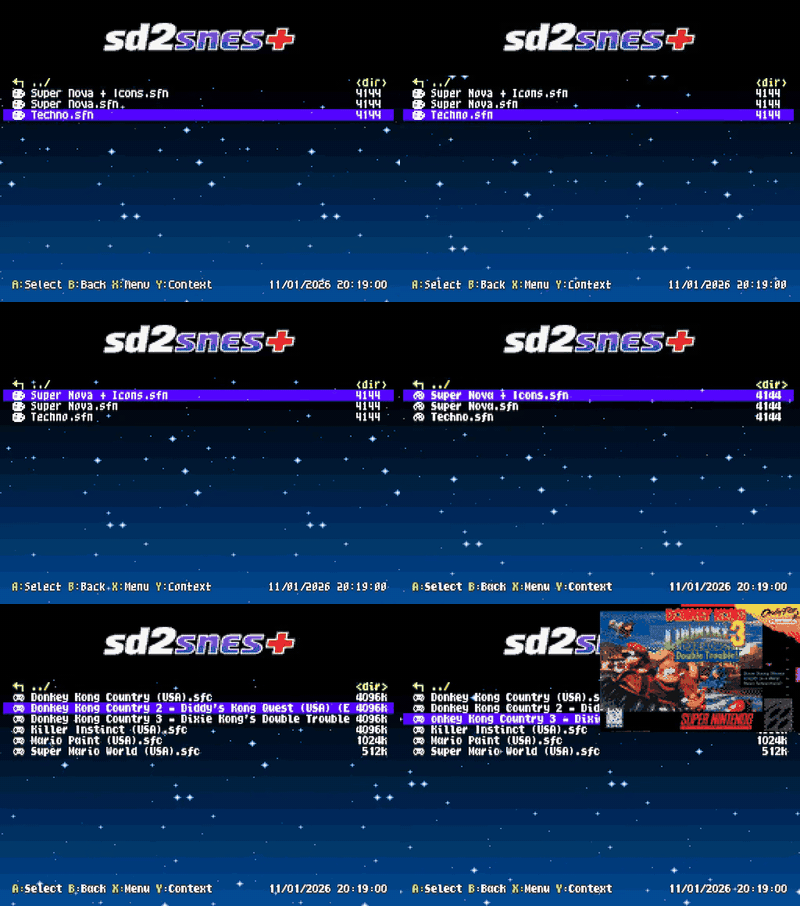
Copy a .sfn to the card and press A on it in the browser, as with a theme. Only the letters change (the file says which glyphs it brings, so icons and window borders stay), and the rest of the theme stays. The font is used in the menu and in the tour. Restore default font in Browser Settings goes back to the built-in one.
Ready-made fonts are in the font gallery, and the Font Editor draws new ones.
Atari 2600 on the Mk.II, and the same buttons on both boards
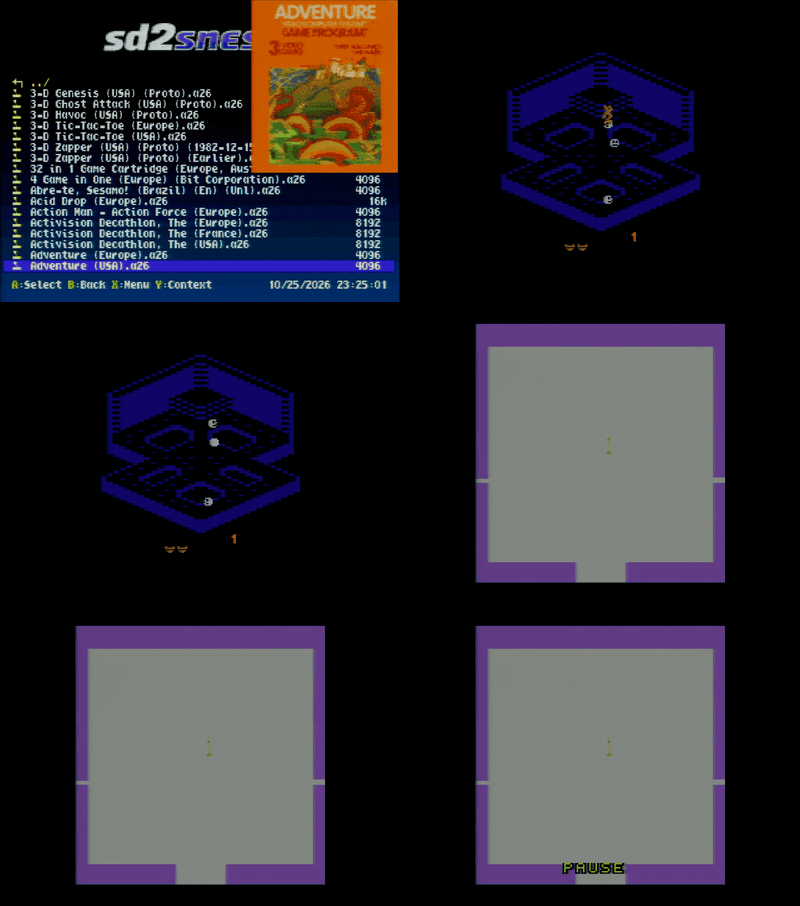
The SD2SNES (Mk.II) now runs .a26 games on a core of its own, STorm2600, written by AndinhoNFS (@AndinhoNFS): its own 6507, TIA, RIOT and mappers. It shows 232 lines, with the score and the sky whole, and reads 2K, 4K, F8, F6, Superchip and FE carts such as Decathlon and Robot Tank. The 32 KB carts (F4) do not fit the Mk.II yet. Both controllers work there: controller 2 plays the second joystick.
The controls are now the same on both boards, with each setting's name on screen:
- Start = RESET, Select = SELECT, B/A = fire
- L = difficulty, R = pause, X = colour or black and white, Y = palette (four of them, from STorm2600)
- L+R+Start+Select restarts the game, L+R+Select+X goes back to the menu
On the FXPak Pro (Mk.III) the pause and the four palettes are new in this release. The Atari 2600 stays experimental on both boards.
Community gallery
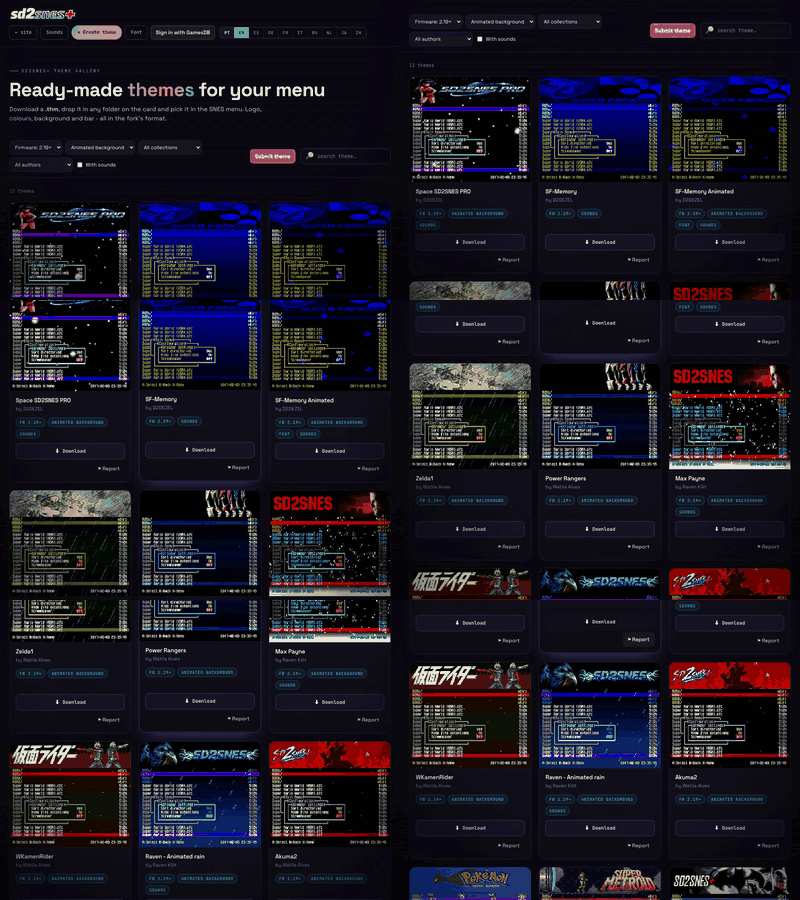
Themes, fonts and sound packs sent by the community with a GamesDB account are published after approval. The gallery filters by firmware and author, and the Theme Creator now works in steps, keeps your draft in the browser and opens any theme from the gallery. Every item has a button to report a copyright problem.
Rename with a text cursor
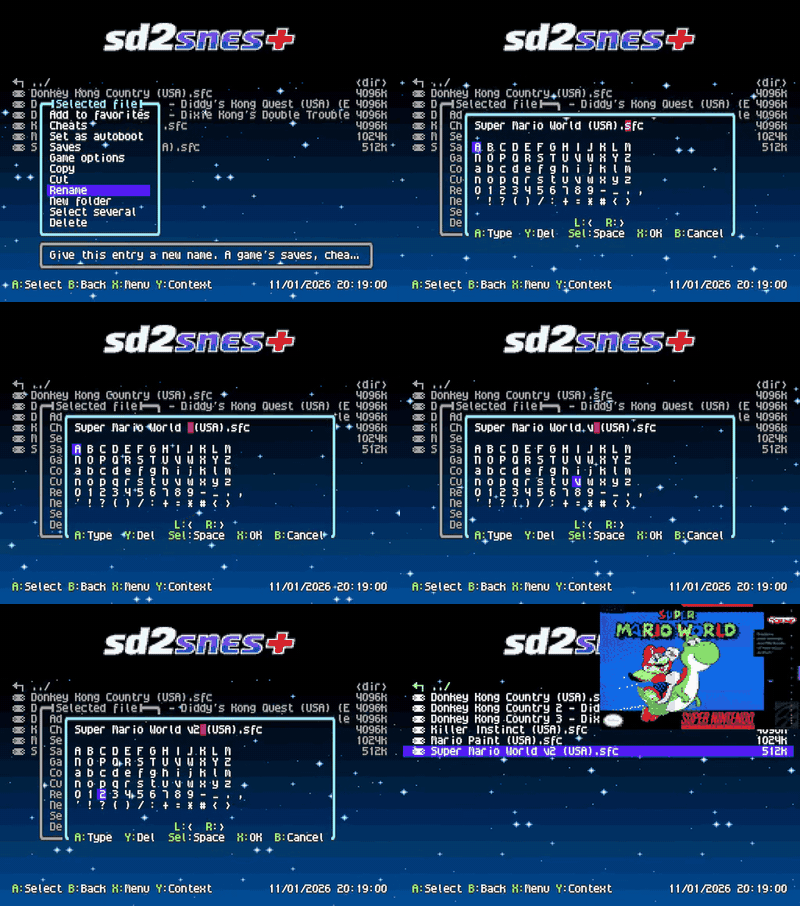
L and R move a cursor through the name (hold to repeat), typing inserts at the cursor and Y deletes the character before it, so one letter can be fixed without retyping the name. Renaming to a name the browser would no longer list (no extension, an unknown extension, or one that starts with a dot) now asks first.
Faster card access
- On the Mk.II and the Mk.III with the NXP chip (not the STM32 one), the firmware reads and writes the card faster. Over USB, reading went from 0.76 to 0.89 MB/s and writing from 0.32 to about 0.45 MB/s in our tests, and saves and savestates are written faster too.
- Pasting starts at once: the free space now comes from the count the card keeps, instead of a walk through its whole file table (about 5 seconds on a large card).
- The file list sorts faster, and coming back from a game the list appears before the menu music finishes loading.
Menu sound effects with twice the room
The four effects share one room of 256 KB stereo or 512 KB mono: an effect whose two channels are identical is kept once and takes half the space, with the same sound and no need to regenerate the files. Before, long effects could stay silent. The Sound Creator checks the total of the four and, over the limit, offers to convert them to mono or to trim the end of the longest ones.
And more
- Dates in Japanese are now year/month/day.
- The Russian translation was reviewed again, in the menu and the tour.
Fixes
- NSF music no longer goes silent after playing for a while (#75).
- Black screen at boot: a firmware link defect could leave the console on a black screen depending on the size of the code. Fixed, and the build now refuses such an image.
- Card writes: a block the card refuses three times now fails the write with an error, instead of passing as written. A paste that runs out of room also corrects the free count.
- Recent games and Favorites: an entry with a patch refuses to start without
ovl2(a missing-file box, never the unpatched game). - Popups: the load-error and "no cheats" boxes fit and centre their text.
- BS-X clock: a malformed
BSXTimeinconfig.ymlno longer reaches the clock.
Updating
Download sd2snes_firmware_v1.11.2-br-2.19.zip below (one package for every board), extract it and copy the whole sd2snes folder to the root of your SD card, replacing the files when asked. Your config.yml, saves, savestates, cheats, covers and info cards stay as they are. Then switch the console off and on: the firmware is installed at power-on.
Important
Copy the whole sd2snes folder, not just the firmware and the menu. Since 2.19 the firmware and its overlays are one set: ovl1.<img|im3|stm>, ovl2.<img|im3|stm> and, on the Mk.II, bootscr.img belong to that one build. Without them, or with files from another build, the menu warns you and themes, covers, System Information, the menu music, the info card, patches and the Saves actions stop working until you copy them.
Note
The package replaces /sd2snes/menu.spc, the four sfx_*.pcm sound effects, classic.thm and the two savestate_*.yml files. If you swapped in your own, back them up before copying and put them back afterwards (or keep your tracks in /sd2snes/music/, which the package only adds to).
Thanks
Thanks to AndinhoNFS (@AndinhoNFS) for the STorm2600 core and the four Atari palettes, to Wátila Alves, Raven Kilit and D2DEZEL for the themes in the clips, to Chrivart for the fonts, and to everyone who reported and the beta testers.
Want to try the next features before they ship? Join the beta testers group on Telegram.