
Caution
Read this before updating. 2.15 moved saves, cheats, savestates, covers and game info into two-letter folders. 2.16 goes one step further: every console now gets a folder of its own inside those (sgb, nes, sms, a26, sft). A sidecar is named after the ROM's stem, so before this a Tetris (USA).nes and a Tetris (USA).sfc shared one cover, one game info card and one set of cheats.
Nothing is deleted, but until the card is reorganised those files look like they are gone. Open the Web Manager and click Organize — it reads the firmware version off the card and arranges it accordingly, including cards coming straight from 2.14.
What's New
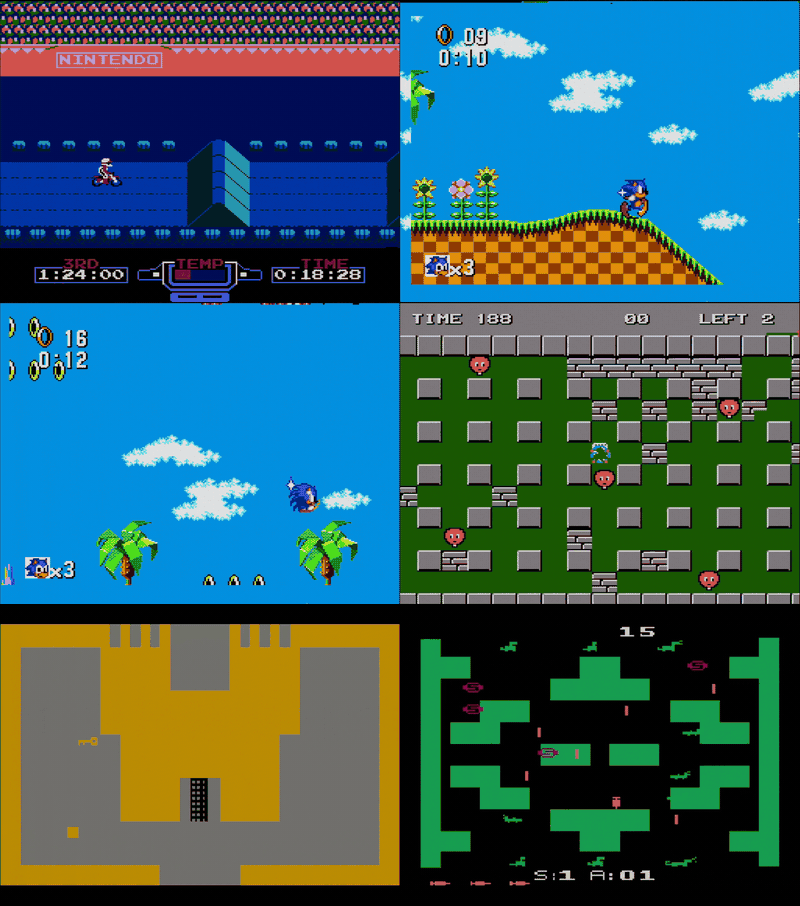
Atari 2600 (FXPak Pro (Mk.III))
The programmable chip inside the sd2snes learned to become one more console. Drop a .a26 on the card and it shows up in the list like any other game.
Both joysticks map to the SNES pads — D-pad to move, B/A/Y to fire — and the console switches are on the rest: hold Start for the console's RESET switch, hold Select for SELECT, X flips Color/B&W and L/R flip the left/right difficulty switches. Holding L + R together leaves the switches inert, so the in-game reset combos keep working.
Sound is the TIA's two channels with all 16 waveform modes. A menu option picks the picture width: 160 (1:1), the console's own resolution with black bars at the sides, or 256, filling the screen.
Warning
This is the newest and roughest of the three extra consoles. NTSC cartridges of 2K and 4K plus the F8, F6 and F4 bankswitching schemes, including their Superchip variants. E0, 3F, FE, FA, DPC and Supercharger carts, PAL games and the paddle/keypad/driving controllers are not supported yet.
The SPC7110 games finally run
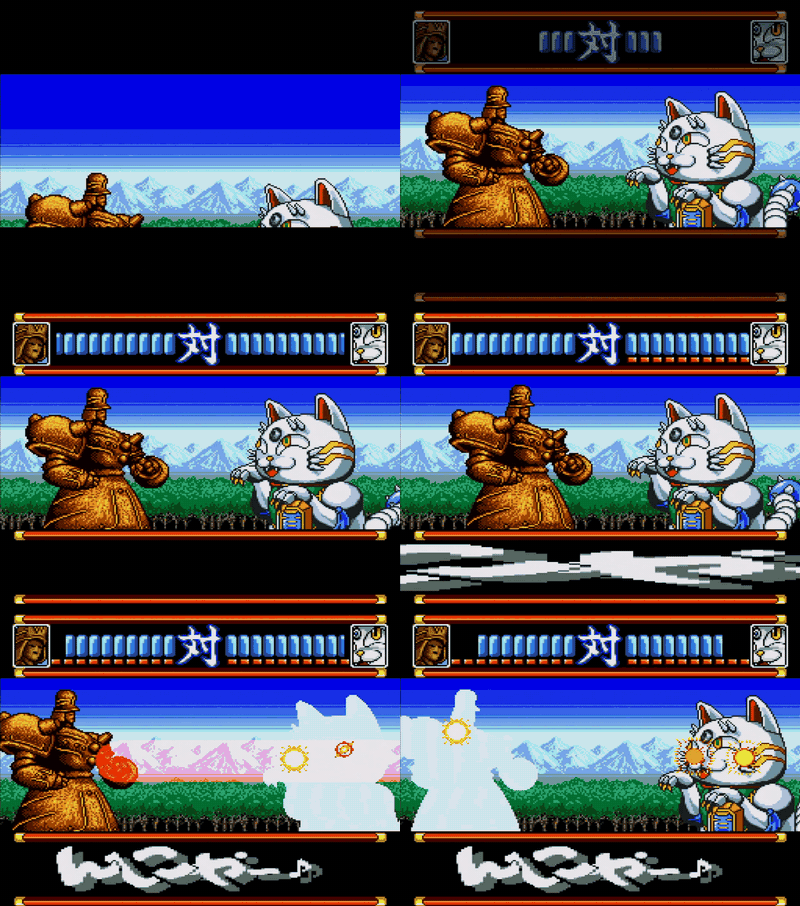
The SPC7110 is the Hudson coprocessor in a handful of Japanese carts — Far East of Eden Zero (Tengai Makyou Zero), Momotarou Dentetsu Happy and Super Power League 4. Until now the menu just said the chip was unsupported.
It decompresses graphics in hardware, multiplies and divides for the game, walks a second data ROM through a pointer engine and, on Far East of Eden Zero, carries a battery-backed real-time clock — which works here, on both boards, keeping time across power-offs in a .rtc file next to the save.
The English fan translation of Far East of Eden Zero works too: its 7 MB image adds a third chip, an expansion ROM the board maps at banks $40-4f, which the core maps as well.
The in-game menu and cheats work here like on the other chips. Savestates are the one thing still off on this chip.
Tip
Thanks to @terminator2k2 for the original expansion-ROM fix.
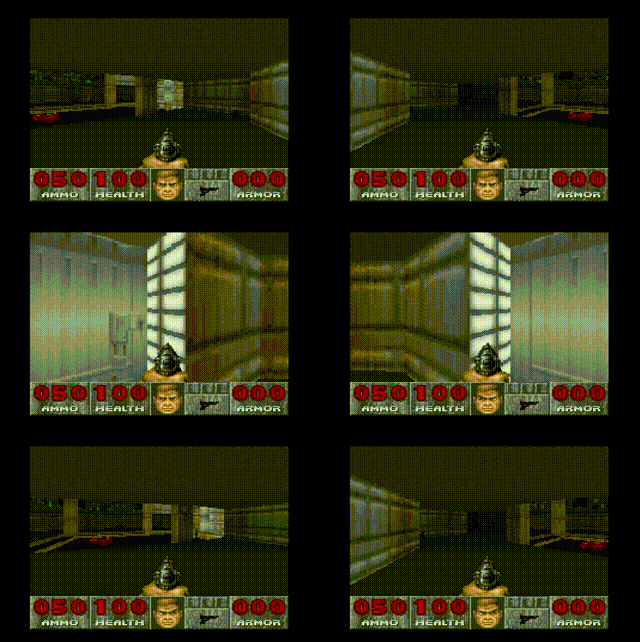
Super FX 3: the 2025 DOOM runs on a flashcart
Up front: it does not run at the real cartridge's speed — the FPGA cannot match the 2025 chip. Star Fox plays at full speed, but DOOM sits at around 11 fps against the cartridge's 20, which lands on the feel of the 1995 SNES DOOM.
The Super FX 3 is the chip in the new DOOM cartridge (Limited Run Games, 2025, designed by Randal Linden) and in the free patches that soup up Star Fox and Star Fox 2. No flashcart ran this format until now. All three open and play, with Star Fox 2's battery save working, on both boards.
The in-game menu, cheats and savestates stay off on FX3 carts.
Sufami Turbo minicarts
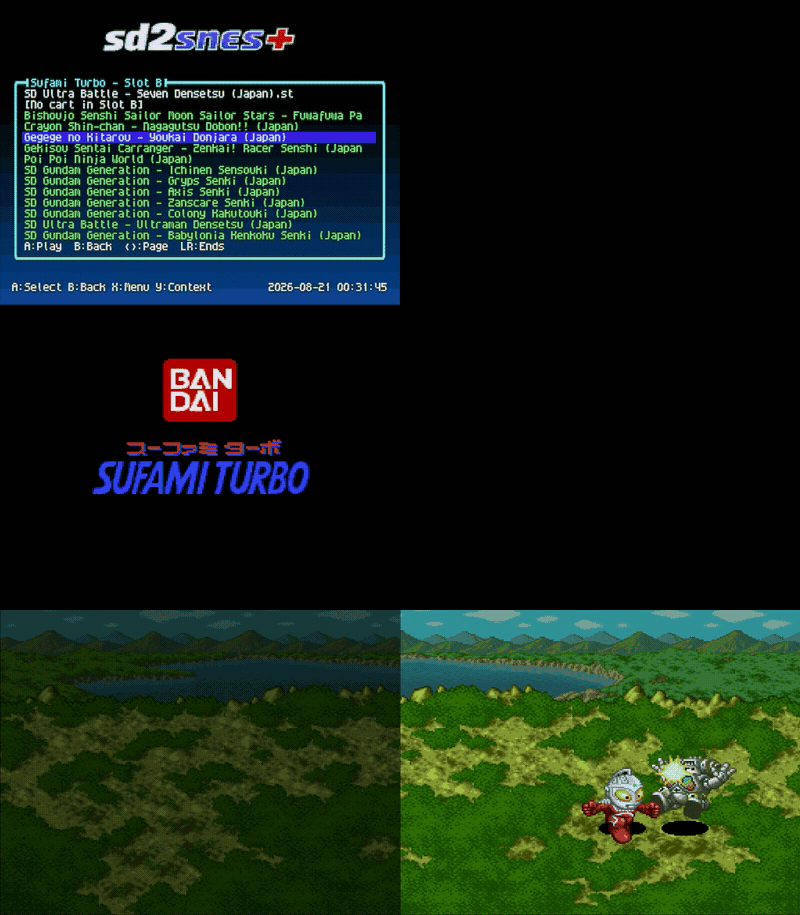
The Sufami Turbo is the Bandai passthrough cartridge with two minicart slots. Drop the .st dumps on the card, add the base cartridge BIOS as /sd2snes/stbios.bin, and they boot — picking the Slot B companion cart in a dialog right before the game starts, and remembering the pair for next time. Both minicarts keep their own battery save. Works on both boards.
Nintendo's tournament carts
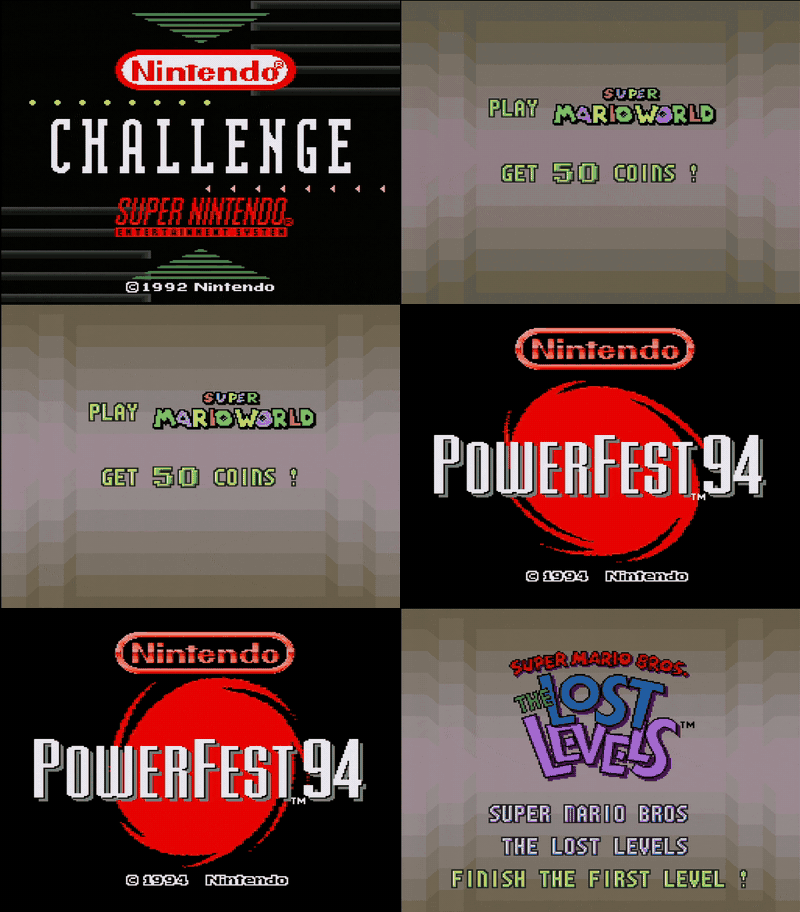
The cartridges Nintendo built for its official competitions boot as plain .sfc dumps: Campus Challenge '92 (Super Mario World, F-Zero, Pilotwings) and PowerFest '94 (Super Mario Bros.: The Lost Levels, Super Mario Kart, Ken Griffey Jr.) — three timed games and a score screen, driven by a hardware round timer.
All five circulating dumps are recognised: originals, repros and the score hacks. The round length is the DIP switch bank of the real boards: set it under Chip options → Competition Cart timer (min), 3–18 minutes (6 was the event setting). Needs dsp1b.bin on the card, as both carts carry a DSP-1.
Tip
First brought to the sd2snes by @terminator2k2.
Find your own cheats: the RAM trainer
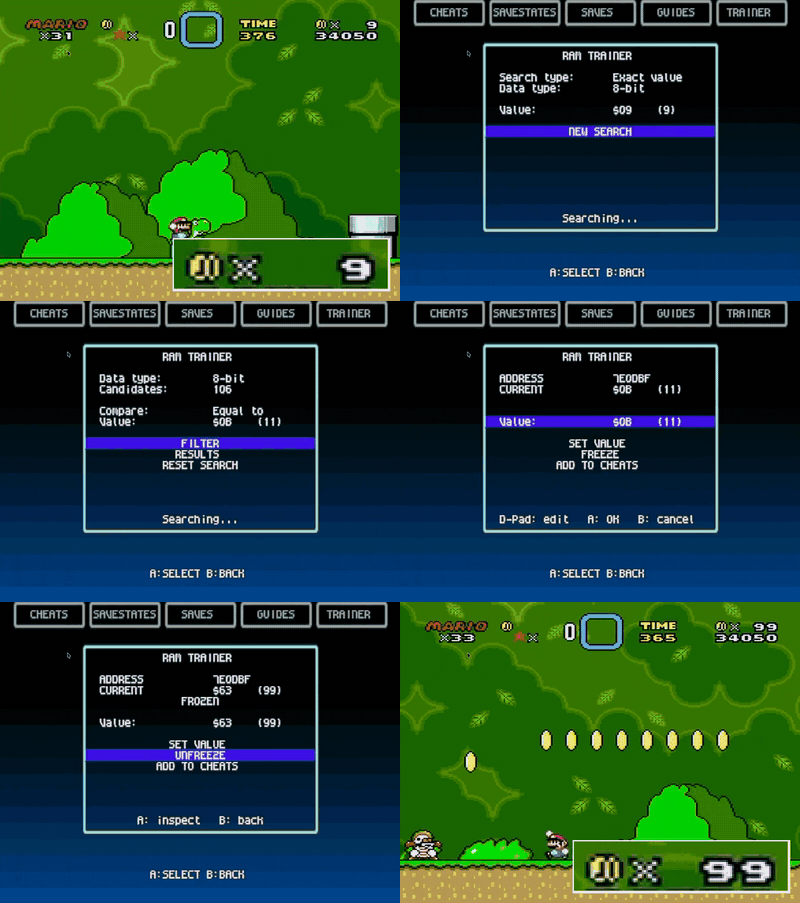
Nobody published a code for the thing you want to change? Find it yourself. The new TRAINER tab searches the console's memory while the game sits frozen.
Type the number you can see on screen — lives, coins, HP — and it lists every address holding it. Play a bit, reopen the menu, filter again, and the list shrinks until only the right address is left. When the number is not on screen, start an Unknown search instead and filter by changed, unchanged, increased, decreased, greater or less. Works on 8-bit and 16-bit values.
Pick an address to see what it holds right now, write a new value once, or freeze it so the game cannot change it back. A frozen value is not a separate mechanism: it becomes an ordinary cheat, so it shows up in the CHEATS tab, obeys the master switch there and is gone when you load another game.
Available wherever the in-game menu is — both boards. Searches cover the SNES work RAM; the extra RAM inside special chips is not scanned.
Is the cartridge faulty, or is it the firmware?
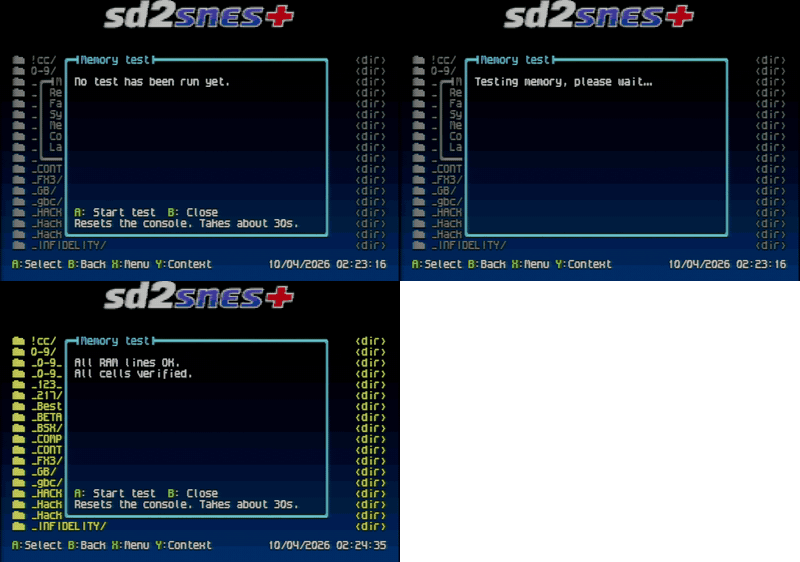
Main menu → Memory test answers that on the console itself, with no serial cable and without flashing the separate diagnostic image.
- A runs the wiring test (~10 s): it walks the data and address lines of the PSRAM and of the 4 Mbit SRAM looking for open, stuck or shorted lines
- X runs the full test (~30 s), which adds a write-and-verify pass over every cell and reports the first bad address
If it finds a fault it names the chip the way it is silkscreened on the board — U501: check data line D3 — so you know where to look. The screen goes dark and the console resets while it runs: that is expected, the programmable chip is loaded with the test core meanwhile. Both boards.
Note
This is also why a game that always worked might start misbehaving on 2.16. The menu grew and now writes to parts of the cartridge's PSRAM that no earlier version ever touched. On a healthy unit that changes nothing. On one with a bad cell or a poorly soldered trace in that area, the fault sat invisible for years because nobody wrote there — and now it shows up, usually as a game that freezes, scrambled graphics or a black screen after the logo. Run the memory test before suspecting anything else; the FAQ walks through what to do with the result.
The menu speaks Russian
Русский joins as the seventh language, next to Portuguese, English, Spanish, German, French and Italian.
It is the menu's first non-Latin alphabet: the font holds 256 drawings of 8×8 pixels, and Cyrillic needed 46 new letters, drawn by hand over an old block nobody used any more. The other 20 reuse drawings that already existed — А, О and Т are the same ones as in the Latin alphabet. The translation was reviewed by a native speaker.
The in-game menu is translated along with it, including the footers and the cheat master switch — a Cyrillic screen with a Latin line in the middle reads as a bug, not as style.
Listen to MSU-1 soundtracks from the menu
.pcm files — the MSU-1 soundtracks already sitting on the card next to the games — now show up in the browser. Press A on one and a player opens, with a progress bar, elapsed and total time; A pauses and resumes, B closes. The track plays on the cartridge's own audio channel, so the menu stays alive underneath and the menu music comes back on its own. Both boards.
The old board got room to breathe
The firmware was reorganised and roughly 29 KB of Mk.II flash came back. Two features that used to be FXPak Pro only now run on the SD2SNES (Mk.II) as well:
- Create patched ROM — writing a ready-patched copy next to the original
- Sufami Turbo
Star Ocean stopped scrambling the screen
The S-DD1 core's register shadow was capturing HDMA writes, so opening the in-game menu in a field scene restored a mid-frame state — the scenery came back corrupted and the second attempt froze the game. Fixed, and the same class of freeze in the field is gone.
Menu polish
- Reset to menu gained a fifth mode, Duration: a short press restarts the game and a long one (hold it, or press twice quickly) brings you back to the menu, in the game's folder with the ROM already selected. It is the only mode that keeps the console's reset button behaving the way you expect.
- Text outline and Anti-aliasing are your own options now, not just something a theme could switch off — and they change the menu font on the spot, without reloading the menu.
- Random menu music: the menu draws a different track out of your music folder every time it loads, on boot and on every return from a game.
- Ask for clock on boot can be switched off if you do not use the clock.
- The in-game menu combo is no longer fixed: set your own on the
IngameButtonsMenuline of the card'sconfig.yml— any combination of three buttons or more. - The game info card shows the publisher alongside the developer.
- NES and Master System got sound, and all three extra consoles take an in-game pad combo to reset the game without touching the console, plus a service combo that repaints the palette if it ever comes out wrong.
- More NES games run, with more mappers recognised.
Fixes
- In-game menu — the sprites come back exactly as they were on exit. Games that do not re-upload their whole sprite table used to come back with pieces missing or frozen in place.
- Savestates — a state on a game without support now declines instead of freezing.
- Menu audio — no more pops and hiss when a reset aborts a navigation sound; the four effects share one memory budget, so a long effect is no longer silently dropped.
- Menu windows — they no longer vanish after turning the music on or off.
- Guides — the viewer accepts controller 2.
- Game info — up/down navigates NES entries, and they get covers like everything else.
- Patches — every patch a ROM has is listed, not just the first 16.
- Settings — changing the text outline or anti-aliasing keeps you on the settings screen instead of dropping you back to the browser.
Which version do I have? SD2SNES? FXPak Pro? Mk.II, Mk.III?
Download the full package, extract it to the root of your SD card, and connect the card to the Web Manager once so it gets organised for the new layout.