
v4.0.9 - Use remote Miyo in Copilot, report issues, and selected text context
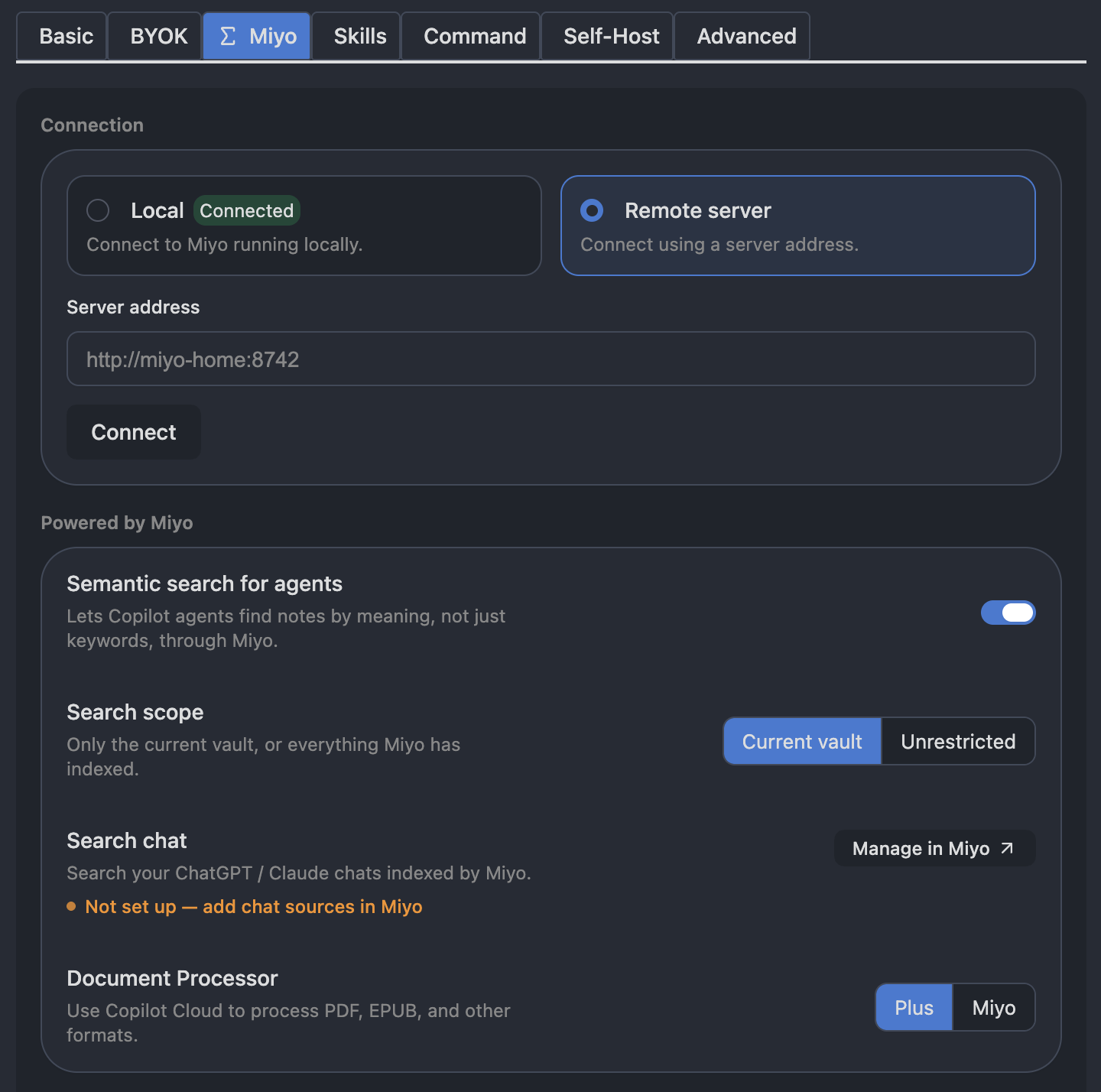
Keep your notes indexed on one computer and connect to that Miyo server from Copilot on another. The new Miyo settings make it easier to choose your server and check the connection, and a new tutorial walks you through remote setup. (#3232, #3233, #3241)
Follow the remote Miyo tutorial to set up a shared host through Tailscale. It covers the host and desktop-client requirements, the address to use on each device, and how to check your setup. (#3241)
Report issues without assembling attachments
On desktop, open Copilot settings → Advanced → Report an issue, describe the problem, and choose which attachments to include. (#3238, #3244)
Review the contents before choosing Upload & open issue. The bundle is uploaded privately, and GitHub opens a prefilled issue with its report ID, ready for you to submit. (#3238)

Copilot Plus update
The paid plan adds GLM-5.3-Flash, DeepSeek V4.1 Flash, and MiniMax M3 to the model lineup. MiniMax M2.7 is no longer available. (https://models.brevilabs.com/v1/models, #3253)
The Plus model list now refreshes from the service in the background, so future lineup updates no longer require a plugin update. (#3253)
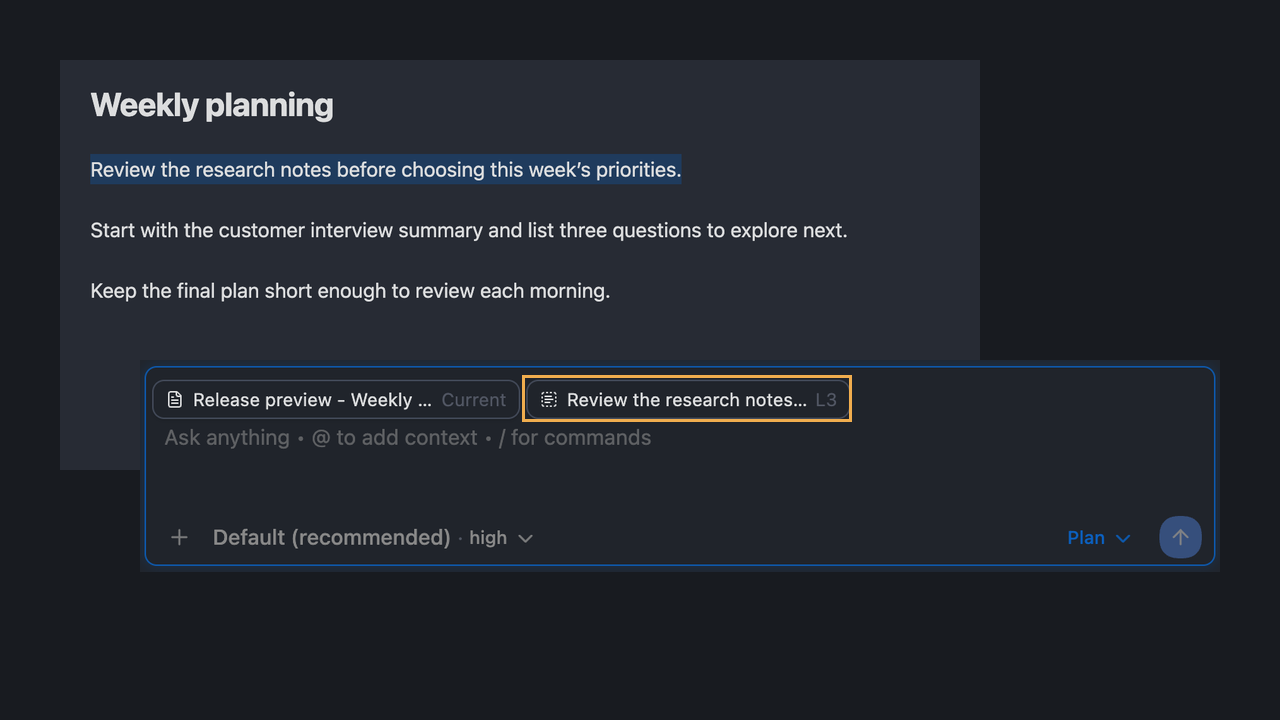
📝 Add selected text to Agent Chat
Select a passage in your note, your selection will appear as its own context badge. You can see the excerpt you are asking about alongside the current note and remove either badge when you do not need it. (#3228, #3230)
✨ More improvements
- Routine agent configuration changes offer Reload instead of restarting an open conversation automatically, letting a running turn finish first. (#3256)
- Get started with the new Miyo setup guide and Relevant Notes guide. (#3220)
- Chat images are now saved in Copilot's own folder,
copilot/copilot-conversations/attachments/by default, instead of the location set in Obsidian's default location for new attachments. (#3251)
🛠️ Bug Fixes
- Unchanged provider syncs no longer trigger an agent refresh, and unsent drafts survive backend restarts. (#3252)
- Manually saved Agent Chats keep recording new turns when Autosave is off. (#3226)
- Relevant Notes remains available in chat when its separate panes are hidden. (#3237)
📦 Install
Update Copilot from Obsidian → Community plugins.
On BRAT? After the stable release is published and mirrored, update from BRAT as usual.
Report issues through Copilot settings → Advanced → Report an Issue.