
PatchDL 0.3.0
Pick the version you want
Every game card now has an Other versions button. It lists every patch Prospero Patches (PS5) or Orbis Patches (PS4) knows for the game, with size and the firmware it needs. Versions that run on your console are at the top, ready to download. The ones that need a newer firmware, the installed one and older ones are listed below. Pick one, copy the link on the patch site (the QR code takes you there from the TV), and PatchDL fetches exactly that version from Sony. Only versions newer than the installed one can be picked. Thanks to @bigoroth for asking in #15.
Downloads that get through
- Blocked DNS: PatchDL looks up Sony's servers on its own and never uses the console's DNS settings. If plain DNS is blocked or a filter answers with a dummy address, it switches to encrypted DNS (Cloudflare, Google) and, as a last resort, to the addresses that worked last time. The DNS block that keeps your system from updating stays in place.
- Unstable connections: when a server stalls, PatchDL waits a moment, picks another server and tries again, up to eight times per piece. The card says so while it waits.
- No more starting over: a piece that breaks off continues where it stopped, and so does a download you pause or one that is cut off by a restart of PatchDL.
- Update all on big libraries: queuing more than 16 games works now.
Thanks to @Freewheelin123 for the reports and photos in #14 that led here.
In your language
The interface speaks English, German, French, Spanish, Italian, Brazilian Portuguese, Japanese, Simplified Chinese, Korean and Russian. It follows your browser; Settings lets you pick another. Native speakers of Japanese, Chinese, Korean or Russian: if something reads odd, please open an issue with a better wording.
A cleaner look
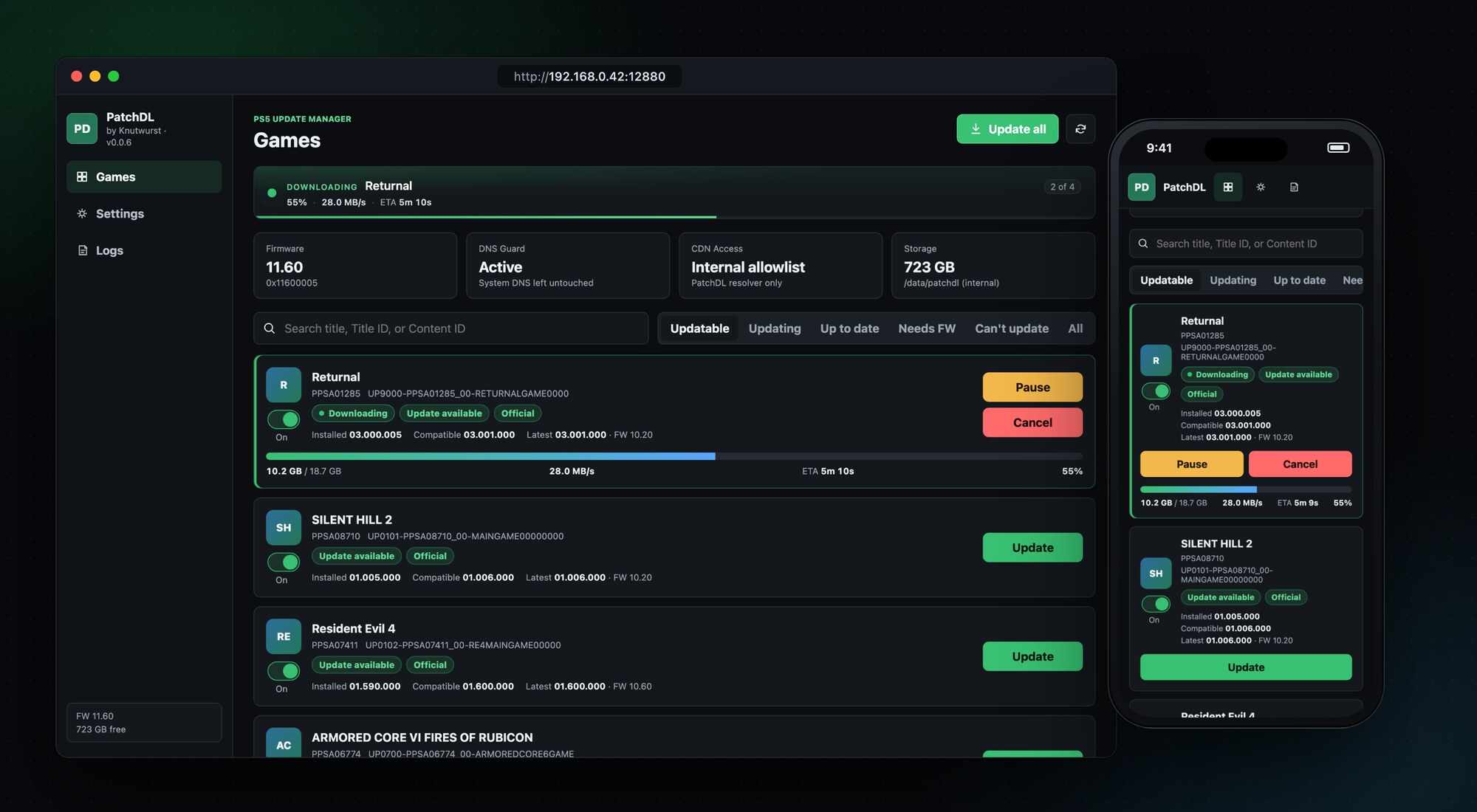
Cards show the installed version, the update and the newest version side by side, problems appear as a note with what to do next, and text is larger throughout. Easier to read from the couch.
Also: PS4 links from Orbis Patches with a single piece are accepted, and the search for an older-firmware patch now looks through a game's whole history.
Runs on firmware 1.00 to 13.60. Tested on 11.60.
Install
Download patchdl_0.3.0.elf below, send it to your PS5 with the ELF loader you already use, and open the address from the notification on your TV.
PatchDL downloads official, unmodified updates for games already installed on your console. Not affiliated with Sony Interactive Entertainment.
Full Changelog: v0.2.1...v0.3.0