
Xplorer v1.0.0-alpha.1
A modern, AI-powered file manager built with Rust and React.
Cross-platform. AI-integrated. Extensible. One app for all your files.
This is the first alpha release of the Xplorer rewrite — a ground-up rebuild using Tauri 2, React 18, and a new extension system. It's not production-ready yet, but it's fully functional and we'd love your feedback.
Use at your own risk. Back up important files before using Xplorer for file operations.
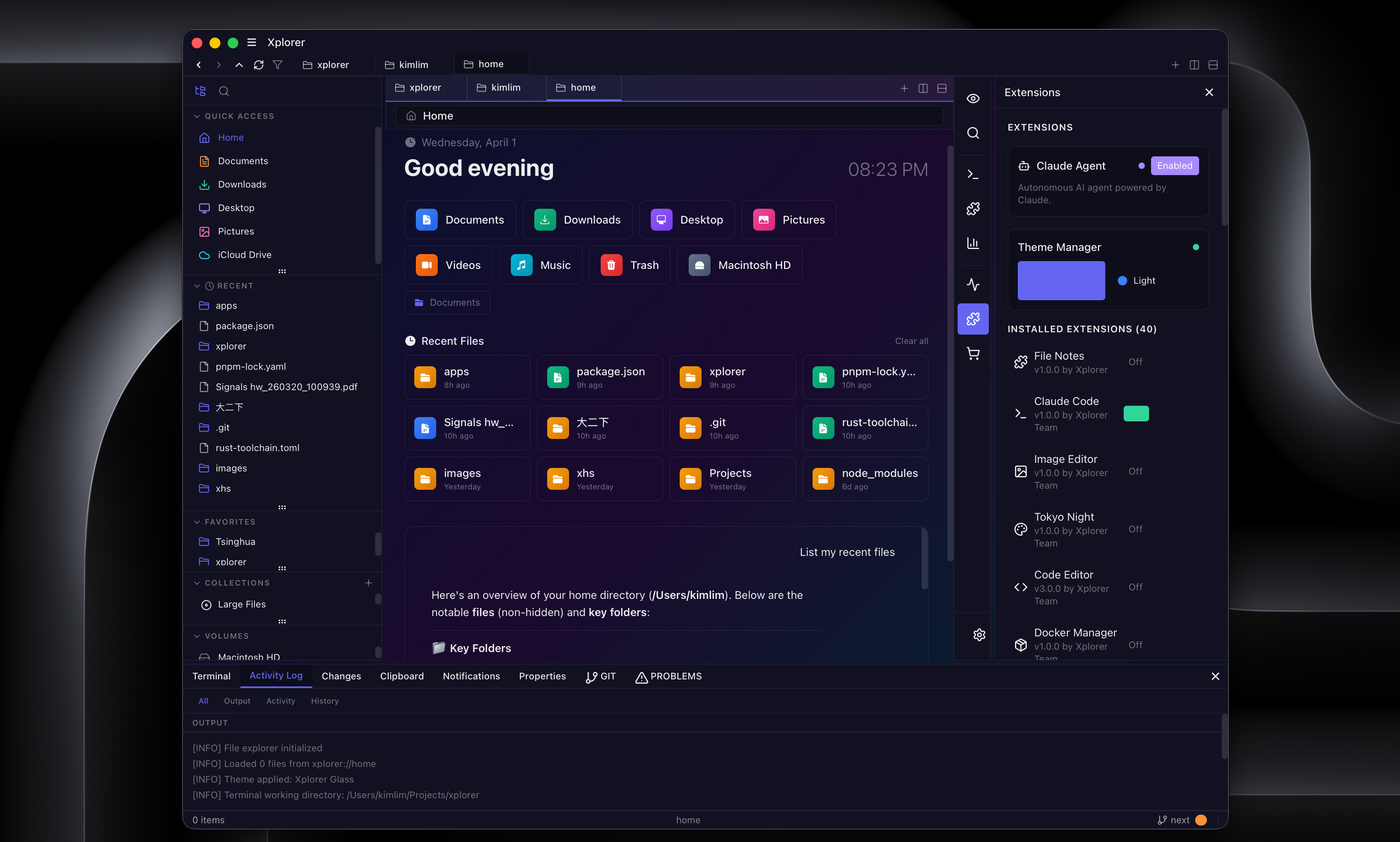
Highlights
File Management
- Cross-platform: Windows, macOS, Linux
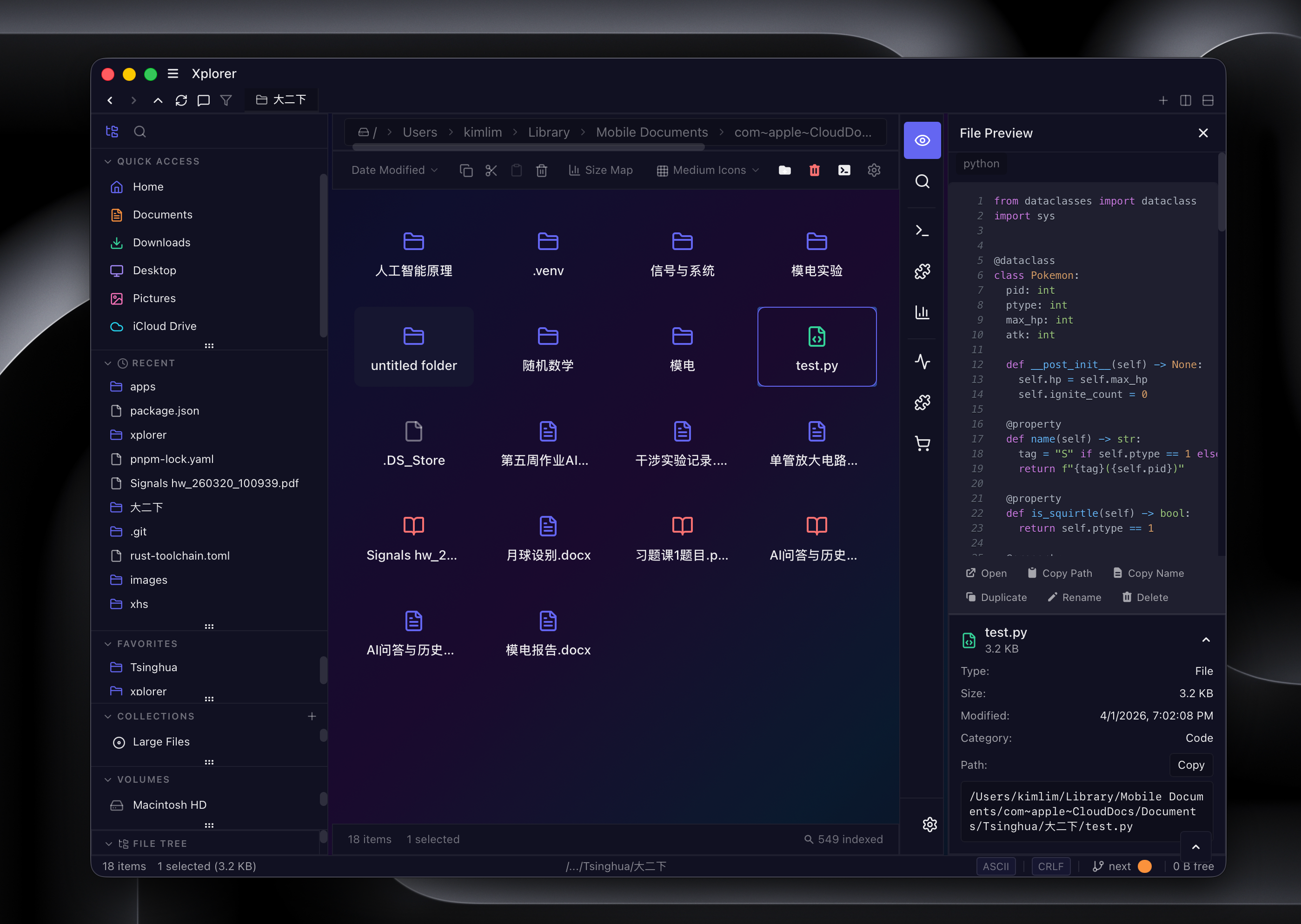
- 6 view modes: Grid, List, Details, Column, Gallery, Tree
- Hardware-accelerated file operations with memory-mapped I/O and parallel chunked transfers
- Archive support: ZIP, TAR, GZ, BZ2, XZ with password protection
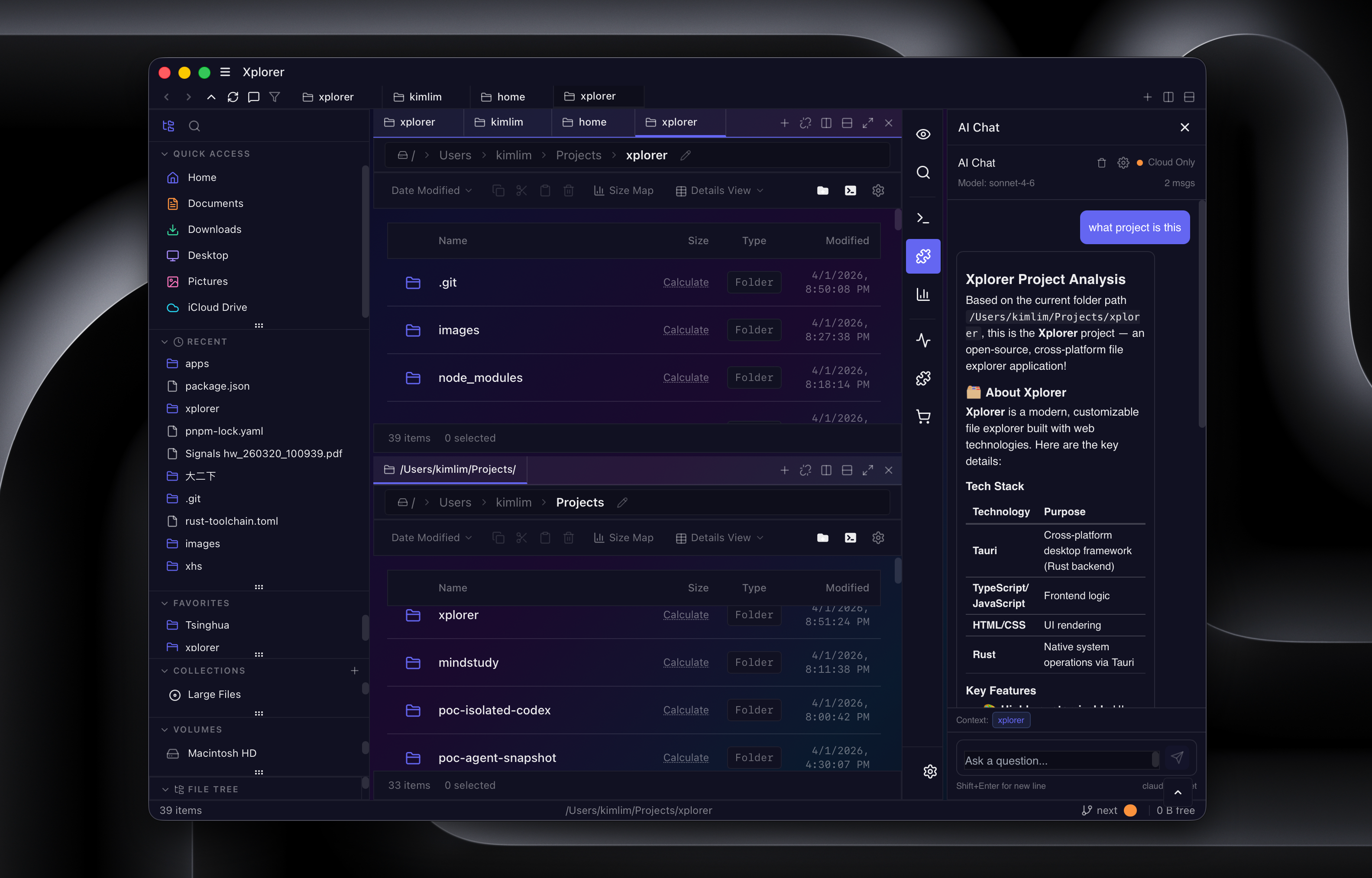
- Multi-tab browsing, split panes, drag-and-drop, session persistence
- Bulk operations: rename, move, copy, compress, encrypt
AI Integration
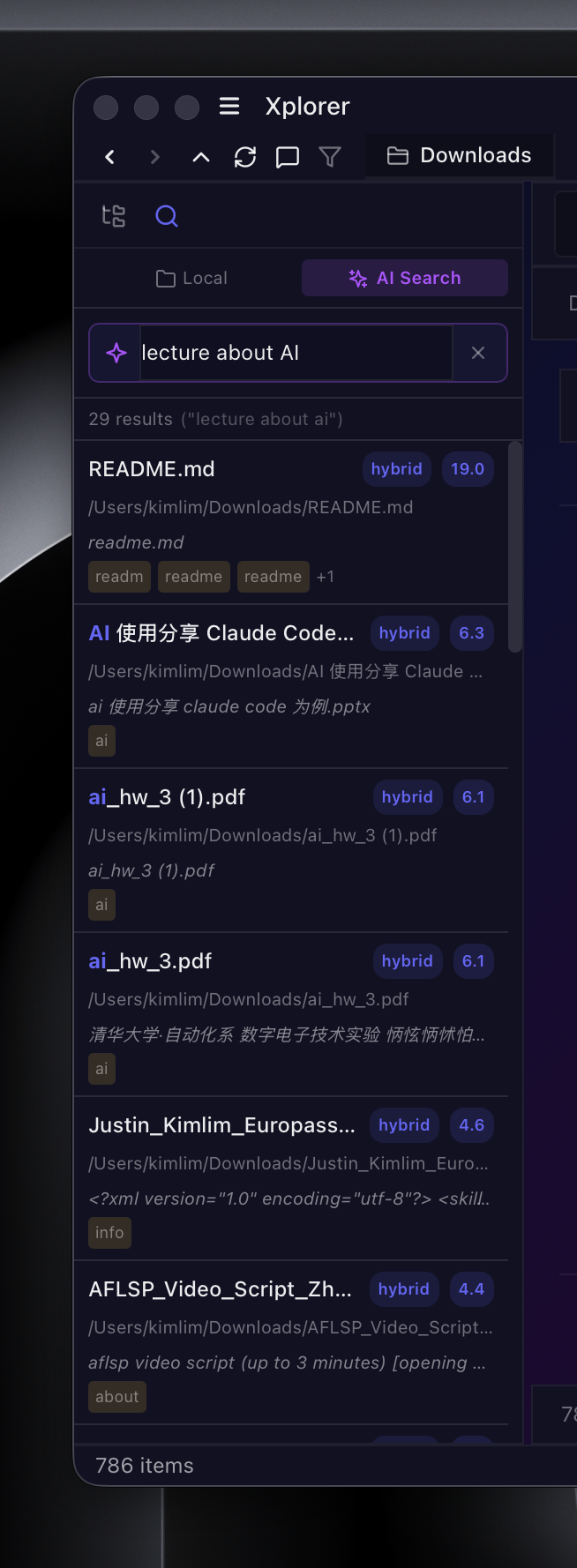
- Smart Search: Type natural language queries — the AI interprets your intent, translates across languages (e.g., "probability" → 概率论), understands temporal queries ("latest"), and filters by file type
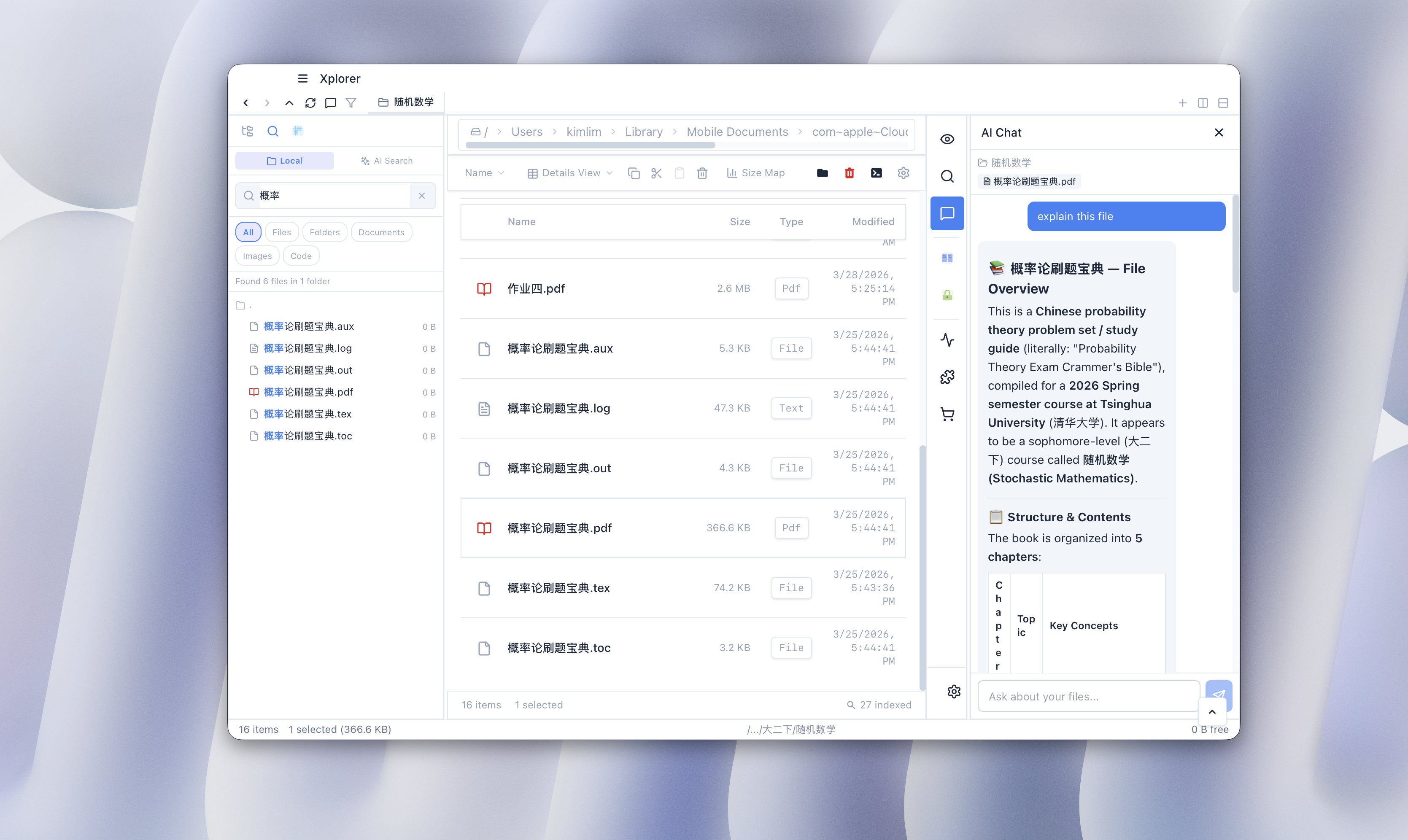
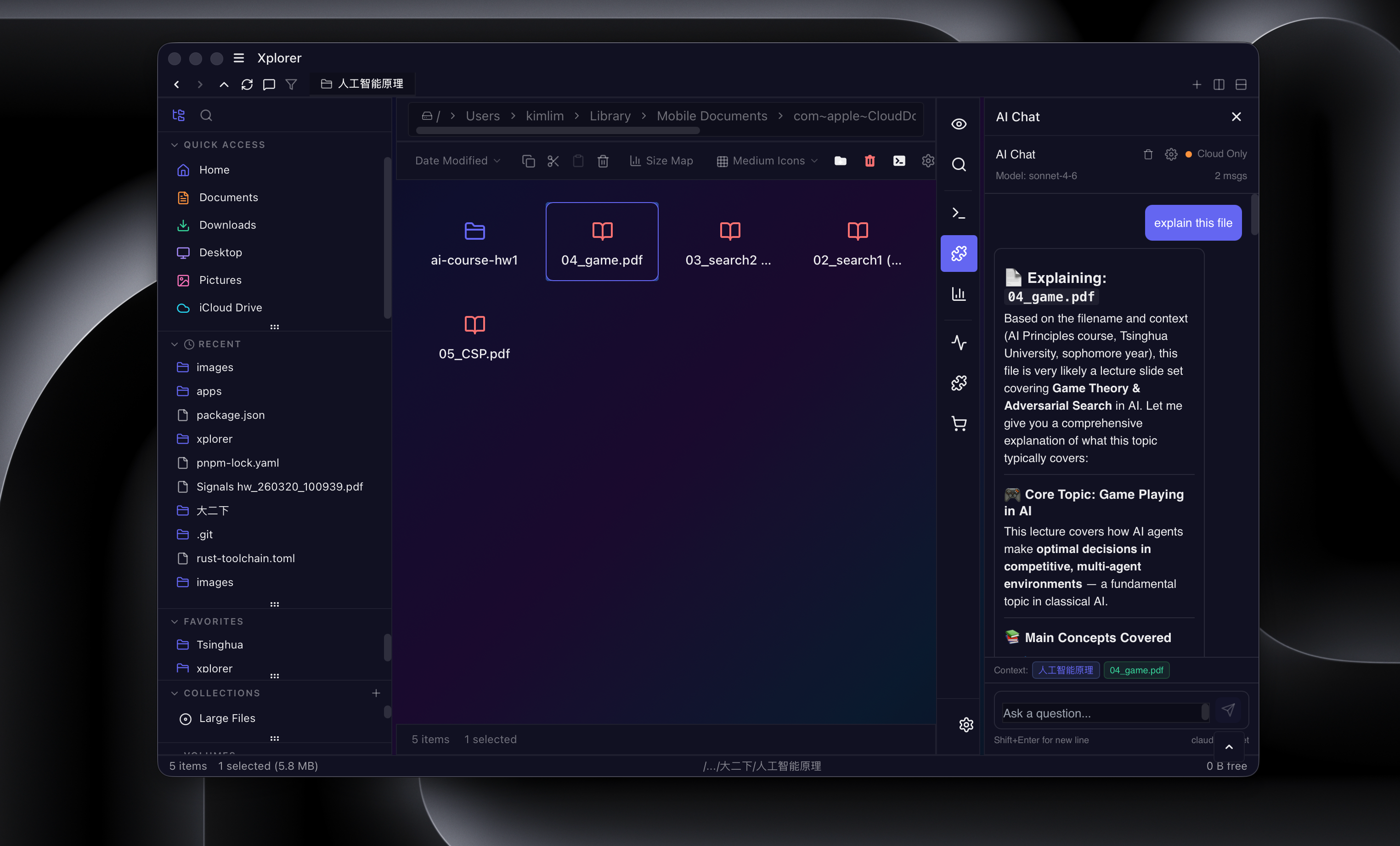
- AI Chat: Ask questions about your files. Xplorer reads the file content (text, PDF, DOCX, XLSX) and gives you answers with rendered Markdown
- Multi-provider: Connect Ollama (local/free), Claude, OpenAI, Google Gemini, DeepSeek, Mistral — configurable in Settings
- Instant results: BM25F text search shows results immediately while the AI processes in the background
Developer Tools
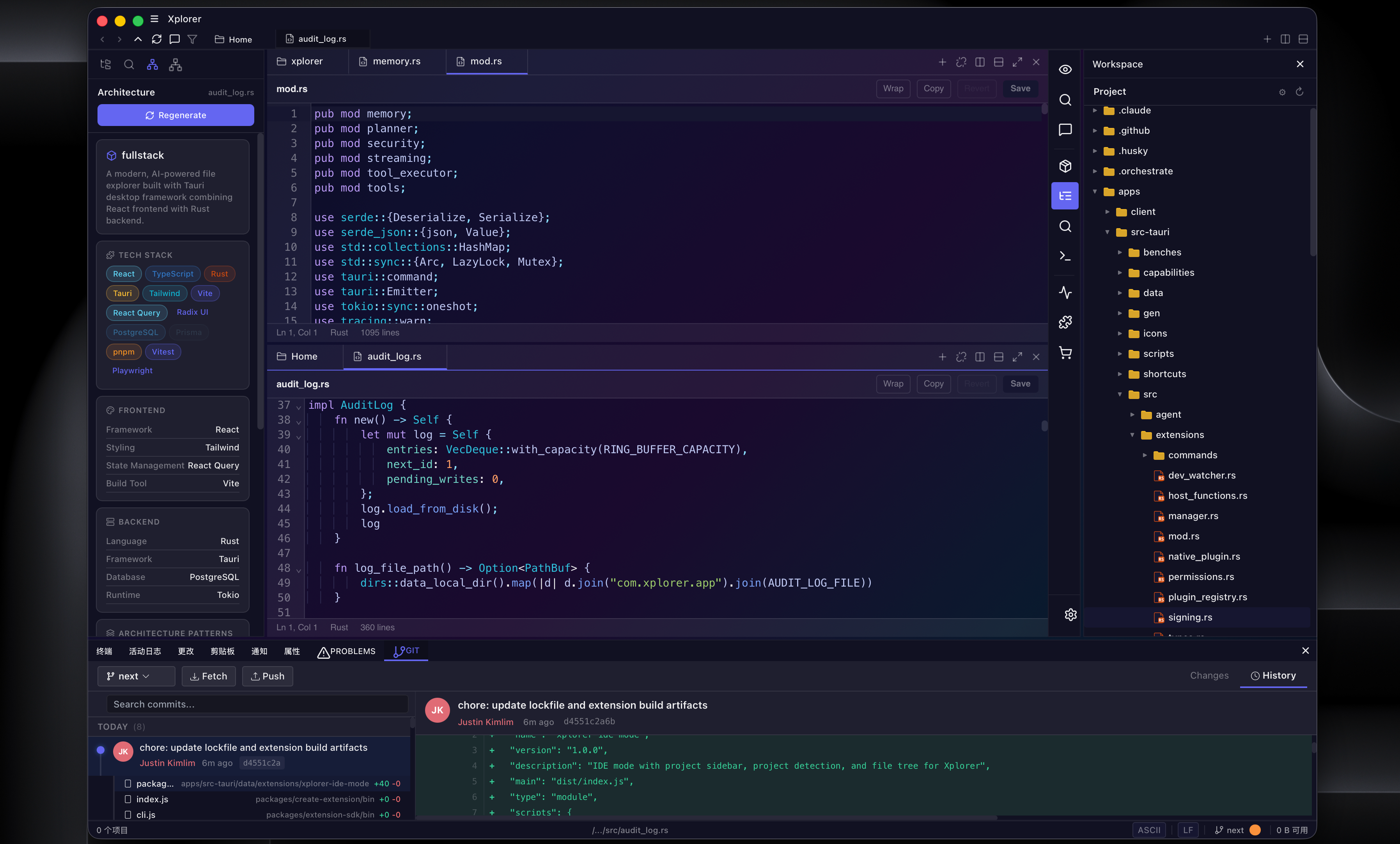
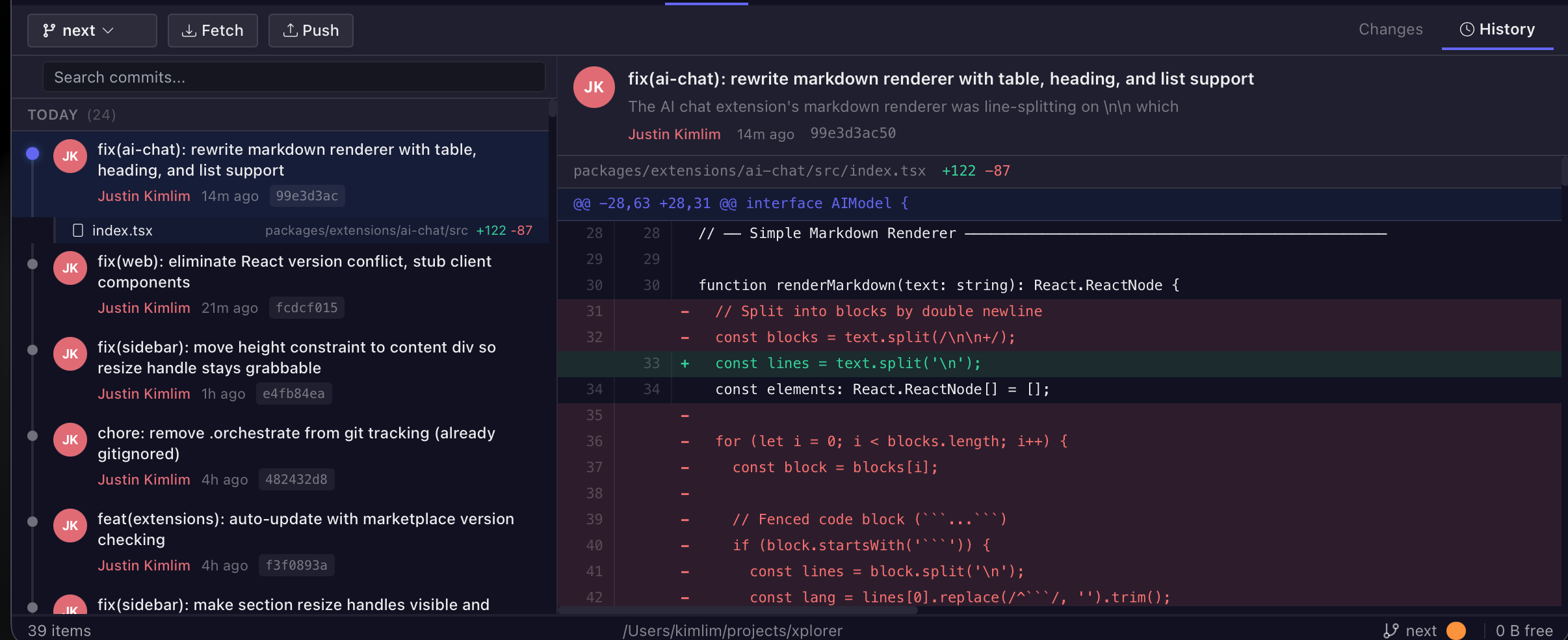
- Full Git integration: branches, staging, commits, diffs, blame, stash — all in the bottom panel
- Integrated terminal with PTY support — terminal sessions persist across folder navigation
- SSH remote browsing: connect to remote servers and browse files
- Rich file preview: syntax-highlighted code, Markdown, PDF, Word, spreadsheets, images, audio, video, 3D models
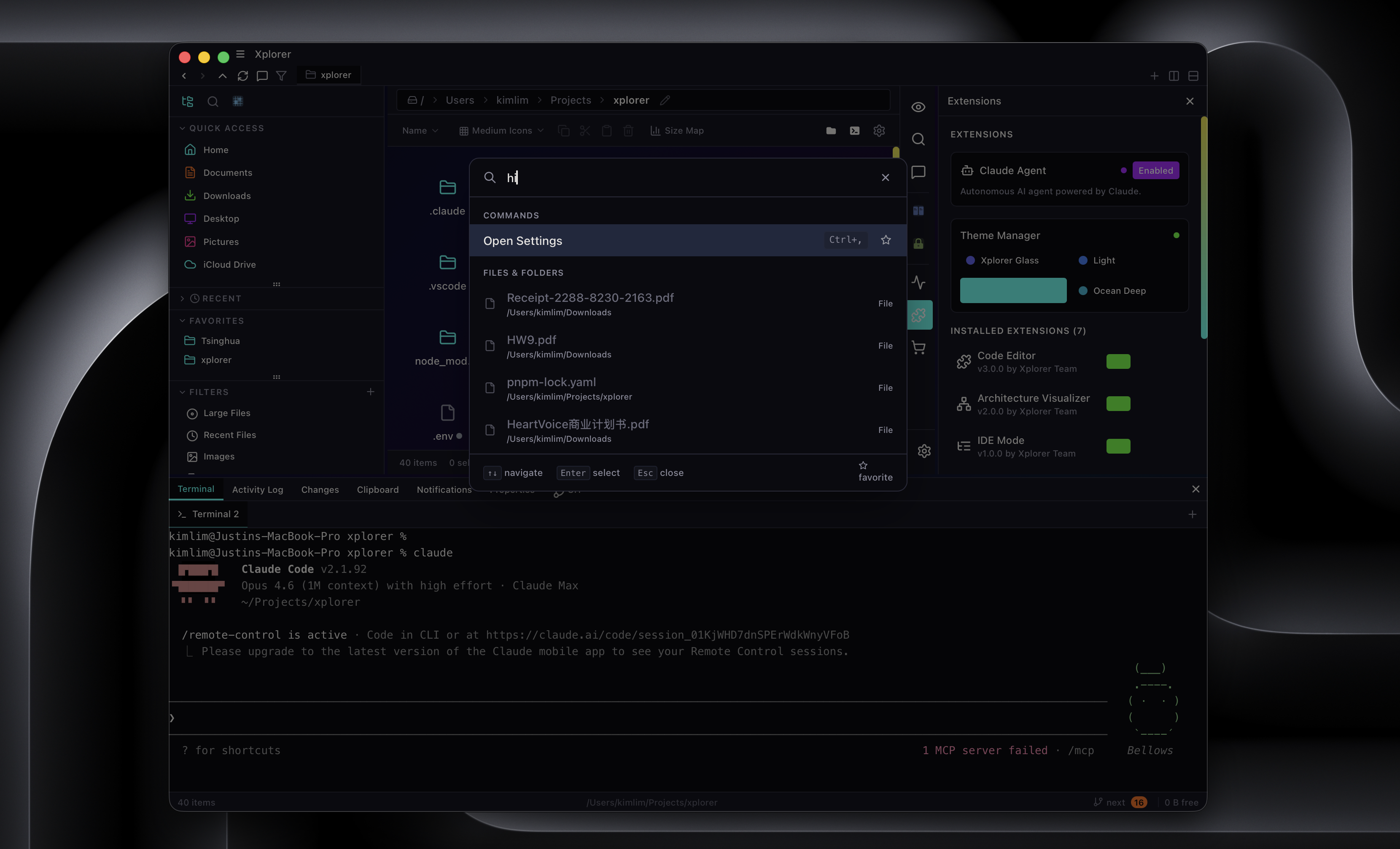
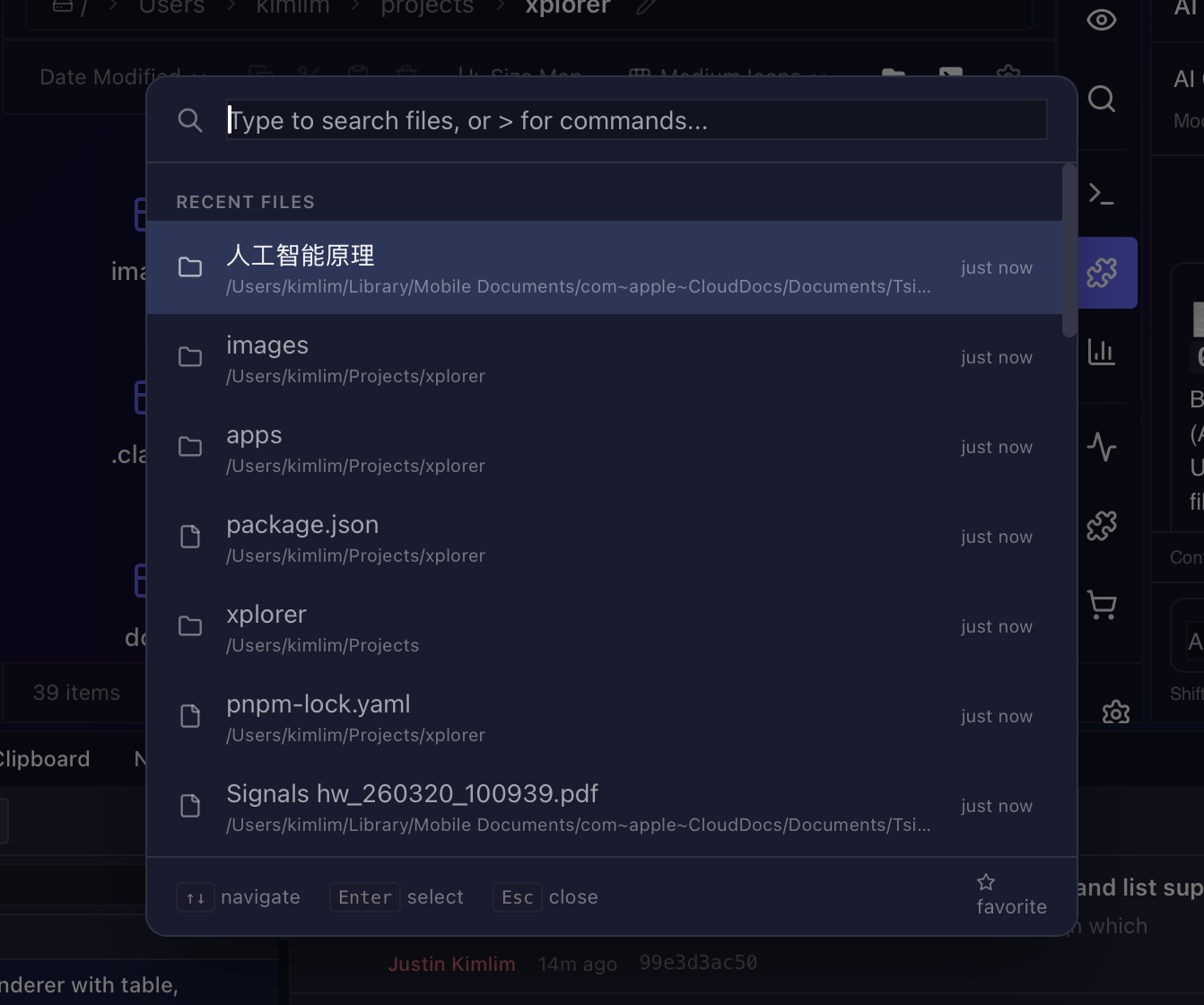
- Command palette (Ctrl+Shift+P) and configurable keyboard shortcuts
Extension Marketplace
- 25+ extensions available at xplorer.space: Git UI, SSH Manager, Docker, Google Drive, Code Editor, Image Editor, SQLite Browser, Architecture Analyzer, and more
- 5 themes: Tokyo Night (default), Dracula, Nord, Cyberpunk, Ocean Deep
- Build your own: sandboxed runtime with public SDK (
@xplorer/extension-sdk) - Extensions load from the marketplace — install with one click, auto-update
Architecture
| Layer | Technology |
|---|---|
| Desktop framework | Tauri 2 |
| Backend | Rust (Tokio + Rayon) |
| Frontend | React 18 + TypeScript |
| Styling | Tailwind CSS |
| Build tool | Vite |
| Search engine | BM25F with FST indexes + roaring bitmaps |
| AI | Any provider via API |
Use Cases
For Developers
Split-pane file browsing with integrated Git status, terminal, and code editor. Stage commits, view diffs, and manage branches without leaving the file manager.
For Researchers and Students
AI chat that understands your files. Ask questions about documents, get summaries, and search by meaning — not just filename.
For Power Users
Command palette, vim keybindings, custom keyboard shortcuts, and per-folder view settings. Six view modes, smart search with filters, and bulk file operations.
Screenshots
| 
|
| 
|
| 
|
Installation
Download the installer for your platform below. On macOS, grant Full Disk Access in System Settings → Privacy & Security for the best experience.
| Platform | Format |
|---|---|
| Windows | .exe / .msi
|
| macOS | .dmg
|
| Linux | .deb / .AppImage
|
Getting Started (Development)
git clone https://github.com/kimlimjustin/xplorer.git -b next
cd xplorer
pnpm install
pnpm dev:app
Support the Project
Xplorer is free and open source. If you find it useful, please consider sponsoring the project — every contribution helps keep development going. ❤️
Full changelog: v0.3.1...v1.0.0-alpha.1
Full Changelog: https://github.com/kimlimjustin/xplorer/commits/v1.0.0-alpha.1