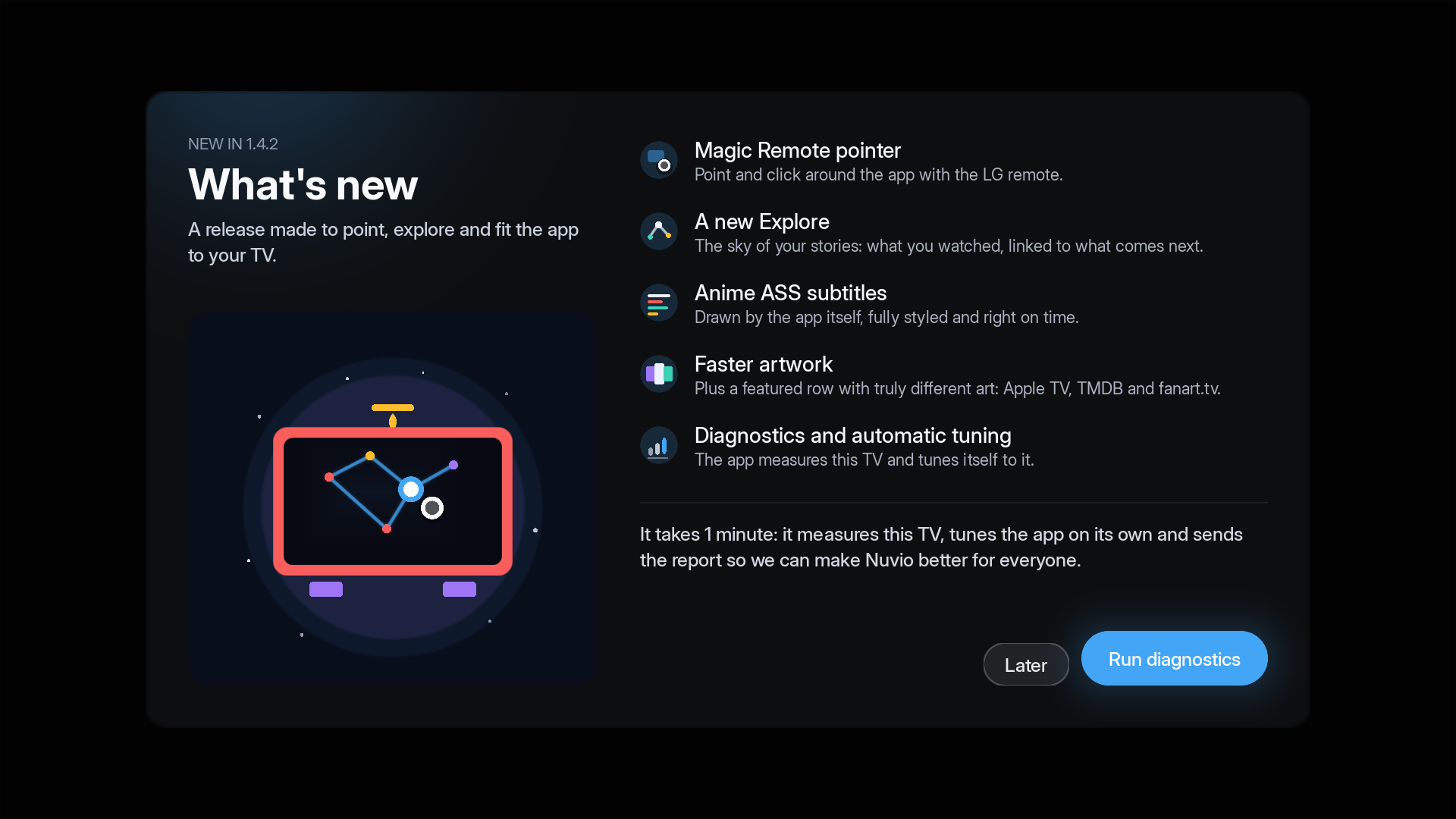
Magic Remote cursor on LG (#99), anime ASS subtitles drawn by the app and in sync (#92), a new Explore page, much faster artwork, and a Diagnostic that tunes the app for your TV. Please run it once: Settings › Diagnostics › Diagnostics and optimization (or the button on the What's new card). It takes about a minute, measures your TV, adjusts the app by itself and sends us an anonymous report — that is how we pick the right defaults for every TV.
New
- Magic Remote cursor (LG, #99): point to focus, click to open, hold to open the card menu, the wheel scrolls rows and lists. The arrows keep working as before.
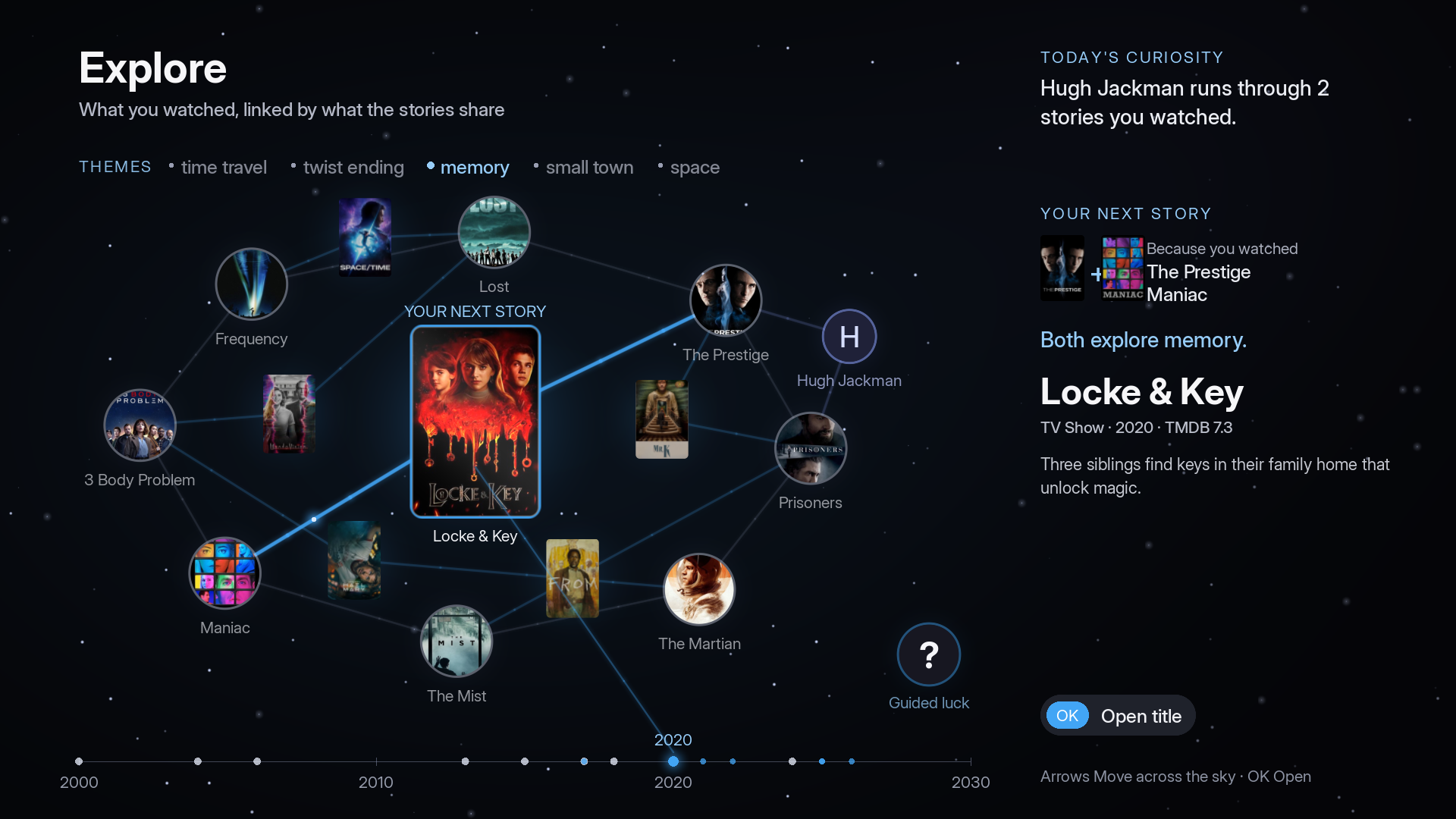
- Explore, reimagined: what you watched becomes a sky of stories, linked by themes, people, genre and decade. Between two titles you get a new one that crosses both ("Because you watched X + Y"), a person's next title, a daily curiosity and a guided random pick.
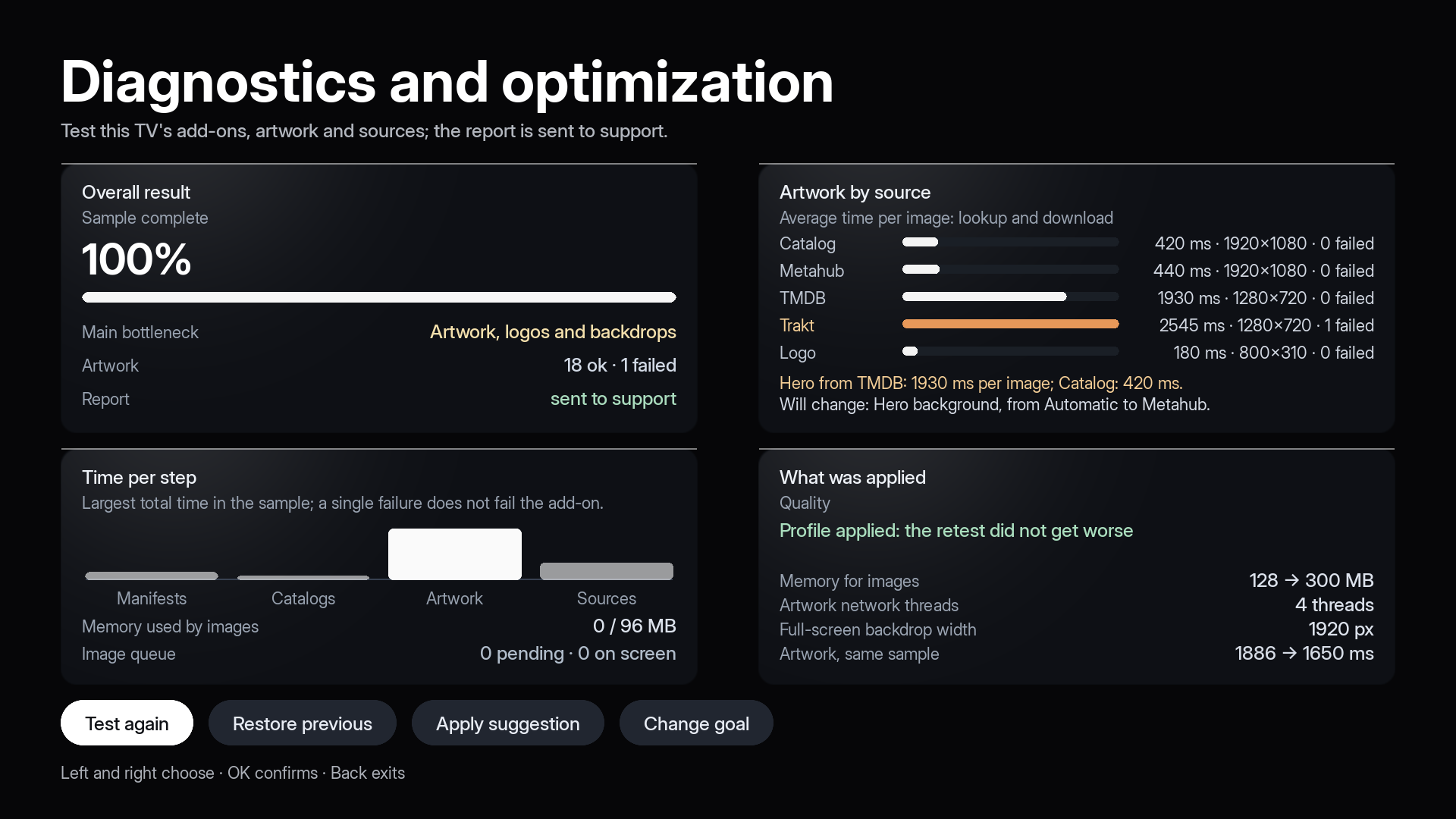
- Diagnostic and automatic tuning: measures add-ons, sources and every artwork source on your TV, applies the best profile with a before/after check (and restores it if it gets worse), and sends the report.
- Hero artwork different from the card, for real: Apple TV key art (4K, no lettering), another TMDB backdrop without text, fanart.tv (with your own key, Settings › Integrations) and anime banners (Kitsu/AniList).
- Recent searches on the Search page, per profile.
- Mark watched without Trakt: works with Simkl and the Nuvio account too, and a whole season from the Season button (#108). Simkl can feed Continue watching and be the "+" destination (#110).
- Trailer source setting (Settings › Details). On Samsung trailers are always muted.
Fixed
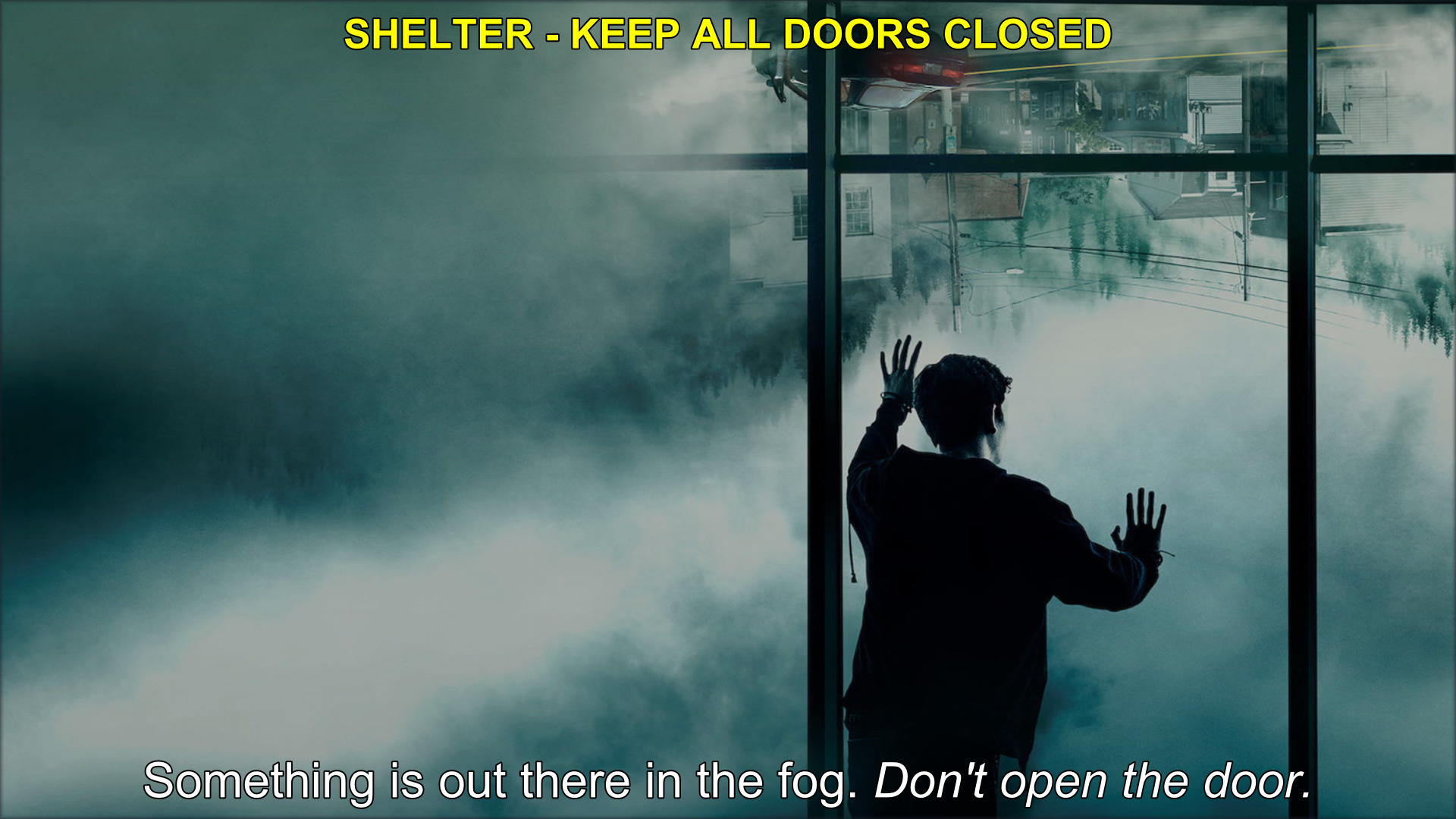
- Anime subtitles (#92): embedded tracks got each other's language (the "Italian" track was English, and "English" went to the TV's renderer, which drops lines). Every ASS track is now drawn by the app, with the right language, on time, without flicker, and the first line shows in ~3 s.
- Artwork loading: saving art to disk was holding each image 4–9 s before it reached the screen, and on LG every image opened a new connection. Art now shows as soon as it is downloaded; TMDB art is about 2.4× faster. The disk cache is capped by free space.
- Hero art with lettering: Trakt fanart is often a poster with the title on it; it is no longer picked automatically.
- Black screen until changing the aspect ratio (#111, webOS 5+): the picture position is re-applied when the first frame arrives. Not reproducible here — please send a log if it still happens.
- IPTV on Samsung (#112): channels are requested with the type the add-on declares; Xtream panels go through our proxy on Samsung (credentials in the request body, never in the URL or logs).
- Samsung: images are decoded without waiting for the main thread (no more "browser did not answer in 8 s"), the TV guide is cached compressed, Agenda fills names, posters and dates without a TMDB key, remove from Continue watching updates at once, icons fixed.
- TorBox free / Premiumize without premium: instead of "no source", the app says your plan doesn't allow API use and keeps the direct sources.
- LG video pipeline refused by the TV: no more endless retries; a clear message instead.
- Settings defaults shifted since 1.4 on fresh installs (rounded pill cards, fixed sidebar, reduced animations) — restored.
- Rows point to the right titles again, "Remove from Saved" in the card menu, secondary buttons readable over bright art, notification toast with just the bell.
Notes
- Samsung: the package is unsigned on purpose — a distributor certificate locks the install to a fixed list of TVs. Sign it with your own certificate as before.
- The Diagnostic report contains measurements (times, sizes, memory, add-on hosts without paths or keys). No passwords, tokens or personal lists.
Packages
space.nuvio.native.legacy_1.4.2_arm.ipk— LG webOS (arm). Default texture budget.space.nuvio.native.legacy_1.4.2_arm-highcache.ipk— LG webOS (arm), 300 MB texture cache for TVs with ≥2 GB RAM.NuvioTV-1.4.2-tizen.wgt— Samsung Tizen (WASM), unsigned; sign it with your own certificate as before.
Screenshots
What's new card — run the Diagnostic right from it.
Explore — the titles you watched, linked in a sky of stories by shared themes and people.
Diagnostic — the result, with artwork broken down by source.
ASS subtitles drawn by the app — styled signs at the top, dialogue with italics at the bottom.