
Important
Updating from 2.0: HACS updates the theme, but not the Bubble Card modules. So please do these steps (don't worry, it's less work than it looks):
- Update Origami in HACS.
- Paste all the new Bubble Card modules from the repo Bubble modules folder over your old ones, either in Bubble Card's module editor or as files in
/config/bubble_card/modules.
Your dashboard keeps working, and the new parts can be added one by one, whenever there's time. The steps below show the few cards that may need a small change.
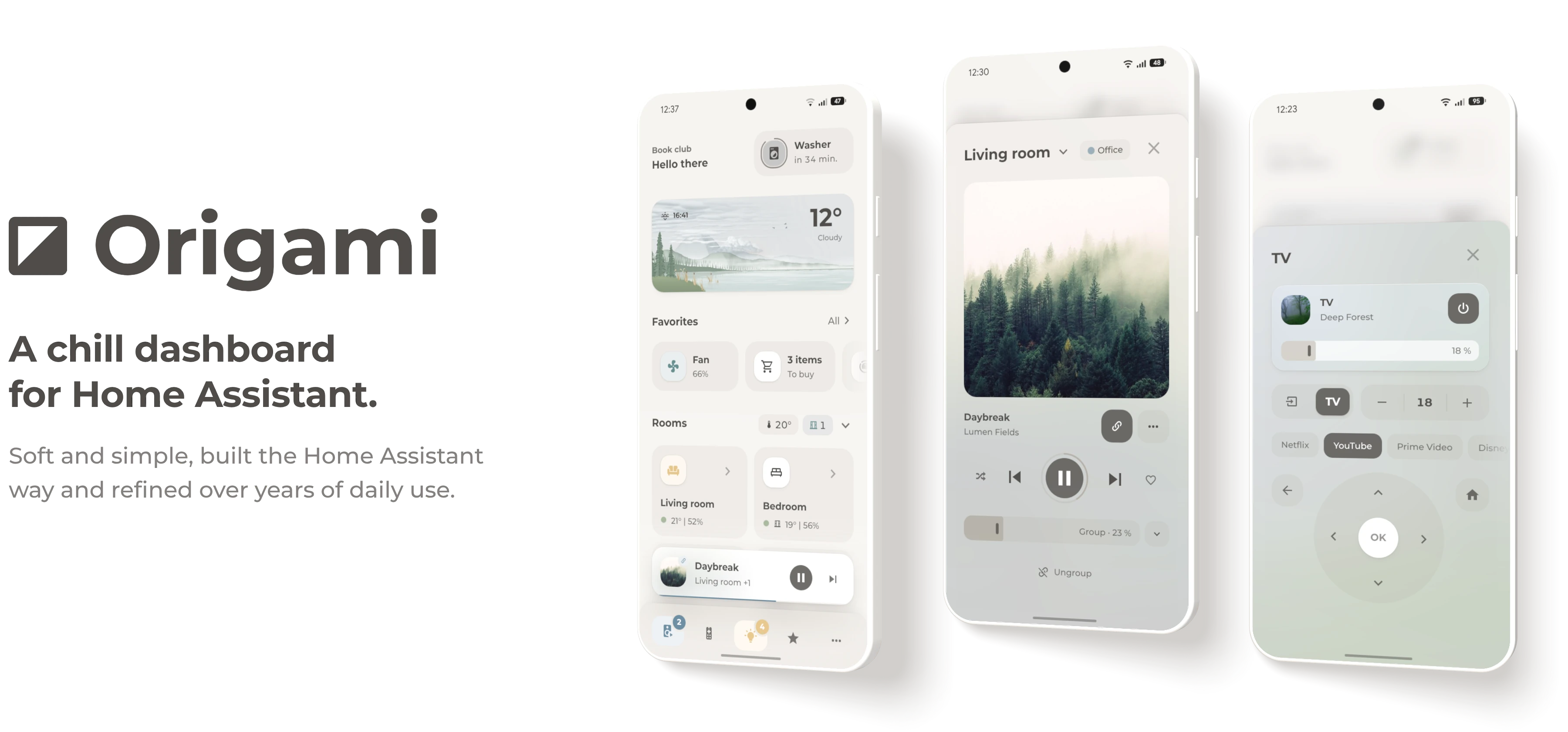
Origami 3.0 finishes what 2.0 started. Paper Buttons Row is gone, and most of the dashboard is plain Bubble Card with the Origami modules on top. Every part has its own folder with its files and a short README, so a home takes only the parts it wants, without a package or one large dashboard file.
New are the pop-ups for the lights, music, favorites, the server and the vacuum, small pop-ups that open right at their key, and three weather cards. It took a long time, and now it finally feels somewhat finished.
Update Bubble Card to 3.4 or later, and Navbar Card to 1.8.0 or later if the dashboard uses it.
Update Origami in HACS and run Update all modules together, because the new ones need the new Base. In the editor of any Bubble card, open Modules, then My Modules, and paste each module's new version from Take The changelog shows which part replaces which 2.0 card and what looks different on 2.0 cards.
Upgrade steps
frontend.reload_themes. The 2.0 cards keep their look, apart from the new shadows and a slightly lighter page in light mode. A renamed copy of the theme keeps its old shadows until it gets the new shadow tokens: shadow-edge, chip-shadow, shadow-elevated, shadow-sheet and tile-chip-background in each mode, and tile-chip-shadow: 'var(--chip-shadow)' at the top.
bubble_card/modules over its old one. Delete Light and Speaker Select there, because 3.0 has no such modules. For modules in /config/bubble_card/modules, copy the folder again and delete origami_light.yaml and origami_speaker.yaml.
origami_light and origami_speaker out of the cards that use them. Light cards need state_content with state and brightness, and fan cards state_content: percentage, because no module writes their state line anymore.
state_content:
  - state
  - brightness
The changelog has every change, and questions are welcome in the discussions.