
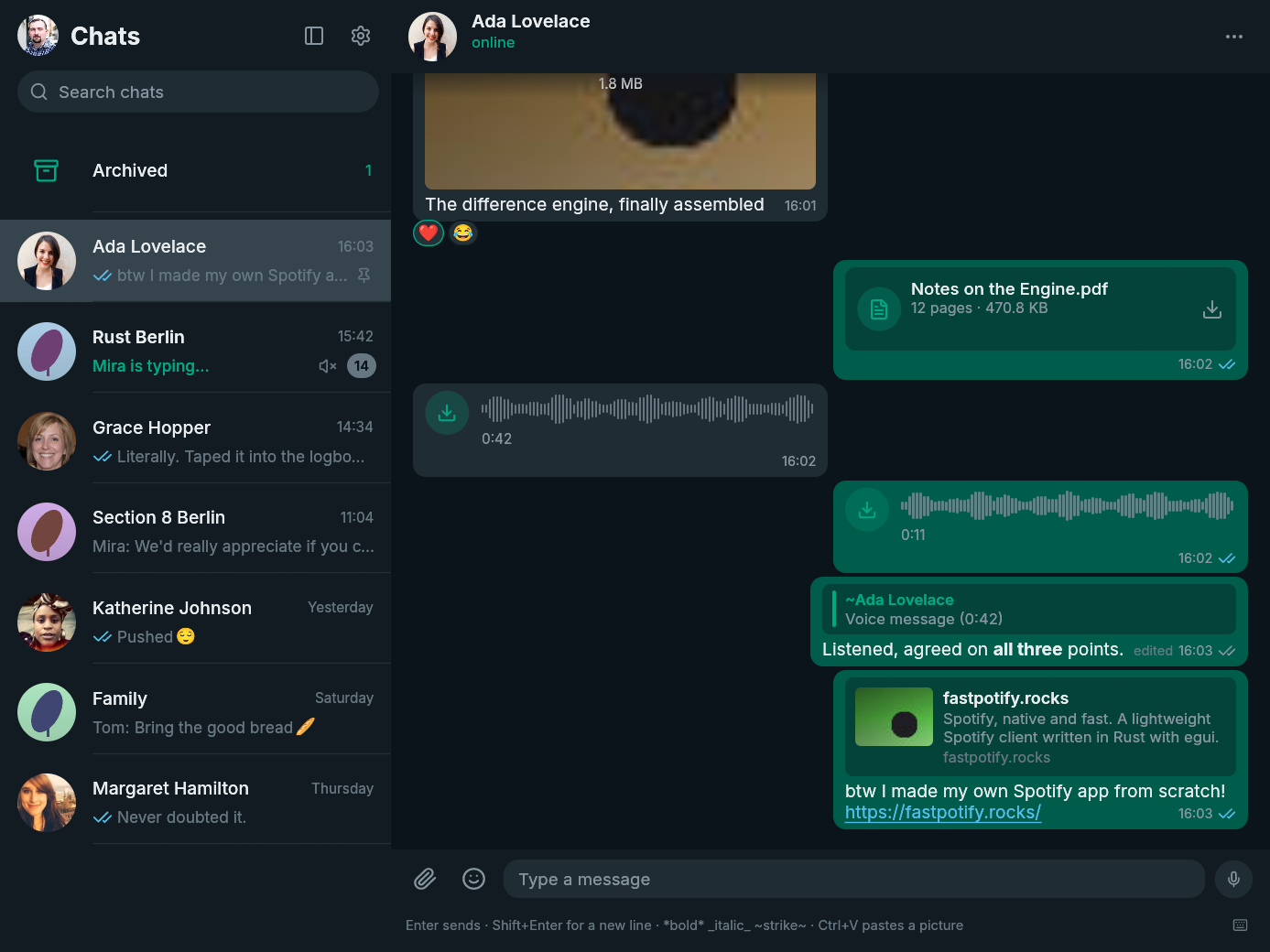
FastsApp 0.12.0 adds message forwarding, so useful text and attachments can move between conversations without leaving the native client.
New
- Forward messages to another chat. Right-click a message, choose Forward, then search for and select the destination. Forwarded messages keep WhatsApp's forwarding marker, and existing media is relayed without uploading the attachment again.
Install
| Platform | Download |
|---|---|
| Arch Linux | fastsapp-bin or fastsapp on the AUR
|
| Linux | fastsapp-v0.12.0-x86_64-unknown-linux-gnu.tar.gz or the arm64 tarball
|
| macOS | fastsapp-v0.12.0-macos-universal.dmg for Apple Silicon and Intel
|
| Windows | fastsapp-v0.12.0-x86_64-pc-windows-msvc-setup.exe or the Windows on ARM installer
|
checksums.txt contains the SHA-256 checksum for every file. The macOS build is not notarized, so follow the first-open steps on the download page. Windows may show a SmartScreen warning because the installer is not code-signed.
FastsApp is unofficial and is not affiliated with WhatsApp or Meta. Using an unofficial client may be against WhatsApp's terms of service and could get an account suspended. Use it at your own risk.
Full changelog: v0.11.0...v0.12.0