
2.18.0 (2026-07-07)
QuickAdd 2.18.0 is about removing the small frictions you've told us about for years - literally: this release closes out asks from dozens of GitHub discussions, some dating back to 2021. Paste images straight into prompts, capture next to the note you're in with {{FOLDERCURRENT}}, keep your selected text as the link title, and enjoy a fully modernized AI provider experience with current models out of the box. One-page inputs graduate out of Beta, user scripts now explain their own loading failures, and the docs grew seven new pages that answer the questions we heard most.
🖼️ Paste images straight into prompts
The most-requested capture upgrade (#609, #1100): take a screenshot, run your capture, and paste it right into the prompt - the regular one, the wide multiline one, and one-page form fields all accept it. QuickAdd saves the image as an attachment (following your normal Obsidian attachment settings) and drops the embed link at your cursor. Mix text and images freely, paste several images at once.
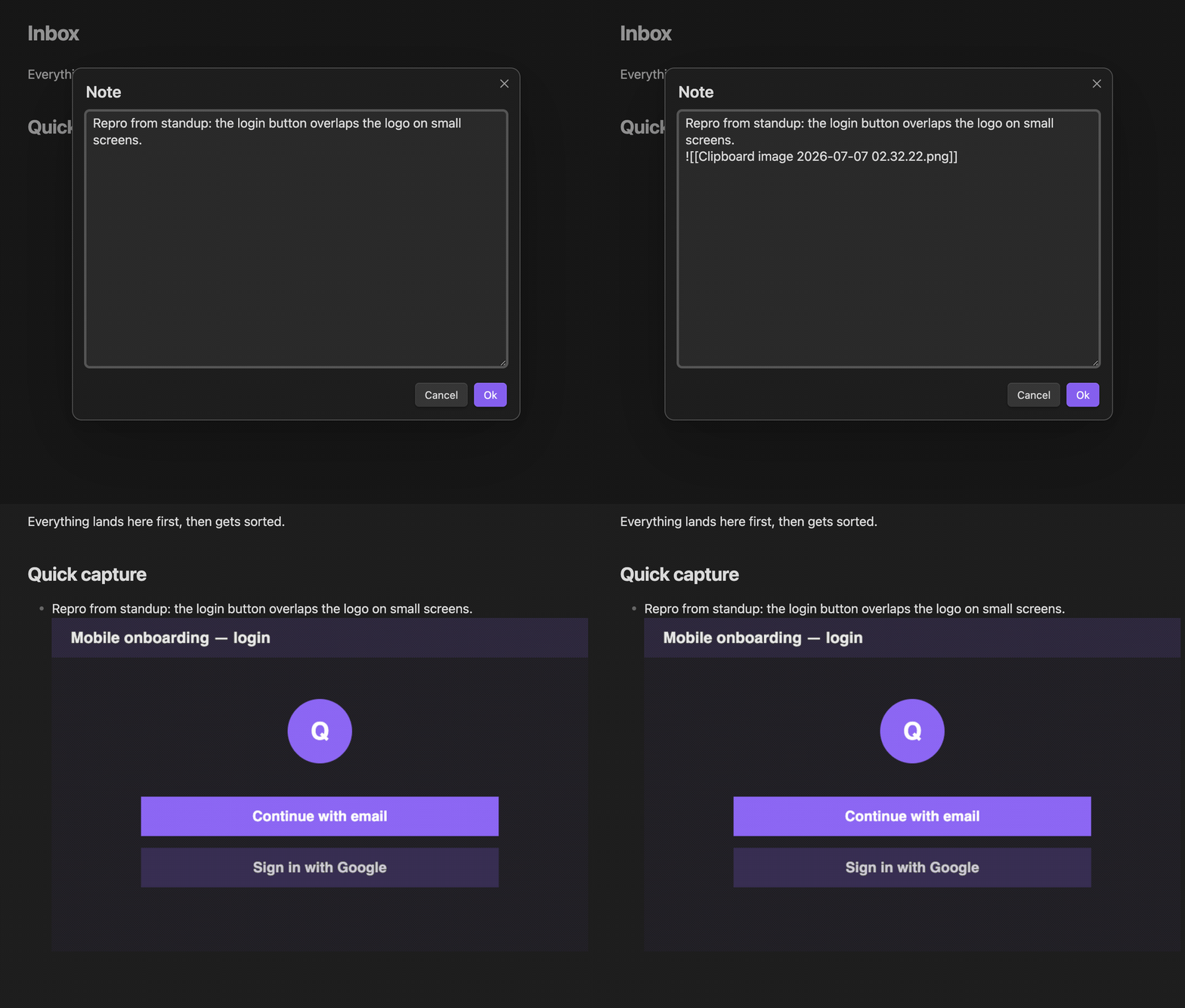
If your clipboard holds both text and an image, the text wins - same rule as the {{CLIPBOARD}} token. And prompts that fill in a file path stay text-only, so an embed link can never end up inside a filename.
🧾 One-page inputs are out of Beta
The single form that collects all of a choice's inputs at once - name, date, tags, everything - has been running stable for nearly a year, so it drops the Beta label. Toggle it globally in settings, or override per choice. If anything ever goes sideways, it now degrades to the classic step-by-step prompts with a visible note instead of silently.
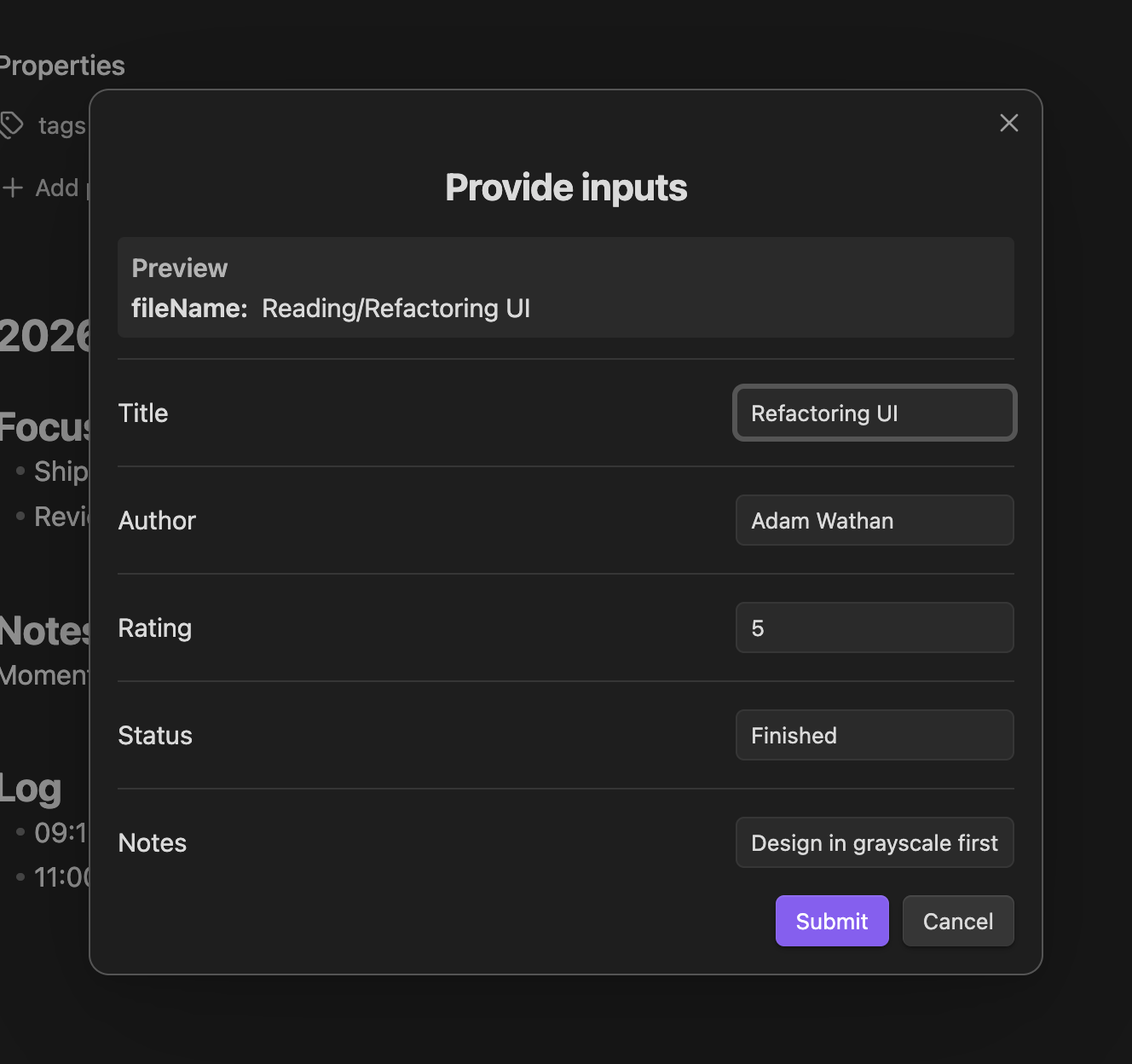
There's also a new docs hub for everything prompt-related: Controlling Prompts covers prompt order, labels, optional inputs, multiline fields, and the submit shortcuts you may not have known existed (Ctrl/Cmd+Enter!).
🤖 AI, modernized end to end
If you tried the AI Assistant and hit a model_not_found error on a default model - that era is over.
- Current models out of the box. New provider cards seed today's models, and model lists plus context-window metadata stay current without plugin updates via live import from your provider or the models.dev directory. The Auto-sync models toggle now actually does what it says.
- Model import works everywhere. Importing models from Anthropic and Gemini endpoints used to fail on authentication; both use their correct auth schemes now.
- No more opaque 400s from sampling knobs. Current frontier models (OpenAI's reasoning models, Anthropic's latest generation) reject Temperature/Top P outright. QuickAdd now retries once without the rejected parameter and tells you what happened in plain language, instead of failing the whole command.
- Defaults are defaults again. New AI commands no longer bake
temperature: 1, top_p: 1, ...into their saved settings as if you'd chosen them, and Anthropic responses are no longer silently capped at 4096 output tokens.
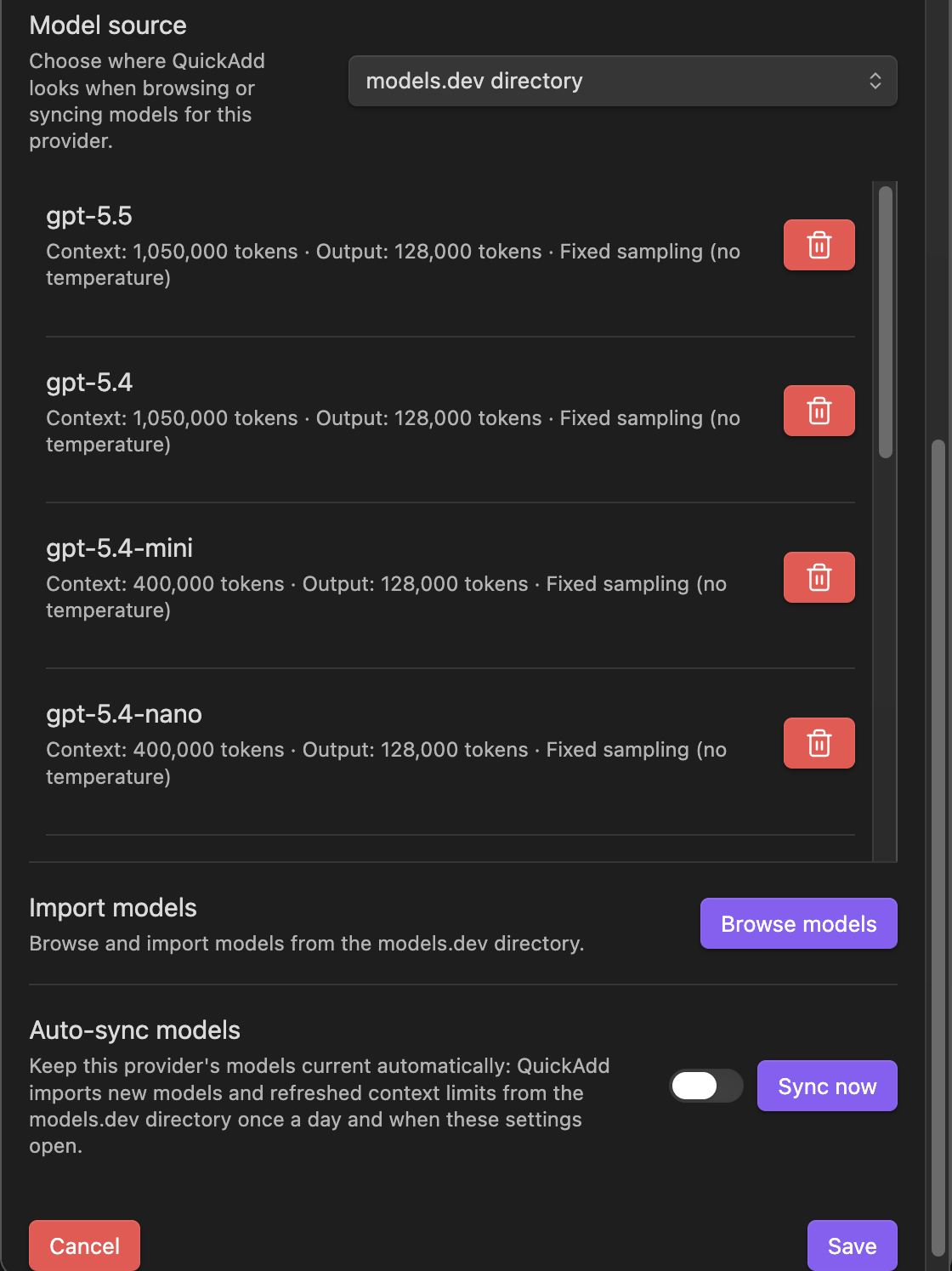
The AI Assistant docs were rewritten from scratch alongside this: provider setup including local models via Ollama, what Max Tokens actually means, output variables, structured JSON output, and the ai.agent() tool-calling API.
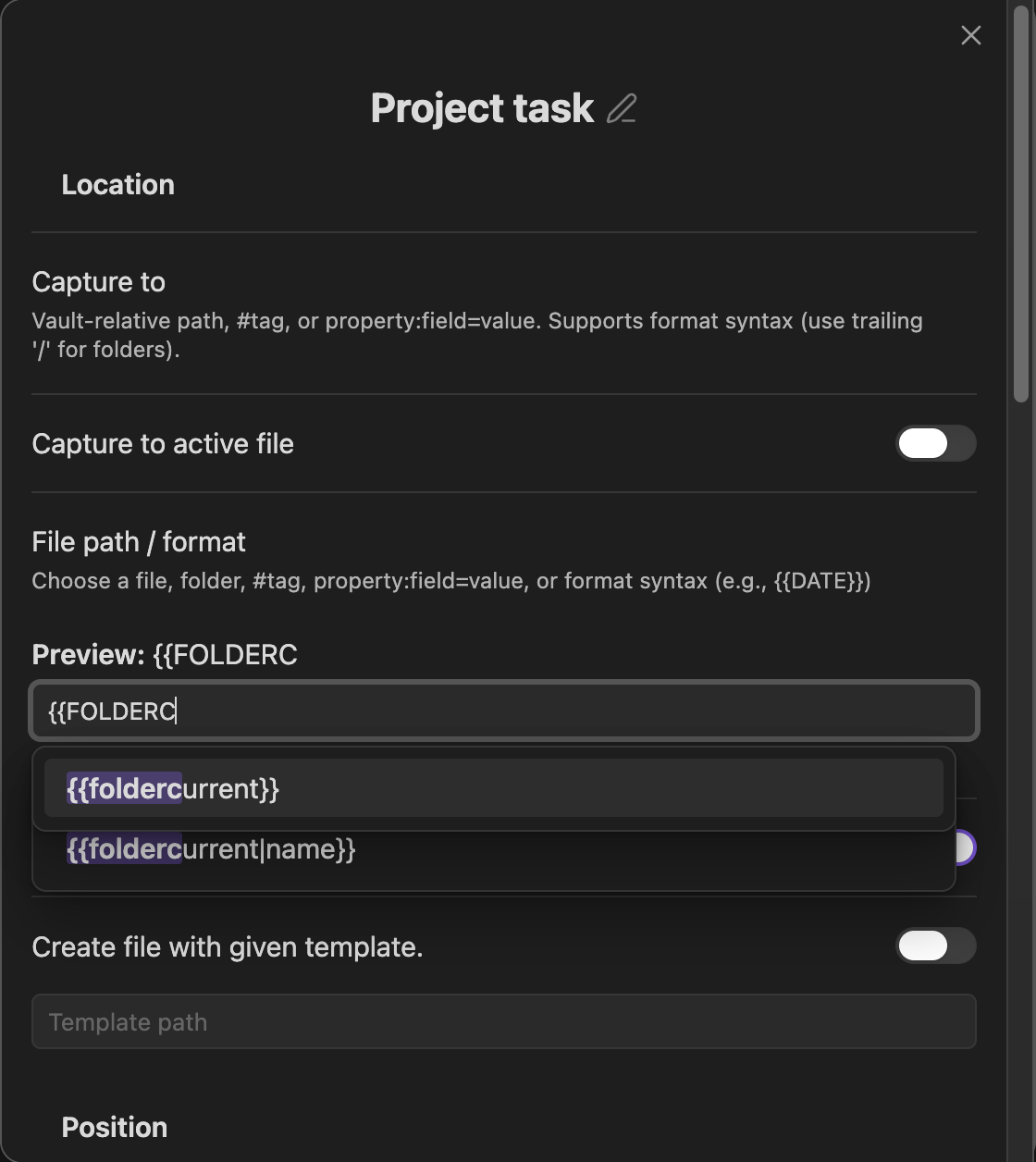
📁 {{FOLDERCURRENT}} - capture next to the note you're in
A new format token that resolves to the active file's folder. Point a Capture at {{FOLDERCURRENT}}/Project Tasks.md and every project folder gets its own tasks file, fed by one single choice - no macro, no script (#214). Works in capture targets and file name formats, with suggester and live preview support.
🔗 Links that keep your words
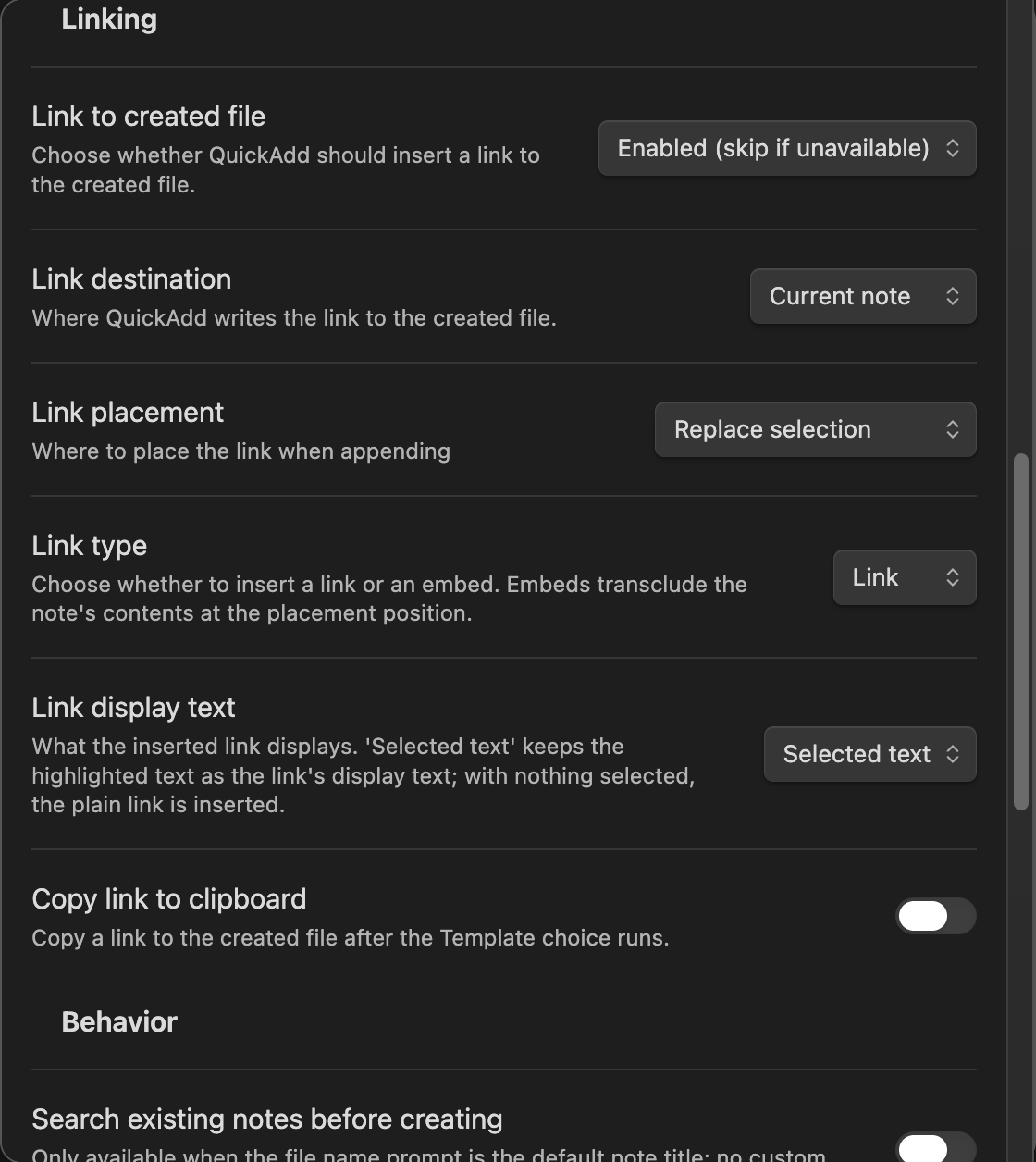
When a Template or Capture choice replaces your selection with a link to the new note, the link now keeps your selected text as its display title: select Meeting with Mark, run the choice, get [[20240101 Meeting with Mark|Meeting with Mark]] instead of a raw filename. Configurable per choice via the new Link display text option (#640).
🧰 User scripts that explain themselves
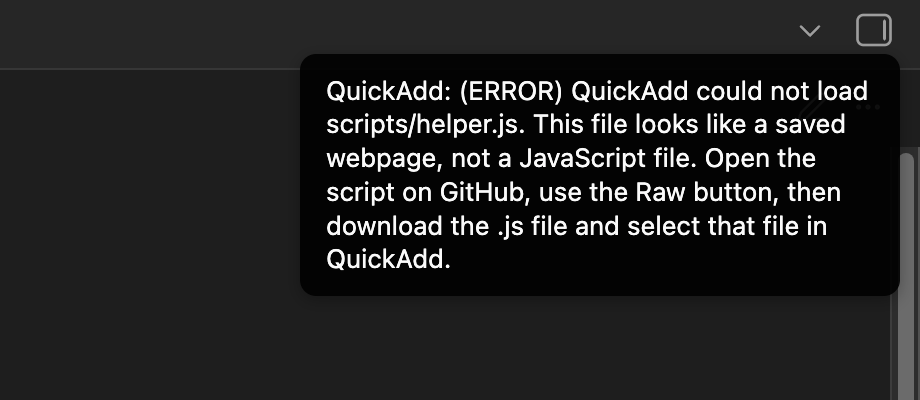
The three most common script-loading failures now tell you exactly what to do instead of throwing a cryptic console error:
- Saved the GitHub webpage instead of the raw file? QuickAdd notices the HTML and says: use the Raw button, download the
.js, select that. - Default export isn't a function? You get the exact
module.exportsshapes that work. - A
require(...)can't find its module? You're pointed at the path and reminded to check capitalization.
📚 Seven new docs pages
We went through every open GitHub discussion - all 189 of them, back to 2021 - answered each one, and turned the recurring themes into documentation:
- Coming from Templater - the QuickAdd-native way to do everything you're used to
- Variables and data flow - prompt once, reuse everywhere, pass values between steps
- Capture to your daily note - the complete cookbook, gotchas included
- Trigger QuickAdd from outside Obsidian - URIs, shortcuts, schedulers, dashboard buttons
- AI Assistant reference - rewritten from scratch
- Controlling Prompts - every prompt affordance in one place
- FAQ: syncing QuickAdd between devices - data.json, plugin reloads, and the
.jssync gotcha