
Wino Mail 2.2.7
Wino Mail 2.2.7 lets you shape the app around how you work. You can hide app modes you don't use, rearrange the reader's buttons, and give each account its own link browser and mail actions. This release also improves the calendar month view and fixes several sync and notification issues.
Can't use Microsoft Store? Install the stable sideload build with App Installer: WinoMail.appinstaller
Note
The sideload build gets its updates from the Wino download feed, not from Microsoft Store. Install it from the .appinstaller link above. It has its own package identity, so it can be installed next to the Store version if you want to.
Highlights
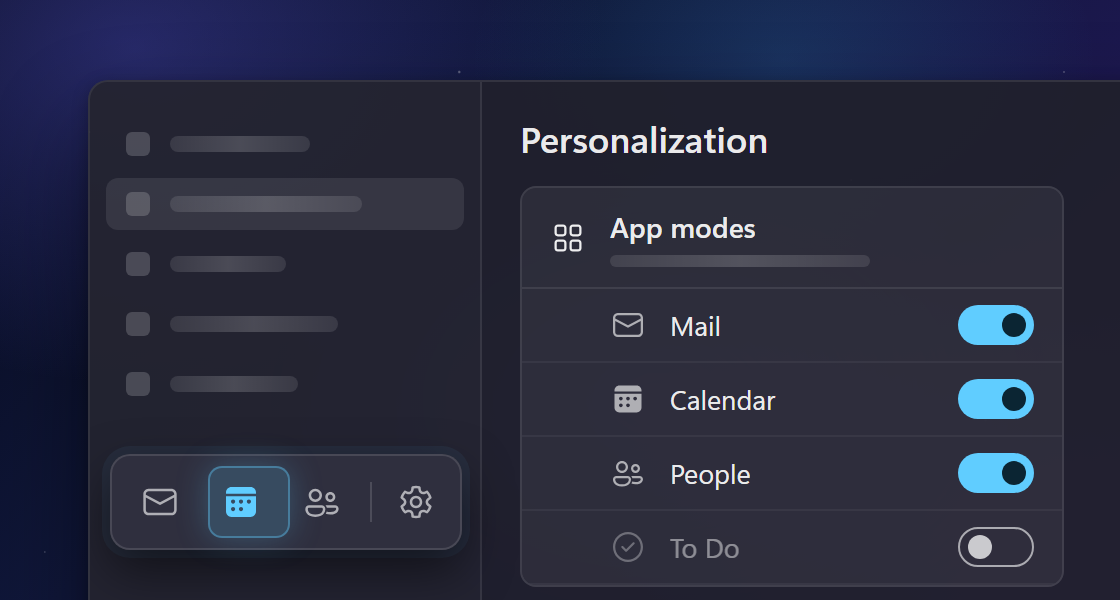
- Only the app modes you use. The mode switcher at the bottom of the navigation pane now shows only the modes your accounts provide, and you can hide the rest in Settings > Personalization > App modes. A redesigned switcher slides to the mode you pick (#1167).
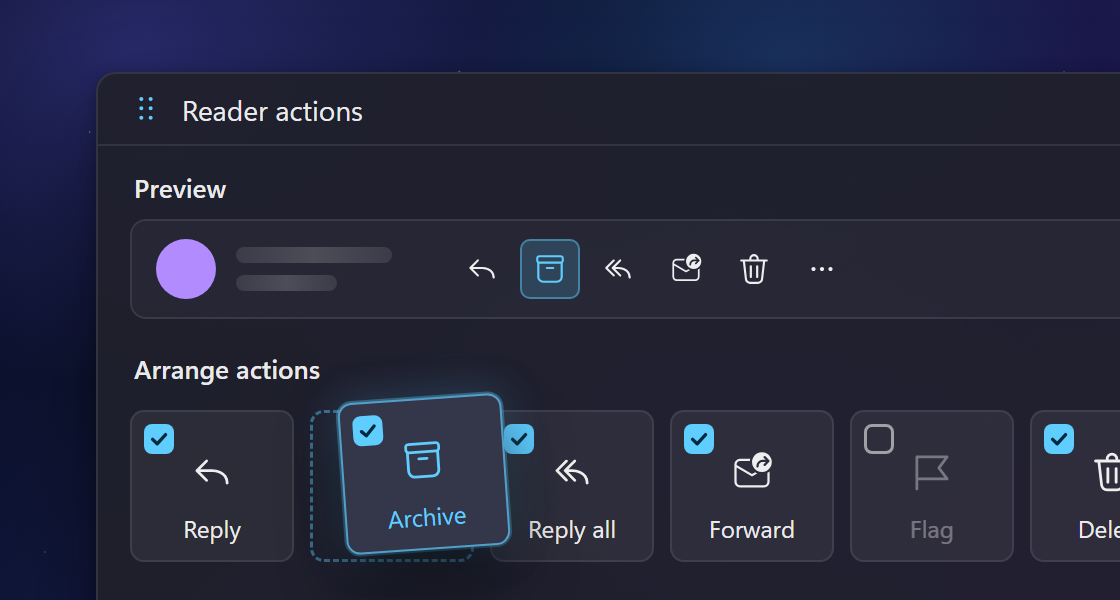
- Arrange the reader's buttons. In the new Settings > Reader & Composer > Reader actions page, you drag the actions above an open message into the order you want. Uncheck an action to move it to the More menu, and preview the bar before you apply it (#817, #878).
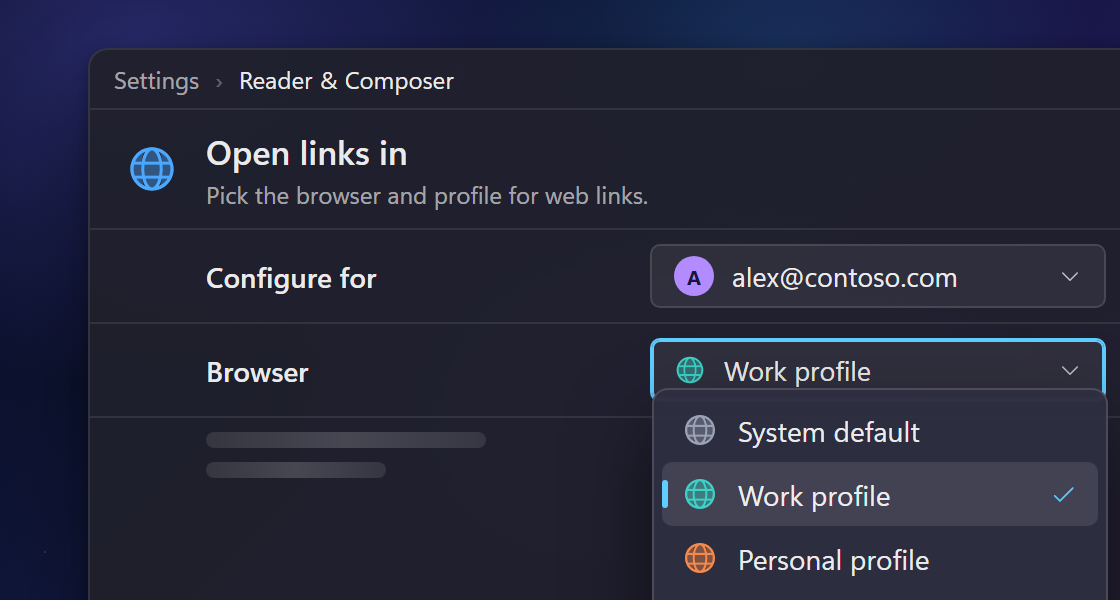
- Open links in the browser you choose. Use "Open links in" on the Reader & Composer settings page to pick a browser or browser profile for each account's links in messages, unsubscribe pages, and event descriptions (#663).
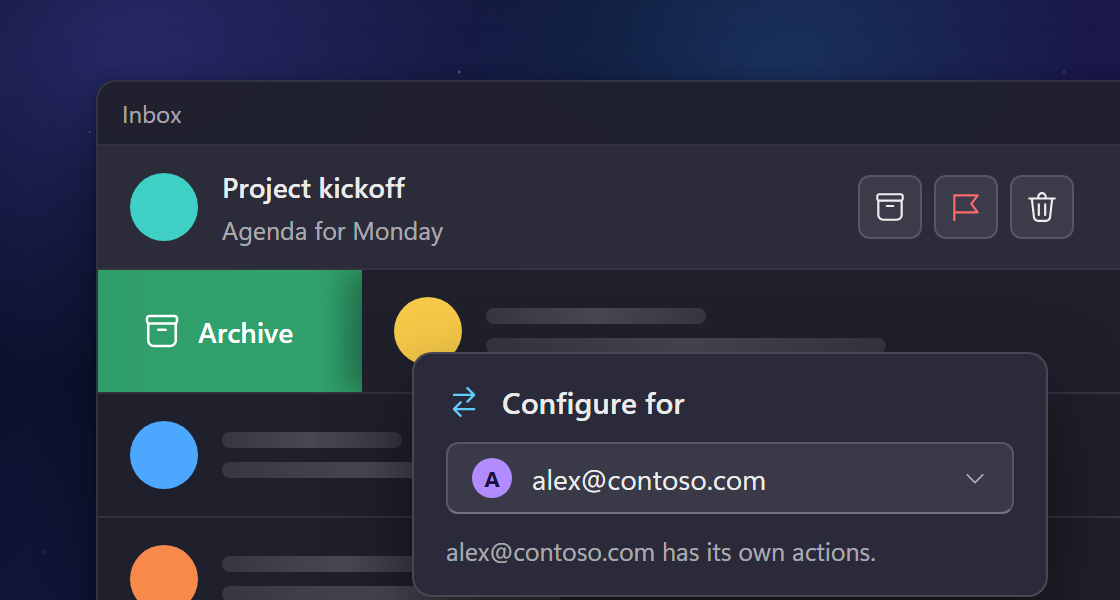
- Hover and swipe actions for each account. Use the new "Configure for" picker under Settings > Message List to give an account its own hover and swipe actions, or leave it on the shared ones (#1019).
New and improved
- You can choose a signature, or no signature, from the Options tab while you write a message (#506).
- When a day has more events than the calendar can show, a "more events" button opens a list of all of them (#1145).
- A new "Hide notification content" option on an account's settings page makes notifications show only how many messages arrived or that an event is starting (#493).
- Wino can show a yellow dot on its tray icon while an account has unread mail; turn it on for each account under Unread badges (#1026).
- You can add iCloud+ accounts with a custom email domain by signing in with your iCloud address (#690).
- Compact, Medium, and Spacious mail rows now each have their own height and spacing, so the three modes look clearly different (#872).
- On Outlook and Gmail accounts, turning off People or To Do now turns the feature off for that account and removes its contacts or tasks from this device (#1167).
- Store updates now appear as a card in the corner of the window, so they no longer block the app.
- The linked inbox icon in the navigation pane is now drawn at a better size.
Fixes
- Clicking the linked inbox to return from one of its accounts keeps the group expanded (#1150).
- Event titles fit in month view cells, including the titles of short timed events (#1125).
- Pressing Tab in the To, Cc, or Bcc field accepts the address you typed, and typing quickly no longer cuts addresses short (#1134).
- Deleting or moving several messages at once works again on QQ Mail accounts (#1137).
- Completing or deleting some Gmail To Do tasks no longer fails with a "Precondition Failed" error (#1124).
- When Wino runs in the tray, using Delete or Mark as read on a notification no longer closes the app or loses the action (#1160).
- The Message List and Reader & Composer settings pages now slide in like the other settings pages (#1116).