
Wino Mail 2.2.11
Wino Mail 2.2.11 brings new context menus and a calendar that opens at the current time. It also makes live notifications more reliable and fixes several crashes and annoyances.
Can't use Microsoft Store? Install the stable sideload build with App Installer: WinoMail.appinstaller
Note
The sideload build gets its updates from the Wino download feed, not from Microsoft Store. Install it from the .appinstaller link above. It has its own package identity, so it can be installed next to the Store version if you want to.
Highlights
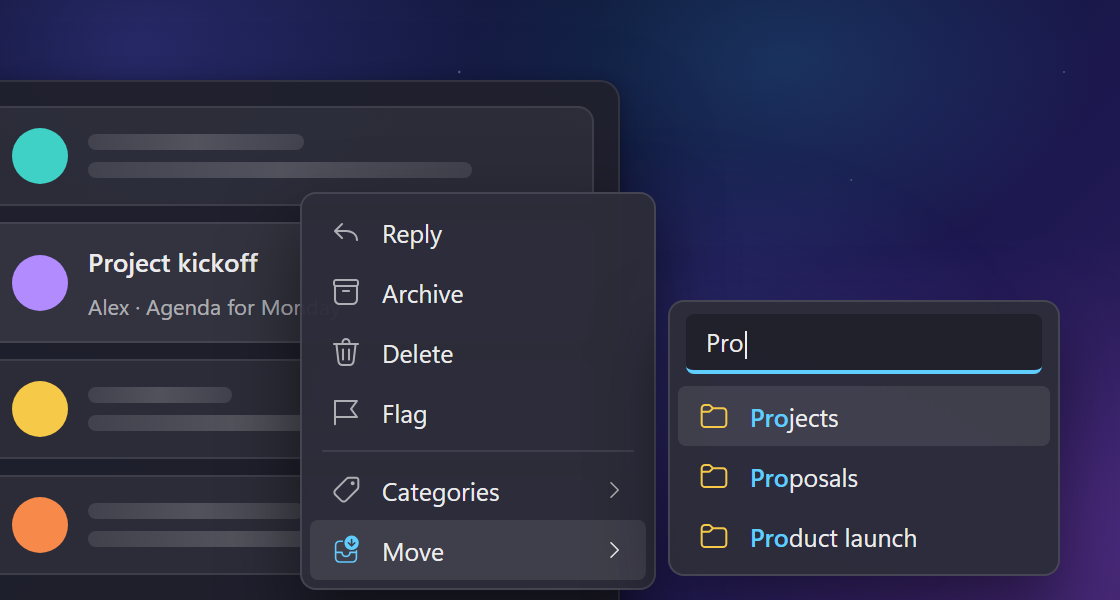
New context menus. Right-clicking a mail or a contact now opens a smoother menu with Move, Categories and contact lists as submenus you can search, and larger rows that are easier to click (#1186).
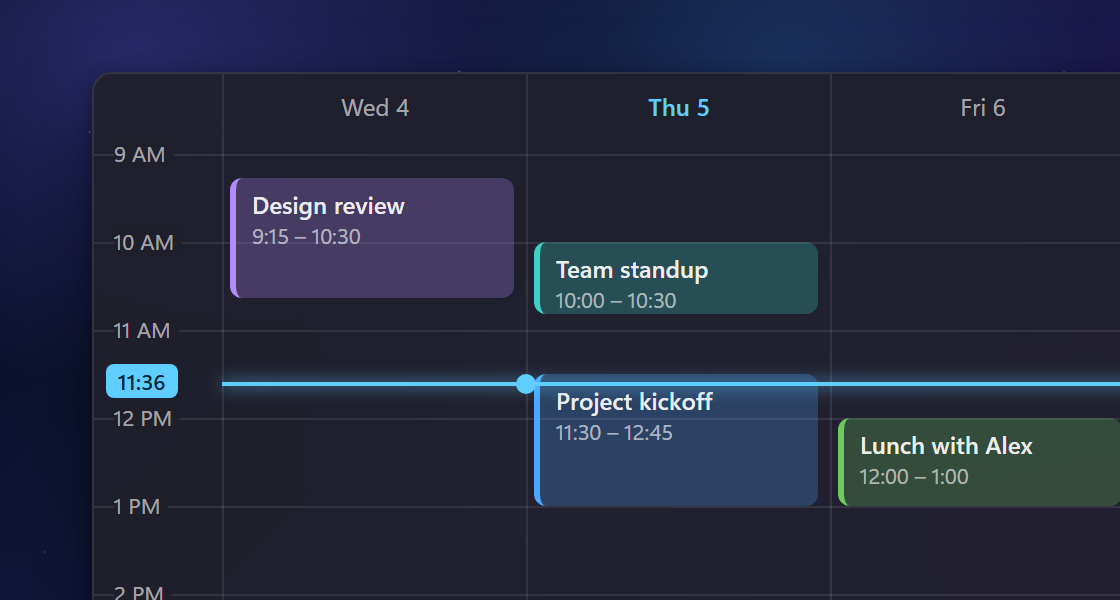
Calendar opens at the current time. The day and week views now scroll to the current time and show a line marking it, which you can turn off in Settings > Calendar > Rendering (#1193).
New and improved
- Live notifications now stay connected more reliably, and Settings > Notifications shows a Reconnect now button while live updates are disconnected.
- Text and links in mails shown in dark mode now have higher contrast and are easier to read.
Fixes
- Fixed a crash that could happen when the reader or composer closed while it had keyboard focus, most often while deleting mails one by one (#1196).
- The reader now recovers on its own instead of showing "Render Failed" until you reopen it (#1198).
- Mails you drop on a subfolder now move into that subfolder instead of its parent folder (#1197).
- Saving changes to the custom theme you're using no longer fails with an "Access Denied" error, and the theme gallery now shows the new wallpaper. If you leave the editor without saving, your previous theme comes back (#1192).
- Clicking a day in the month calendar now creates a one-day event on that day instead of an event that runs into the next day (#1191).
- Updating to the new database no longer stops with "Wino could not finish this step" when an earlier update attempt was interrupted (#1164).
- Widgets and the Live Tile keep updating reliably, and the Live Tile no longer goes blank when a mail contains unusual characters.
- The composer recovers when its editor stops unexpectedly: it reloads your saved draft instead of showing the same error on every action.
- Typing in the To, Cc and Bcc boxes no longer runs into an error in some cases.
- Saving an attachment no longer reports it as blocked when Windows security settings skip the file check. The file is saved as usual.