
Wino Mail 2.2.10
Wino Mail 2.2.10 brings Windows 11 widgets, a Live Tile for Windows 10, and a new way to group your mail list by date. It also makes it easier to connect to self-hosted servers and fixes several issues with the tray, notifications, and the reader.
Can't use Microsoft Store? Install the stable sideload build with App Installer: WinoMail.appinstaller
Note
The sideload build gets its updates from the Wino download feed, not from Microsoft Store. Install it from the .appinstaller link above. It has its own package identity, so it can be installed next to the Store version if you want to.
Highlights
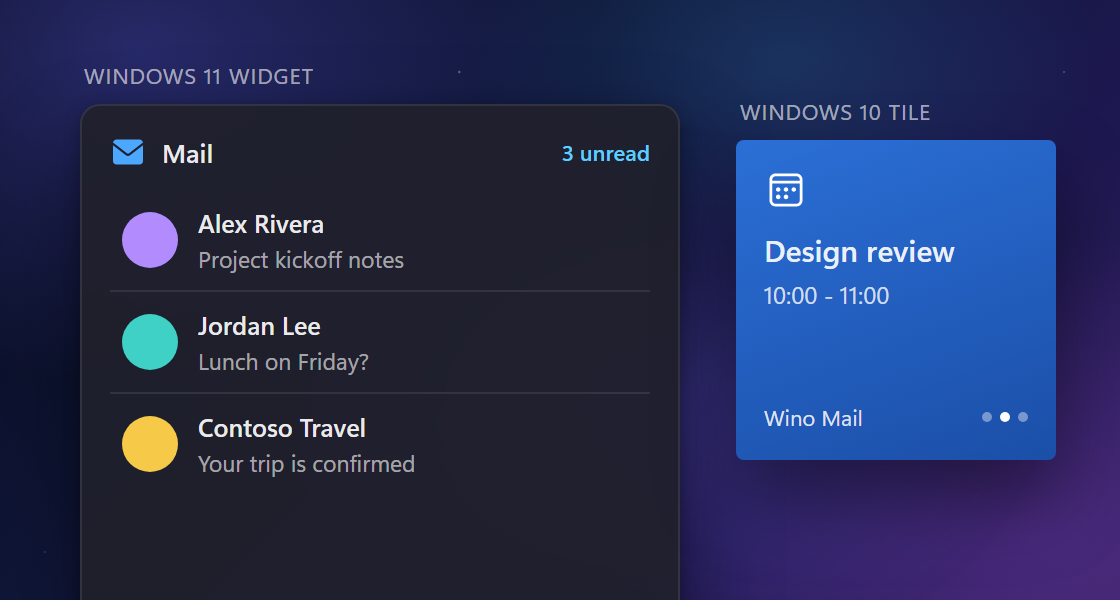
Widgets and Live Tiles. Add Mail, Calendar, To Do, and People widgets in small, medium, or large sizes to the Windows 11 Widgets Board. On Windows 10, the Wino Mail tile rotates between your mail, calendar, and To Do. You can set them up in Settings > Widgets / Live Tiles (#1066, #634).
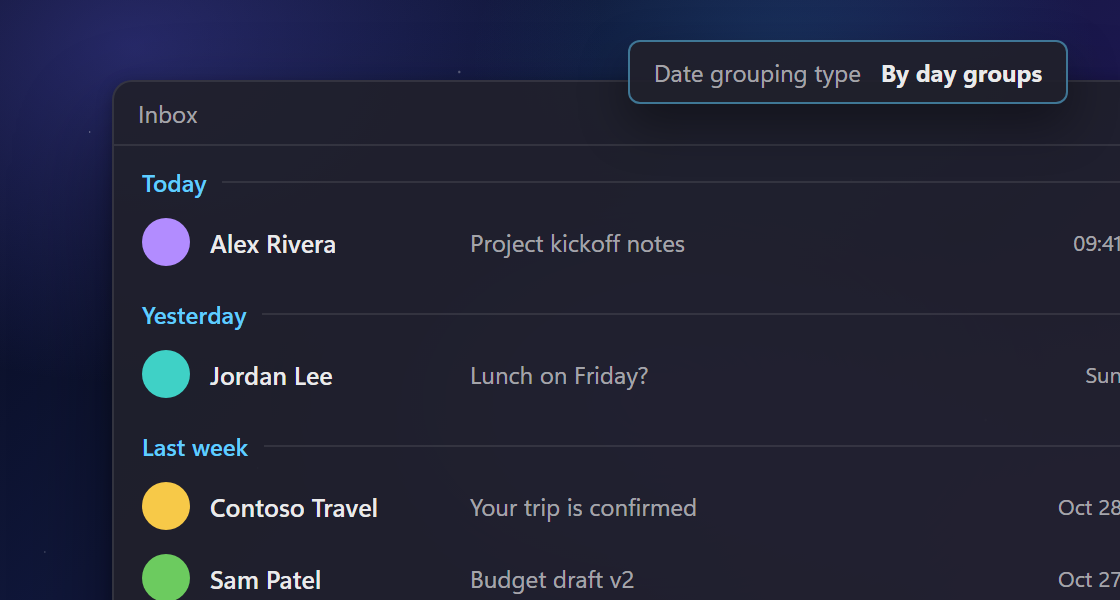
Group mail by date ranges. Choose "By day groups" in Settings > Message list > Date grouping type to sort your mail under Today, Yesterday, Last week, Last month, and older ranges (#794).
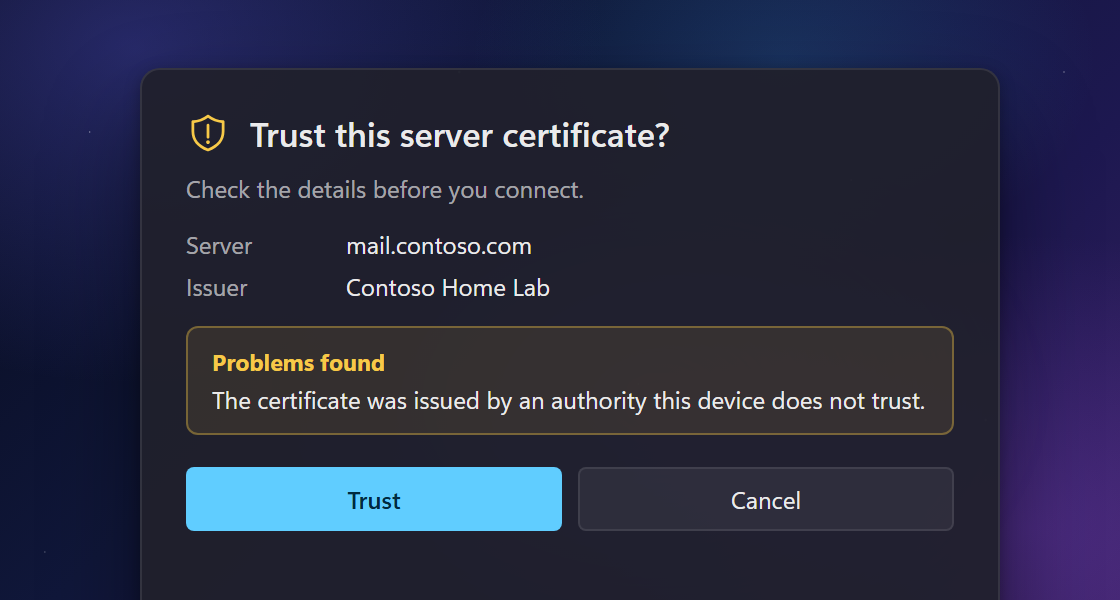
Trust your own servers. You can now connect to mail, calendar, and contacts servers that use self-signed, expired, or mismatched certificates. The trust dialog explains what is wrong with the certificate before you accept it (#1074, #487).
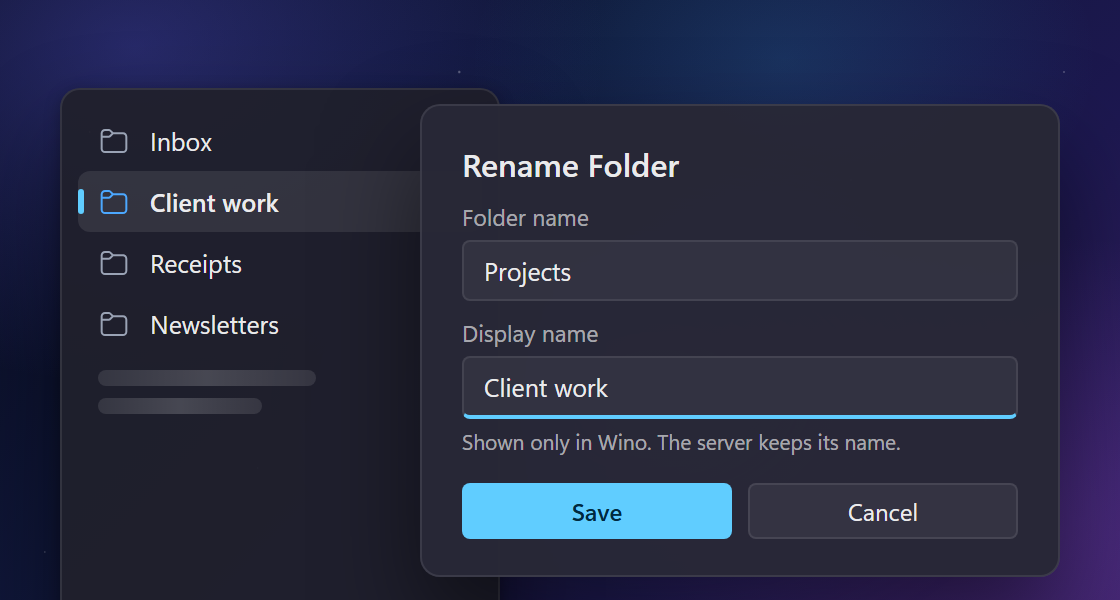
Rename any folder. You can rename folders, including system folders, and give them your own display names in Folder Customization. IMAP folders keep the names your server uses (#1084).
New and improved
- In Sent, collapsed conversations show the person you wrote to and their picture instead of your own name (#1190).
- When "Open unread badge location on launch" is on, Wino opens the account that has the unread mail, even if it isn't the account that loads first (#941).
- When the companion is turned off, one click on the tray icon opens Wino (#1171).
- Mail notifications show the sender's initials when they have no picture.
- When you add a new Outlook account, the Microsoft sign-in screen shows Wino Mail as a verified publisher. Outlook accounts you have already added keep working and you don't need to sign in again.
Fixes
- When you open a new mail, the reader starts at the top instead of at the previous mail's scroll position (#1181).
- Transparent images in dark mode now appear as the sender intended, without a white background behind them (#1126).
- If Wino started when you signed in to Windows, it stays in the tray after you use a notification action, such as Delete (#1160).
- The update prompt no longer offers the version you already have installed (#1180).
- If you reject a calendar or contacts server's certificate, mail sync keeps running.