
New: the launcher says what kind of device runs the game best, and what helps after a crash
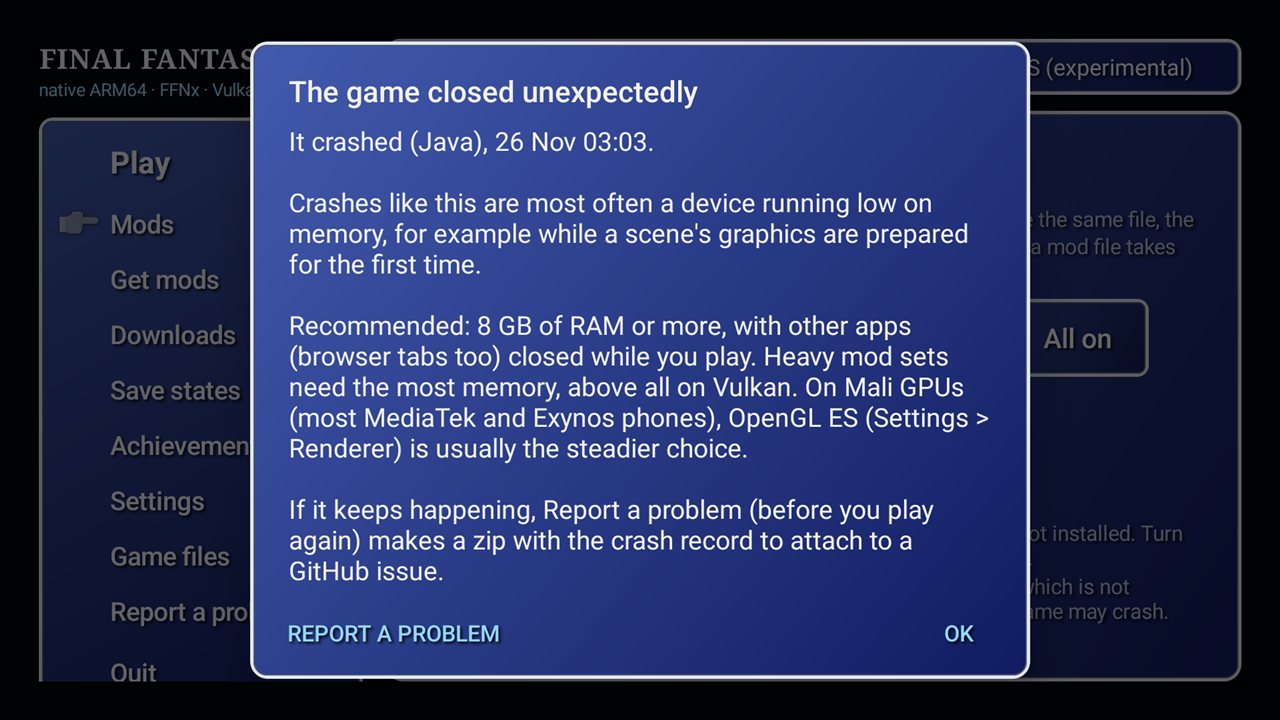
Suggested in issue #90. Rare crashes when a battle or scene is drawn for the first time are most often the phone running low on memory while the graphics driver prepares that scene's shaders. That is a hardware limit more than a bug, so the launcher now says so where you'll see it:
- After the game crashes (or Android closes it for memory), the launcher shows a short note once: what most often causes it, what helps, and a button to Report a problem if it keeps happening.
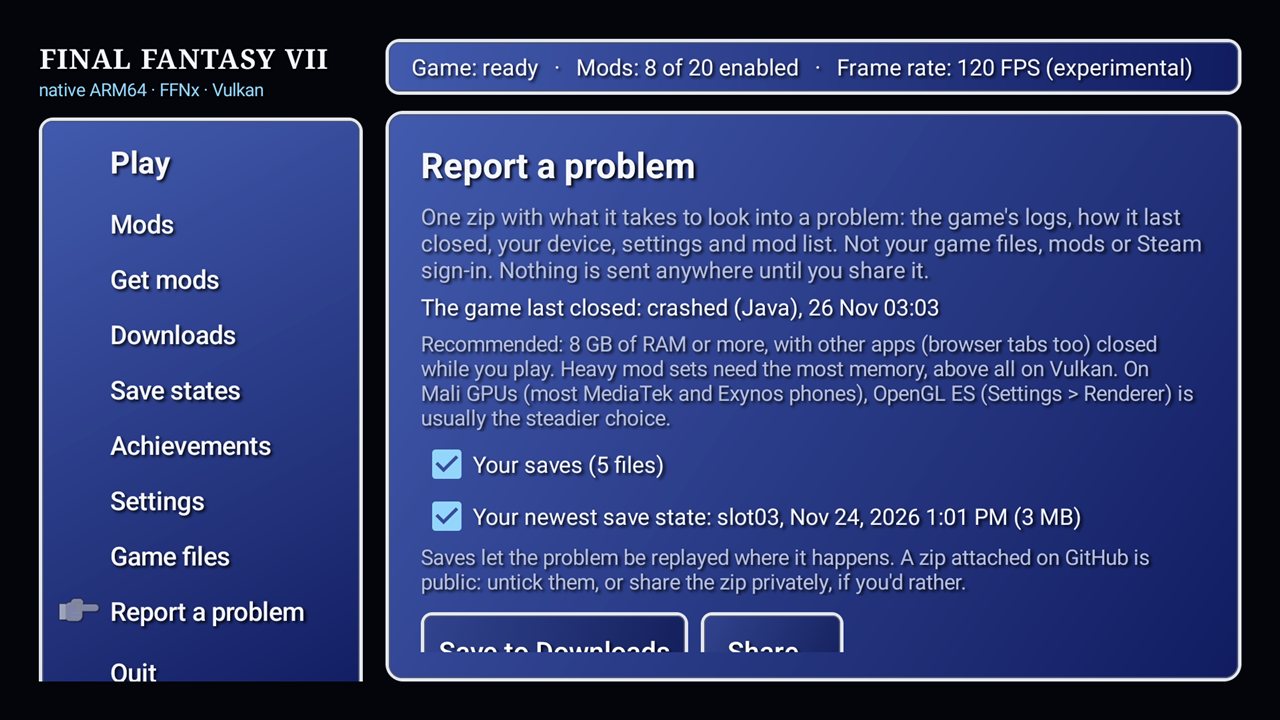
- Report a problem and Game files (first setup) show the recommendation.
- Settings → Renderer now recommends OpenGL ES on Mali GPUs (most MediaTek and Exynos phones).
- The README has the same line under Playing.
The recommendation: 8 GB of RAM or more, with other apps (browser tabs too) closed while you play. Heavy mod sets need the most memory, above all on Vulkan. On Mali GPUs, OpenGL ES is usually the steadier choice.
Updating
Go to Settings → Updates in the launcher (or install this APK over your current version), then press Play. This release only changes the launcher, so the game itself doesn't need updating this time.
APK SHA-256: 0d36099aea7a5175c853b7517b38168ecb27624894778ddafbd096ff027bdfa6
Signing certificate SHA-256: 4f:c0:18:09:12:1b:af:25:f5:8c:8f:5e:7a:47:c4:80:c4:f8:6c:1e:a0:66:6e:37:c7:41:19:13:40:4d:1d:7c