
New: open the panels with a controller button, close them with a tap (#87)
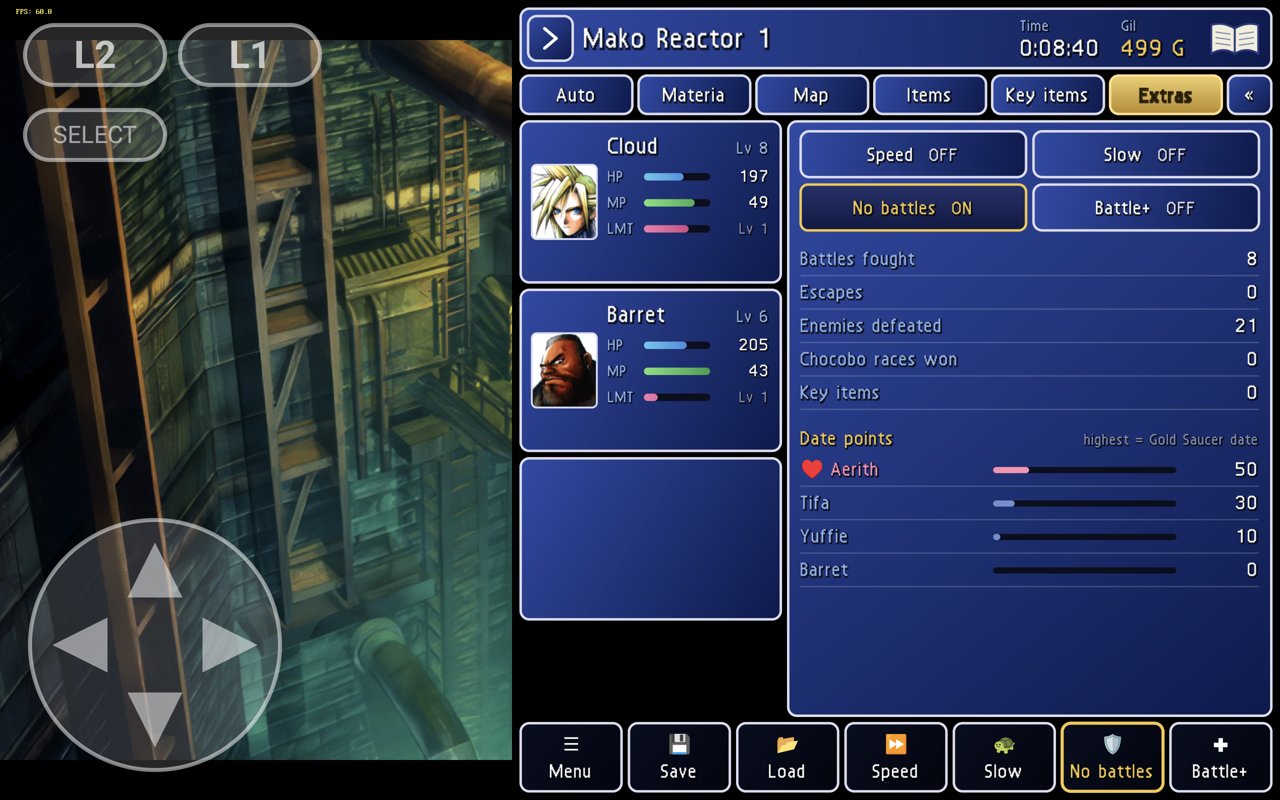
For the panels over the game on one screen:
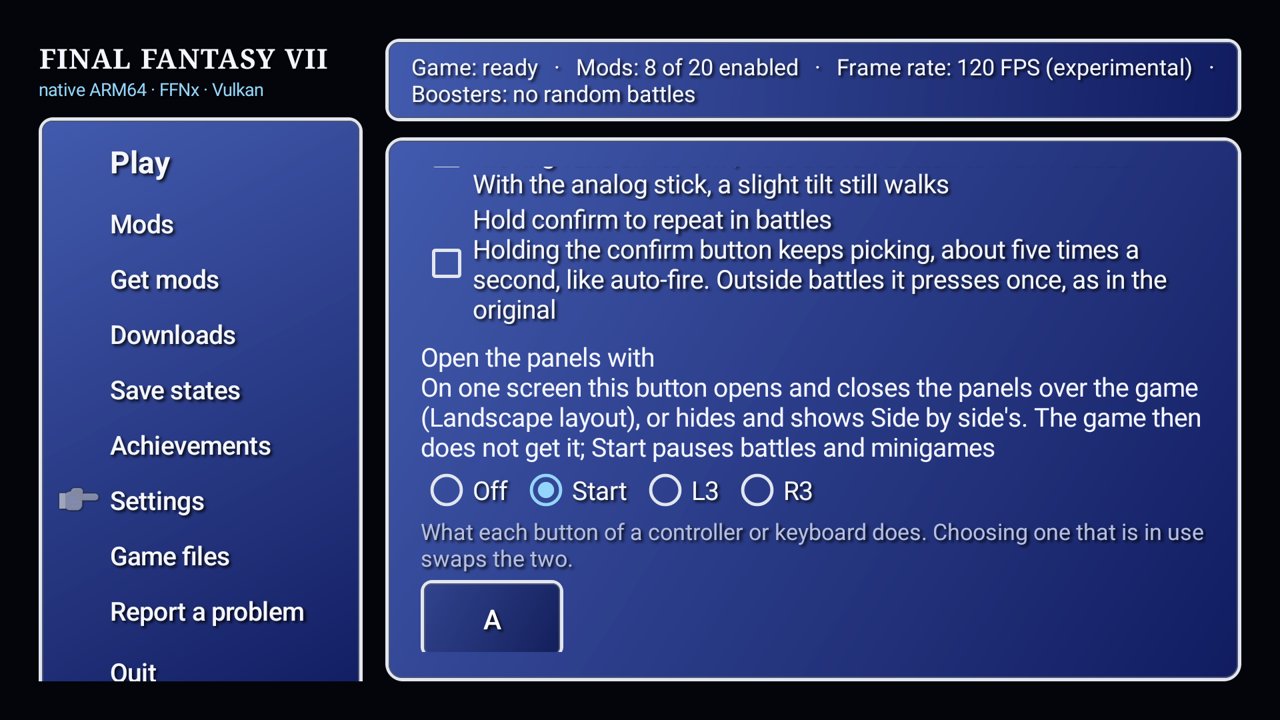
- Settings → Controller → Open the panels with: Off, Start, L3 or R3. That button opens and closes the panels, and the game doesn't get it. Select + Start still leaves the game. It works with or without the on-screen button, and it also hides and shows Side by side's panels. Start pauses FF7's battles, so pick L3 or R3 if you use that.
- Tap the game beside the panels to close them. The on-screen controls keep working while the panels are open.
- The X is gone: the arrow in the panels' header closes them.
- The panels now stay clear of a system bar that remains on the screen, such as a tablet's taskbar.
Where to find it:
Thanks to NilsSchoovaerts for the suggestions.
Updating
Go to Settings → Updates in the launcher (or install this APK over your current version), then press Play. Coming from before 1.1.53, it asks to Update the game once (a few seconds).
APK SHA-256: 935fd1f22dfcb1eb5c5d7a3df01c7a21e7936d3e1ee8ac8f91b56e69141d2156
Signing certificate SHA-256: 4f:c0:18:09:12:1b:af:25:f5:8c:8f:5e:7a:47:c4:80:c4:f8:6c:1e:a0:66:6e:37:c7:41:19:13:40:4d:1d:7c