
Side by side: panels on either side, and hide them when you want
Two additions to the Side by side (wide screens) layout from 1.1.35:
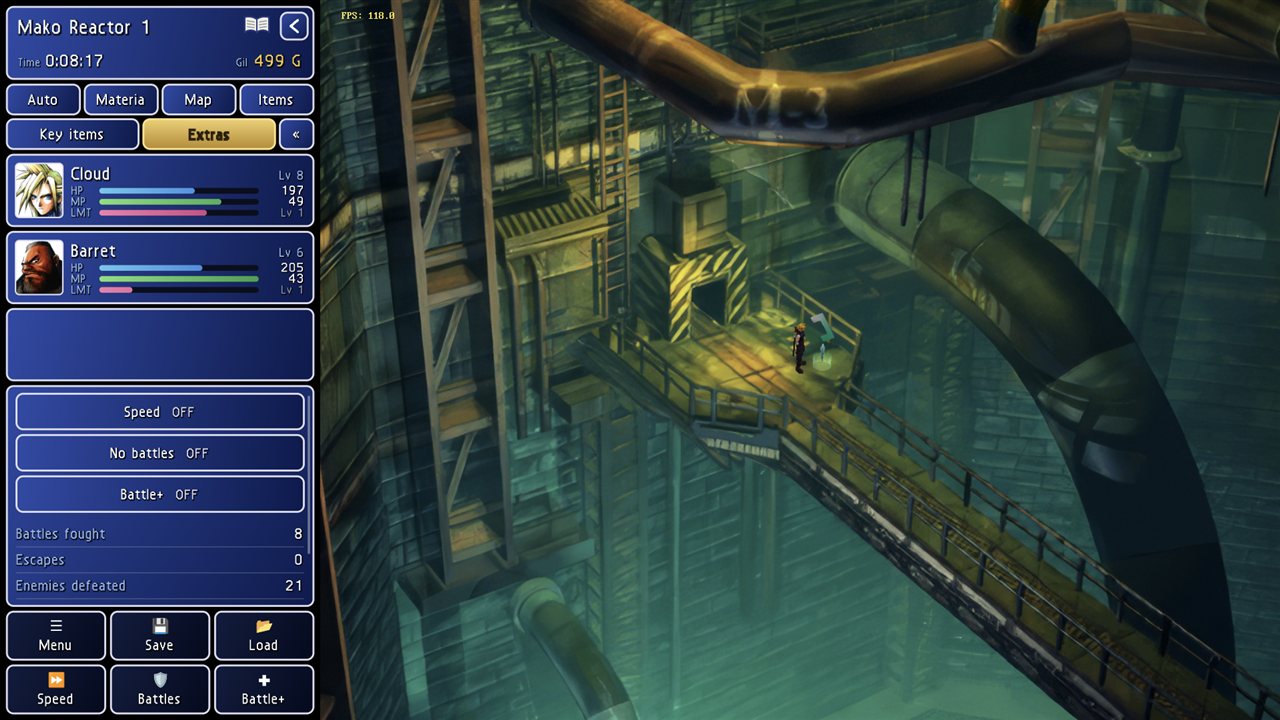
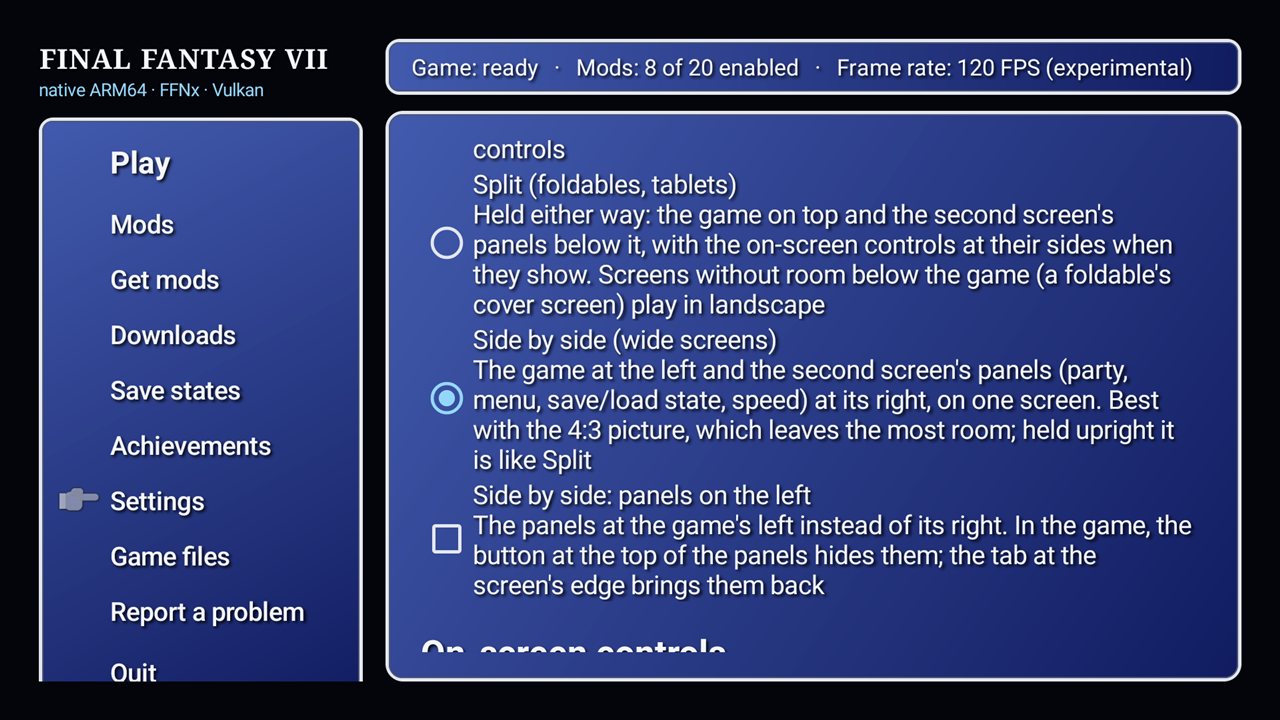
- Left or right: Settings → Screen → Side by side: panels on the left puts the panels at the game's left. By default they stay on the right.
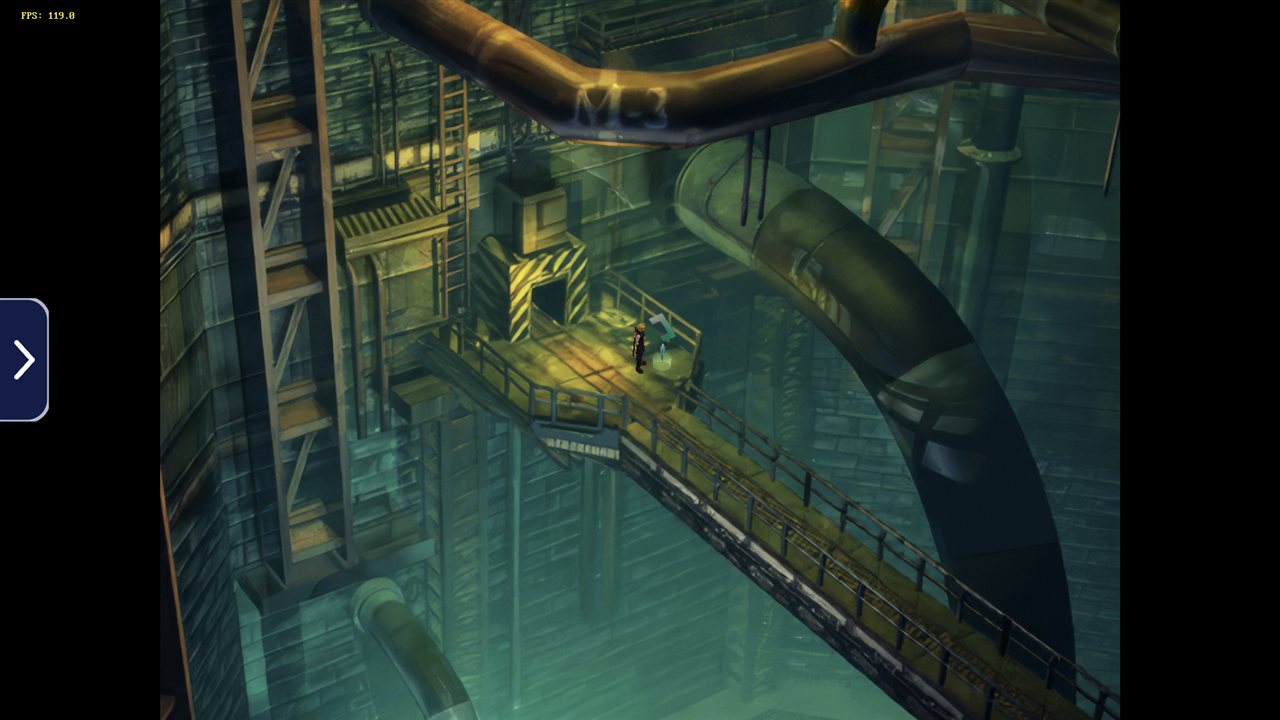
- Hide and show: the small › / ‹ button at the top of the panels, on the edge next to the game, hides them. The game then uses the whole screen. A small tab at that screen edge brings the panels back. The game keeps running either way, and your choice is remembered the next time you play.
Panels on the left:
Panels hidden: the game uses the whole screen; the tab at the edge (left here) brings them back.
Where to find it: Settings → Screen → Side by side: panels on the left (under Side by side)
Tested on an AYN Thor's 1920×1080 top screen with a save loaded: panels on the right and on the left, hiding and showing them while playing (the game kept running at 120 FPS), and starting a new session with the panels hidden.
Updating
Go to Settings → Updates in the launcher (or install this APK over your current version), then press Play.
APK SHA-256: 2bfb5ef2546113c2f5b20a063e1071bf6e186778f29bb265aa4e2ac63a96cb11
Signing certificate SHA-256: 4f:c0:18:09:12:1b:af:25:f5:8c:8f:5e:7a:47:c4:80:c4:f8:6c:1e:a0:66:6e:37:c7:41:19:13:40:4d:1d:7c