
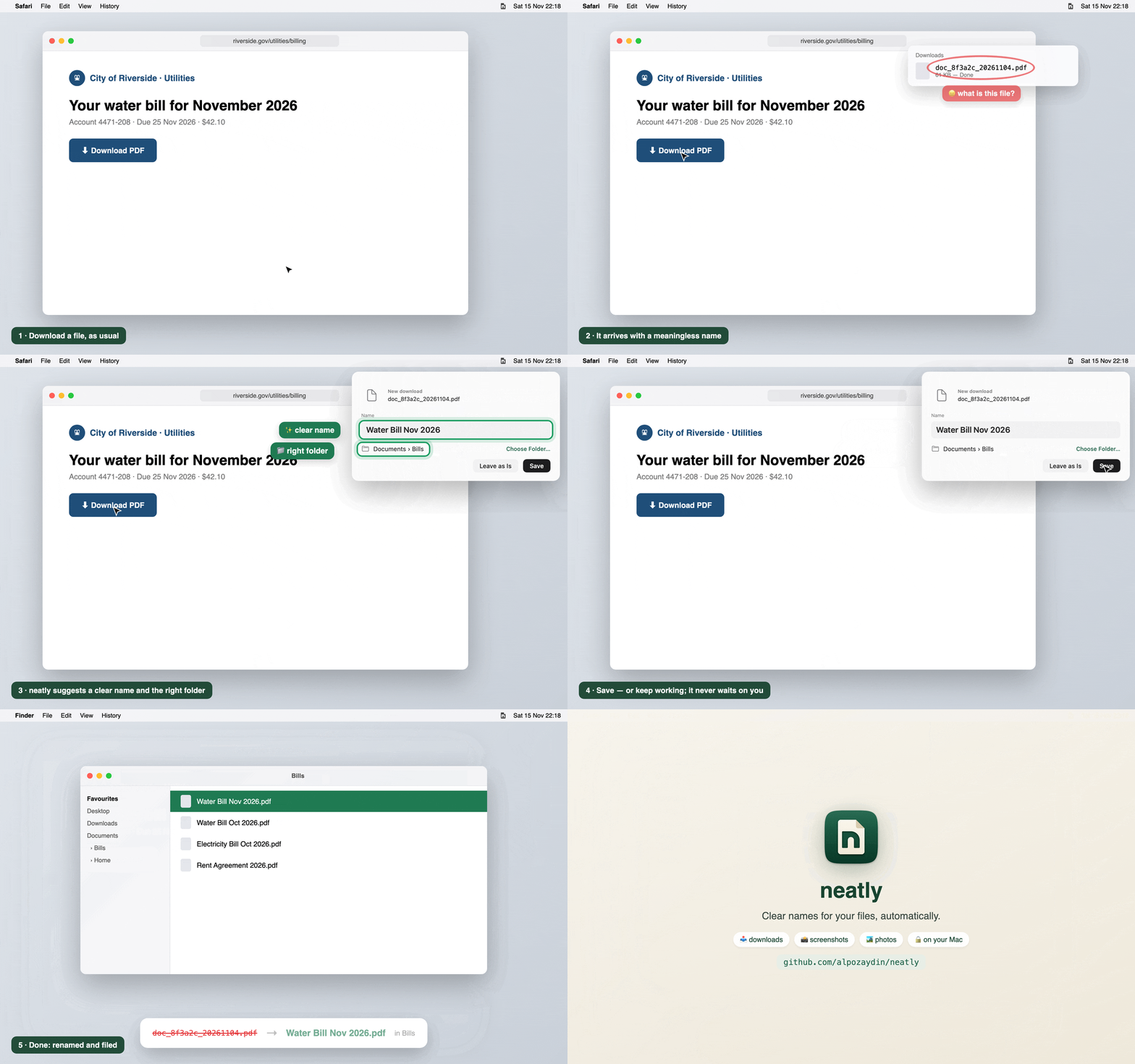
neatly gives your downloads, screenshots and photos clear names, automatically, on your Mac. Private and on-device with Apple Intelligence. Free and open source.
Install
⬇️ Download neatly.dmg: open it, drag neatly to Applications, then open it. Signed and notarized by Apple: no Terminal needed.
Or in Terminal:
curl -fsSL https://raw.githubusercontent.com/alpozaydin/neatly/main/scripts/install.sh | shIf you have Homebrew: brew install alpozaydin/tap/neatly && neatly service install
Needs Apple silicon and macOS 26+. Already installed? neatly updates itself.
What's new in 0.6.3
- 💿 neatly.dmg: install by dragging to Applications, no Terminal. Signed with a Developer ID and notarized by Apple.
- Opened straight from the disk image? neatly installs itself into Applications.
Also new since 0.6.1 (in 0.6.2)
- 🎬 Screen recordings are named like screenshots.
- 📄 Paper titles stay whole ("Attention Is All You Need 2017"); 📚 e-books named by their title ("Pride and Prejudice"); 🧾 forms ("IRS Form W9").
🔒 Files are read and named on your Mac. Only the update check, arXiv paper numbers and a photo's coordinates (for place names) ever go online, and each can be turned off.