
This release brings offline mode, portable settings, and a way to import shortcuts, themes, and plugins from Flow Launcher on Windows.
-
Add
- [
Privacy] Use offline mode to pause Wox's network features and all third-party plugins while keeping local search available. - [
Portable Mode] Create awox-userfolder beside the Wox executable. Wox will use it for your settings the next time it starts, so you can copy Wox and its settings to another location and keep your configuration. - [
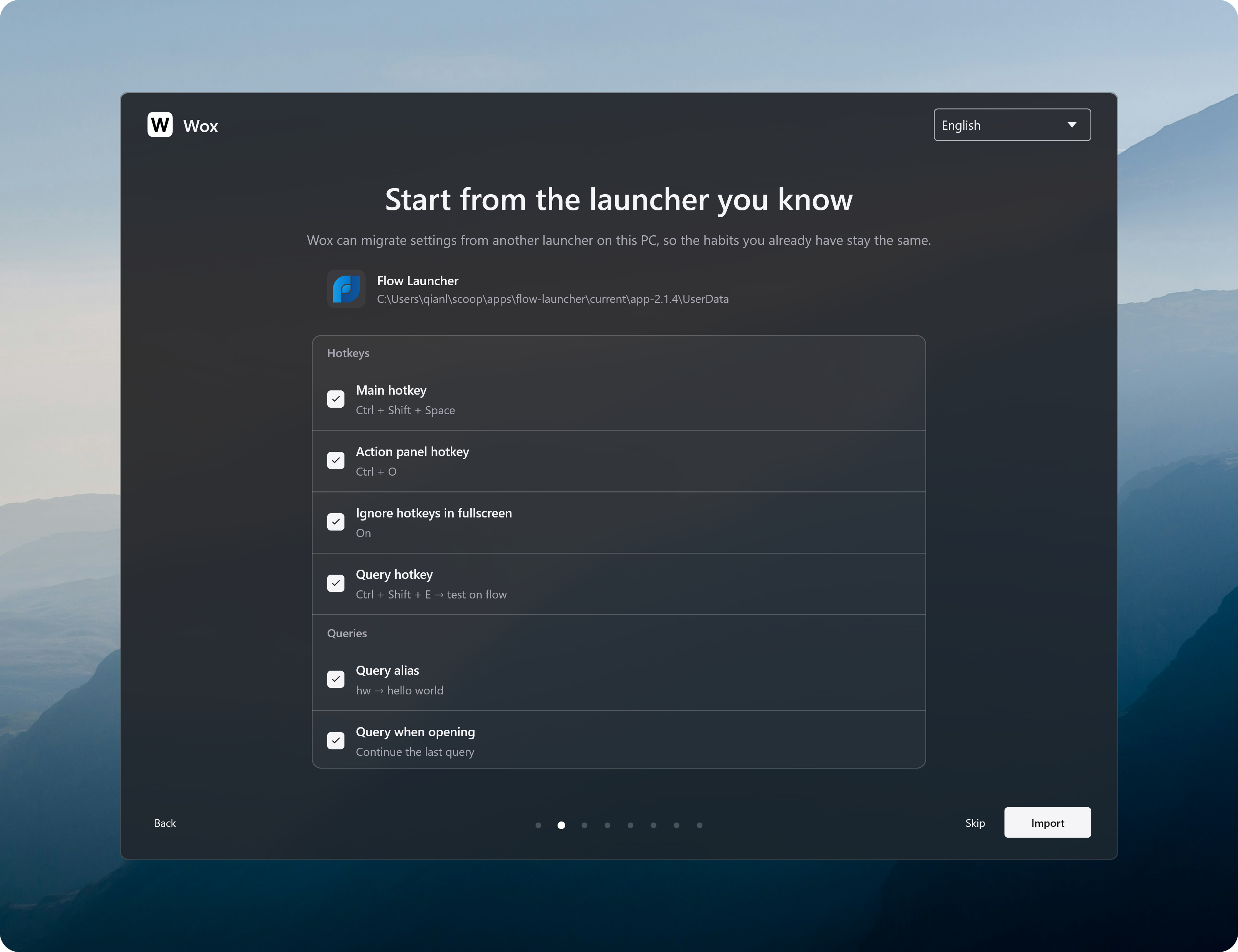
Flow Launcher] On Windows, import hotkeys, query aliases, general settings, the current theme, and installed plugins during setup. Keep using familiar shortcuts and plugins.
- [
-
Improve
- [
Screenshot] Select a button or other part of a window under the pointer, and scroll to select a larger enclosing area. Drag the editing toolbar out of the way, paste captures sooner, and keep saved captures in your chosen user data folder. - [
App] Support uninstalling macOS apps by moving them to the Trash. Use less CPU when updating the app list, and show a cleaner app grid with better icons on Windows. - [
File Search] Include files in searches without requiring thefkeyword. - [
Converter] Choose a default display currency, or use your system region, so currency calculations no longer need an explicit target currency. #4619 @mtsgsr - [
Notes] Preview a note, including its images, beside the results and see when it was last updated. - [
Hotkey] Open Settings with Ctrl/Cmd+, and close the current window or embedded web page with Ctrl/Cmd+W. From Notes or AI Chat, the settings shortcut opens that plugin's settings. - [
Query] Restore the selected result when undoing or redoing a query. - [
Data] Create awox-userfolder beside the executable to keep settings, plugins, themes, and other user data with that copy of Wox. - [
Backup] When automatic backups are enabled, back up once a day while Wox is running. Delete old backups from Settings, see backup progress, and avoid starting a second backup while one is running. - [
Cloud Sync] Reduce disk usage by cleaning up old sync history overnight.
- [
-
Fix
- [
Query] Keep pinned results above result groups and limit each pin to the query where it was saved. Keep results visible during a refresh, and show fallback searches without waiting for slow plugins. - [
Clipboard] Fix text and images copied from Wox missing from clipboard history #4620. - [
Plugin] Fix Python plugins interfering with each other when they use the same entry file name #4628. - [
Backup] Fix restoring backups while files are still in use, and keep restored data from being overwritten by older cloud data. Skip unreadable plugin files so they do not stop the entire backup. - [
Notes] Fix typing- [ ]not creating a task. #4618 @lmgarret - [
Settings] Save text fields when focus moves away, apply proxy changes when the proxy is turned off, and restore settings-window dragging on macOS. - [
Theme] Fix themes failing to load when they contain options from a different Wox version. - [
Windows] Fix memory staying in use after closing a web preview and hiding Wox.
- [
-
Store
- Plugin
- Wox.Plugin.Manasikāra Continuous focus and deep focus, three Pomodoro variants, meditation and countdown timers with configurable singing-bowl chimes and activity prompts. #4621 @Archetype444
- Nbnhhsh Look up the meanings of Chinese pinyin abbreviations. #4624 @dragonish
- PowerToys Allows the user to launch some PowerToys from Wox. #4626 @dragonish
- QRCode Generate a QR Code / Screenshot to scan and recognize the QR Code. #4630 @dragonish
- Plugin