
This stable release rolls up the v2.1.2 beta work with additional Theme Editor, Linux Wayland, Caps Lock hotkey, update, and stability improvements.
-
Add
- [
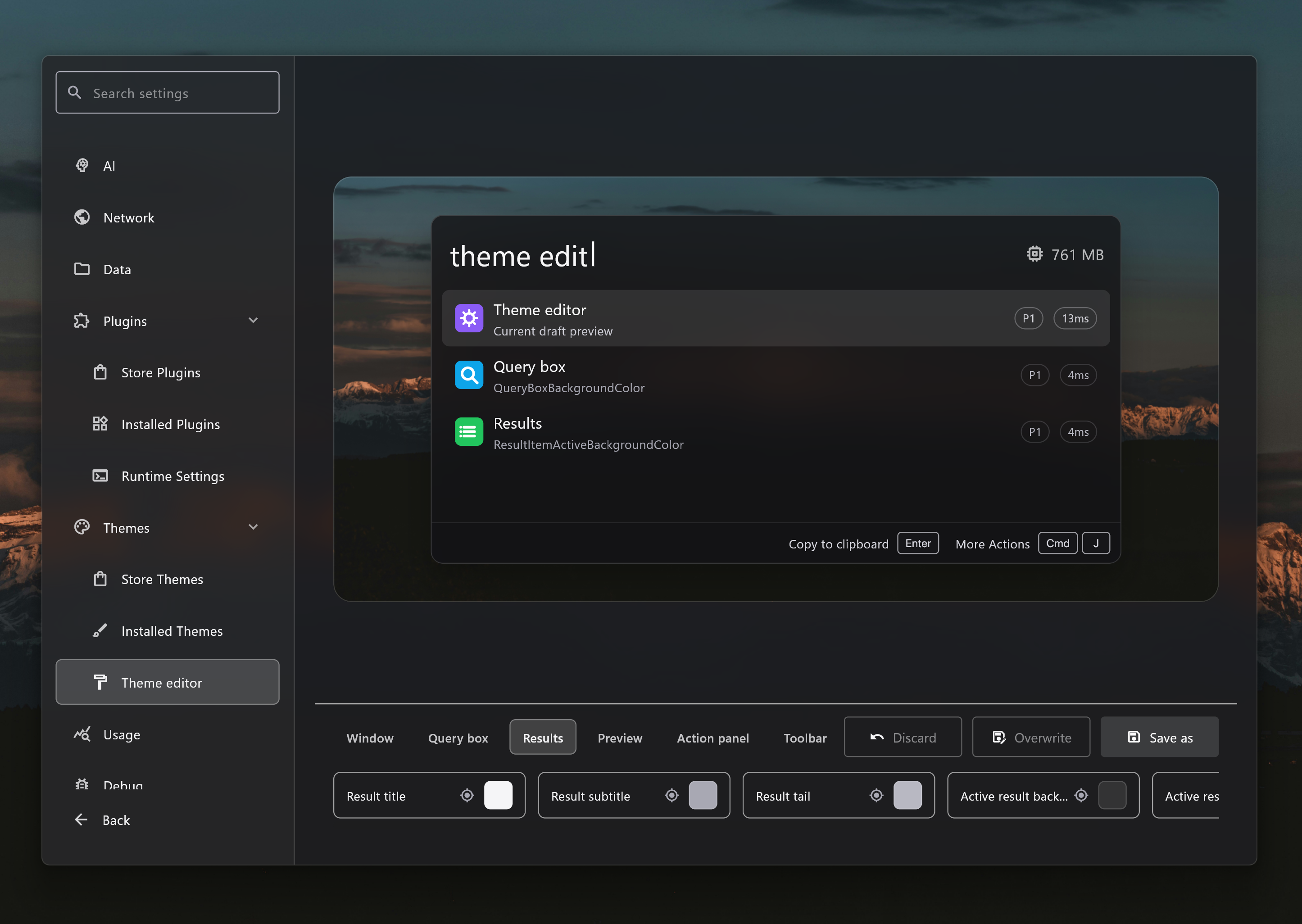
Theme Editor] Add a theme editor with live launcher preview, color controls, save-as and overwrite flows, platform-specific variants, and wallpaper-aware previews for customizing Wox themes #4421 #4415 - [
Window Manager Plugin] Add a Window Manager plugin to move, resize, minimize, maximize, restore, and send the active window between displays from launcher commands. - [
Selection] Add Space Quick Look on Windows so users can preview a selected file from File Explorer or open/save dialogs by pressing Space. - [
Result Drag] Add native file drag export for launcher results, allowing file-backed results from Clipboard and plugins to be dragged directly to folders or other apps. - [
Update] Add release channels and channel switching so users can stay on stable releases or opt into beta prereleases. - [
Hotkey] Add Caps Lock combo hotkeys and a Hotkey Overview preview so users can assign Caps Lock-based shortcuts and inspect registered Wox shortcuts. This feature is not available on Linux due to platform limitations. - [
Folder] Add favorite folders with add, edit, delete, and direct global-search workflows. - [
System] Add Task View and platform-specific volume control commands.
- [
-
Improve
- [
Linux] Improve native Wayland support with portal-backed global hotkeys, portal clipboard support, GTK backend selection, window positioning and resize handling, desktop-entry startup guidance, and Wayland-specific settings availability #4451 - [
Preview] Expand file preview support to code, executable, image, markdown, PDF, shortcuts, video, zip, Office, audio, font, calendar/contact, delimited data, RDP, folder, and media files, with tag-style preview metadata and a wider default preview panel. - [
Media Player] Improve Windows media session integration so users can view the current track, see artwork, and control playback with play, pause, next, and previous actions from Wox. - [
Explorer] Improve open/save dialog workflows with type-to-search hints, faster dialog path detection, quick folder jumps, and selection highlighting inside the active dialog. - [
Query Hotkey] Improve query hotkey setup with a dedicated dialog, names, tooltips, presets documentation, variable editing, and cleaner hotkey availability checks. - [
Hotkey] Improve hotkey recording, display, and Caps Lock handling across platforms, including better shortcut chip layout and stale modifier cleanup. - [
Search] Improve fuzzy matching for short text and Pinyin input with better alignment and incomplete-syllable handling. - [
Clipboard] Improve file clipboard records with support for multiple file paths, draggable file payloads, and favorites-aware query behavior. - [
Shell] Improve shell commands with background execution, richer command history metadata, elapsed-time notifications, and safer Windows open behavior. - [
Update] Improve manual update checks and update previews so release-channel actions refresh after checking. - [
Settings] Improve settings search focus when opening settings. - [
WebView] Improve embedded preview navigation with custom mouse button handling and more reliable URL and HTML session handling. - [
Logging] Improve log file naming, rollover, retention, and bug report guidance so users can find and uploadwox.logmore easily #4438 #4446
- [
-
Fix
- [
UI] Fix Windows GPU recovery handling so Wox can restart the UI instead of leaving a blank window after GPU recovery #4437 - [
Linux] Fix tray icon menus not responding on Linux. - [
Shell] Fix Windows open and reveal actions to use native Shell APIs, avoiding blocking launches and preventing crafted file paths from being interpreted as commands. - [
Hotkey] Fix arrow-key hotkey recognition and stale Windows modifier state during hotkey recording. - [
Screenshot] Fix permission-denied capture feedback with localized notifications #4433 - [
Launcher] Fix resize and focus edge cases during view transitions and Windows deactivation.
- [