
Release v0.2.6 — Workspaces, Minimal Theme, AI in Diagrams
Workspace folders, a brand-new Minimal theme, AI editing for Mermaid diagrams, a near-WYSIWYG PDF export — the editor finally feels like a place you can stay in for hours, not just a quick-note tool.
Workspaces
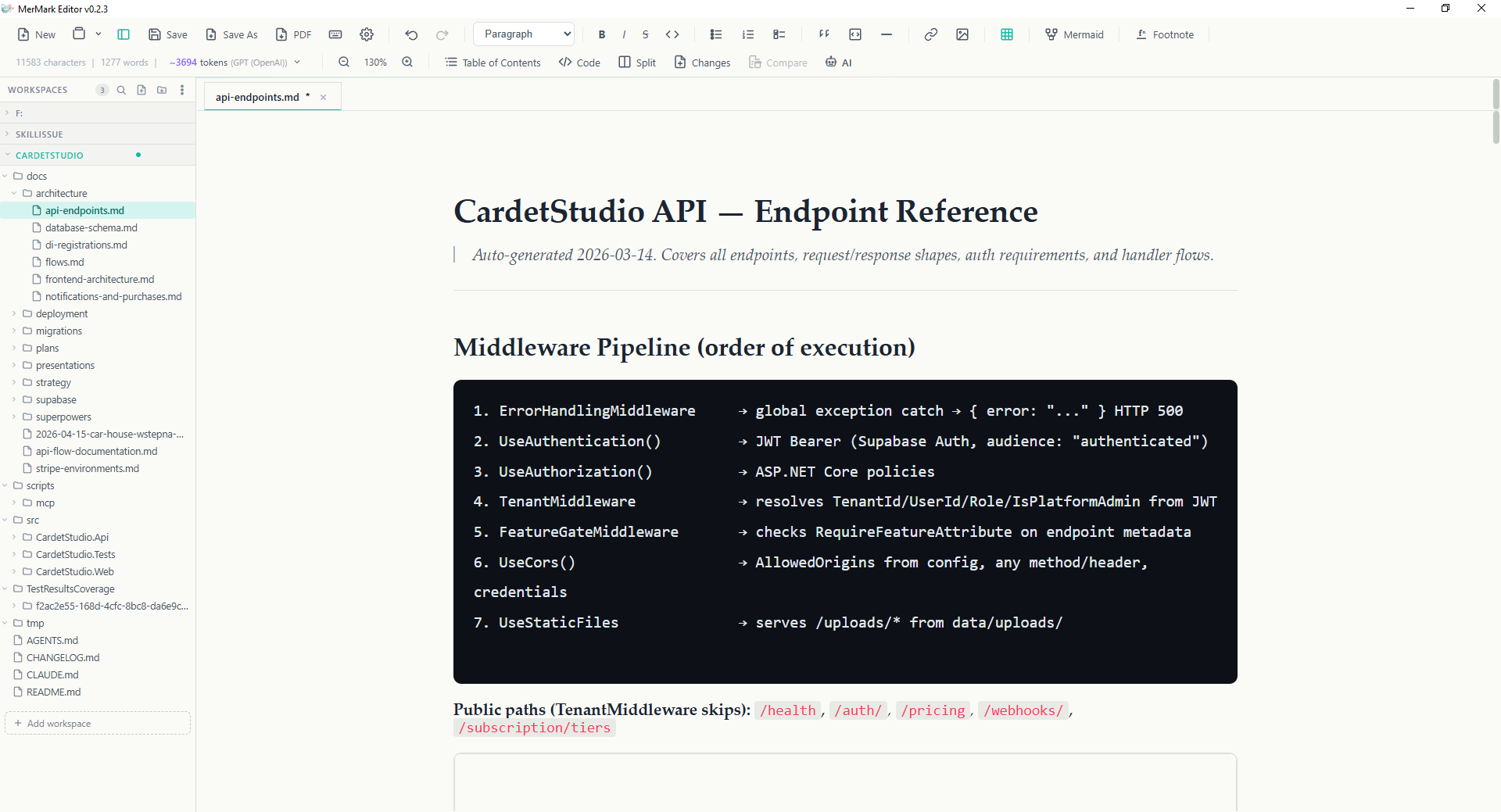
- Multi-root workspace sidebar (#69) — open one folder, two folders, ten. Each gets a collapsible section with file tree, drag-to-reorder header, and per-workspace controls (search, new file, open folder, menu). The active workspace shows a colored dot.
- Folder tree like Zettlr / Obsidian — expand / collapse subdirectories, click a file to open in a new tab, right-click for OS-level reveal, rename, delete, new file / folder. Expanded folders are remembered between sessions.
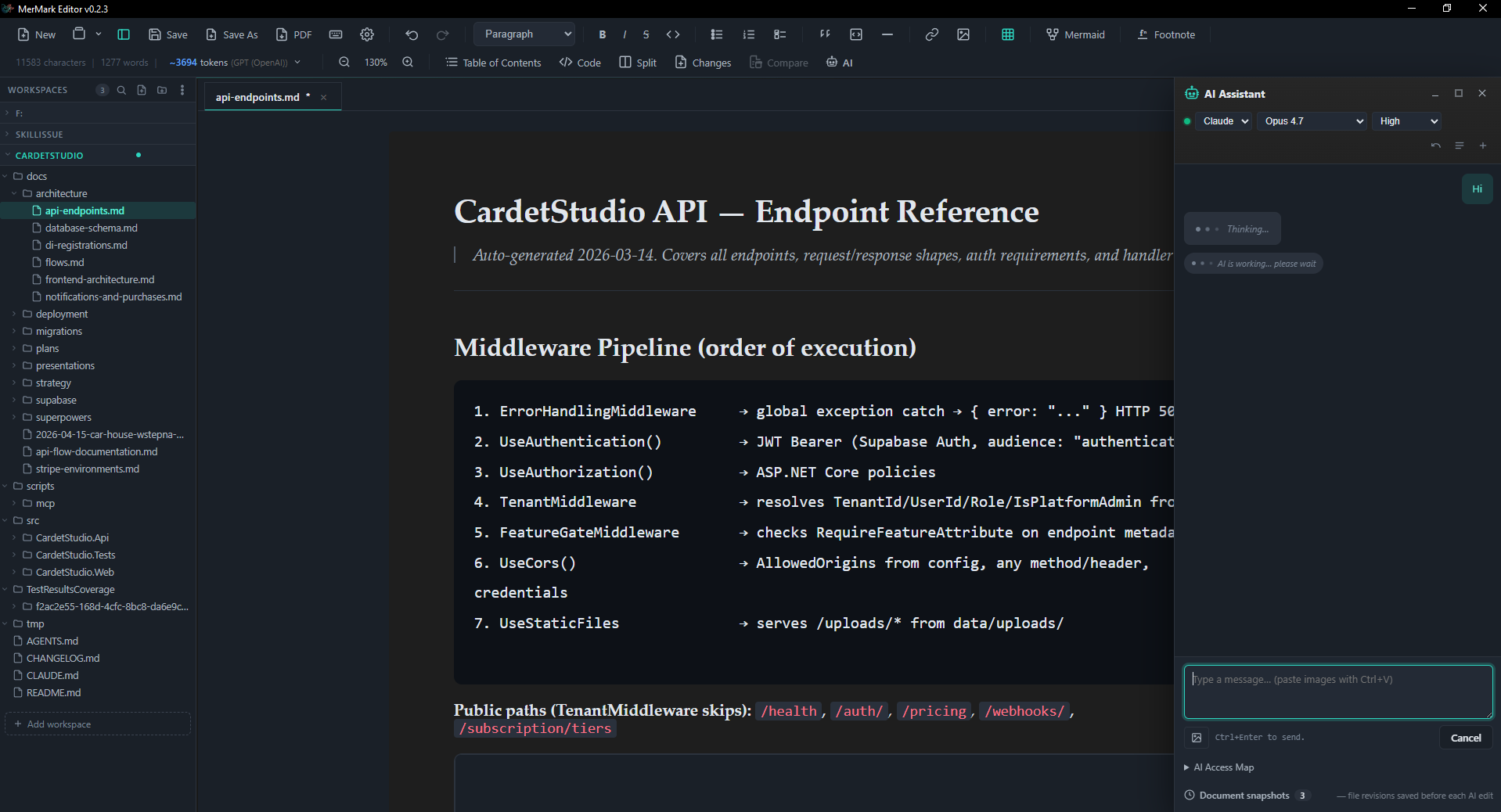
- AI sees the workspace — when a file lives inside an open workspace, the AI preamble includes the workspace root as a read-only scope. Ask "summarize the meeting notes from the last two weeks" and the model can actually traverse the folder; writes still stay scoped to the active document.
- Quick switcher —
Ctrl+Shift+Eopens a 3-section command palette: workspaces, files (filename match), content (full-text grep across the active workspace, debounced 150 ms, capped at 5 000 files / 4 s / 200 hits so it never stalls a big tree). - Migration from v0.2.x — existing
lastRootworkspace settings are auto-migrated to the newopenWorkspaces[]shape on first launch.
Minimal theme
- Mermaid-logo palette — teal
#14b8a6and coral#f43f5eover slate#1a2028. Light and dark variants both ship; the variant axis is orthogonal to light/dark, so any combination works (Default + Light, Default + Dark, Minimal + Light, Minimal + Dark). - Editor chrome only — accents live in tabs, sidebar headers, the active workspace dot, the AI status indicator. The document content stays neutral so prose doesn't fight for attention with the chrome.
- Configurable padding — Settings → General now exposes top, side, and bottom padding sliders. Values apply to both Default and Minimal themes (the previous build only wired them up for Minimal).
- Better code blocks in Minimal — dark slate background with full syntax highlighting, instead of the previous flat grey selection look.
- Full-width horizontal rules —
---now spans the full content column.
AI in Mermaid diagrams
- Edit via the main AI panel — clicking the AI button on a diagram (or in fullscreen edit) registers a target with the panel, auto-pins the diagram source as scoped context, and switches the preamble into mermaid-edit mode. You get the full panel: model picker, multi-turn conversation, threads, snapshots — same surface you use for prose.
- Live preview, explicit Apply — every assistant reply is parsed for a
mermaidfenced block. The diagram renders the proposal in place, with a chip in the panel showing Apply ✓ / Discard × / Stop. Apply commits to the node attrs; Discard keeps the conversation going; Stop ends the session. - Coexists with fullscreen edit — you don't have to leave the fullscreen mermaid editor to use the AI. The panel sits on top (
z-index: 100000) so both stay visible; minimising the chat restores the diagram to full width. - Robot icon, no more star — the diagram AI button uses the same robot glyph as the main toolbar, so it's recognizable across the app.
PDF export — closer to WYSIWYG
- Match the editor — the PDF now uses the same serif font (Charter / Iowan Old Style / Palatino) at the same scale (11.5 pt / 1.7 line-height) as the Minimal editor. What you see really is what you get.
- Editor padding → PDF margins — your top / side / bottom padding settings are applied as
bodypadding inside@media print, so a tight editor prints with tight margins and a roomy editor prints generously. The fixed@pagemargin (10 mm safety) layers on top of that. - Code blocks keep their colours — One-Dark palette (keyword purple, string green, number / attribute orange, comment grey, …) renders inside the PDF with
-webkit-text-fill-colorset explicitly so Chromium's PDF backend doesn't strip the colour. Background stays dark slate. - Inline code matches the editor — coral text (
#e11d48) on light grey, mirroring the Minimal theme's--danger-tinted inline code instead of the previous teal that diverged from both on-screen variants. - Tables size to content — switched from
table-layout: fixed(which spread one-word columns and long-URL columns to equal widths) toauto, so aMethod | Route | Handlertable reads the way it does in the editor. - Hidden chrome, real layout — the workspace sidebar collapses to zero width (not just
display: none, which left a flex reservation), all dialogs / overlays / drag artefacts are gone, the document fills the printable width 1:1. - No more dark-mode bleed — earlier builds had
html.dark[data-variant="minimal"]selectors out-ranking the print overrides; the print block now hard-pins the entire container chain to white with hex#ffffffinstead of relying on cascading--bg-primary.
UI polish
- Resizable Mermaid editor split — the divider between code and preview in fullscreen mermaid edit is draggable; the ratio is persisted into the markdown via node attrs (
splitRatio) and survives roundtrip. - Resizable diagram in document — drag the right edge of an inline mermaid block to set a custom width; persisted as
userWidth. - Word-style zoom slider — the editor zoom (Ctrl + Scroll, Ctrl+/-) now has a visible slider in the status bar with
±buttons and percentage readout. Cleaner than the dropdown that lived there before. - Tab pin + context menu — right-click a tab for Pin / Unpin / Close / Close others / Close all but pinned / Close saved / Close all. Pinned tabs reorder to the front and survive bulk-close.
- Quick switcher with content search — files and live full-text grep across the active workspace, behind
Ctrl+Shift+E. - Split file-ops button — the toolbar
+is now two buttons: "New file" and "Open folder", so the workspace flow is one click instead of two. - Styled prompts and confirms — the native
window.prompt/window.confirmmodals are replaced with themed dialogs everywhere (rename file, delete file, conflict resolution, …).
Bug fixes
os error 123on Windows when the AI is asked to edit a fresh / unsaved file — bothclaudeandcodexwere getting an emptywork_dirwhich Windows rejects onCommand::current_dir. The Rust spawn helpers now fall back to$HOME/$USERPROFILE/.when the work dir is empty.codex --cd ""rejection — same root cause on the codex side;--cdis now only set to a real path, and--add-diris skipped when no work dir is known.- Claude / Codex CLI on macOS / Linux (#70 — also in 0.2.3) — GUI launches inherit a minimal
PATHso installs from Homebrew / npm-global / volta / nvm / bun / asdf were not detected. The resolver now walks a curated list of standard install dirs and falls back to a login-shell probe ($SHELL -lc 'command -v <name>'); Settings → AI → CLI exposes a custom-path override with the actual list of locations the app searched, so you can see what was tried. - AI mermaid modal not appearing on first click — nested
<Teleport>inside the editor fullscreen sometimes failed to mount; the modal renders in place now (and as of this release is replaced by the main AI panel anyway). - PDF dark-mode bleed — multiple iterations to defeat scoped Vue styles +
html.dark[data-variant]rules; the entire container chain is now hex-pinned to#ffffffin print. - PDF top margin too large in Minimal — Minimal's
padding-top: 32pxstacked on top of the@page :firstmargin and gave a 2 cm gap; print now zeroes editor padding and usesbodypadding routed from your editor settings. - Autolink URL appendix — TipTap autolinks
CLAUDE.mdinto<a href="http://CLAUDE.md">, and the previousa::after { content: " (" attr(href) ")" }rule then printedCLAUDE.md (http://CLAUDE.md)next to every plain-text mention. The URL appendix is gone; PDFs embed real hyperlinks anyway. - Mermaid
<select>% dropdown jankiness — the native dropdown stole the popup layer inside the floating toolbar and the active option visually shifted on every render; replaced by four buttons (25 / 50 / 75 / 100). - Default mermaid scale 25 → 100 — new diagrams render at full size by default; the previous 25 % default left them tiny in the document.
- Workspace sidebar visible in PDF —
display: noneleft a flex width reservation; the sidebar now collapses withwidth: 0; visibility: hidden. - AI panel tab visible in fullscreen mermaid edit — when minimised during a mermaid AI session, the tab needs to sit above the diagram fullscreen overlay.
z-index: 100000is now applied conditionally so it only outranks the overlay during an active mermaid edit. - Claude AI on Windows —
batch file arguments are invalid(from 0.2.5) — Claude CLI resolves toclaude.cmd(npm shim); Rust 1.77+ rejects.cmdinvocations with newline-bearing args (CVE-2024-24576 mitigation). The system preamble is multi-line. Spawn now uses the documented--input-format stream-jsonpath universally and folds the preamble into the user message text — same pattern as the Codex spawn. - Codex error events surface in the chat (from 0.2.5) — Codex's top-level
error/turn.failedenvelopes were being dropped by the stdout normalizer; users got a generic "AI process exited without finalising the turn" instead of the real reason (e.g. "The 'gpt-5' model is not supported when using Codex with a ChatGPT account."). The normalizer now matches both shapes and unwraps the upstream API message. - Last-stderr tail attached to "exited without finalising" errors (from 0.2.5) — when an AI child genuinely dies without emitting a final JSON event the synthesised error chunk now includes the last 20 lines of the child's stderr so you don't need a debug build to diagnose it.
- Settings → AI shows resolved binary path (from 0.2.5) — under the version line for each CLI you can see the actual path the resolver picked (
C:\Users\…\AppData\Roaming\npm\claude.cmd,/opt/homebrew/bin/codex, your custom override, …). Makes it obvious which install is in use. - Right-click open (#73, from 0.2.4) — context-menu Open with MerMark on Windows now actually opens the file instead of failing silently.
- Drop file from workspace tree onto split pane — drag a file out of the sidebar onto the left or right pane in split mode and it opens there. Works on empty panes too. Capture-phase listeners outrank TipTap/ProseMirror's own dragover handler so the cursor doesn't stick in not-allowed.
- Click on workspace file with zero tabs open — after Close All, clicking a workspace file used to do nothing because
loadFileIntoTabshort-circuited onfindActiveTabIndex() === -1. Falls through tocreateNewTabnow. - Window stays open after Close All when a workspace is open — closing the last tab no longer terminates the window when at least one workspace is loaded; the sidebar stays useful for browsing, dragging, and quick-switching.
- Typing lag on big docs —
useToolbarActionsis called by ~20 components (Toolbar / LeftBar / StatusBar / each ToolbarItemRenderer); each used to register its owneditor.on('update')listener that rangetHTML+htmlToMarkdown+ token recount. With many tables / code blocks this stalled typing for hundreds of milliseconds per character. Listener + token counter hoisted to module scope (one per editor); typing is responsive again.
Under the hood
- AI CLI path cache — once a
claude/codexbinary is resolved, the path is stored in settings (cliResolvedPathClaude/cliResolvedPathCodex) and reused on subsequent probes. Cold-start health checks are now near-instant on machines where the resolver had to do a login-shell probe. - Settings migration —
useSettingsdeep-merges new fields on load (editorPaddingTop / Bottom / X,openWorkspaces[],activeWorkspaceId,cliResolvedPath*), so existing installs upgrade without losing anything. - Markdown roundtrip for mermaid attrs — node attributes (
userWidth,splitRatio,printScale) survive markdown serialization via a<!--mermaid-attrs:k=v,…-->HTML comment immediately before the fenced block, parsed back into TipTap node attrs on load. useAiMermaidTargetsingleton — clean bridge between the diagram node and the AI panel. The node only registers a target withapplyandcancelcallbacks; the singleton tracks the candidate and exposesapplyCandidate/discardCandidate/clear. Adding new "AI edits this kind of node" surfaces will use the same pattern.useToolbarActionslistener deduped — Toolbar / LeftBar / StatusBar / every ToolbarItemRenderer call site used to register its owneditor.on('update')handler, so each keystroke ran ~20 copies ofgetHTML+htmlToMarkdown+ token recount. The listener and the token counter are now hoisted to module scope (one per editor); typing on docs with many tables / code blocks no longer stalls.