
Release v0.2.0 — Local AI Assistant
MerMark Editor now ships with a full local AI assistant powered by your own claude and/or codex CLI installs. Everything runs on your machine, against your account — no third-party proxy, no telemetry, no extra API keys.
What the AI can actually do
-
Edit your markdown directly — ask "rewrite this section in a friendlier tone", "extract action items into a bullet list", "translate the meeting notes to English". The AI writes the new content straight to disk (atomically, via
.mermark-ai.tmp), the file watcher reloads the editor, and a snapshot is captured first so one-click Revert undoes the change. -
Read across folders you authorize — point the access map at a project folder and the AI can read any file inside it: notes from yesterday's meetings, a glossary, a style guide, related docs. No surprise reads — only paths you've added show up.
-
Modify other files in your project — write paths in the access map let the AI create or update peer files: split a long doc into multiple notes, generate a summary alongside the source, build a table of contents file for a folder.
-
Search the web — turn on the
networktool toggle and the model can fetch live information (claudeuses its built-in web tooling;codexuses configured search providers). Useful for fact-checking, citation lookup, latest API docs, conference dates, etc. -
Run shell commands — opt-in via the
bashtool toggle when you want the AI to grep your notes folder, count files, run a build, or any other terminal task. Default off. -
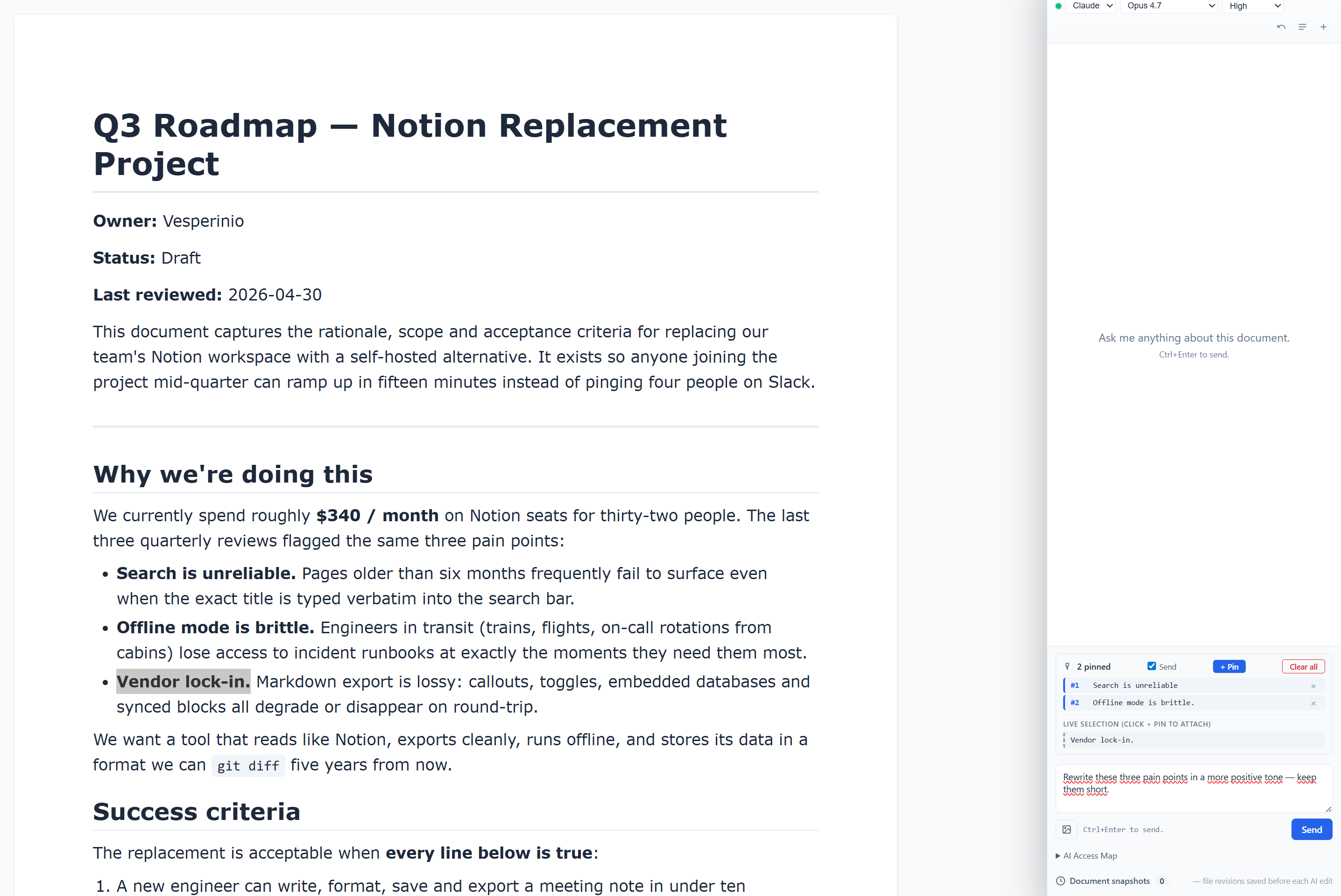
See exactly what you point at — pin one or more highlighted fragments (Visual and Code view), the live selection, or the whole document. The AI gets just those, not your entire vault.
-
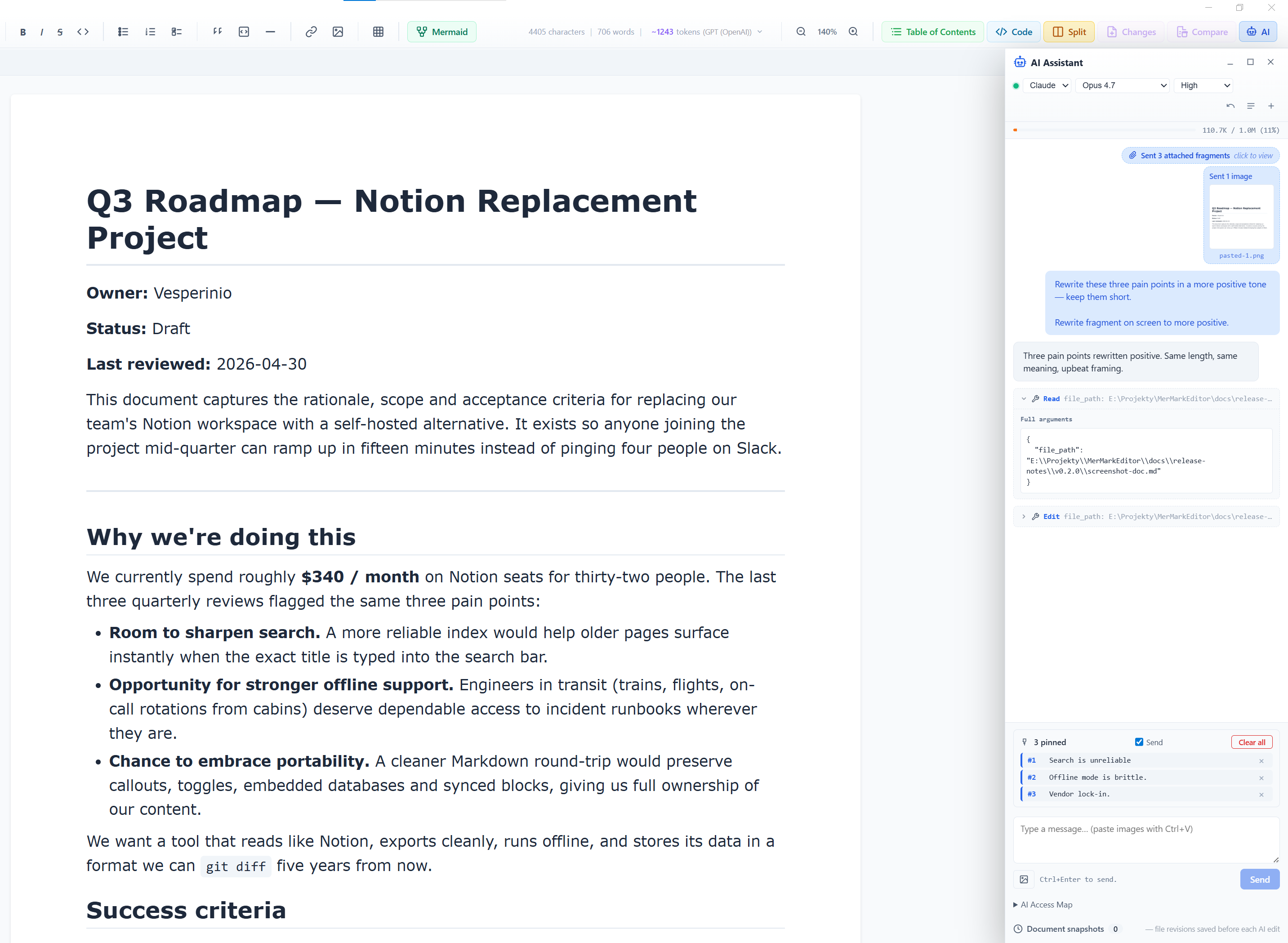
Multi-fragment selection workflow — highlight a paragraph, click + Pin, scroll, highlight another, + Pin again. The composer shows a numbered scrollable list of every pinned fragment with a per-item × to drop one and a Clear all to wipe the strip. Toggle Send off to keep the pins visible without sending them this turn.
-
Send images to the model — paste a screenshot directly into the composer (
Ctrl+V), drag an image file into the panel, or click the image button next to Send to pick one or more files (png / jpg / jpeg / gif / webp / bmp). Each attachment shows as a thumbnail chip; click to open a fullscreen preview, × to remove. Up to 8 MB per image. Both Claude and Codex see the image. -
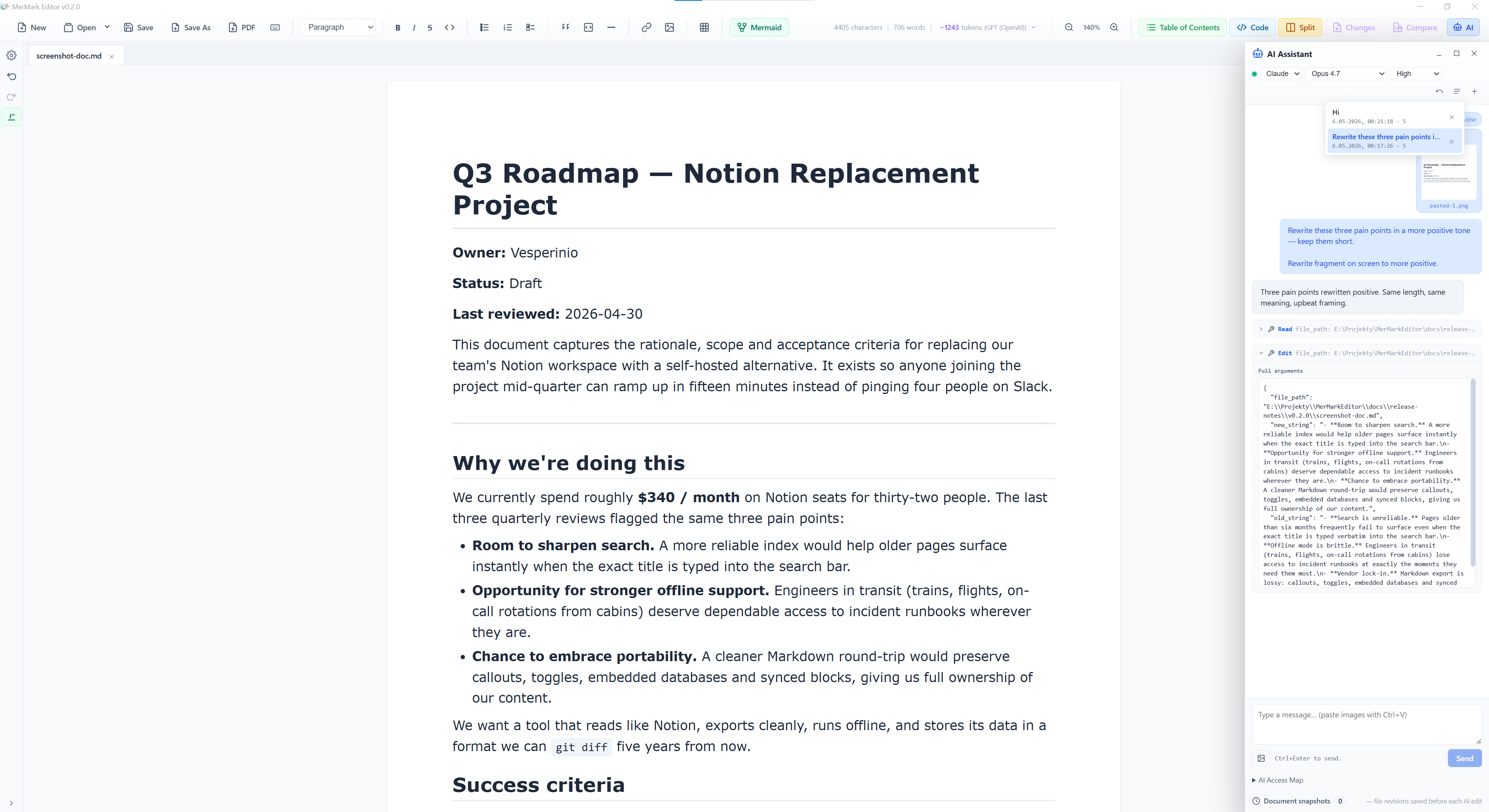
Image preview in chat history — once you send a turn with images, the chat shows a thumbnail chip with the filename so you remember exactly what you sent. The thumbnails survive scrolling and thread switches; after a full app restart the filename remains as a placeholder chip (blob URLs do not survive page reloads).
-
Pins + image + AI edit, end-to-end — three highlighted paragraphs pinned, a screenshot attached for context, one prompt sent. The model rewrites the pinned text and the captioned image inline.
How context reaches the model
-
Active document — path + content (or a truncated preamble for very large docs, with a one-click "send full doc" override).
-
Live selection — what's currently highlighted, extracted directly from the editor (TipTap
textBetweenfor Visual view, rawslicefor Code view). -
Pinned fragments — multi-select snippets, scrollable list above the composer, sent as one attachment block. The exact text is also recorded inline in the chat so you remember what you sent.
-
Localized scope instructions — the preamble that tells the model "the user attached these fragments, work on them" is rendered in the editor's UI language (en / pl / zh-CN).
-
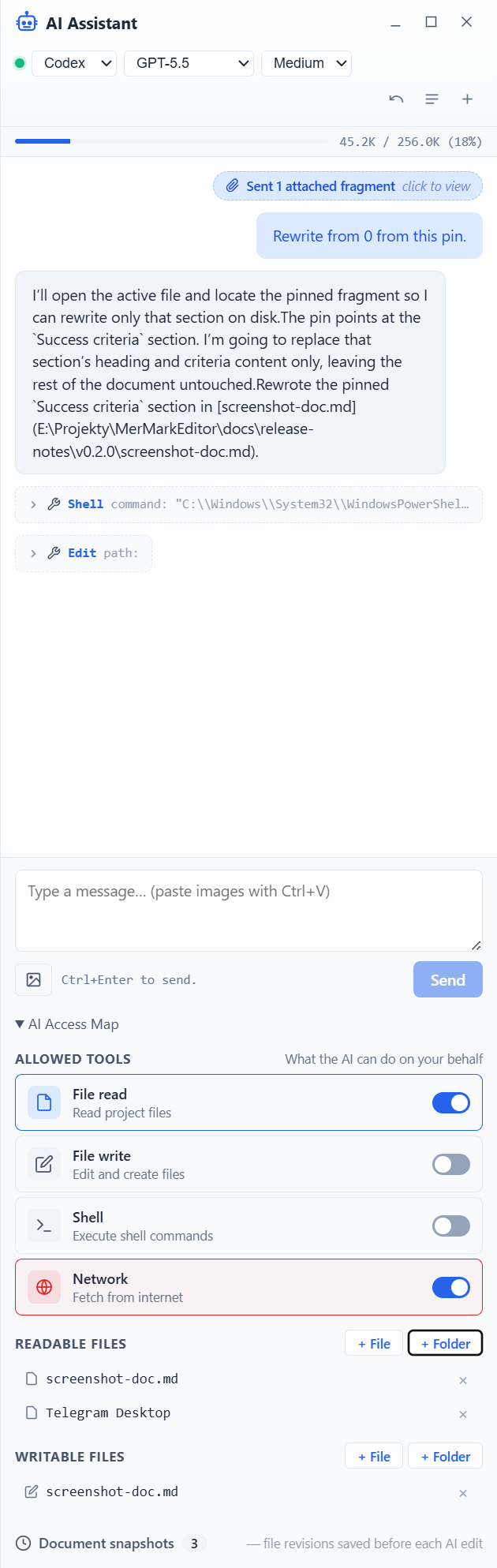
Per-document access map — fine-grained read paths, write paths, and tool toggles (file read / file write / bash / network) constrain everything the model can touch. Add files with + File or whole folders with + Folder.
-
Bypass mode — one-click skip of per-action confirmations within the access-map limits when you're iterating fast. The statusbar indicator blinks red while it's on so you don't forget.
Chat experience
-
Two providers, one panel — switch between
claudeandcodexfrom the chat header. Per-CLI defaults persist (last model, last reasoning effort). -
Token streaming — replies render token-by-token, with a thinking indicator until the first chunk arrives.
-
Context window indicator — segmented bar shows live usage (input / cache / free), pulled from each CLI's reported
modelUsage. Reads true 1M window for Opus 4.7.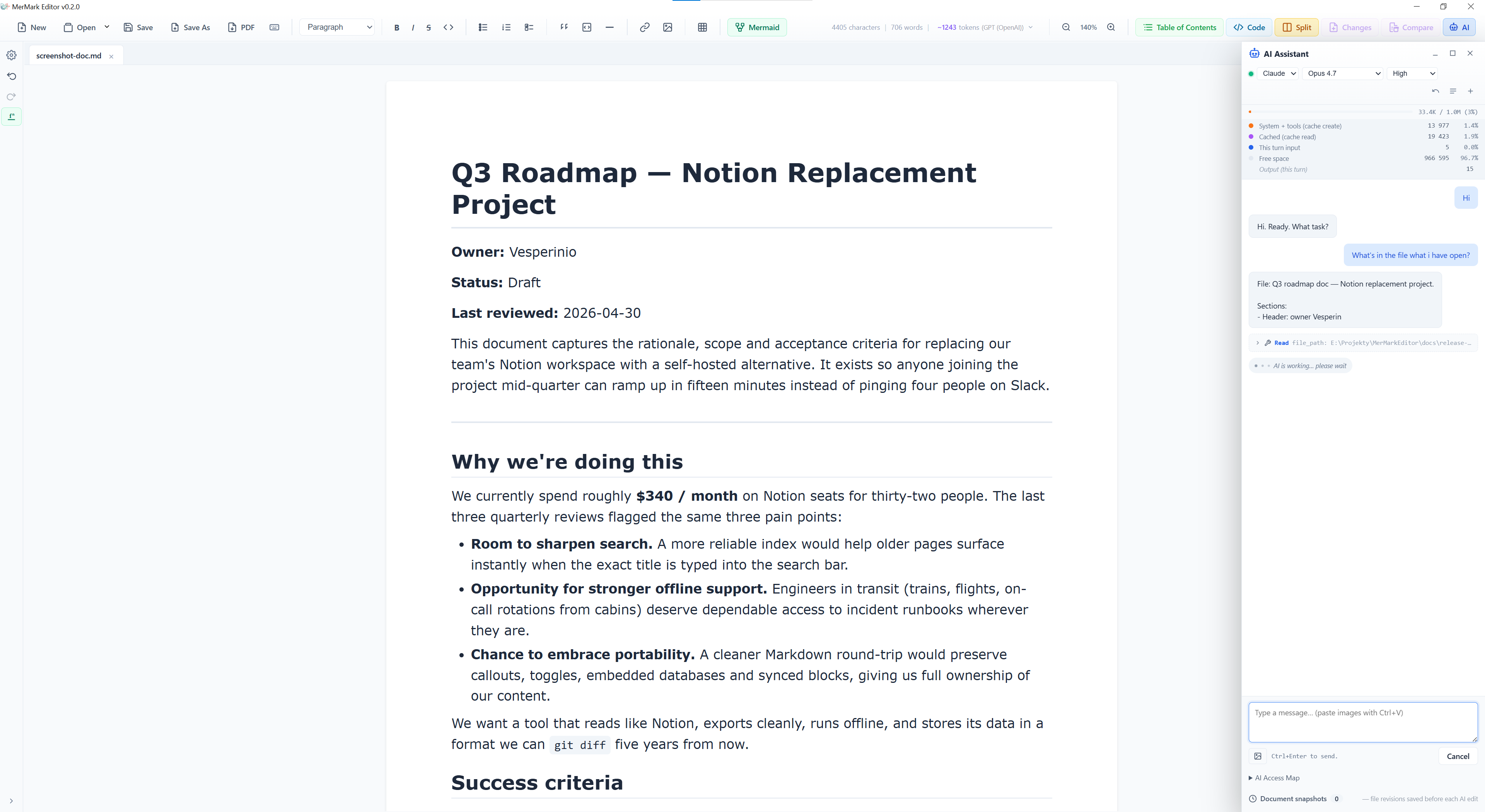
-
Per-document threads — every doc gets its own scrollable thread history; + archives the current chat and starts fresh. Up to 50 threads / doc, persisted in
localStorage. -
Reopen a thread, pick up where you left off — thread history now records the last CLI / model / effort used. Click an old chat from the threads dropdown and the panel automatically switches Claude ↔ Codex, restores the model and reasoning effort you were using, so continuing the conversation behaves the same way it did last time.
-
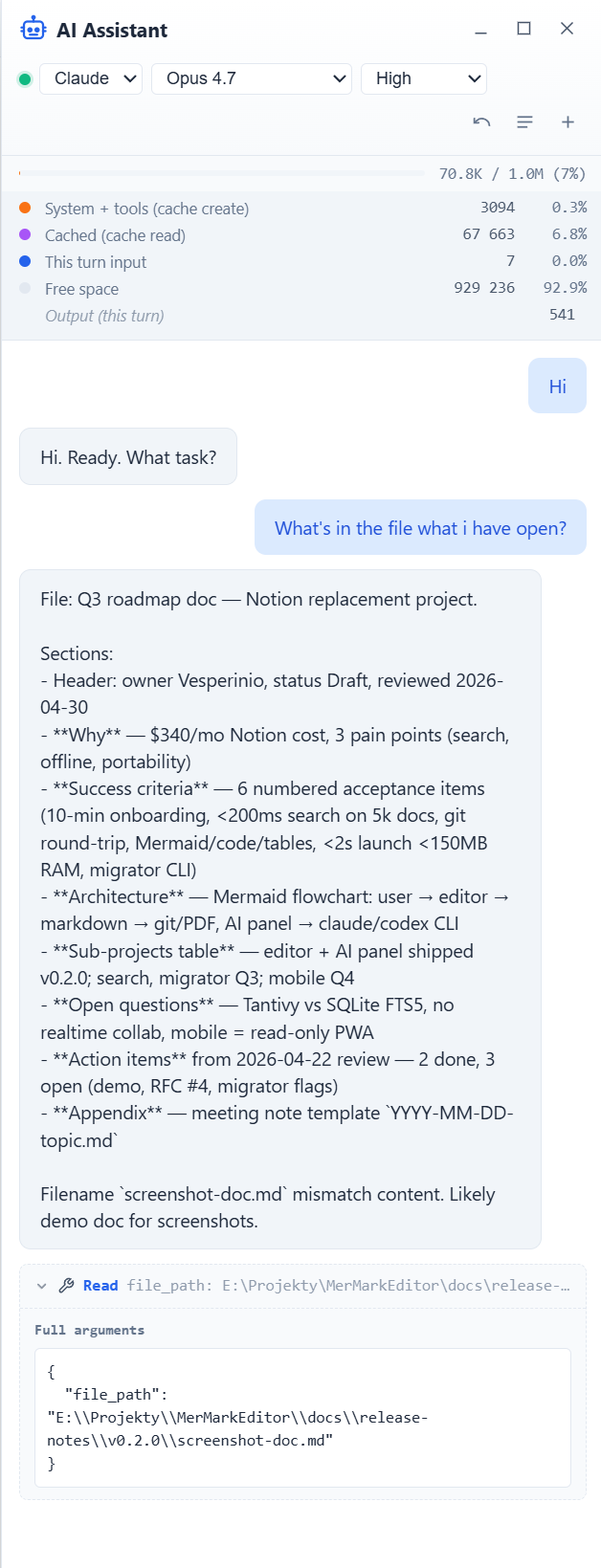
Inline tool history — when the model calls a tool (web fetch, bash, file read, file write, etc.) the call appears as a dashed chip in the transcript with the tool name and a one-line preview of the arguments. Click the chip to expand a pretty-printed JSON view of the full call; click again to collapse.
-
Clickable links in chat — bare URLs and markdown links open through the existing external-link confirm dialog (same one the editor uses for
[text](https://…)links). -
Window controls — minimize the panel to a tab in the corner, maximize to fullscreen, or close — all from the panel header.
-
Send shortcut —
Ctrl+Enteron Windows/Linux,Cmd+Enteron macOS.
Safety and trust
-
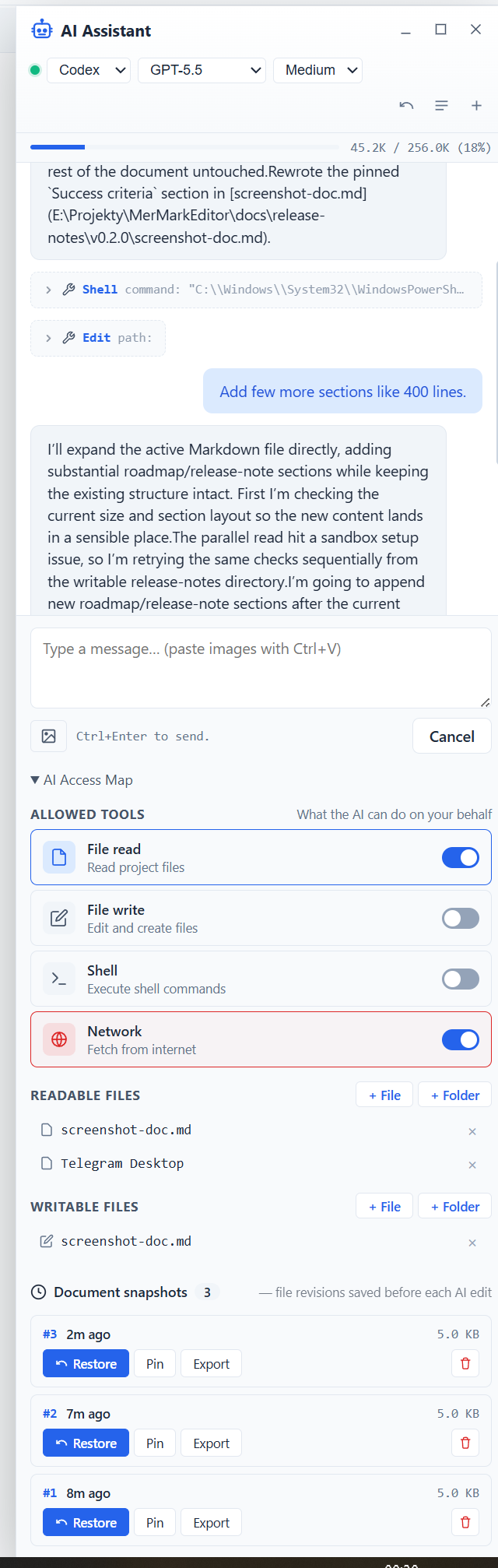
Snapshot history — rotated retention (pinned + N newest, default 3) with restore / pin / export / delete. Pre-edit snapshot is automatic on every AI write.
-
Concurrent-edit detection — if the doc changes underneath an in-flight AI request, you're warned before applying.
-
Tmp recovery — orphaned
.mermark-ai.tmpfrom a crashed session is detected on doc open with a Restore / Discard / Show diff dialog. -
Multi-window safe — streaming events are scoped to the originating window so opening a second editor doesn't cross-talk.
-
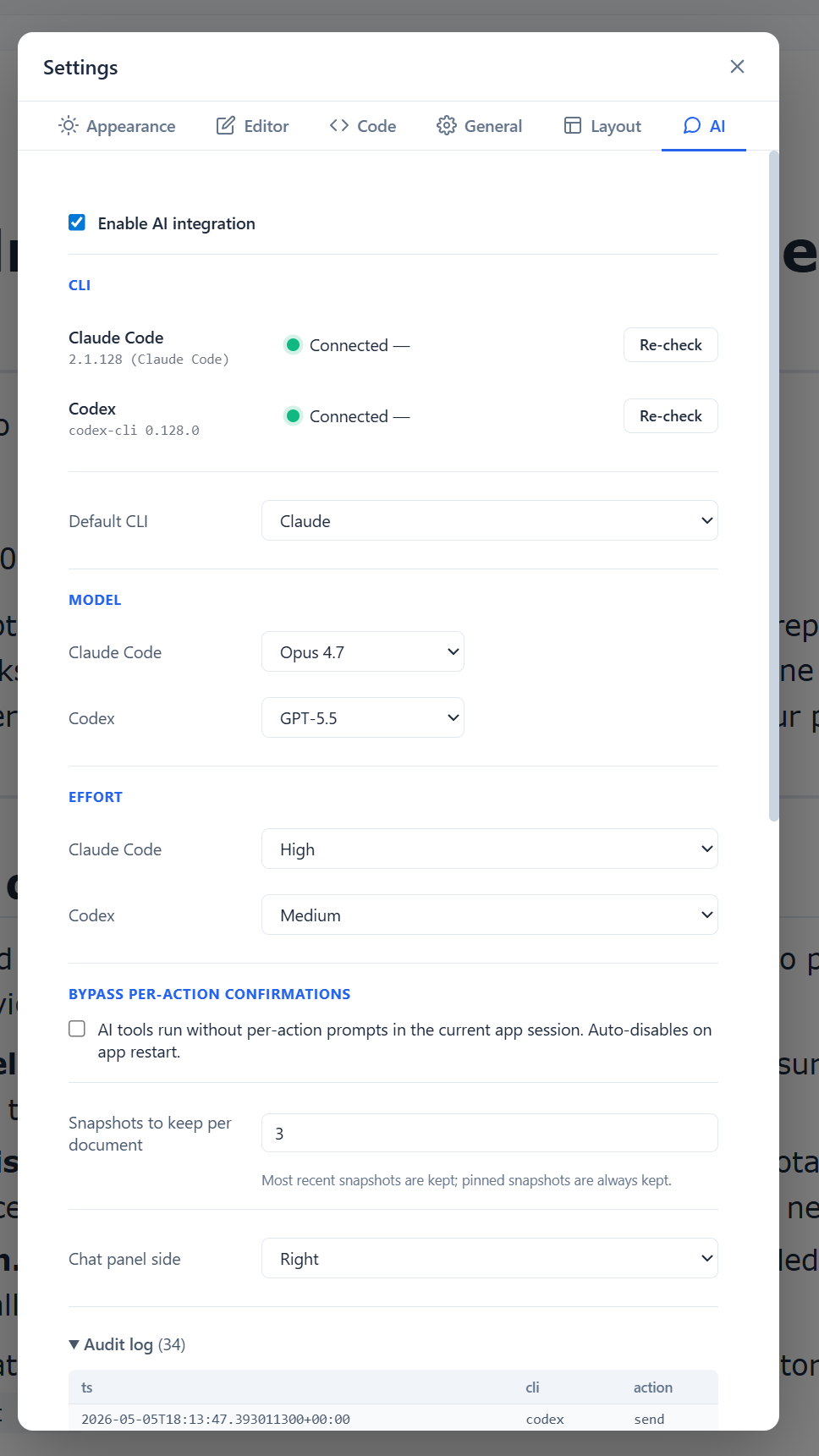
Health checks + audit log — Settings → AI shows install / authentication state for both CLIs (cached, with re-check), an append-only JSONL audit log viewer, and the runtime bypass toggle.
-
First-run tooltip — explains where to disable AI on first launch; AI is on by default.
-
Statusbar indicator — green / red / blinking-red (bypass on); placement honors the configurable left/right panel side.
Other
-
Resizable mermaid editor split — drag the divider between code and preview panes in the fullscreen mermaid editor to adjust their sizes (#51).
-
Mermaid default scale — new diagrams render at 25% by default.
-
Customizable Layout — toolbar items move between Top Toolbar, Bottom Status Bar, and Left Sidebar via Settings → Layout (#43); drag & drop, hide, reorder, persisted across restarts.
-
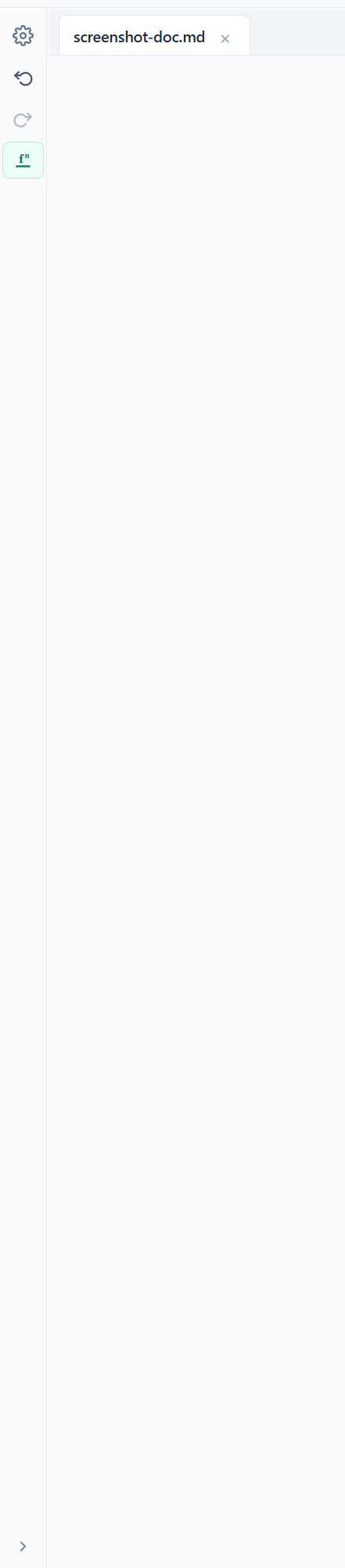
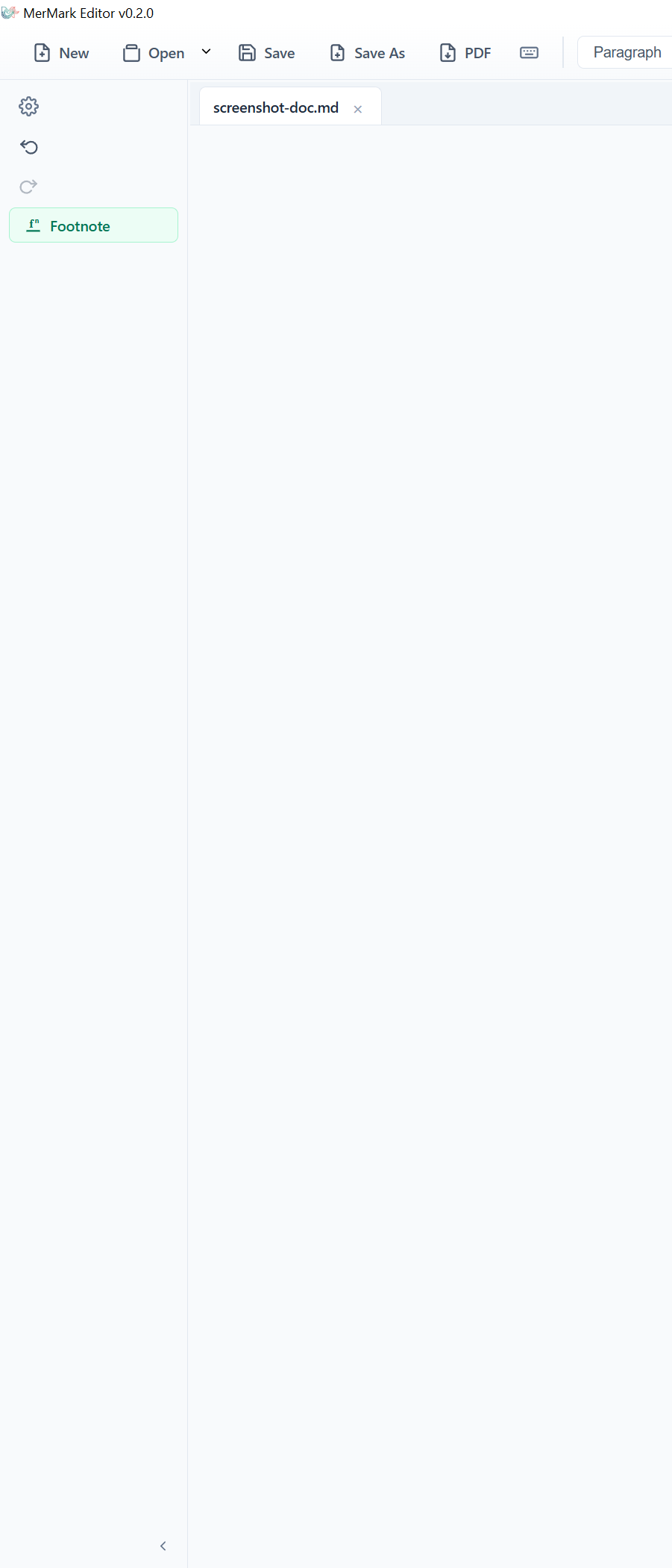
Expandable left sidebar — toggle the chevron at the bottom of the left bar to widen it from a 40 px icon strip to a 168 px column with text labels next to every icon (VS Code style). State persists across restarts. The AI button label was being truncated in the narrow strip; now it just hides until the bar is expanded.
-
Layout zone guards — items that don't fit the narrow left sidebar (Statistics, Heading dropdown, Open file) refuse to drop there; the drop indicator vanishes over the disallowed zone and the matching move-to button is disabled with an explanatory tooltip. Open file is also pinned to the top toolbar (the bottom status bar broke its dropdown anchoring). Saved layouts that already placed an item in a now-disallowed zone are auto-migrated back to the item's default zone on load.
-
Page break support —
---page breaks render correctly in Visual view and PDF export (#45). -
Table of Contents sidebar — collapsible left panel showing document headings with click-to-navigate (#41), toggle with
Ctrl+Shift+T. -
Expanded keyboard shortcuts (#64) —
Ctrl/Cmd+Wclose tab,Ctrl/Cmd+Nnew tab,Ctrl/Cmd+Tab/+Shift+Tabcycle,Ctrl/Cmd+1..9jump,Ctrl/Cmd+Shift+Vtoggle Code/Visual,Ctrl/Cmd++/-/0zoom,Ctrl/Cmd+,settings,Ctrl/Cmd+/shortcuts modal (auto-renders Mac glyphs⌘ ⇧ ⌥). -
Toolbar architecture refactored — registry-based system replacing the monolithic 1150-line Toolbar.vue.
-
AI panel architecture refactored — the 1772-line
AiPanel.vuewas split into a 502-line orchestrator + 12 self-contained subcomponents (header, composer, message list, pin list, image strip, attachment modal, image preview, threads dropdown, context bar, status notices, tool toast, minimised tab) and 5 reusable composables (useAiPanelLayout,useAiPinnedSelections,useAiPendingImages,useAiPreamble,useAiToolToast). Every subcomponent ships its own scoped CSS, so style edits no longer require hunting through 850 lines of CSS in a sibling file. 89 new Vitest tests cover the composables and the most-touched subcomponents. -
Statistics grouped — character / word / line / token counters as a single movable unit.
-
White theme option for Code view (#67).
-
Optional support link — Settings → General now has a subtle "Support development" row with a Buy Me a Coffee button (transparent until you hover it, opens in your default browser). MerMark stays free, MIT-licensed and telemetry-free; the link is just there if you want to say thanks.
Bug Fixes
- Codex resume + image attachments —
codex exec resumedoes not surface the-i <FILE>flag, so attaching an image while continuing an existing chat used to silently drop the image and the model would only see the text. The backend now forces a fresh codex session for any turn that includes images. Conversation context for that one turn resets (codex limitation), but the model actually sees the attached image instead of pretending it wasn't there. - Cursor mapping — Code ↔ Visual position uses a source-line block parser instead of DOM estimation; survives multiple toggles, large code blocks, and font-size changes (#37).
- Code-view tab switching no longer loses content (#46).
- Trailing blank lines no longer appended on save (#53).
- PDF export — left bar, status bar and split dividers no longer leak into print output.
- Mermaid fullscreen scale — the fullscreen mermaid editor now renders the diagram at 1:1 instead of inheriting the document's zoom level.
- Mermaid unmount race — diagram render no longer writes to an
innerHTMLof an already-unmounted node. - Verbose AI console output cleaned up — the per-chunk
[useAi] chunk:, per-line[ai stdout]/[ai chunk], and(valid JSON, no chunk)traces that filled the dev console during every reply are gone. Real diagnostics (unparsed lines, EOF without finalisation, codex stderr in dev builds) are kept. - macOS file-open handler (#63) and resilient line numbers (#61) — both ported from #66.