
Peter Jackson's King Kong PC Port v1.9.0
What's new
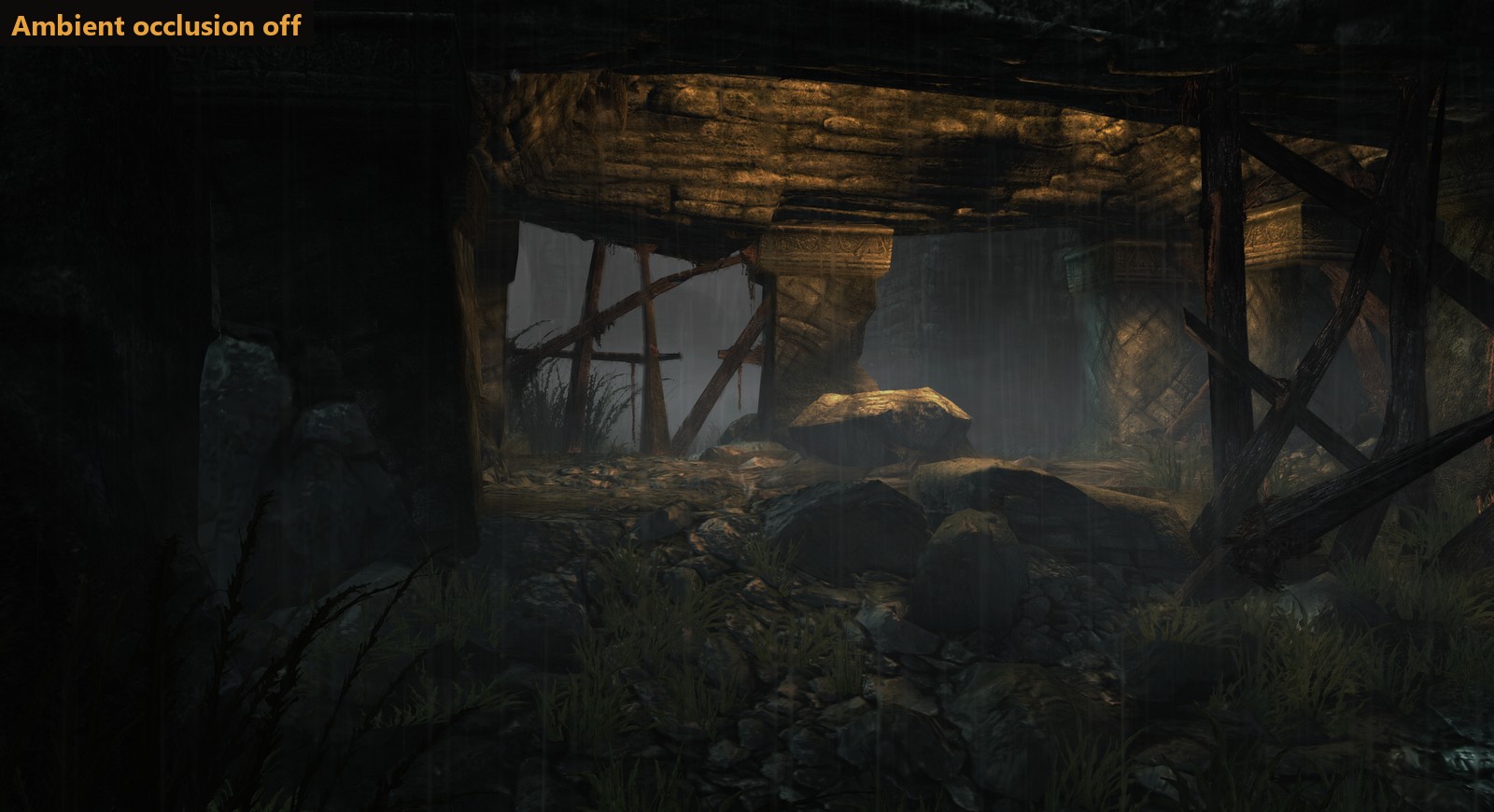
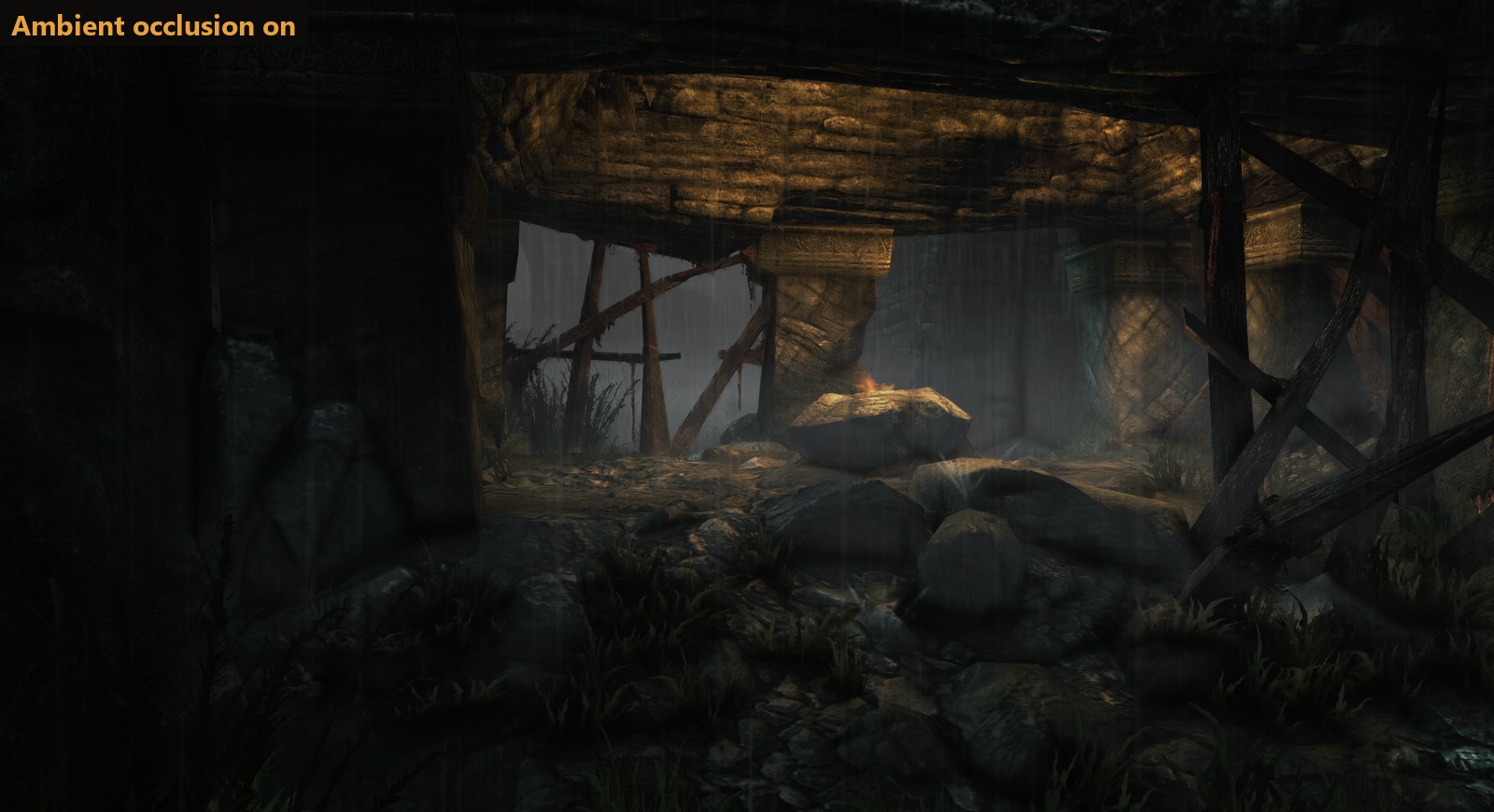
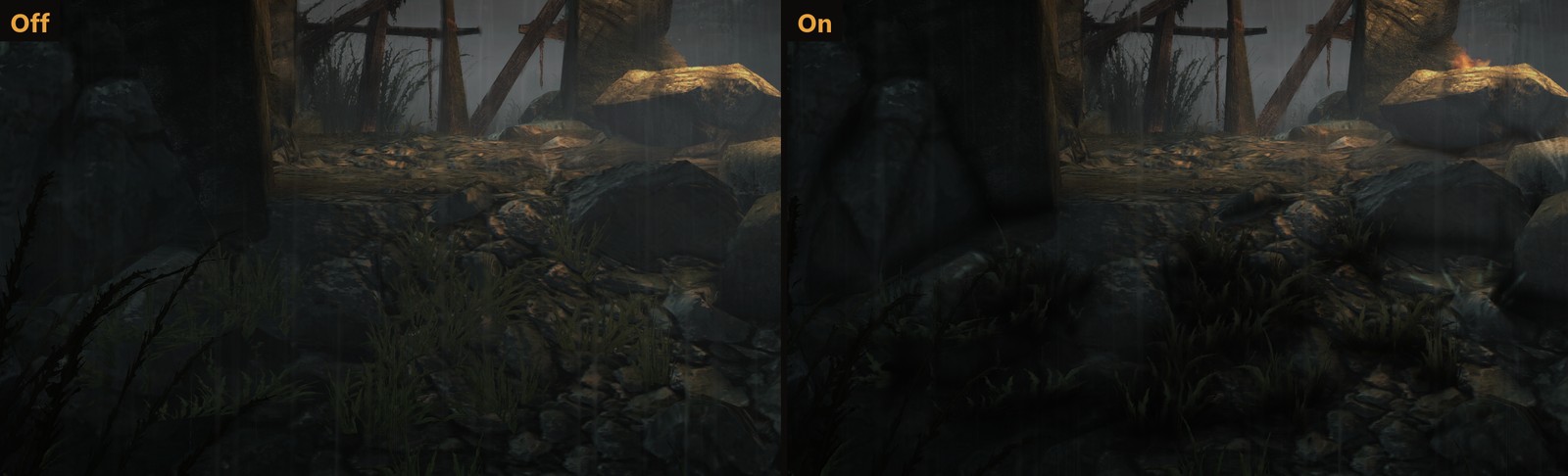
- Ambient occlusion. A new setting on the Graphics page adds soft shading where surfaces meet: in corners and creases, and on the ground under rocks, grass and people. It's off by default. Choose strength 1 (recommended), 2 or 3. It stays under the game's distance fog, so far-off walls don't show through the haze. It costs about 1 ms a frame at 4K, and works with NVIDIA and AMD graphics for now (not Intel yet) (#24).
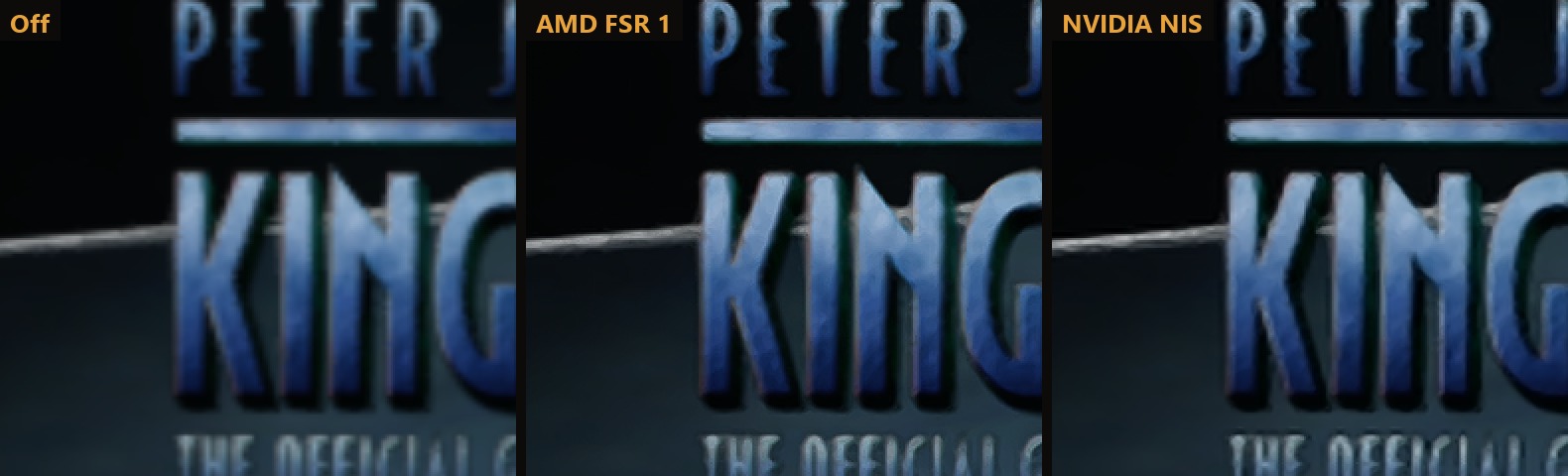
- AMD FSR 1 and NVIDIA Image Scaling. A new Upscaler setting: Off (the default), AMD FSR 1 or NVIDIA NIS. Both work on any graphics card. Each has Native, Quality, Balanced and Performance modes, and the launcher shows the resolution the game draws at in each one. They scale the picture up to your screen and sharpen it, so a lower resolution still looks crisp.
- Original Xbox 360 or Modern. A new Look setting at the top of the Graphics page. Original is the game as it was on the console: 720p at 30 FPS, the console's own anti-aliasing and texture filtering, the 69° field of view, motion blur and fog, no ambient occlusion and no upscaler. Modern gives you every setting, and switching back to it puts your own settings back.
- Graphics presets. Low, Medium (the default settings), High, Ultra and Steam Deck set the upscaler, render quality, anti-aliasing, texture filtering and ambient occlusion in one click. Change any of them yourself and it shows Custom.
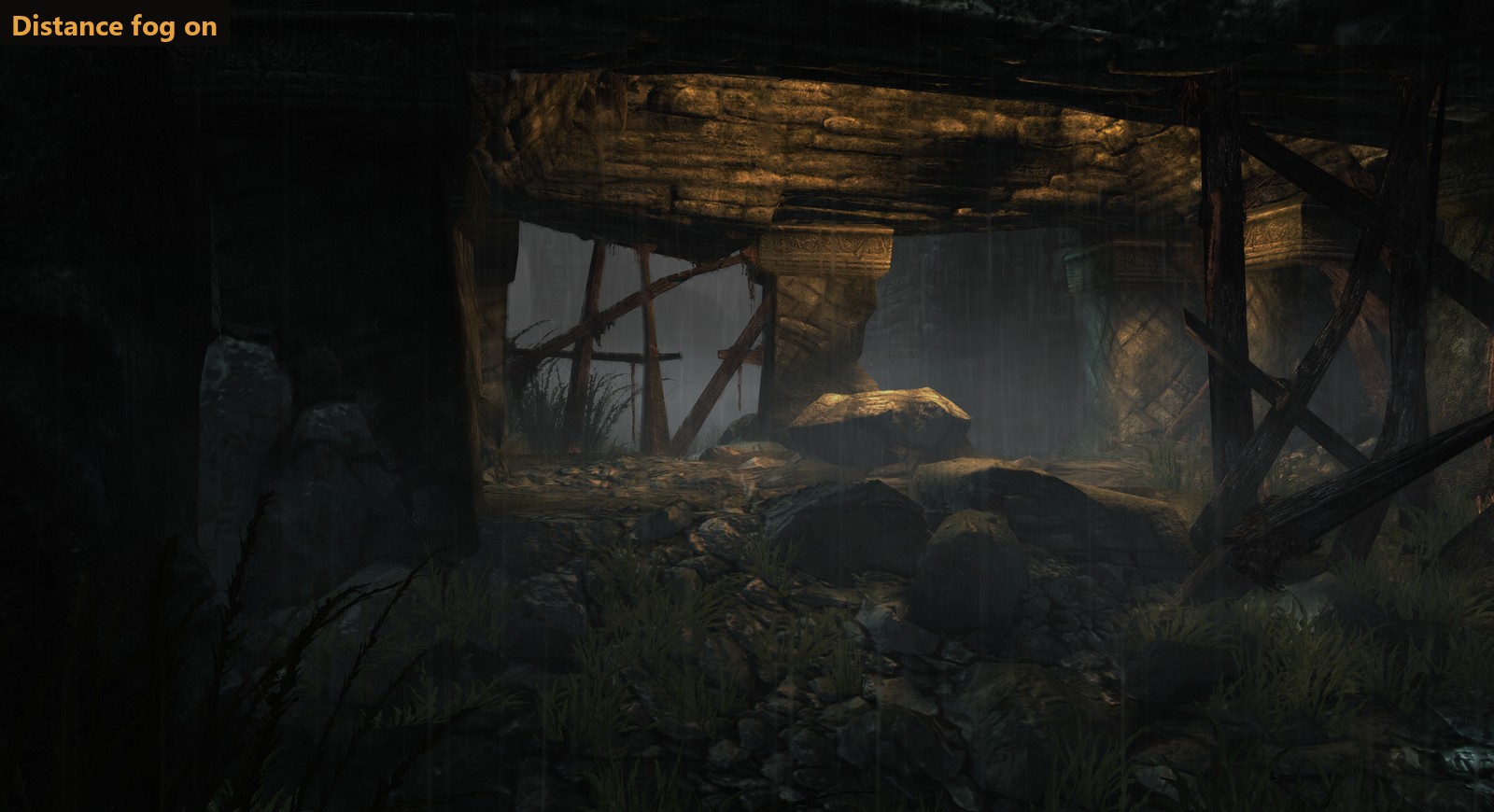
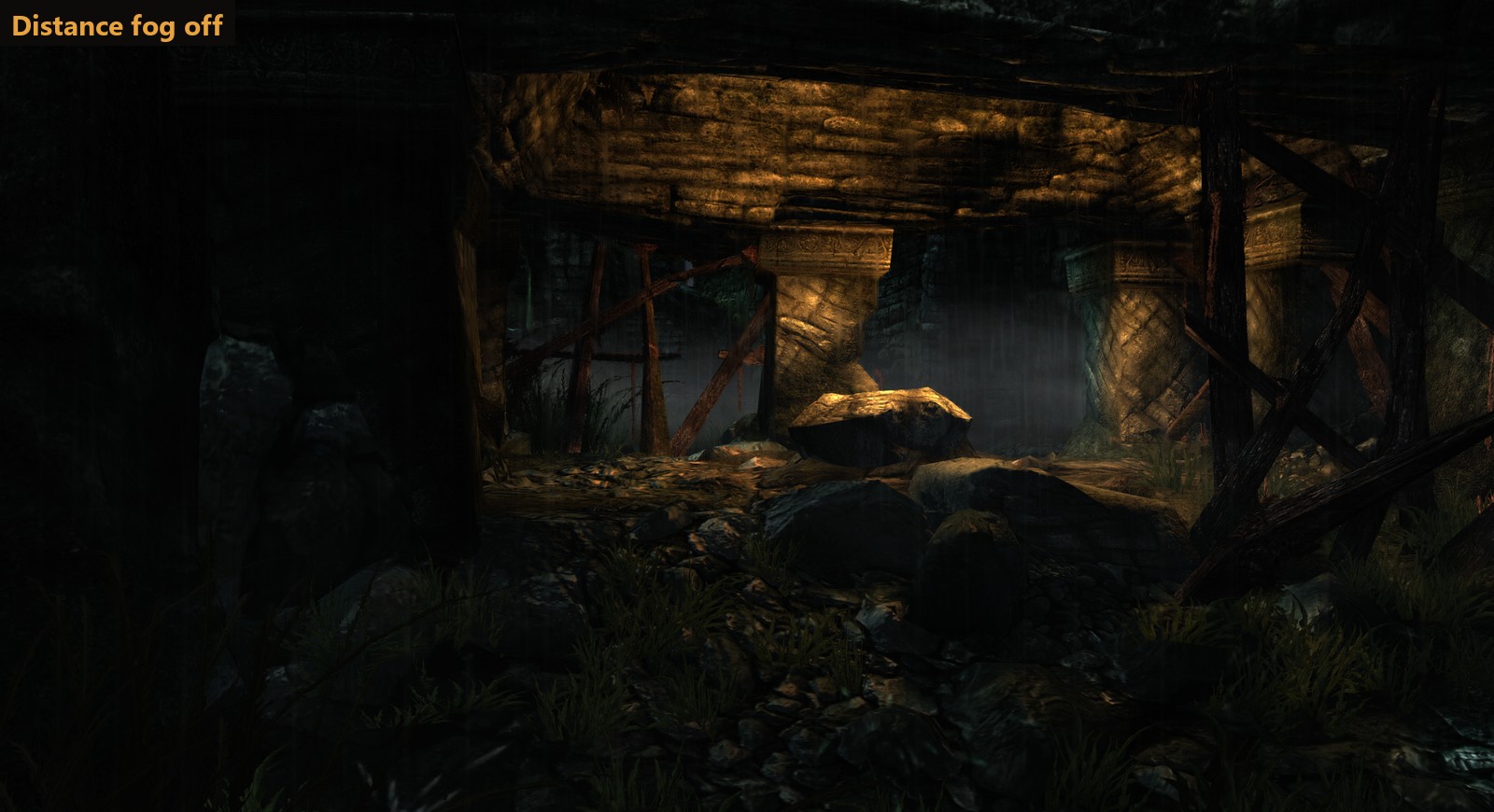
- Distance fog on or off. Off clears the haze over far scenery. It's on by default, as the fog is part of Skull Island's look and also hides the edges of each area, so some empty backdrops can show with it off.
- Performance draws one step lower. The game draws in steps of its original 720p, so on a 4K screen Performance used to come out the same as Quality (1440p). It now goes one step lower where there is one: 720p at 4K, 2160p at 8K.
Before and after
Ambient occlusion off and on, in the V-Rex chapter (strength 1):
| 
|
Distance fog on and off:
| 
|
The title screen at 1920 x 1080 in Performance mode (drawn at 1280 x 720), zoomed 2x: plain scaling, AMD FSR 1 and NVIDIA NIS.
Graphics presets
| Preset | Upscaler | Render quality | Anti-aliasing | Texture filtering | Ambient occlusion |
|---|---|---|---|---|---|
| Low | AMD FSR 1 | Performance | FXAA | 2x | off |
| Medium (default) | off | Native | FXAA | 4x | off |
| High | off | Native | FXAA | 8x | on |
| Ultra | off | Supersample | FXAA Extreme | 16x | on |
| Steam Deck | off | Native | FXAA | 2x | off |
Full changelog
- Ambient occlusion: built into the GPU plugin (
rexgpu-xenos.dll, patches 0003 to 0007 intools/rexglue-patches), set withao_mode(0 off, 1 on) andao_strength(1 to 3). Once a frame, at half resolution, it reads the scene depth the game copies out before lighting, works out the occlusion from 10 samples, blurs it and scales it up to full resolution. It's applied to the scene before the game's post effects, so the HUD isn't touched, and it uses the game's own fog values so only the part of the scene in front of the fog is darkened. Measured at 0.7 to 1.0 ms a frame at 3840 x 2160 on an RTX 4070 Ti. It needs the host render target path that NVIDIA and AMD graphics use; Intel graphics use a different path that isn't supported yet. - Distance fog:
kk_fog(on by default). Off skips the game's fog pass. - Look:
kk_original_look. While it's on, your Modern settings are kept inkk_modern_settings, and the Original values are set again each time the game starts in case the settings file was edited. - Upscalers:
present_effect(bilinearfor Off,fsr,nis) andpresent_nis_sharpness(0.5).rexruntime.dllis now built from the ReXGlue SDK source with patch 0008: AMD FSR 1 and CAS without the AMD SDK, and the NVIDIA Image Scaling SDK v1.0.3 as a compute pass, run more than once for scale factors over 2x like FSR's own passes. The patch also fixes a heap in the presenter that only had room for two in-between images, too few for FSR from 720p to 8K. Their MIT licences are inTHIRD-PARTY-NOTICES.txt. - Upscaler mode: sets
kk_render_quality(native,quality,balanced,performance). While an upscaler is on, it replaces the Render quality setting.performancenow goes one 720p step belowqualitywhere there is one, with or without an upscaler. - Presets: the Graphics page shows which preset your settings match. Motion blur and fog aren't part of them.
How to update
If you have v1.4.0 or later, the launcher offers this update when it opens: click Update now. Otherwise download KingKong-v1.9.0-windows-x64.zip below and copy everything in it over your KingKong folder. Your settings stay as they are: ambient occlusion and the upscalers start off, and your preset shows as whichever one your settings match (or Custom).
New install
- Unzip KingKong-v1.9.0-windows-x64.zip anywhere and run king_kong.exe. The shader pack downloads by itself.
- Click Install from disc image... and pick your own King Kong disc image (USA/Europe, title ID
555307D3, version0.0.0.1). - Press PLAY.
No game files are included. See the README for details.
Requires Windows 10 or 11 (64-bit) and a DirectX 12 graphics card. Linux version in development.
This port was made with AI (Claude Code). See the README for details.