
YACP prioritizes battery efficiency, responsive reading and avoiding unnecessary work on the reading path.
YACP 2.0 beta 1, based on CrossPoint 2.0
YACP is open-source firmware for Xteink e-readers. This beta is based on CrossPoint 2.0. It runs on X3 and the original X4, and adds support for X4 Classic and X4 Pro.
Download for your reader
- Xteink X3 or original X4: Download for X3 / original X4
- Xteink X4 Classic: Download for X4 Classic
- Xteink X4 Pro: Download for X4 Pro
Looking for the X3 firmware in Assets? Choose the file ending in -tiny.bin. X3 and the original X4 share that Standard build.
Install the beta
- Back up your SD card and keep a copy of the firmware you currently use. A spare SD card is useful for testing.
- Download the firmware for your exact model above, verify it with SHA256SUMS.txt, and copy the
.binto the SD card. - If you already use YACP, open SD Card Firmware Update on the reader and select the file. If you are coming from another firmware, follow its SD-card update procedure for your model.
This beta is installed manually from the SD card. YACP 1.7.1 remains the stable release.
Quick Resume
Wake very fast and pick up on the same page. With Quick Resume on, your page stays on screen while the reader sleeps. In the demo, the X4 Pro wakes without a black flash and is ready for the next page. The clip plays at real speed.
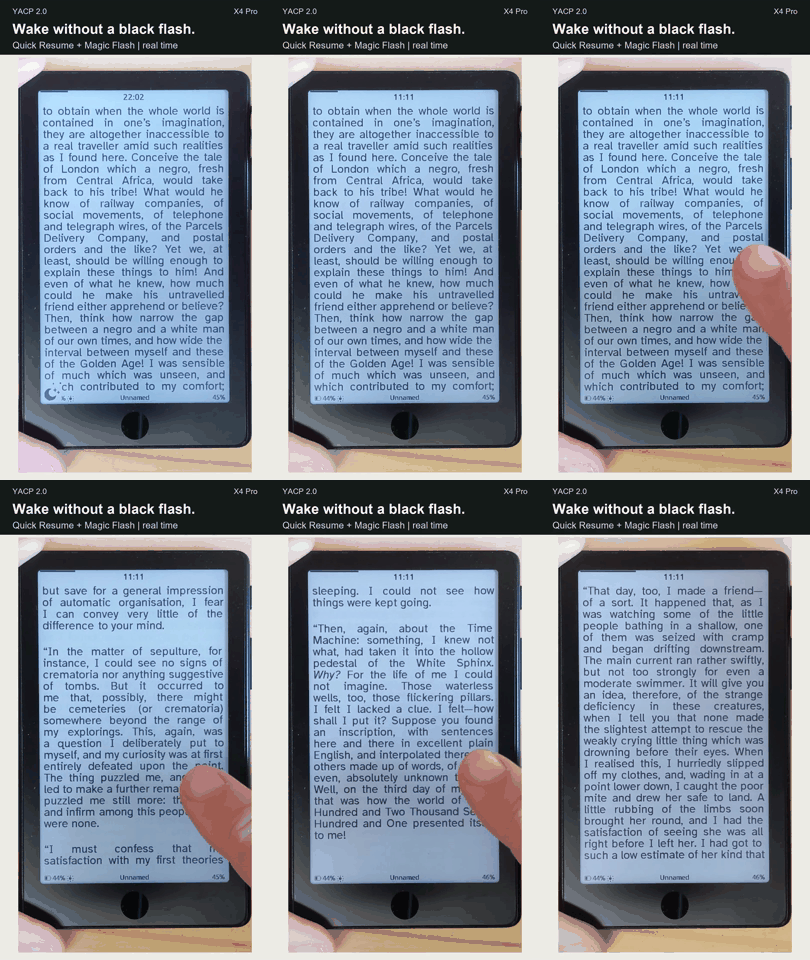
Watch the full X3 and X4 Pro demonstration (MP4, 2:11).
New in YACP
Give each book its own sleep screen
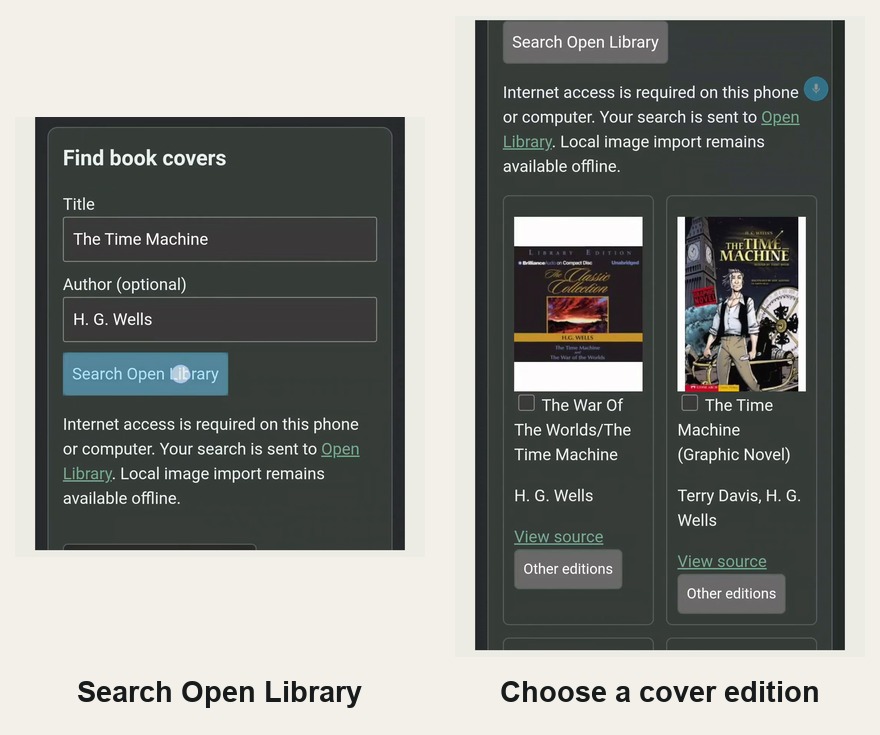
Each book can already have its own sleep gallery. In 2.0, you can fill it from your phone: search Open Library, compare editions and send several covers at once.
The browser crops the images and converts them to grayscale before uploading them. The reader receives images already prepared for its screen. The three images below are all from the gallery for The Time Machine.
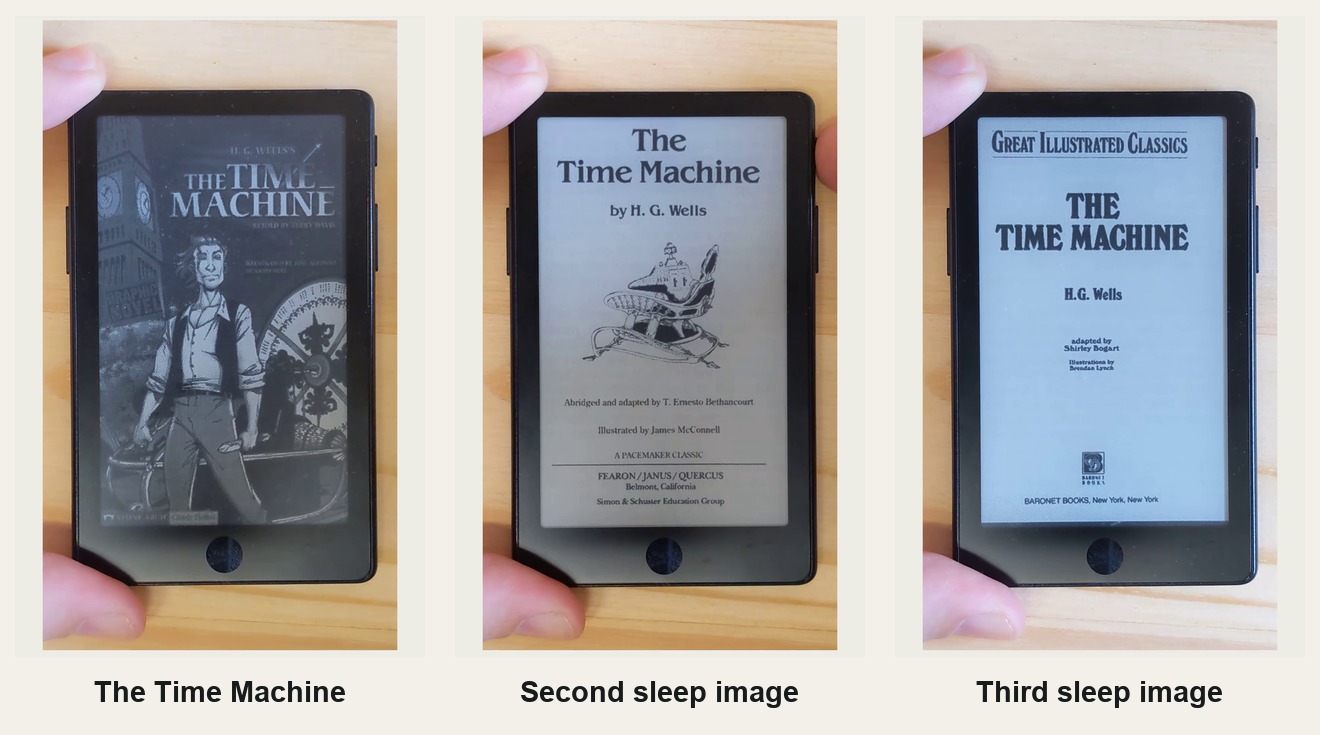
Turn the page, or pick another book
Magic Flash helps clear traces of the previous page during ordinary text page turns. In the X3 demo, the text pages turn without black flashes. The final close-up lets you inspect the blank space on the last page for traces of earlier text.
The beta extends Magic Flash to original X4 and X4 Pro units with a UC8279 screen that reports LUT 0x68. On a compatible X4 Pro, if you press Next again while a text page is refreshing, the reader can finish the active pass, skip the remaining cleanup passes and turn to the next page. Images and chapter changes can still trigger a full refresh. X4 Classic uses Classic refresh. The original X4 extension still needs a check on a matching physical reader.
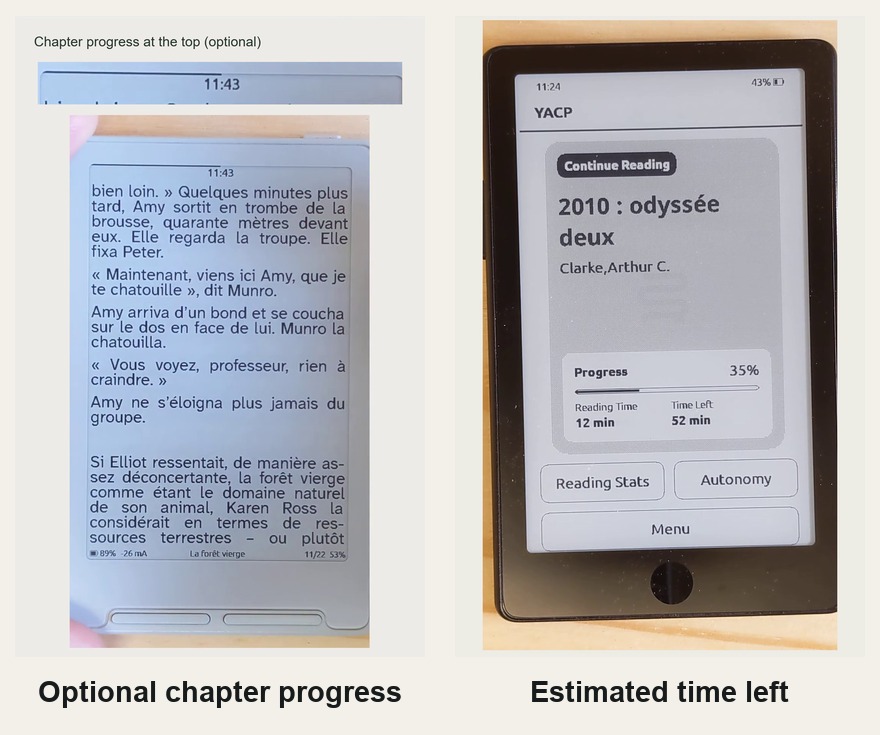
YACP Home shows your progress and estimated time left using information it has already saved. When you open Home or switch between recent books, YACP uses those saved details and skips loading or generating cover thumbnails. You can see where you left off and open the book straight from that screen.
While reading, you can show a clock and a bar that fills as you move through the chapter. On supported models, you can set a side button or the Home key to put the reader to sleep.
Keep the words you look up
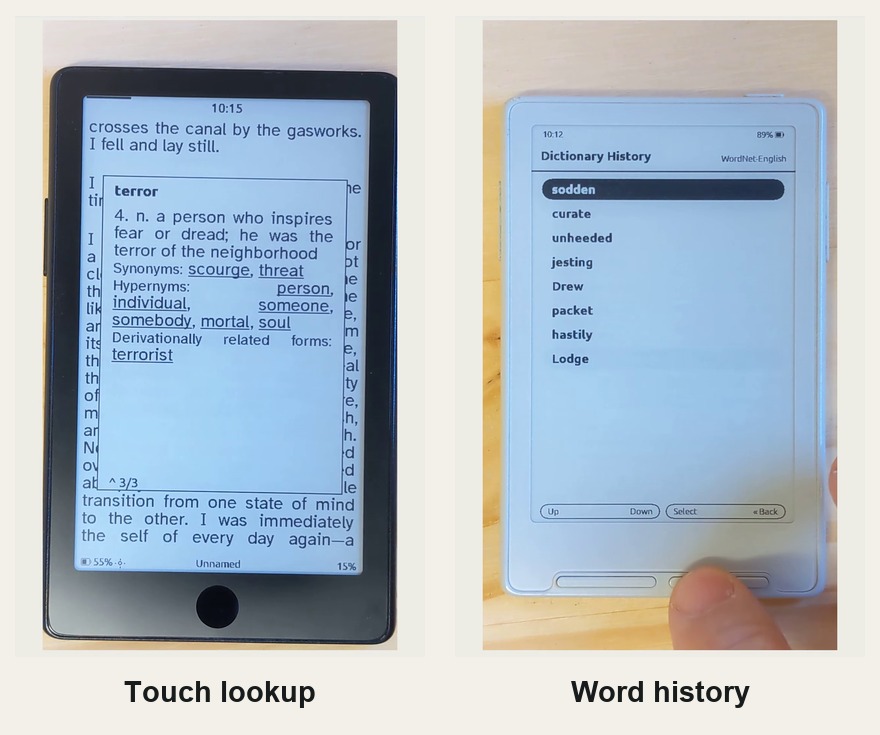
Looked up a word yesterday? Open Dictionary History from Home and select it again, even if you've moved on to another chapter. You can remove an entry and undo that removal immediately.
On X4 Pro, once a StarDict dictionary is selected, holding a word in an EPUB opens its offline definition on the page. Tap outside to go back to the text without turning the page.
Check the light in daylight
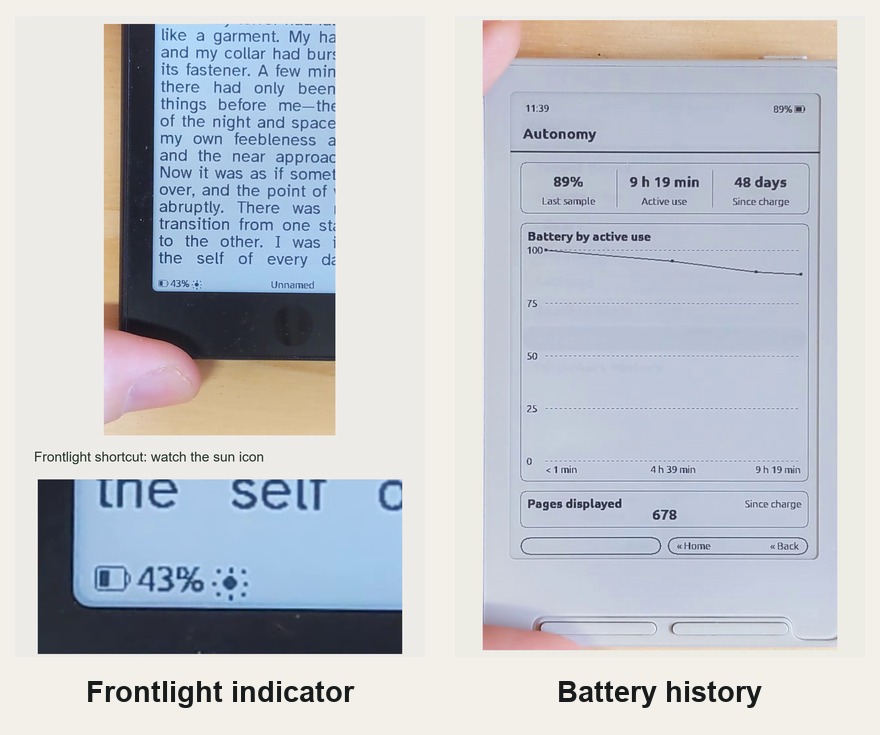
Reading outside? The sun icon on X4 Pro shows whether the screen light is still on. On X3, the optional mA number shows what the reader is drawing at that moment. It uses a battery reading the device already takes. For the longer view, open Autonomy to see how the battery level changed over your hours of active use.
From CrossPoint 2.0
CrossPoint 2.0 provides the reading engine for EPUB, TXT and Markdown. In EPUBs, you can highlight text and save passages to revisit later. If you use a compatible CrossPoint Sync server, you can sync those passages as well. You can also enable a Bluetooth remote to turn pages on any of the three builds above.
More of YACP
Give each book its own font, spacing and layout. For example, you can make the text larger in one book and keep your usual size in the others. You can also turn on Focus Reading, Guide Dots or dark mode for reading. All three builds include Atkinson Hyperlegible Next and Lexend Deca at 12, 14 and 16 pt, and you can add fonts from your SD card.
The reading log tracks time per book and across your library, with daily and weekly history and a record of finished books. If you read for five hours in one day, your daily stats now show all five hours. They used to stop at 4 hours and 15 minutes. Settings are grouped by topic. YACP keeps your previous choices where the same options are available.
Send books from your browser, browse an OPDS catalog or transfer them from Calibre. If you also read in KOReader, optional Smart Sync helps you pick up where you left off. When YACP can't match the two reading positions confidently, you choose which one to keep.
While you read an EPUB or XTC book, YACP groups progress updates to write to the SD card less often. When the reader goes to sleep, it saves your latest place if there's an update waiting to be written.
Change the font size and the page breaks can move. YACP keeps your place in the text when it rebuilds those pages.
If you rename or move an EPUB using the reader or its web portal, the book keeps its reading position, bookmarks, statistics, settings and sleep gallery. Saved excerpts move with the book too.
Migration and rollback
Try the new reading engine with a way back. YACP makes a separate copy of supported reading data before converting it for the update. If you're already on an earlier CrossPoint-based YACP build, the beta keeps a copy specifically for the switch to the 2.0 engine.
To go back, reinstall your previous firmware and use your original SD card or restore the backup you made before updating. Keep the books in the same folders so the reader can find their saved positions.
If you need to recover from a copy YACP saved on the card, find the folder that matches the firmware you used before the update.
Use a completed copy and leave any folder named Recover from a copy made by YACP
/.yacp-source-backup/pre-crosspoint-2.0.
/.yacp-source-backup/original.
/.yacp-migration-v1/original.
pending alone. Copy the whole folder to the top level of a spare SD card and name the copy .crosspoint. Put your books back in their original folders. The restored copy contains your reading data as it was before the update.
Credits
Based on CrossPoint, with the FreeInk SDK and retained upstream licenses. Credit to CrossInk for work informing the prepared dictionary index and staged download-to-SD updater. Thanks to TheRealGieve for identifying the daily-history limit, ludovic-marce for the web Smart Sync suggestion, and Doxxxxxx for feedback on justification and KOReader synchronization.