
YACP 1.7.0: stable for X3 and X4
This stable release brings together all changes since YACP 1.6.2 for X3 and X4. Thank you to the beta testers who
reported issues and confirmed the fixes on their devices.
Added
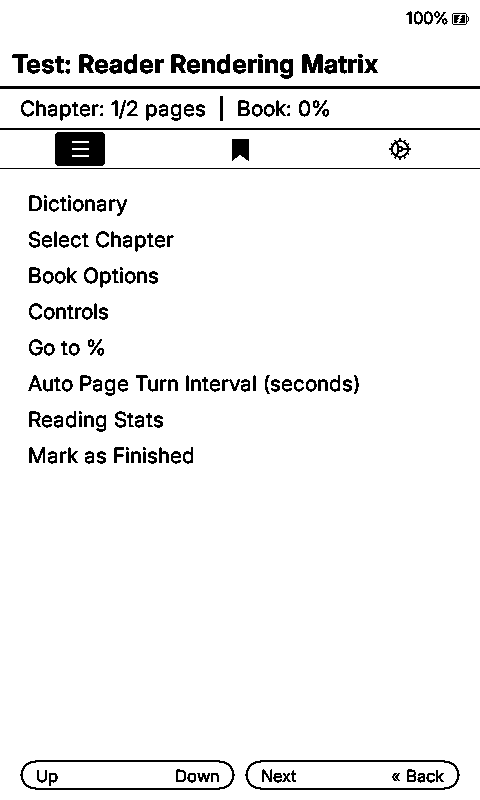
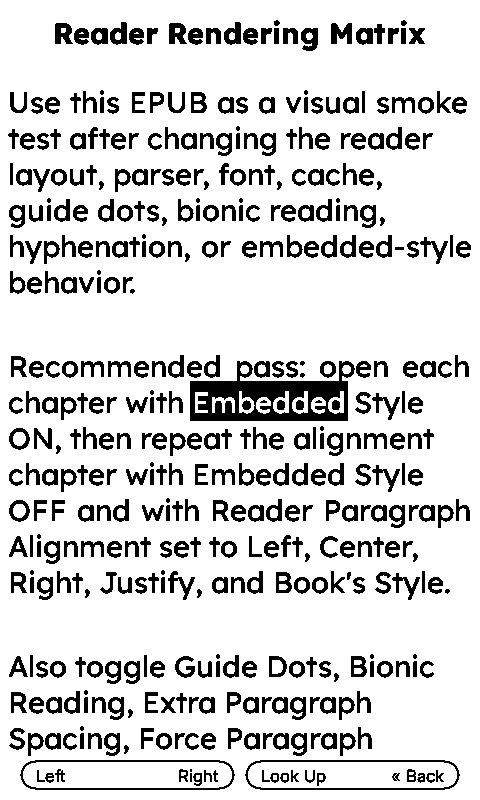
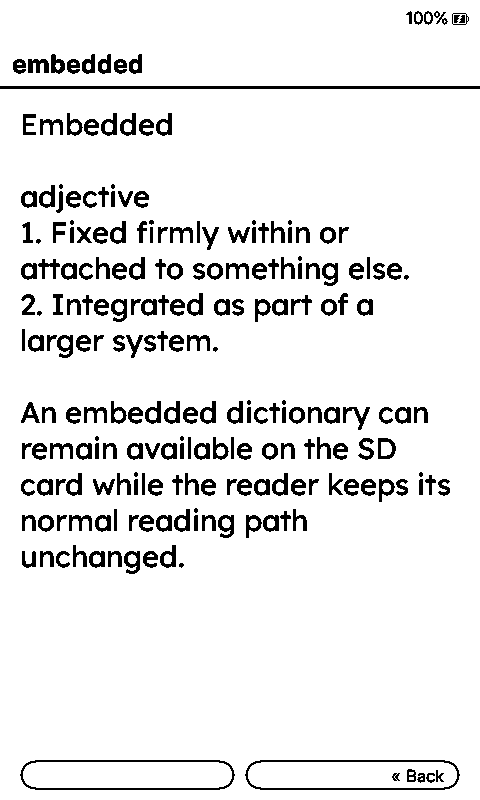
- Offline dictionary lookup directly from an EPUB page: highlight a word and read its definition without leaving the
book. YACP uses one prepared, uncompressed StarDict dictionary, including compatible CrossInk-prepared dictionaries
and Cambridge/XDXF entries. A desktop preparation script and setup guide are included. - Chinese, Japanese, and Korean metadata can use the selected SD-card reading font across Home, Recent Books, File
Browser, the reader status bar, reader menu, and chapter selector. Titles, authors, filenames, and chapter names
no longer depend on the limited built-in UI glyph set. The selected font must contain the required characters.
Changed
- Quick Resume is the default sleep screen for fresh settings and the YACP setup profile, keeping the current page
visible between reading sessions. Existing saved sleep-screen choices are preserved unless a new profile is applied. - The former YACP Dashboard sleep-screen option is named Reading Dashboard in all 26 supported languages, making it
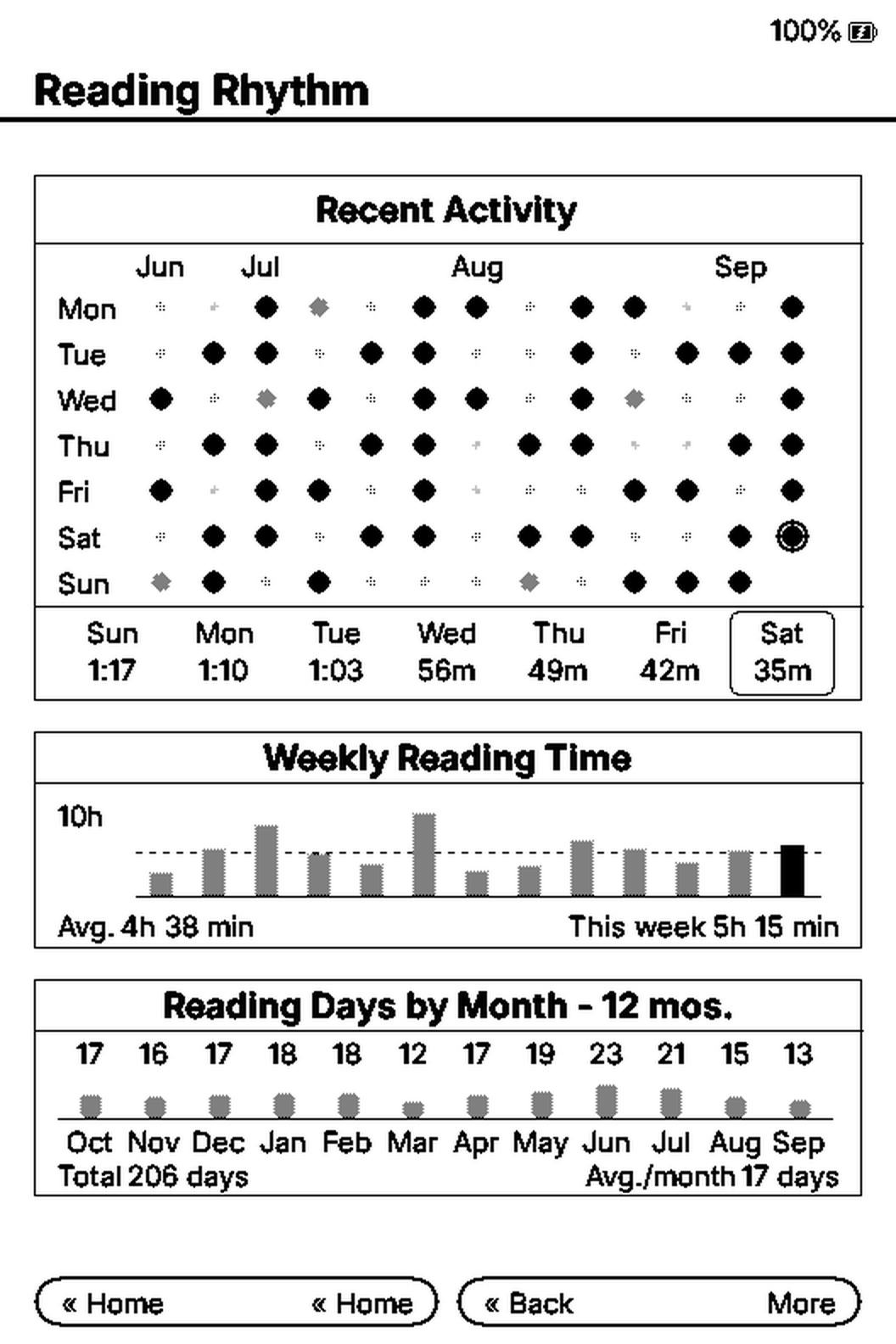
easier to distinguish from Quick Resume. - Reading Statistics uses larger values and labels when space permits, with a compact fallback for longer translations.
Reading Rhythm uses compact daily durations, spreads the last seven days across the available width, and keeps
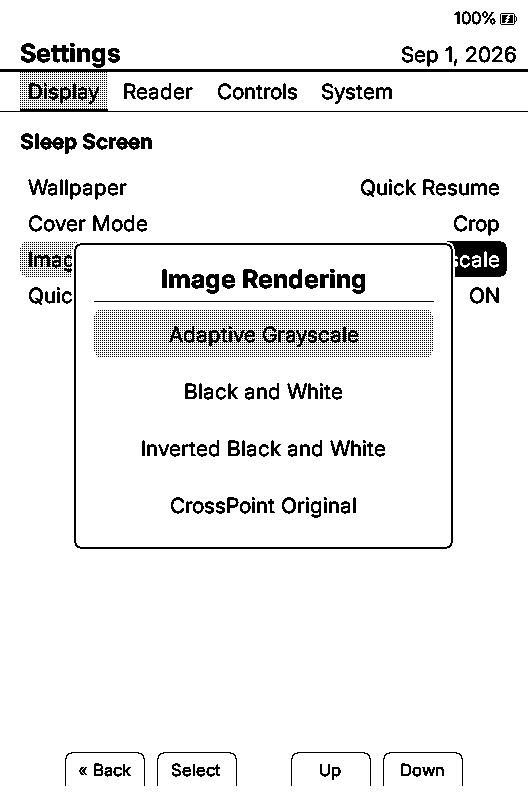
today's outline clear of the text. - Sleep-image settings now explicitly distinguish adaptive grayscale rendering from CrossPoint Original, so readers
can choose the earlier tonal mapping. Existing saved choices keep their behavior. - The YACP profile applies reinforcement on every page only to X3. X4 uses the normal 30-page cleanup interval, and
the legacy profile that caused a strong refresh on every X4 page is corrected. - GitHub Issues are open for reproducible bug reports, hardware feedback, and focused technical discussion.
Fixed
- EPUBs using repeated
<br><br>paragraph separators no longer accumulate inherited top margins and eventually
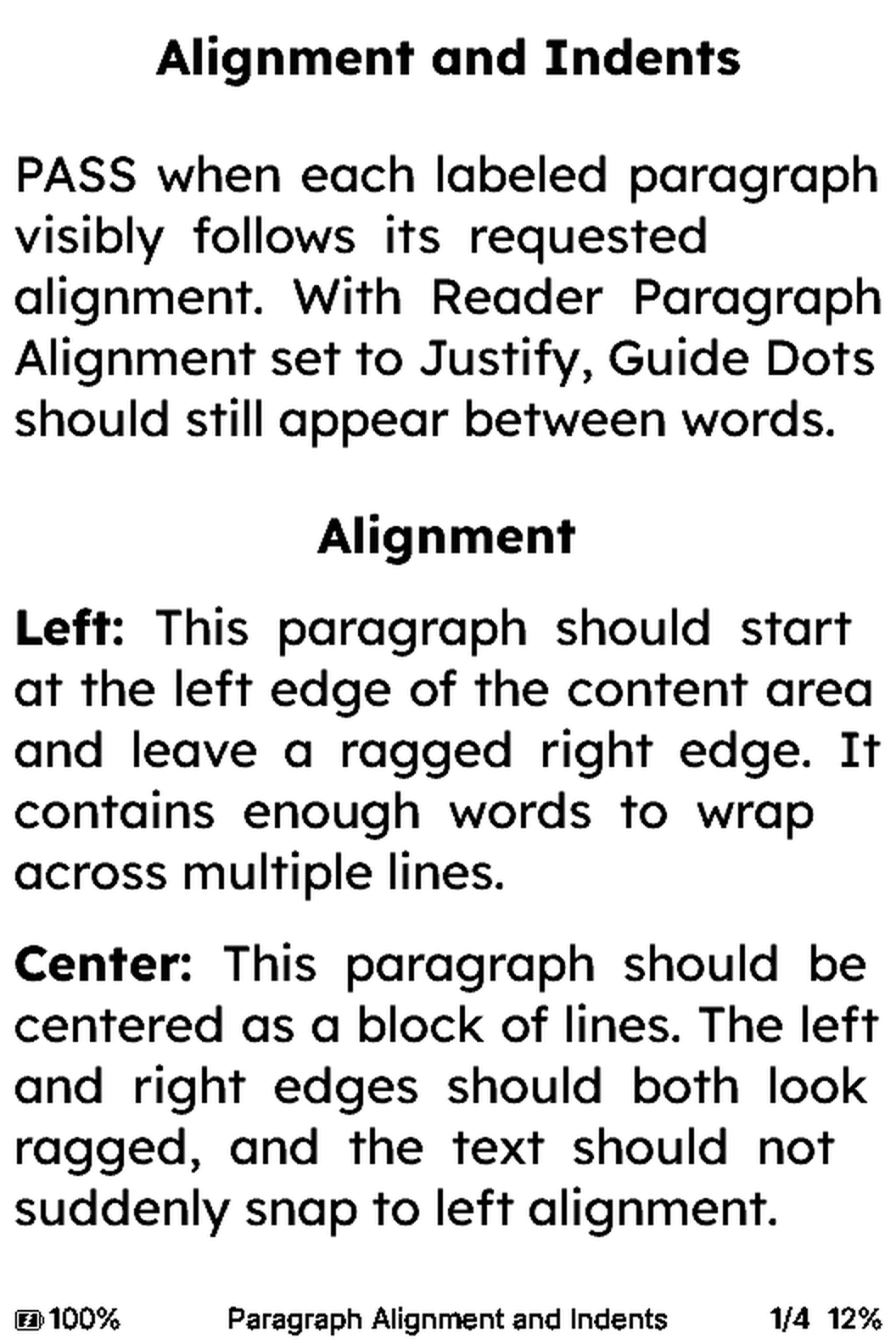
split each paragraph onto its own page. - Justification caps extra spacing at one natural space per gap, avoiding oversized gaps while keeping visible
justification when switching back from another alignment. - Custom SD-card fonts with negative hashed identifiers are prepared correctly before drawing, preventing some
EPUB pages from appearing as replacement glyphs. Dictionary selection and definition screens keep the glyph cache
alive until drawing finishes, including when moving the highlighted word. - Cambridge and other supported StarDict dictionaries with XDXF metadata are recognized instead of being reported
as missing. Definitions are displayed as text with supported markup and common entities converted in place. - Newer X3 UC8279d panels with blank MTP data are recognized through two matching, non-uniform RMTP reads, avoiding
missed detection and false positives from an inactive display bus. - The UC8279d display driver always sends its power-off command before deep sleep and waits for BUSY only when the
panel was active. - Firmware Update checks YACP releases, selects the installed Tiny or XLarge variant, and reports an up-to-date
installation normally instead of treating it as an error.
Why a YACP dictionary implementation?
YACP has its own dictionary implementation shaped around focused reading and the ESP32-C3's limited memory.
Opening the selector prepares the visible words; dictionary discovery and file lookup begin only when a word is
confirmed. Boot, normal page turns, Quick Resume, and idle reading do no dictionary work.
The prepared .idx.oft.cspt index stays on the SD card rather than being loaded into RAM. Definition buffers are
bounded to 8 KB, and dictionary resources are released when the corresponding screen closes. There is no background
worker, on-device indexing, or on-device dictionary decompression. This keeps dictionary work explicit and bounded;
it is not a claim of measured battery-life or speed gains.
The scope is deliberately small: one dictionary, direct word lookup, and a text definition view. Dictionary selection,
synonyms, stemming, suggestions, lookup history, phrase lookup, and rich HTML layout are not included.
Credit to CrossInk's prepared index format
and CrossPoint's reader word-selection flow,
which informed this implementation.
Screenshots
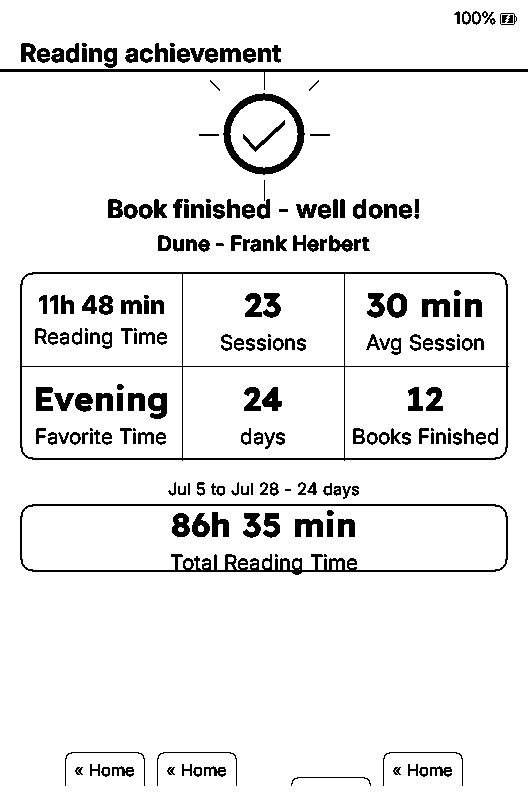
All seven previews from the 1.6.3 and 1.7.0 betas are collected here. These simulator captures use the English UI;
screen proportions vary with the simulated device. The finished-book summary illustrates an existing feature.
| 
| 
|
| Dictionary in the reader menu | Select a word on the page | Read its definition offline |
| 
|
| Clearer Reading Rhythm | Capped justification spacing |
| 
|
| Sleep-image rendering choices | Finished-book summary (existing feature) |
Download and install
Both firmware variants support X3 and X4. They differ in bundled font sizes:
For this transition from 1.6.2 or a 1.7.0 beta, download the matching file and install it manually using the
installation guide.
The installed 1.6.2 updater still uses the old feed, and beta updaters may consider 1.7.0 stable to be the same version.
Validation
Beta testers confirmed the fixes for their reported issues. X3 is the maintainer's development device; X4 feedback
and hardware checks come from community testers.
- 106 host tests passed.
- Eight simulator scenarios passed, including Cambridge lookup with a custom SD-card font, EPUB layout, CJK
metadata, reading statistics, and Autonomy. The test driver was adapted to open the statistics screens through
their normal button navigation. - Firmware build: official Tiny and XLarge workflow.
Production sources match the simulator candidate; the public version differs from the simulator's test version. - The firmware version, variant, image validity, OTA partition size, and published SHA-256 are checked before release.
Support development
A small personal note: I currently develop YACP on my own X3 and rely on community testing for other devices. If you'd like to help fund an X4 for development, it would help me reproduce issues and test improvements directly. No pressure: testing, feedback, and bug reports already make a big difference. Thank you!