
Desktop GUI release.
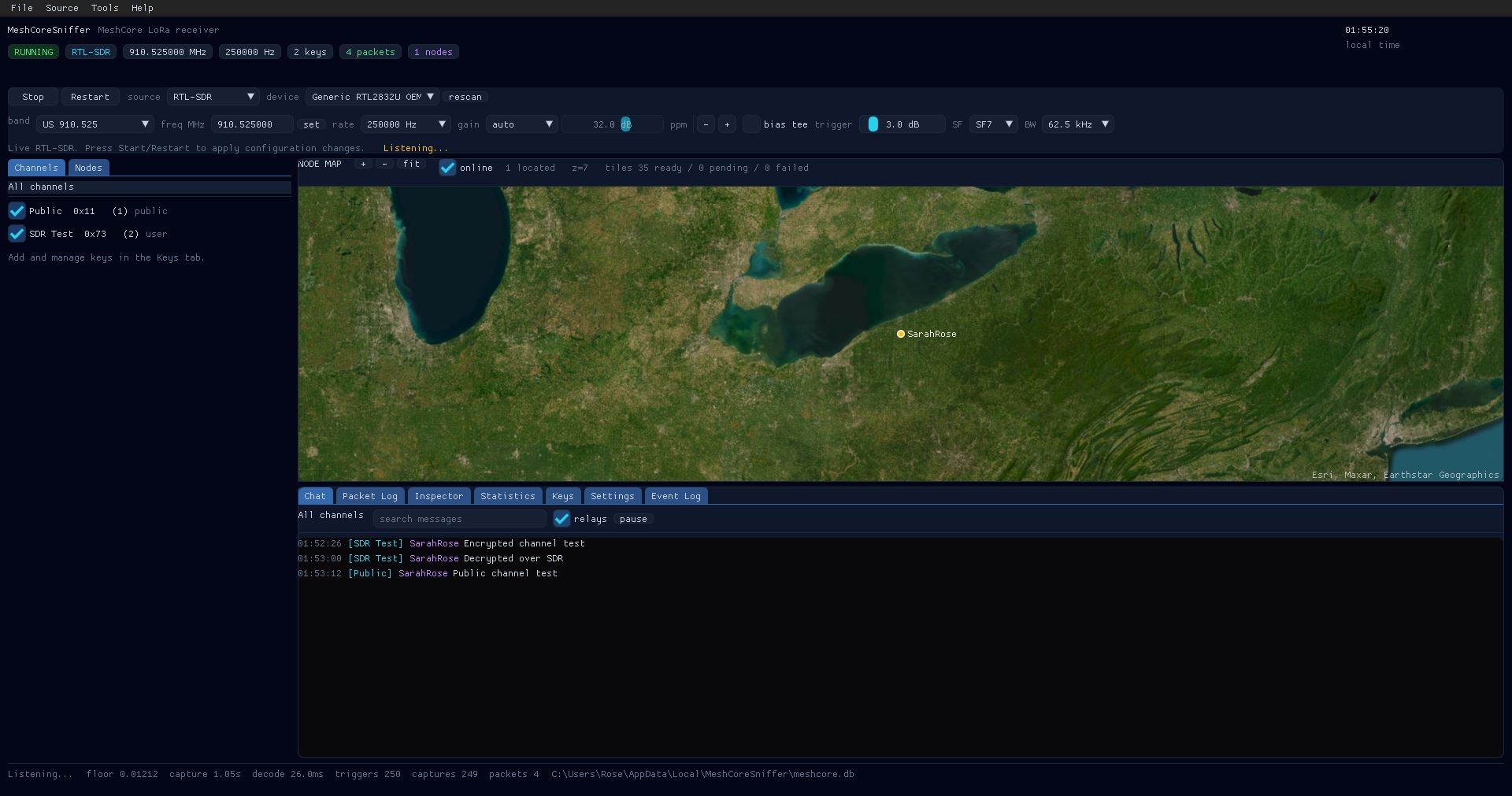
Changes in v1.1.0:
- Added MeshCoreSniffer-gui.exe, a Dear ImGui + GLFW desktop dashboard.
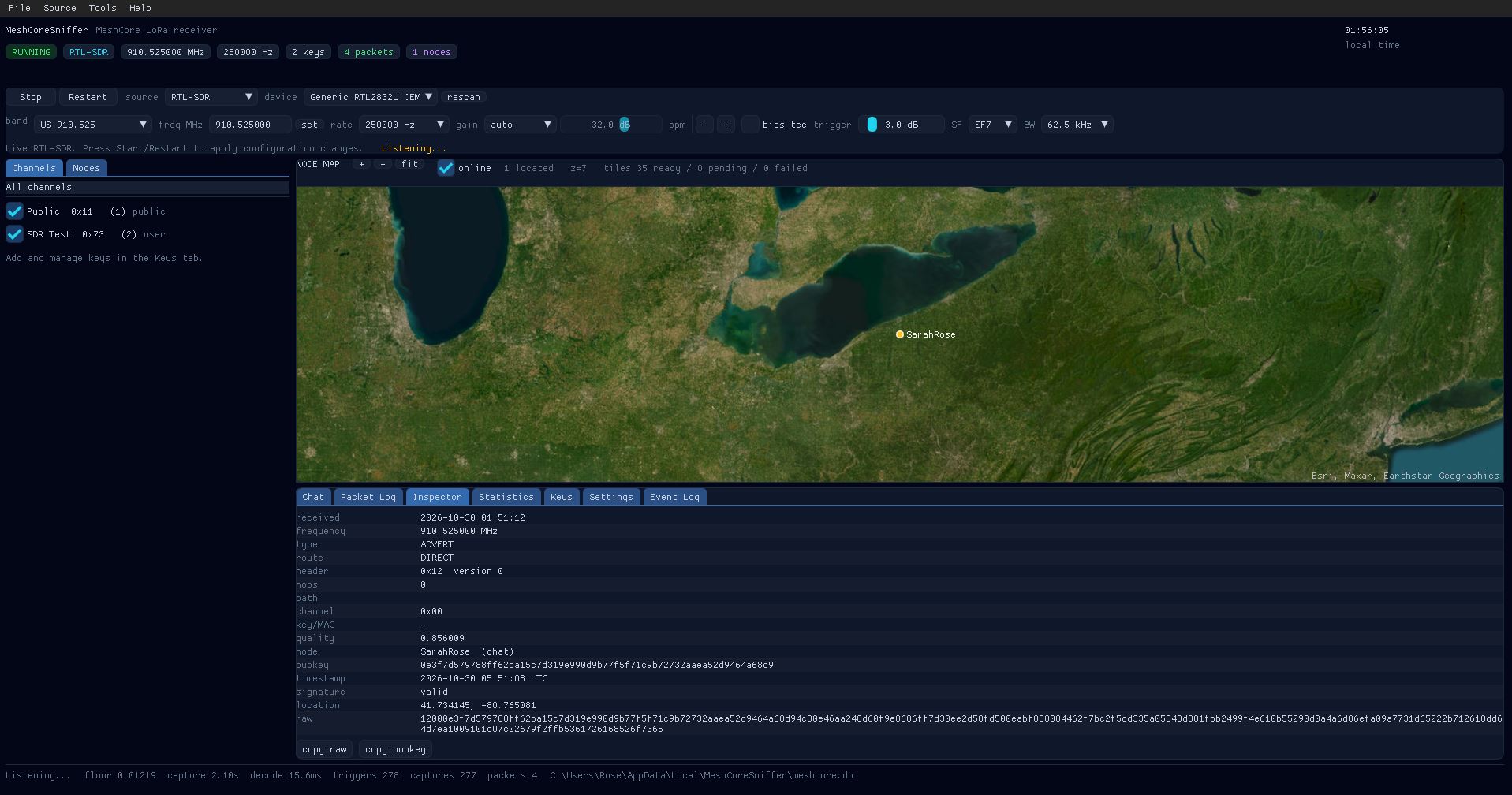
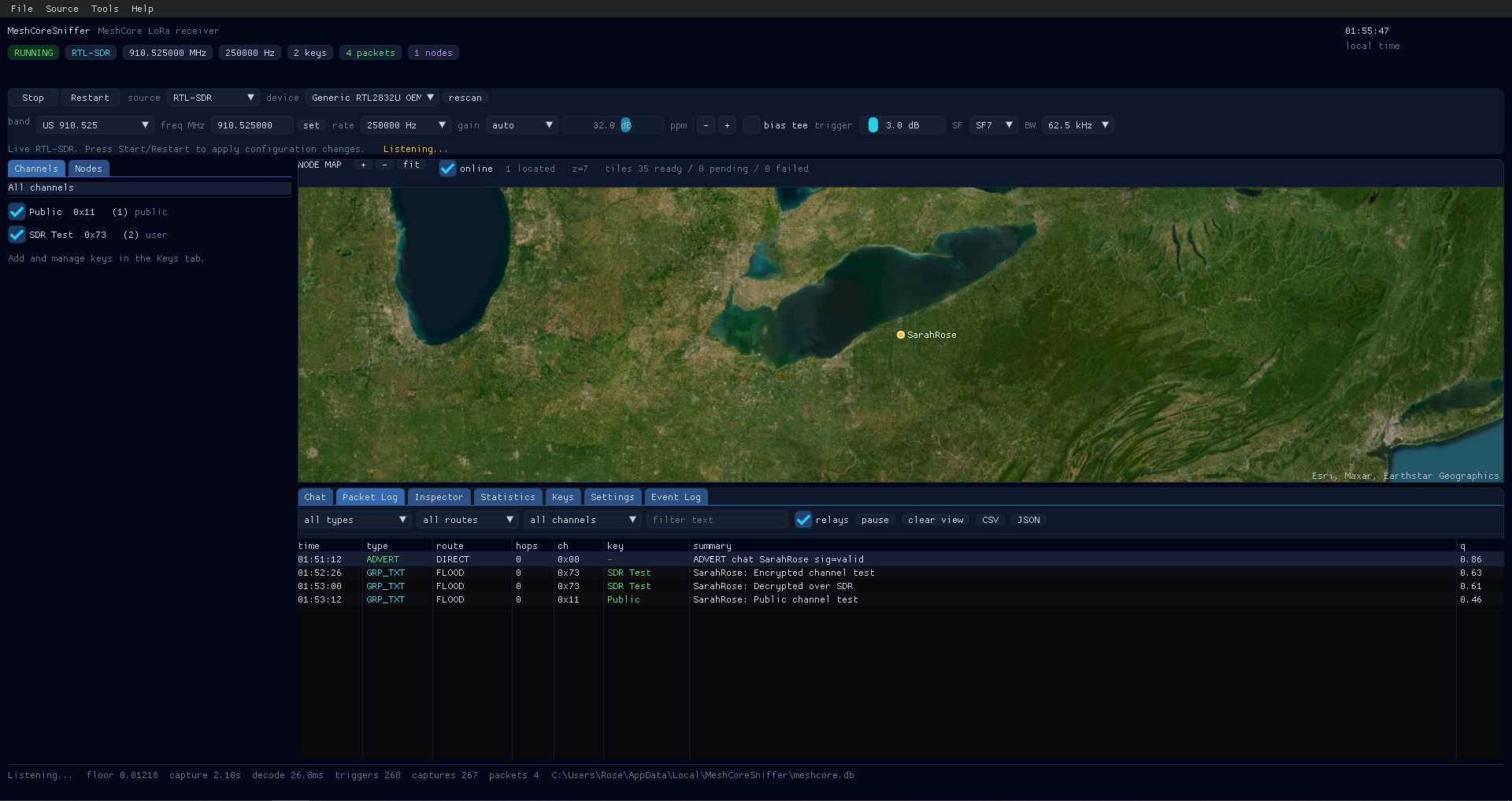
- Fixed dashboard with a live node map, chat channels, key manager, packet log,
packet inspector, statistics and event log. - RTL-SDR or streaming IQ WAV sources, with US/EU band presets and custom
frequency. - Add/remove/enable 16- or 32-byte channel keys; public key always enabled.
- Map markers for adverts with location (Esri World Imagery by default; cached
under%LOCALAPPDATA%\MeshCoreSniffer\tiles). - SQLite history, keys and settings under
%LOCALAPPDATA%\MeshCoreSniffer. - CSV/JSON export and a live chat view with sender/hop/timestamp detail.
- GUI is receive-only. The console decoder is unchanged from v1.0.3, including
the 250 kHz default, in-band trigger and corrected RTL-SDR gain mode.
| Packet inspector | Packet log |
|---|---|
| 
|
Includes:
MeshCoreSniffer.exe(console receiver, unchanged)MeshCoreSniffer-gui.exe(desktop GUI)librtlsdr.dll,libusb-1.0.dll,glfw3.dll,libsqlite3-0.dllLICENSE,NOTICE.md,README.md, screenshotslicenses/for ImGui, stb_image, GLFW, SQLite, librtlsdr and libusb
Requirements:
- Windows x64.
- RTL-SDR live mode needs the WinUSB driver installed (e.g. with Zadig).
- Offline IQ WAV decode works without an RTL-SDR.
Usage:
MeshCoreSniffer.exe
MeshCoreSniffer-gui.exe
MeshCoreSniffer.exe --iq capture.wav
MeshCoreSniffer-gui.exe --wav capture.wav --start --exit-after 15
The GUI is RX-only; the CLI MeshCoreSniffer.exe remains available and
unchanged. See NOTICE.md for the OpenITC-derived GUI attribution and bundled
third-party licenses.