
KMRP 1.6 is the biggest update since 1.0. It brings the original Xbox controls to the pad, with remapping, Pazaak and swoop racing; text, HUD and icon sizes of your choice with a new sharp HD Original font; menus laid out live for your screen, a mod's menus included; and a native Linux installer. The Mac version is updated to 1.6 as well.
Every change is in the CHANGELOG, entry by entry, with what was and was not seen in play.
Download
| Platform | File |
|---|---|
| Windows (Steam, GOG, disc 1.03) | KMRP-Windows-1.6.0.exe
|
| Linux (Steam with Proton, SteamOS) | KMRP-Linux-1.6.0-x86_64.AppImage, or the Windows installer through Protontricks
|
| macOS (Steam, Mac App Store) | KMRP-macOS-1.6.0.dmg
|
| File | Size | SHA-256 |
|---|---|---|
KMRP-Windows-1.6.0.exe
| 59,700,224 bytes | C96EC1201BA37CE428DD174080A5DACE3A9985A3AB80BF04B4939DB39A1820C5
|
KMRP-Linux-1.6.0-x86_64.AppImage
| 70,199,800 bytes | 76AB2ED6FBBD82D8943542F4BF8D812EDEB33ABABD3C9171EA41F93E43D9AF3F
|
KMRP-macOS-1.6.0.dmg
| 76,280,999 bytes | B2AD134AA944FAD8E6A29AC3E2EA25C13FB2853EC7DCFEC7586D5EE36866106D
|
Windows: run KMRP-Windows-1.6.0.exe and press Start Patching. Over 1.5 or 1.5.1 it offers Upgrade, which keeps your settings; there is no need to restore first. Restore Original puts everything back.
Linux: make the AppImage executable and run it. It finds the Steam game, installs and restores like the Windows installer, and prepares KMRP's art before the first start. The Windows installer still works too: protontricks-launch --appid 32370 KMRP-Windows-1.6.0.exe. Set KOTOR's controller layout in Steam to Gamepad.
macOS: open the disk image and drag KMRP Installer onto Applications. KMRP is not signed by an Apple developer account, so the first time macOS asks you to allow it (System Settings, Privacy & Security, Open Anyway). Needs macOS 10.13 or later, and Rosetta 2 on Apple Silicon. Full steps: macos/PLAYER-README.md.
Controller
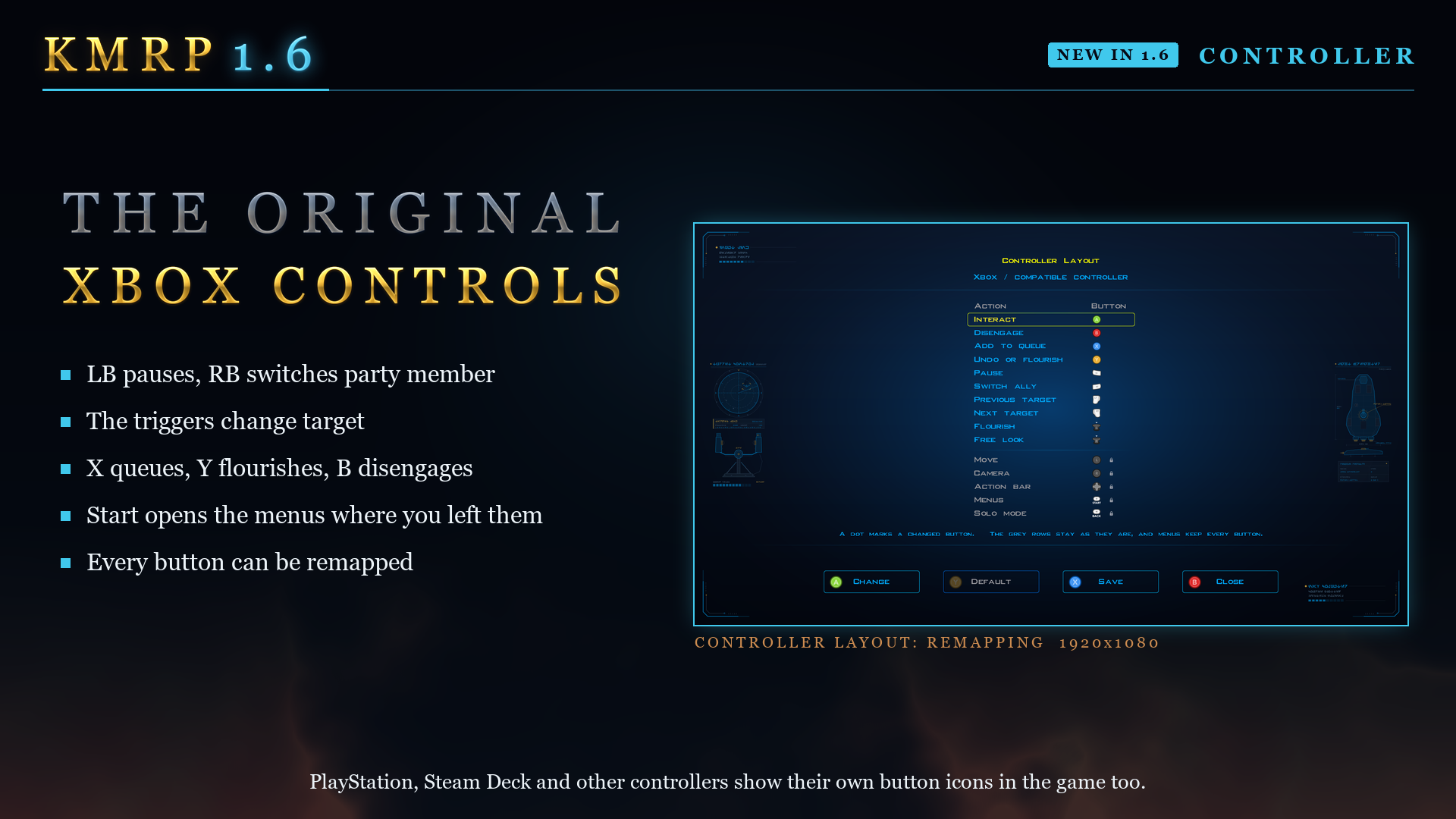
- The original Xbox game's controls everywhere (issue 49). Its White and Black buttons are LB and RB: LB pauses and RB switches party member; the triggers change target; X adds what A does to the queue; B disengages when there is nothing to let go of; Y flourishes your weapon when there is nothing to undo. Start opens the menus on the screen you used last. In menus RB switches party member and the Journal is the game's own again.
- Remapping: every main button can be given to another action on the Controller Layout screen, in a table, with Save, Default (it asks first) and a warning for unsaved changes.
- The Xbox-style HUD's action row is the Xbox manual's six places (issues 50, 55): with an enemy targeted you can still pick your own Force powers, such as Heal and Burst of Speed, and Stealth is in the row whenever it would work. Only one place lights at a time (issue 56).
- Combat buttons: Y and B always work, the D-pad cycles actions, X queues, A on an action slot works, and the action bar ignores bark bubbles (issues 87, 88, 90).
- Pazaak with the pad, as on the Xbox: X plays the card you picked, LB flips it, A ends the turn and Y stands, in one row. The side deck screen is drawn as the Xbox drew it.
- Swoop racing and the gun turret (issues 47, 62): the left stick steers and aims; A starts, shifts and shoots; the triggers shoot in the turret; Start pauses. At the shift point the race shows the pad's button instead of "Space". Holding one fire button no longer blocks another. The stray red chevron on wide screens is gone.
- Button pictures drawn sharp at every size (issue 68), from vector outlines at the exact size shown, each letter centred on its button. The Xbox HUD's frames, the tab arrows, the Controller Layout diagram and the swoop prompt are drawn the same way, so the controller patch is much smaller.
- Moving: a quick flick into a corner of the stick no longer runs faster or the wrong way, and a long diagonal no longer spins the character (issue 46). Free look looks up and down with the right stick (issue 45).
- The left stick walks conversation replies (issue 58) and moves the selection in character creation and other screens that move by themselves.
- Menus with the pad: the galaxy map moves planet to planet and its description follows (issue 57); saving keeps the name popup up; character creation has Cancel and a Select button; X is OK on Advanced Graphics and Sound, and V-Sync and Frame Buffer Effects chosen with A are saved; A on Resolution no longer closes Graphics Options too; A on a message box no longer clicks the button behind it; always-shown buttons such as "B Close" are hints the D-pad never lands on; Text Size and HUD Size can be used fully with the pad.
- Switching: moving the mouse takes over from the pad at once. The mouse no longer turns the camera while the pad is in use under Proton, a stray cursor at the top of the screen is hidden (issue 85), and the pad no longer loses the menus to a mouse nobody touched at low resolutions.
- A Bluetooth DualSense switched off by Steam's idle timer is found again when it comes back (issue 71).
- Movies: the A that skips a movie no longer presses the next screen's button, and rumble stops when a movie starts.
- The controller patch on its own gives a GUI mod's screens their button prompts instead of replacing them.
Text, HUD and icon size
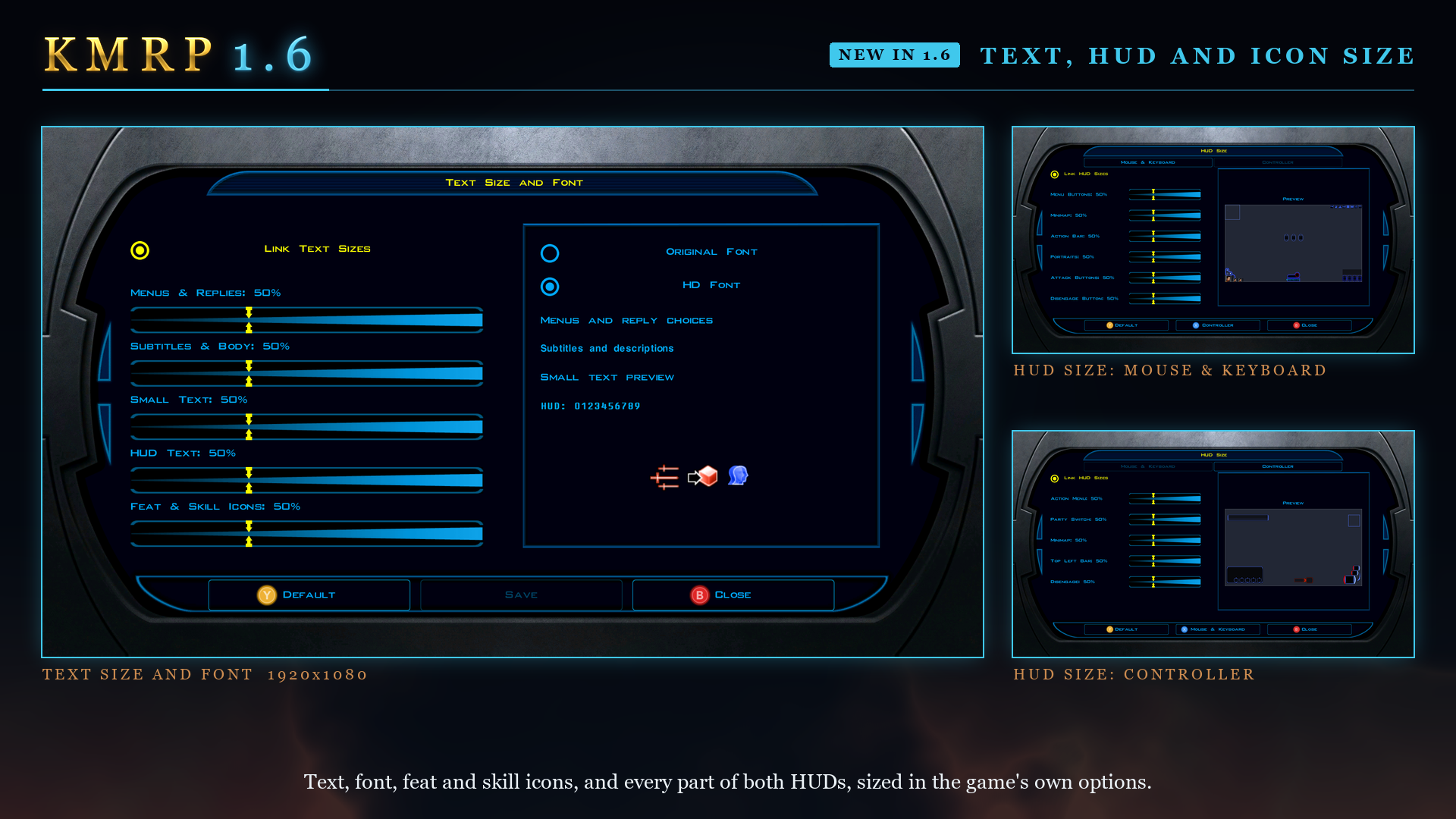
- Text Size and Font in Graphics Options (issues 51, 65): four sliders (menus and replies, subtitles and body text, small text, HUD text), 50% is the original size, "Link Text Sizes" moves them together, and Save applies them.
- Text fits its space: a label too small for its text draws it at the largest size that fits; list rows, item, feat, power and skill icons and the feat and power charts grow with the text; conversation text uses the bottom bar down to the screen's edge, so subtitles are not cut. The letterbox bars stay as they are.
- Fonts: HD Font, the new default, is KMRP's own redraw of the game's font at its original sizes and spacing (issue 52), free under the SIL Open Font License, with every character of the original, the HUD's black outline and kerning. Original Font is the game's own. Modded Font appears when your Override folder holds fonts, which are fitted to the size they are drawn at, and fonts from translations and mods wrap correctly (issue 63).
- Icon Size for feat, Force power and skill icons (issue 80).
- HUD Size: each part of each HUD larger or smaller, 25% to 100% (twice the normal size), with a preview, for the mouse and keyboard HUD and the Xbox-style HUD. The action description grows with the text size, and a long name makes the Xbox HUD's name bar taller.
- These pages explain themselves in the description box.
Menus laid out live: Live Adaptive Layout
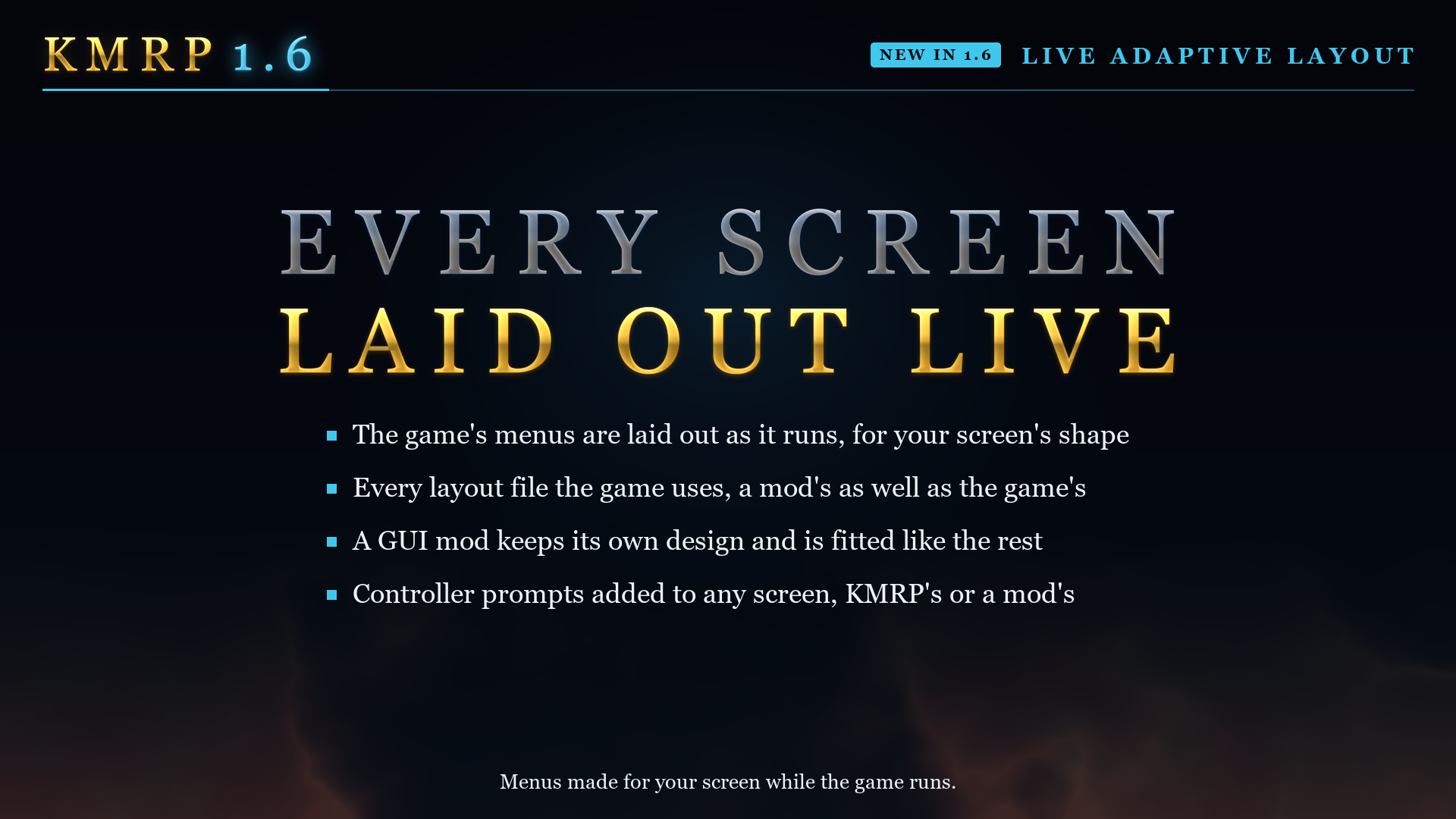
- 73 of the game's 85 menu layouts are laid out as the game runs, for your screen, from the game's file or a mod's: the main menu, options, Inventory, Equipment, Character, Abilities, Feats, Powers, Journal, Store, Container, workbench, Terminal, class selection, party selection, tooltips, message boxes, the area map, the conversation box and more. A GUI mod's screens are no longer forced to 640x480, and a mod's screen already made for your size stays as its author made it.
- A mod's copy of a file KMRP changes keeps both (issue 79): tables, pictures, models and layouts are merged, and the mod wins where the two disagree.
- Captions sit in the middle of their bars, the main menu's included.
- Shops: the item list stays on the screen (issue 61). Galaxy map: the planets sit where the game has them, and a mod's moved destinations are kept (issue 67). Party Roster Limit 32: KOTOR Patch Manager's 32-slot roster gets a layout of 16 slots a page, with its portraits repaired (issue 38).
- Marked Empty Containers (issue 43): a footlocker or body with nothing left says "(empty)". ShaeMyName's mod, with permission, on by default.
Graphics, movies and Alt-Tab
- Every frame is drawn offscreen and shown when finished. Menus no longer flash on NVIDIA's "Prefer layered on DXGI Swapchain" (issue 14), so KMRP no longer changes that NVIDIA setting, and Windows Auto HDR and RTX HDR keep working (issue 73). An install removes the "Prefer native" that earlier versions set. It runs under Proton too (issue 93). If a driver refuses it, the game falls back to drawing in the window;
window-drawn=1under[Offscreen]inconfigs\kmrp.initurns it off. - K1 Modern Driver Compatibility 2.0.1, installed as its KOTOR Patch Manager patch, so it works under Proton with no launch option (issue 44), with its author's own build on Windows 7 and 8. Screens with KMRP's art no longer stall on opening with it (the workbench: about 0.9 s down to under 0.1 s), and a black screen at any brightness but the default with anti-aliasing on is fixed.
- Movies: no screen reset after a movie; on screens wider than 16:9 a movie plays at its 16:9 size in the middle; the startup movies draw with GDI, meant for black movies on Windows 7 with an AMD card (issue 48).
original-movie-mode=1under[Movies]inconfigs\kmrp.inibrings back the 640x480 switch. - Keyboard and mouse are no longer lost after the startup movies.
- Alt-Tab in full screen (issue 96): coming back keeps the game's window, so it no longer rebuilds the picture and reloads every texture first, and your brightness comes back. Inspired by J's Alt Tab Patch for KOTOR Patch Manager.
rebuild=1under[Alt-Tab]inconfigs\kmrp.inibrings the old way back. - A saved resolution or refresh rate the display no longer has is replaced by the best one it does have (issue 92).
- The 3D models on class selection and the main menu are no longer black on first opening.
Installing
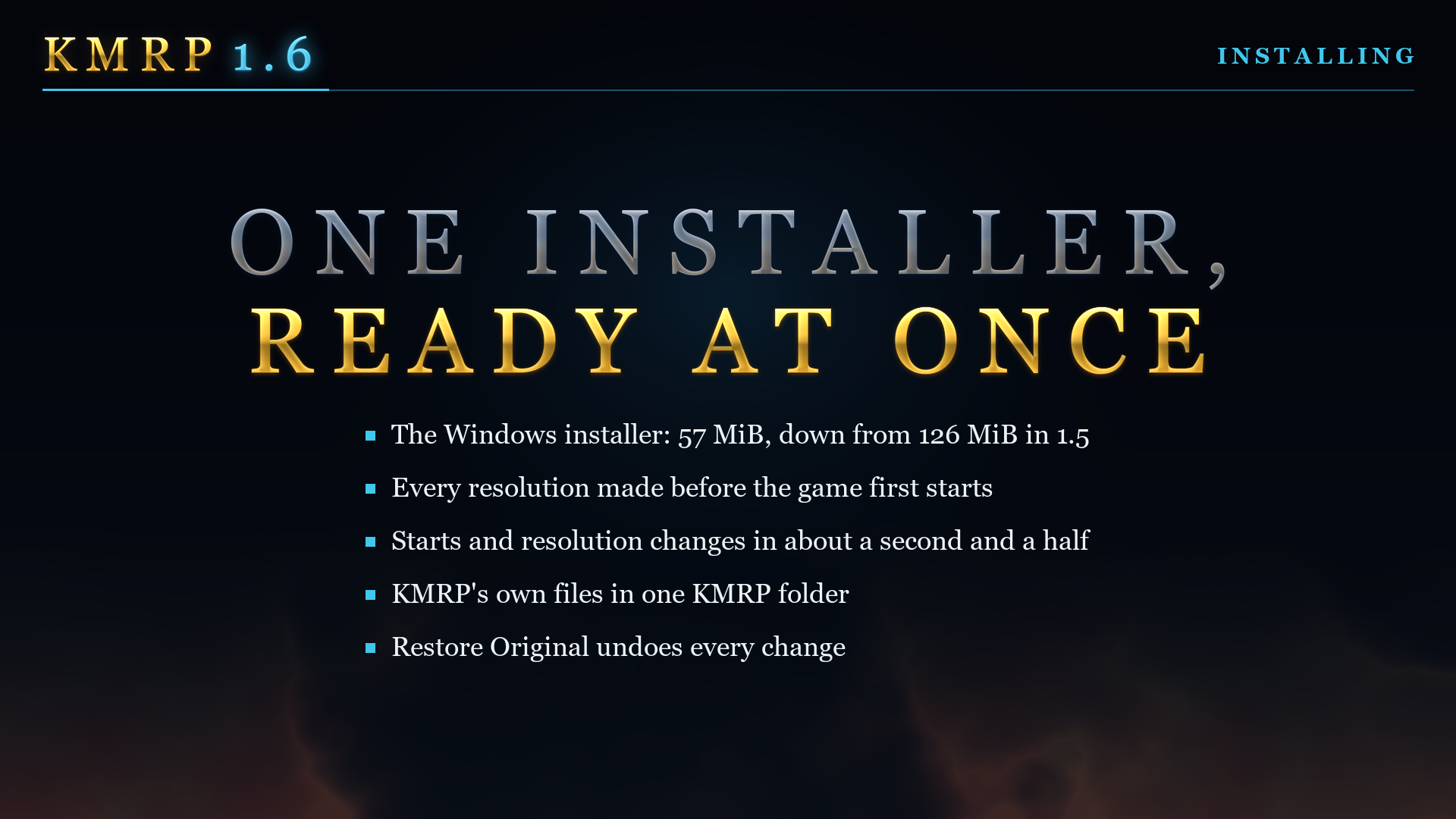
- An installer of 57 MiB instead of 1.5.1's 140. The installer prepares every resolution your display offers before the first start, with a time-left countdown; after that, starts and resolution changes take about a second and a half.
- Upgrade over an older KMRP keeps your settings. Apply New Settings (Windows) changes only what you changed in Advanced Settings, without installing again.
- KMRP's own files are in one
KMRPfolder in the game folder, with its logs, backups andcontroller.ini. - Windows compatibility mode on
swkotor.exeis turned off when it would break the game (issue 39), and Restore Original puts it back. - Safer: the installer checks before it starts, refuses cleanly while the game runs, says what it could not do, and shows Repair when an install needs it. An install that is stopped or fails leaves nothing it cannot undo. Restore Original with the game running gives a plain message instead of a stack trace (issue 75), and no longer leaves KOTOR Patch Manager's runtime behind. Installing over KMRP 1.0 works again.
- Robust art cache: two installs no longer spoil each other's art, a file a virus scanner takes away is made again, a failed helper is tried again, and KMRP works for a Windows user name in any script.
- The installer's step icons are vectors, sharp at any display scale.
Linux
- A native Linux installer (issue 76),
KMRP-Linux-1.6.0-x86_64.AppImage. It finds the Steam game, installs, restores and prepares KMRP's art as the Windows installer does, silently, with its progress shown. Apply New Settings is Windows only for now. - K1 Modern Driver Compatibility and the offscreen frame now run under Proton.
macOS
- KMRP 1.6 for the Mac (issue 81): the art pack, Live Adaptive Layout, Text Size and Font with Modded Font, HUD Size, the Xbox controls and HUD, Pazaak with the pad, Apply New Settings, and a disk image of 76 MB instead of 115.
- The Mac App Store version is supported: the installer adds a "KOTOR with KMRP" app that starts the unchanged App Store game with KMRP.
- Anti-aliasing is switched off at 3840x2160 and above without changing your setting.
Built on FTD's work. The Mac version stands on FTD's KotOR Patch Manager patches for the Mac game, and 1.6 brings his latest:
- Widescreen Patch (FTD and RaymanGT), the base KMRP's Mac version is built on: the resolution, the video mode and the letterbox bars. FTD's update of 2026-11-09 places the menus' background picture again.
- Stray Bug Fixes (RaymanGT and FTD), which carries the engine fixes that hold at any resolution. FTD's update of 2026-11-09 brings back the menus' hover and click sounds on the Mac and stops a crash in Dantooine's Ebon Hawk vision and in Carth's conversation.
- K1 Shader Fixes (FTD, J, Synchro and Vriff), new in KMRP: fog, grass fog, reflections, overbright lightmaps, particle textures and bump mapping as Aspyr's port lost them. Steam's game only; the App Store's file has nothing for it to match.
- MP3 Playback Fix (Synchro, FTD, Vriff and Lane): loose
.mp3music, as music mods ship it. - Anti-Crash Prophylactics: protection against crashes and hangs from flawed mod models.
Thank you, FTD.
Not seen in play yet
Much of 1.6 was played by the maintainer at 3440x1440 on Windows with an NVIDIA card, and the Linux and Mac installers were run on SteamOS and on Macs. These were not seen in play when the release was made, and reports are welcome:
- Windows 7, AMD and Intel graphics, HDR displays, and the Steam Deck.
- The movie changes and the keyboard and mouse fix after the startup movies.
- A fight with a physical pad on the Mac; the swoop race and the turret on the Mac.
- Remapping and Modded Font in play on Windows; translations with the new text sizes.
The CHANGELOG says, entry by entry, what was seen.
Still open
- The "PAUSED" box in a swoop race is small and see-through (issue 47).
- The player's icon on the minimap at different resolutions (issue 66); below 121 pixels the minimap shows less area.
- Crashes on loading an area with some mods (issue 15).
Moved out of KMRP
- The KOTOR Modern Gamesave Editor (KMSE), first made here as the KMRP Save Editor, has its own repository.
- The KMRP Font Converter and the KMRP Original HD fonts have their own repository. KMRP still ships its HD fonts.
Thanks
FTD for Widescreen Patch, Stray Bug Fixes and the Mac patches above, Synchro for K1 Modern Driver Compatibility, D3M0 for High FPS Fixes, ShaeMyName for K1 Marked Empty Containers, the KOTOR Patch Manager project, J for the Alt Tab Patch idea, and everyone who reported issues and tested.