
Browse everything, pin your favourite corners, drive the card from your dashboard
Music Assistant knows far more music than your library: TuneIn categories, RadioBrowser genres and countries, Deezer's Made For You… This release brings all of it into the card, lets you pin any folder as its own tab, and hands the card's current tab over to Home Assistant so your own buttons and automations can drive it.
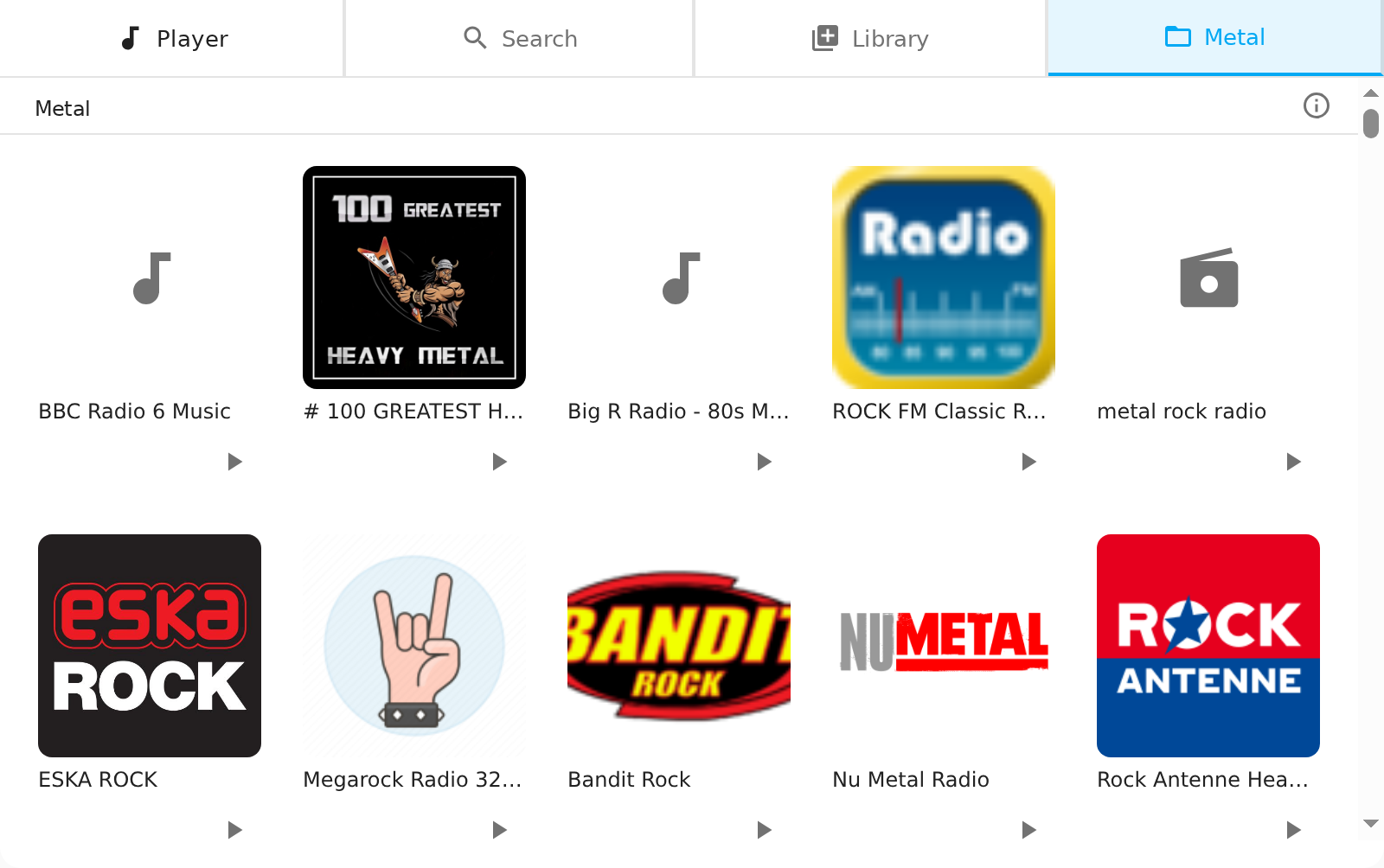
📂 Browse tab
- New tab type
browse: every music source's own folders, the way Music Assistant's Browse page shows them — no need to add anything to your library first (#24). Tap a folder to open it, an album to see its tracks, an artist for their page, a radio or a track to play it; + adds to the queue. - List or cover grid, one tap away (button at the right of the path), remembered per tab on each device.
- One source per tab:
provideronlibrary,discoveryandbrowsetabs (a "Deezer" library tab, a "TuneIn" browse tab…).
📌 Pin a folder as a tab
Found a gem deep down? Tap ⓘ next to the path: you get the folder's path and a ready-to-paste tab, each with a copy button.
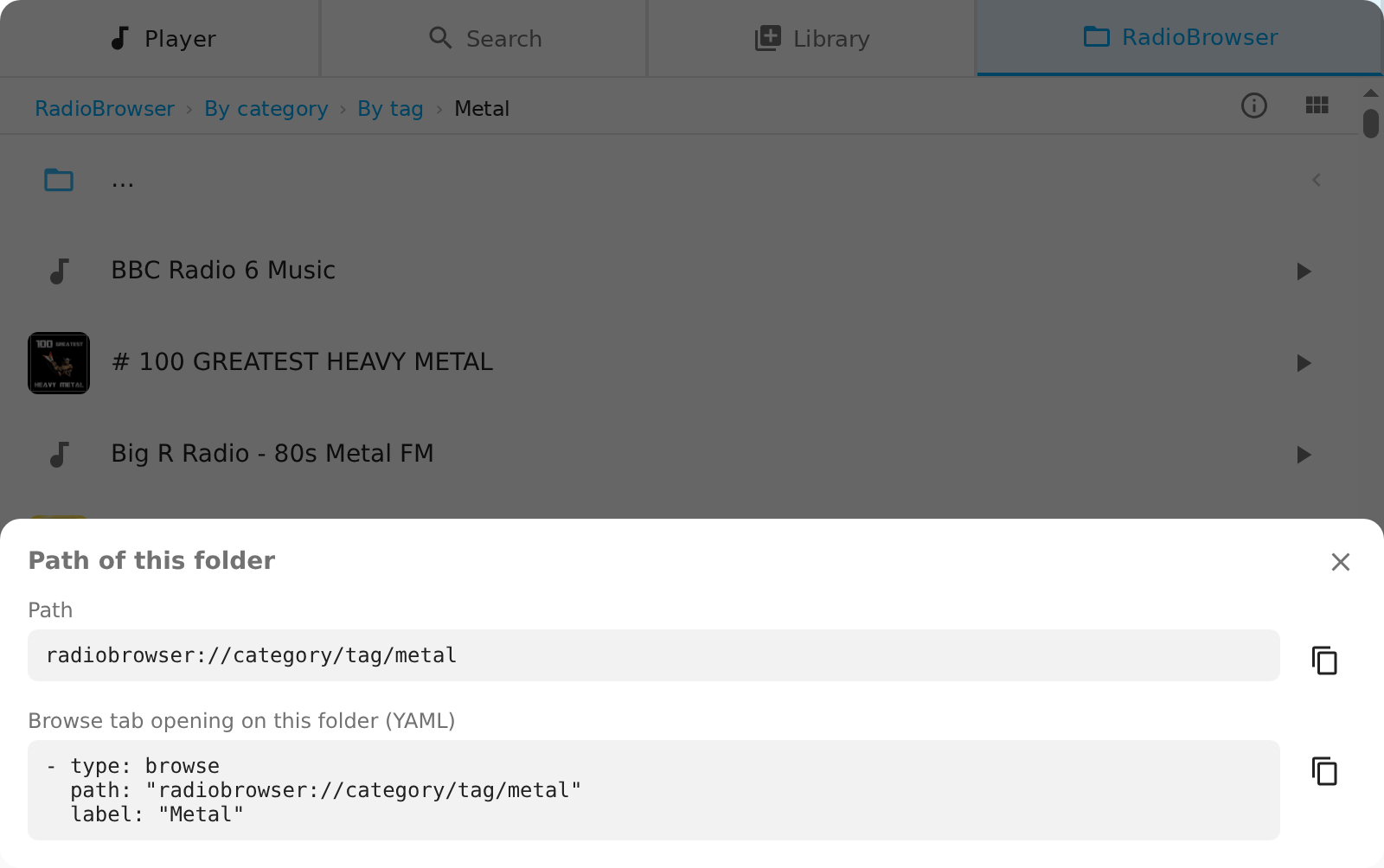
- type: browse
  path: radiobrowser://category/tag/metal
  label: Metal
  view: grid          # always a cover grid (or list)
  show_path: false    # optional: no path bar, just the content
The tab opens straight on that folder and never goes above it. See A browse tab on one folder.
🎛️ Exposed tab — build your own dashboard around the card
- Give the card a
card_idandexpose_tab: true: its current tab lives in a new entity,select.mml_<card_id>_tab. - Your own buttons (button-card…) light up on the current tab and switch it with
select.select_option; conditional cards show up next to a given tab; an automation can open "Recommendations" at 8 am. - Every screen showing that card follows the same tab (give screens different
card_ids to keep them apart). The state survives restarts; exposed cards are listed — and removable — in the integration's options (Exposed cards). - Examples (button bar, conditional card, automation): Exposed tab.
🏷️ Stable tab ids
- Tab option
id:mml_navigate_tab,default_tab, the exposed tab and what each device remembers per tab no longer break when you reorder your tabs. Tabs withoutidkeep their automatic id: nothing changes for existing cards.
🐛 Fix
- On a card without a player tab, playing something from the library, discovery, browse or a mix no longer leaves the card blank.
Full list: Changelog. 4.20.0 and 4.20.1 were never published: everything above is new since 4.19.1.
Restart Home Assistant after updating (new select platform).