
Firmware Requirement: TeensyROM firmware 0.8.0.9 or later is required for this release.
🧩 Three Apps, One Suite
TeensyROM Web is now TeensyROM Suite. The TeensyROM desktop UI, the TeensyROM CLI and TeensyROM Web used to be three separate apps, each with its own way of talking to your cart. Now there is one download per platform, and every part drives your carts through one engine:
- Trom UI: the web app, in any browser on your network
- Trom Terminal: the
tromcommand, replacing TeensyROM-CLI - Trom Agent (new): a Claude Code plugin that runs your TeensyROM by conversation, and can install and update the suite for you
- Trom API: the engine behind all three
What you start in one, the others see. The TeensyROM-UI and TeensyROM-CLI repos are retired and archived.
💻 Trom Terminal: the CLI, Rebuilt
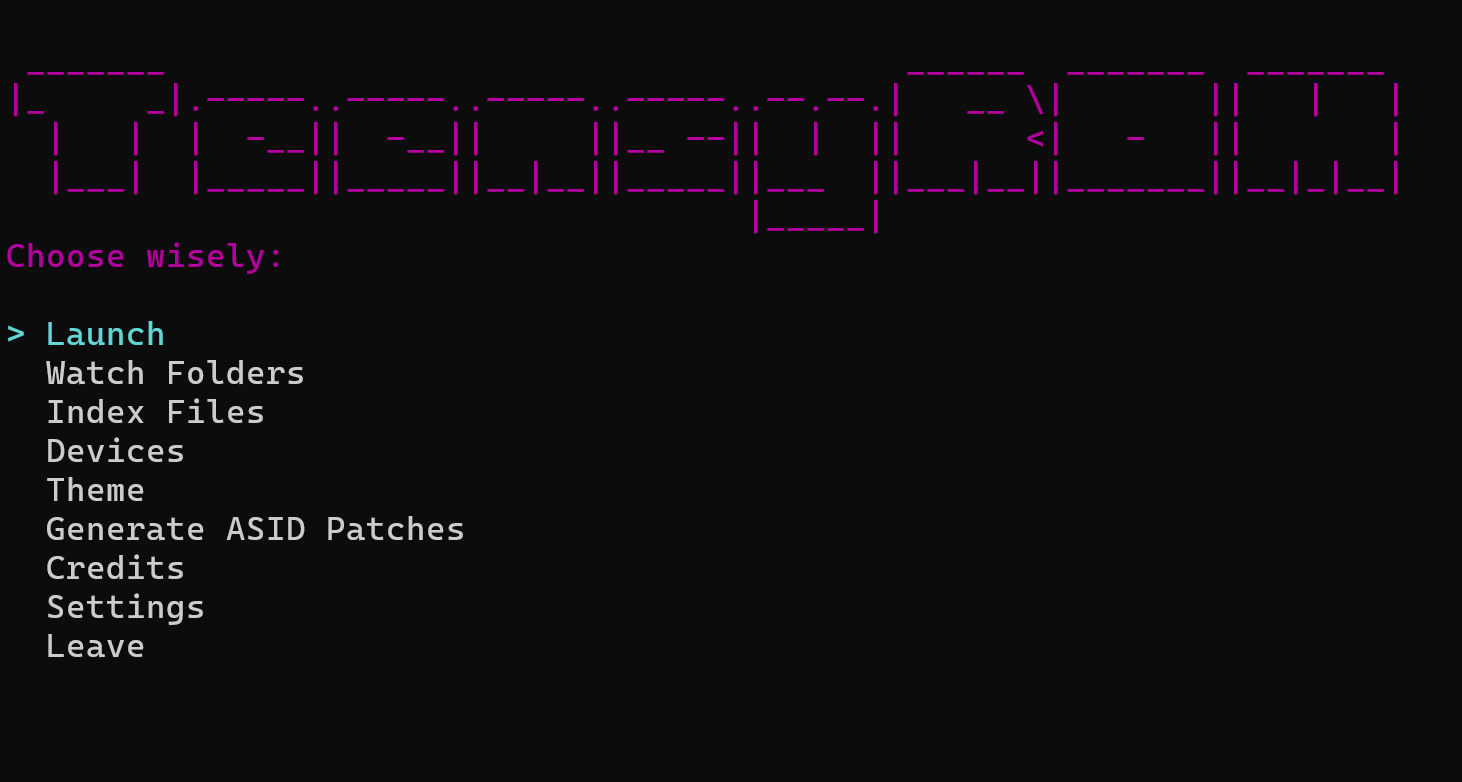
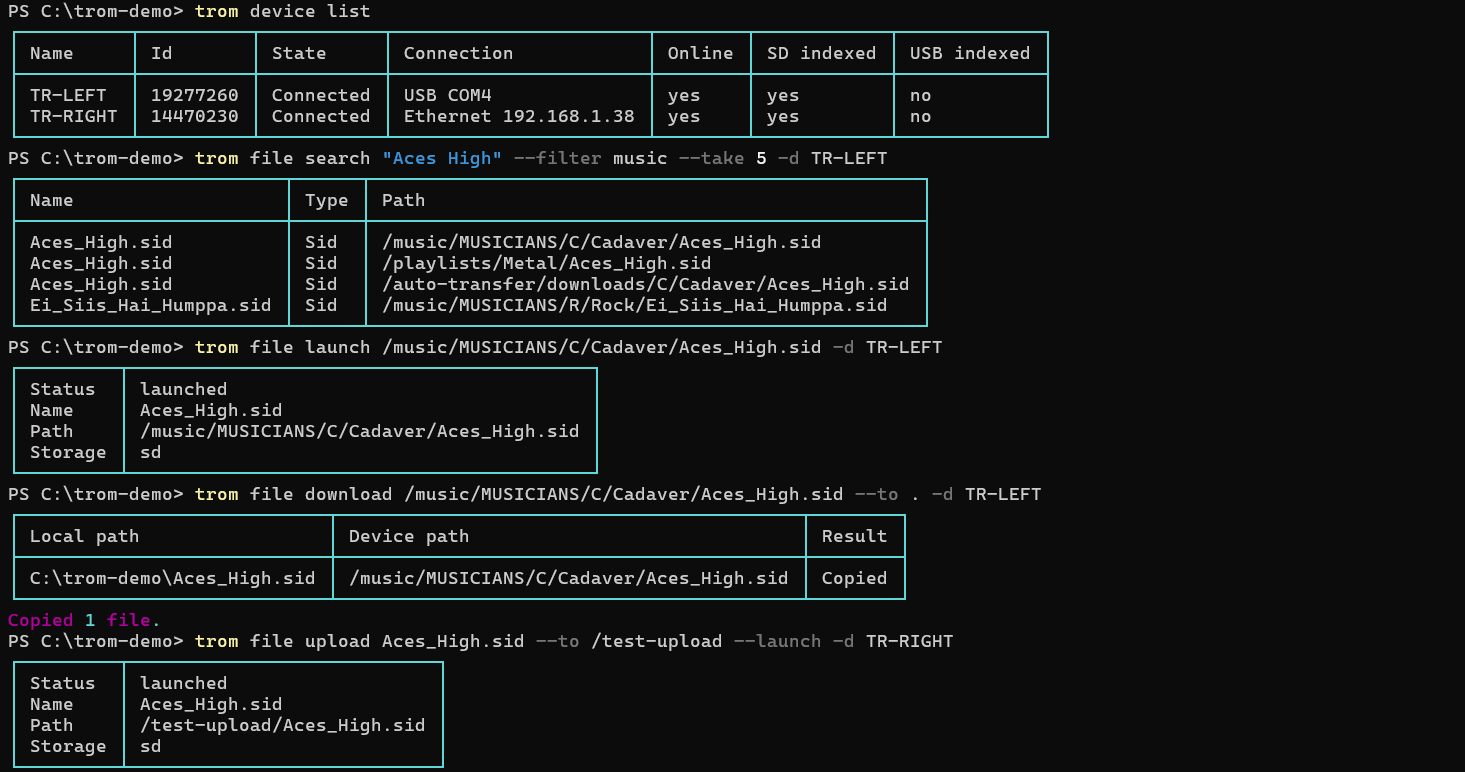
TeensyROM-CLI carried its own USB serial code. Trom Terminal drops it and works through Trom API, just like Trom UI, so it reaches carts on your network as well as USB and gets every connection fix in this release. Everything it did came across onto one grammar, trom <noun> <verb>, and it picked up a lot on the way.
- Copy files and folders to a cart and back, or launch a file from your computer in one step
- Playback from the prompt: next, previous, pause and stop, and a full-screen player that shows each file's full record
- Everything else the engine does: watch folders, transfers, themes, device names and bans, from a command or the BBS-style guided menu
- Built for scripts and agents:
--json, pipes and stable exit codes - Looks after itself: starts Trom API when it needs it, and offers to put itself on your PATH
| 
|
🎛️ DJ Mixer
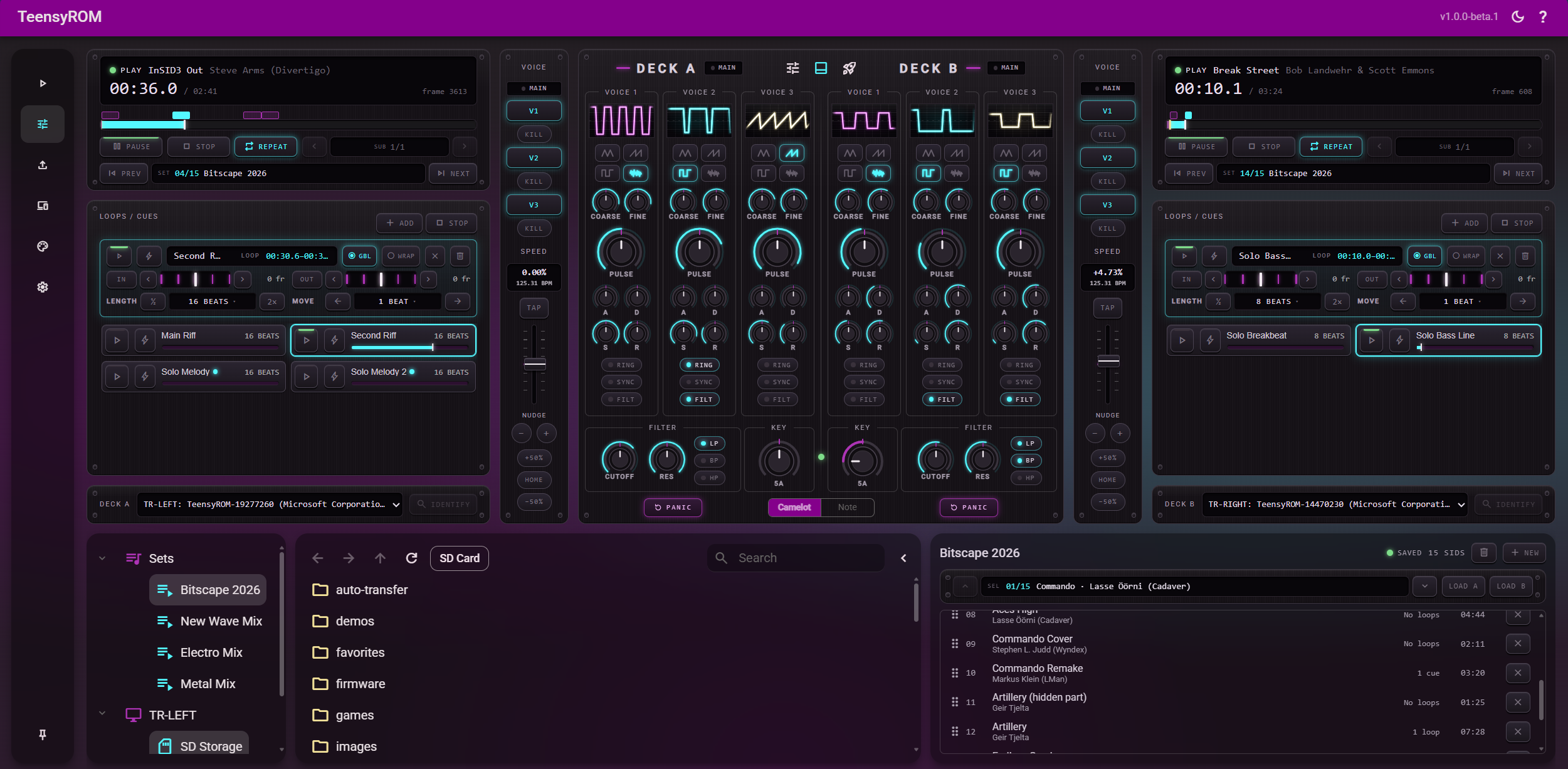
The desktop UI's DJ features had to work around the player on the cart. The DJ Mixer takes the playhead into your browser: it runs each tune's own player code and streams the SID register writes to two real C64s. The SID chip still makes every sound, and tempo, loops and cues are yours.
- Beat matching: fine speed control with nudge, a BPM readout, Tap for the beat grid, and a light that says how well the two keys mix
- Loops and cues snap to beats, each with its own name and mixer settings
- Touch strip: hold, backcue, throw and scratch like a hand on the record
- SID panel per deck: bend the tune's own waveforms, envelopes and filter, with a live scope for every voice
- MIDI controllers and sets: map nearly every control with learn mode, and keep each tune's loops, grid and settings in a set
| ▶️ Mix Preview · ▶️ Scratch / Beat Juggle |
Needs Chrome or Edge (Web MIDI), with each deck's cart connected by USB.
📂 File Transfer & Watch Folders
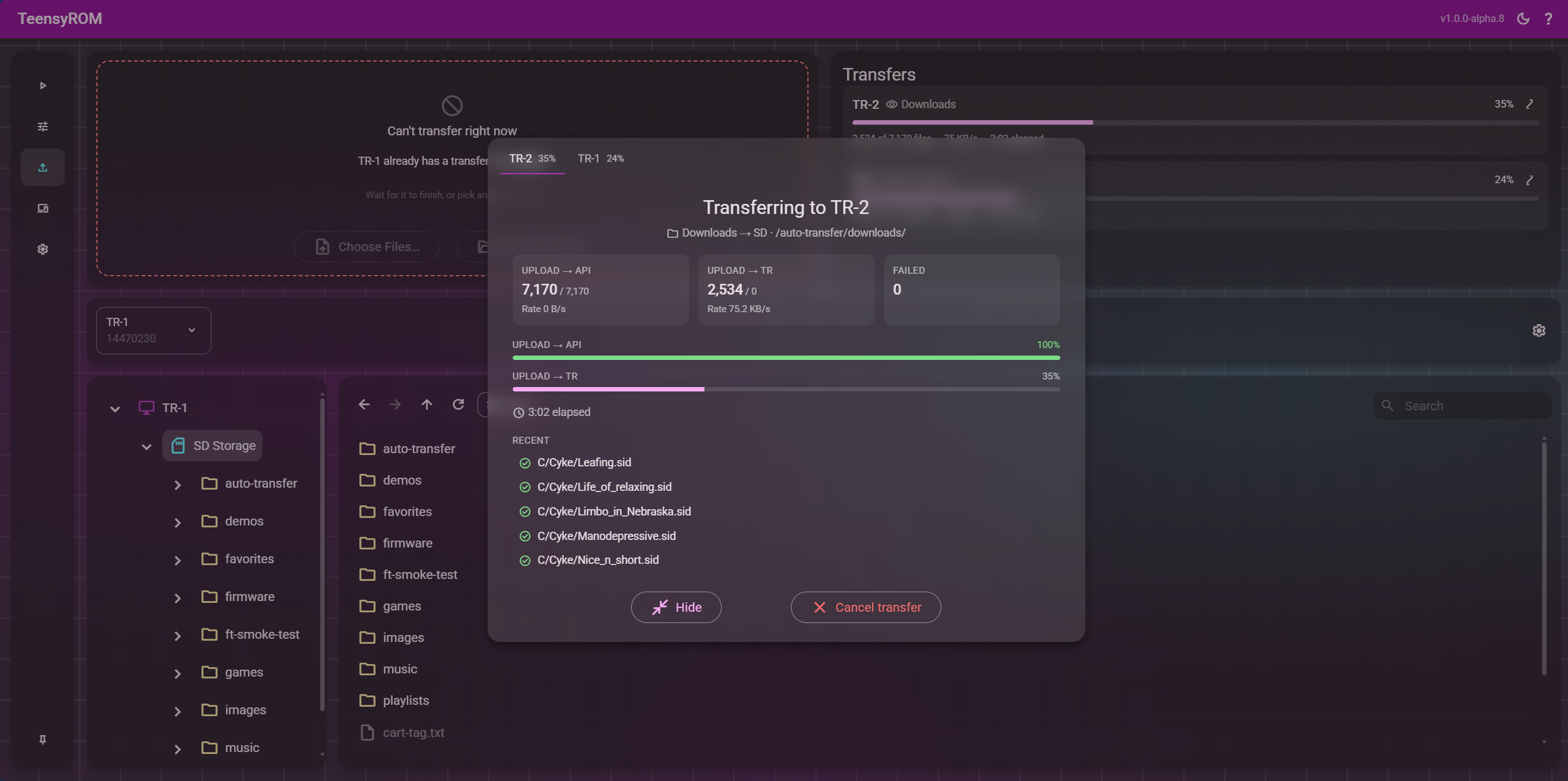
Built for whole collections: Trom API starts writing to the cart while the rest of a drop is still uploading, and files show up in your library as they land.
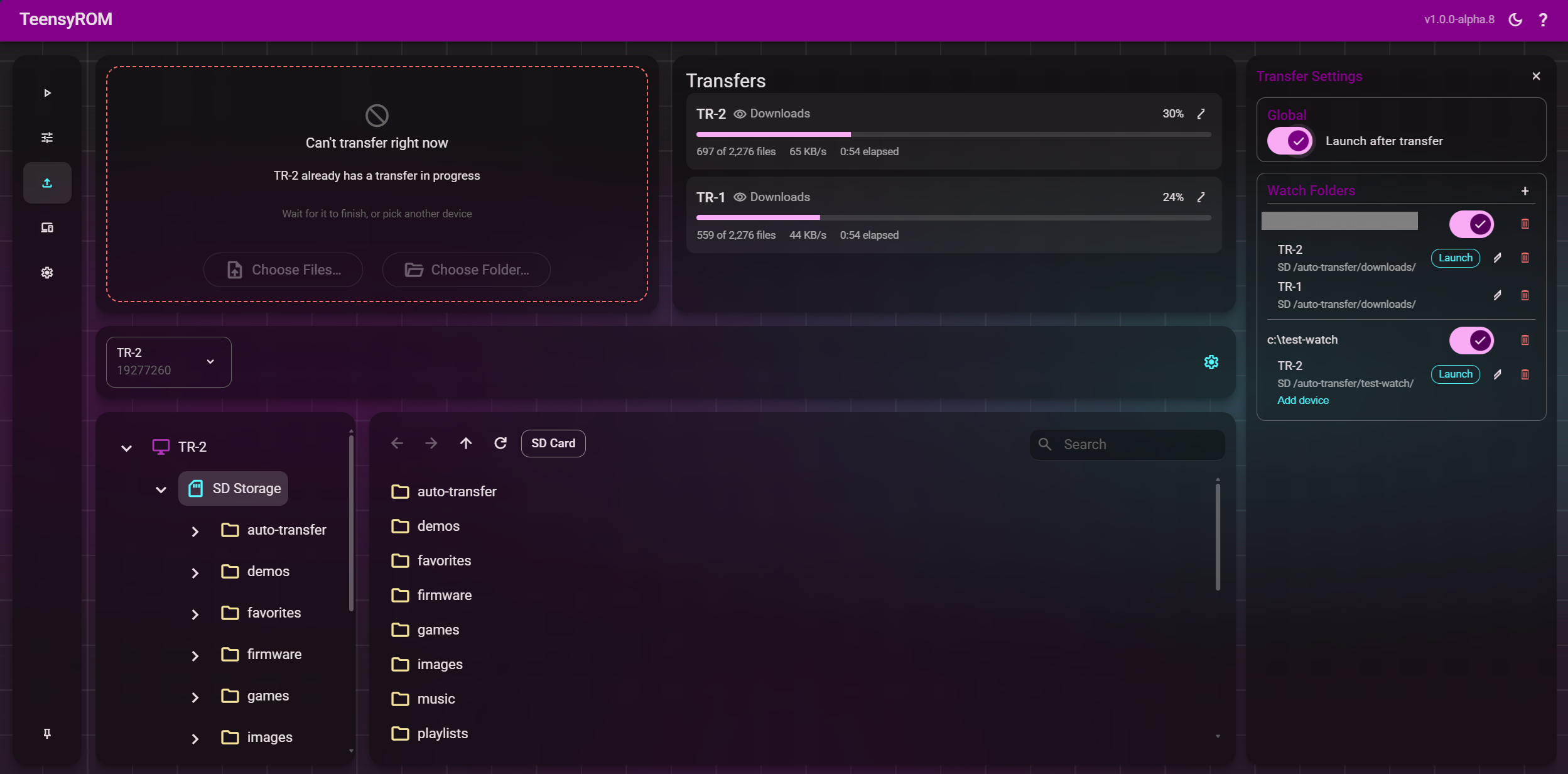
- Drag and drop files or whole folders onto a cart; zip, 7z and rar archives are unpacked on the way
- Several carts at once, each with live progress, speed and failures, and a details view you can hide without stopping anything
- One list everywhere: a transfer started in Trom UI shows in Trom Terminal, and the other way round
- Watch folders: set up as many as you like, each sending whatever lands in it to one or more carts and launching it if you ask. They run inside Trom API, so nothing else needs to be open
- Protected while busy: a cart that's receiving refuses other commands until it's done, and the rest stay free
| 
|
🎨 Themes
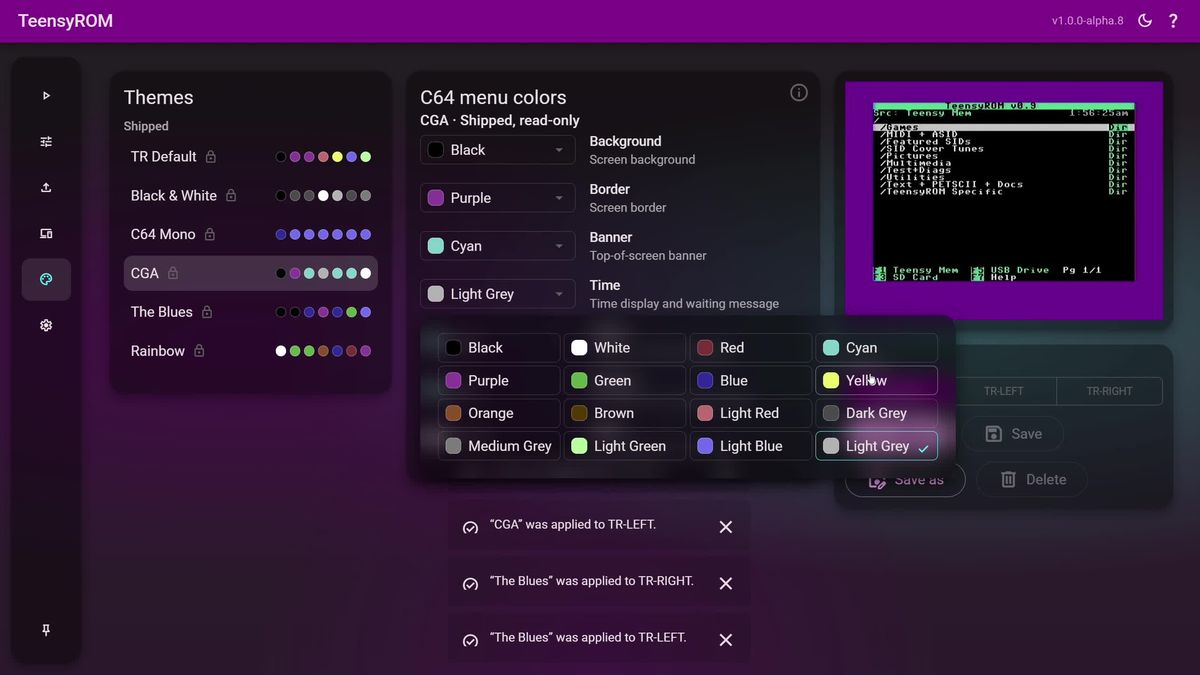
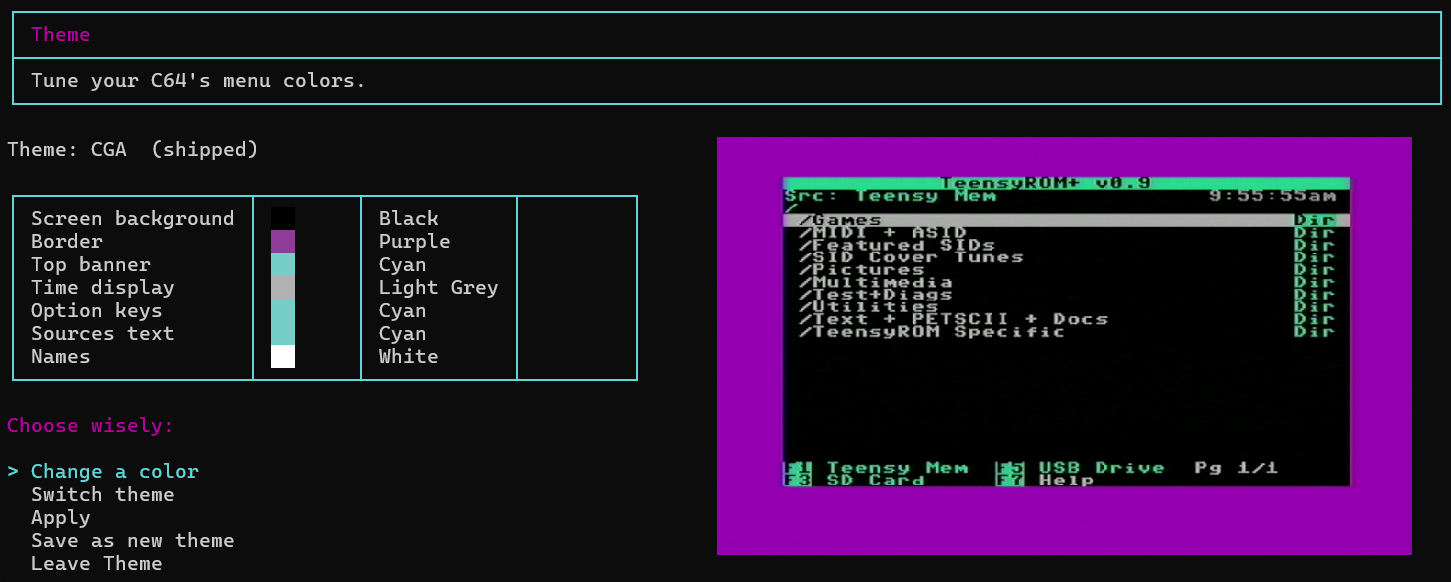
Your TeensyROM's own menu can wear new colors now.
- Six shipped themes: TR Default, Black & White, C64 Mono, CGA, The Blues and Rainbow
- Tune your own: any of the menu's seven colors from the C64's 16, saved under your own name
- Apply to one cart or all, and watch it land in a live preview from your video capture
- Everywhere: Trom UI, Trom Terminal's menu and
trom themeshare the same themes, and Trom Agent sets them on request
| 
|
🤖 Trom Agent
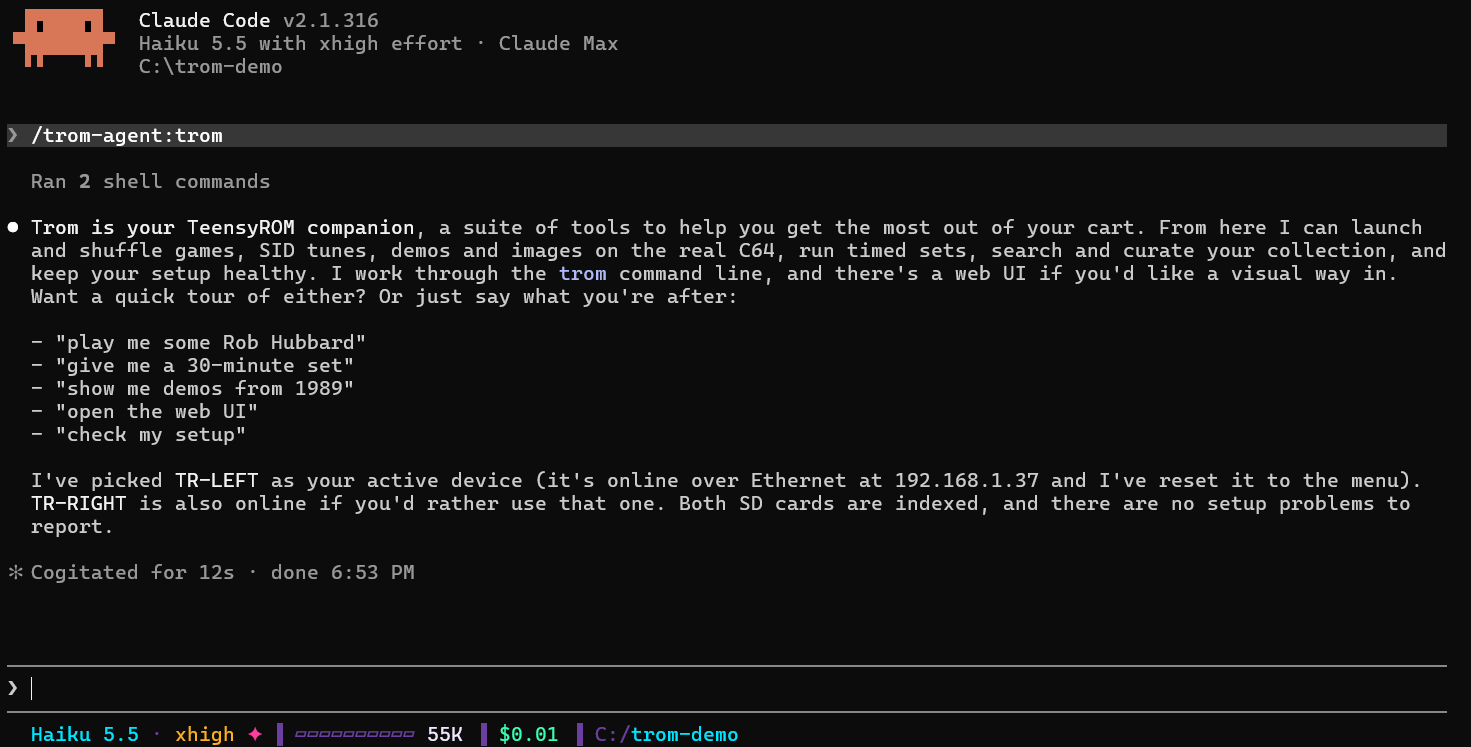
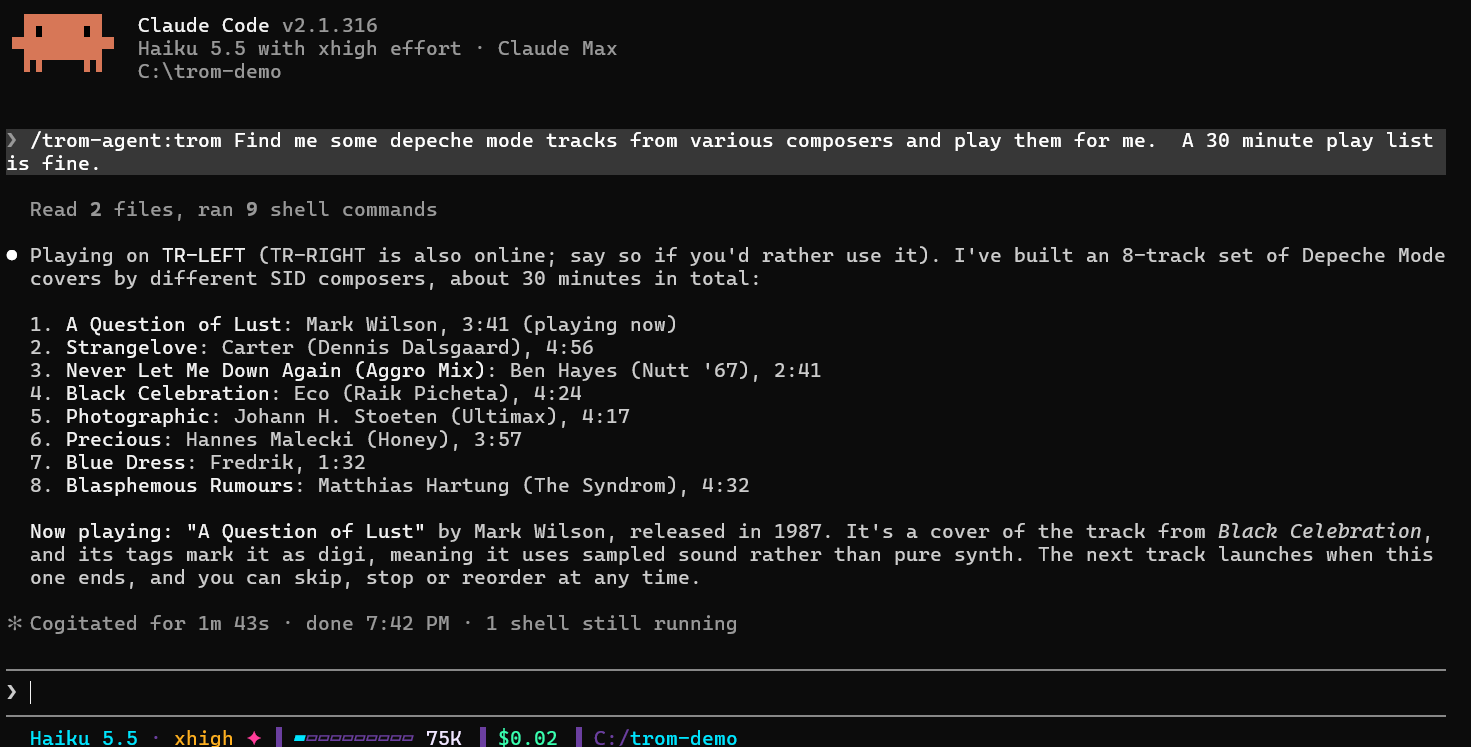
A companion for your C64, inside Claude Code. Type /trom and ask in plain words. It works through Trom Terminal, and asks before it copies files, changes your setup or installs anything. Starting a session resets your cart to its menu, so it stops what's running.
- Installs the suite for you: Homebrew on a Mac (Homebrew too, if you need it), or the newest release on Windows and Linux, checked against its SHA-256 before it's unpacked and put on your PATH. When a new release is out, it tells you and updates once you agree
- Play and shuffle: "play me some Rob Hubbard", "show me demos from 1989", and it tells you a little about what's playing
- Timed sets: "give me a 30-minute set", built from your library and played through on the cart
- Library tours and curation: walk your folders, search, favorite and ban
- Files, watch folders and themes: "watch my Downloads folder and send new files to the cart"
- Setup doctor: Virtual Travis checks Trom Terminal, Trom API, Trom UI, your cart and your index, and walks you through the fixes
/plugin marketplace add MetalHexx/tr-plugin-marketplace
/plugin install trom-agent@tr-plugin-marketplace
| 
|
🔌 One Engine, Rebuilt Connections
- Carts are identified by their own chip ID, not a tag file written to your SD card, and get names (TR-1, TR-2, …) you can change
- Faster, steadier resets and launches, and known carts reconnect from memory
- Opening Trom UI no longer touches your carts, so a running game keeps running
- Dropped network links recover on their own, without launching twice
- Only TeensyROM serial ports are opened, so other USB boards are left alone
✨ Also New
trom uistarts Trom API if needed, opens Trom UI and prints the address your phone or tablet can usetrom updateinstalls new releases, checking each download before it swaps anything- Audio streaming: hear your C64 on a phone or tablet
- Bans match whole file names and apply right away
⚠️ Upgrade Notes
- Trom UI moved from port 213 to http://localhost:10213. Update bookmarks and firewall rules.
- Everyone starts fresh in
~/.teensyrom: carts show up as new devices, and names, settings and indexes are set up again. - TeensyROM-CLI users: commands are now
trom <noun> <verb>, and the old command lines no longer work.trom --helplists them all. On Homebrew,brew uninstall teensyrom-clifirst. - The package now holds
api/andcli/folders.
Update
- With Trom Agent: type
/tromin Claude Code. It installs the suite if it's missing, or offers the update. - Already on a suite release:
trom update(trom update --checkonly looks). - Installed with Homebrew:
brew update && brew upgrade teensyrom-suite. - Fresh install on a Mac:
brew tap MetalHexx/TeensyROM-Suite https://github.com/MetalHexx/TeensyROM-Suite, thenbrew install teensyrom-suiteandtrom ui. - Fresh install on Windows or Linux: download the package below, unpack it and run
cli/trom ui(cli\trom uion Windows).
Downloads
- Windows x64:
TeensyROM-Suite-1.0.0-beta.1-win-x64.zip - Linux x64:
TeensyROM-Suite-1.0.0-beta.1-linux-x64.tar.gz - macOS: install with Homebrew, above. The
osx-arm64andosx-x64packages are the ones Homebrew installs.
Docs: https://github.com/MetalHexx/TeensyROM-Suite/blob/main/docs/getting-started.md