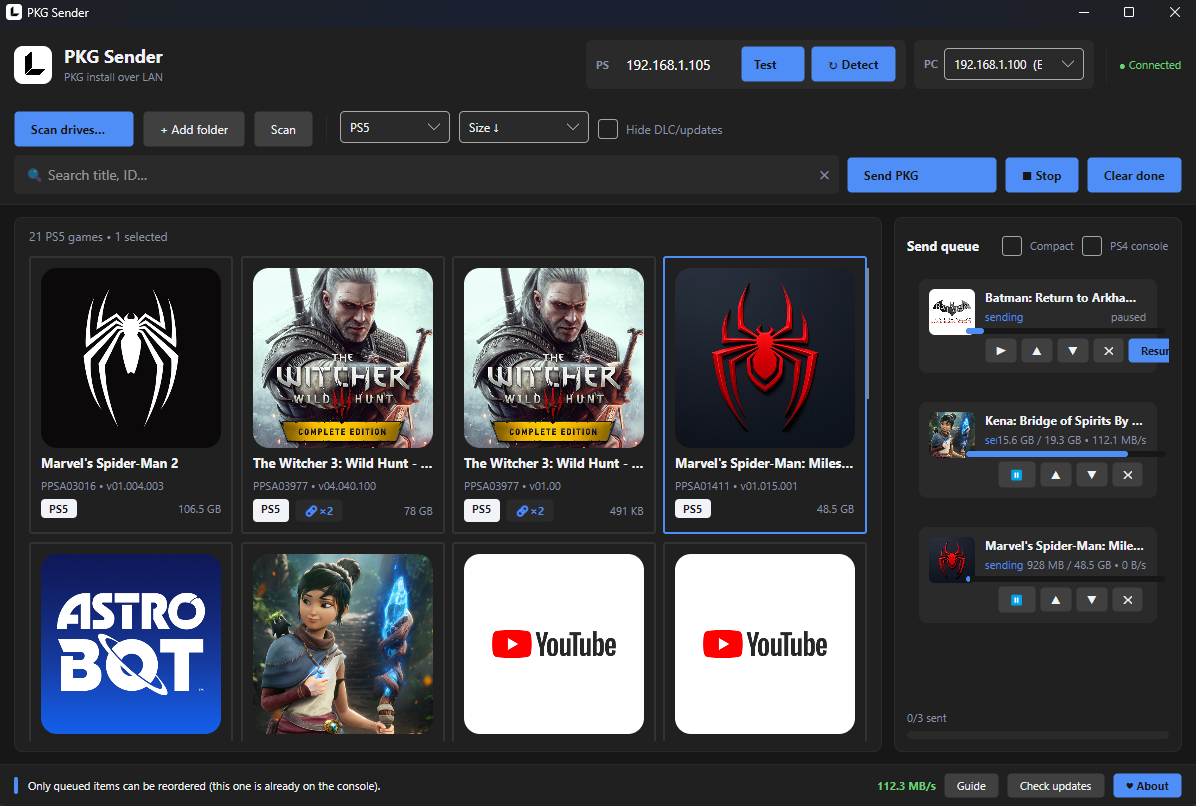
PS4 PS5 PKG Sender — installs PlayStation PKG files over LAN. Yes, PS5 PKG games install fine.
Status: PS5 installs work right now. PS4 support is being fixed — coming back soon.
PKG Sender v1.0.0
Send and install PS5 / PS4 PKG files directly over your local network.
PKG Sender is a Windows application for sending PKG files to a jailbroken PS5 or PS4 using the local network.
No USB drive. No manual IP entry in the usual setup. Just start the receiver, open PKG Sender, and send your games.
Files
PkgSender-Setup-1.0.0.exe— self-contained installer, no .NET needed, no admin needed.pkg-receiver.elf— the console payload. Send it to your jailbroken console first (it also ships inside the install folder).
Highlights
- PS5 & PS4 support
- Automatic console discovery
- Game Library with game names, cover art, Title IDs, versions and file sizes
- Game information during installation — display the game name and cover art on the console while installing
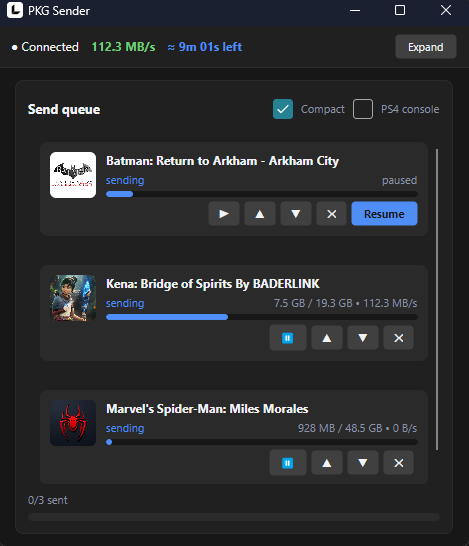
- Send queue for sending multiple files
- Transfer progress for active transfers
- Game family linking for games, updates and DLC
- LAN transfer over your local network
- Direct Ethernet connection supported
- Automatic updates
- Self-contained — no .NET runtime needed, no administrator privileges required
LAN Connection
PKG Sender supports two network setups:
Router — Connect your PC and PS5/PS4 to the same router. PKG Sender will automatically discover the console.
Direct Ethernet — You can also connect your PC directly to the console with an Ethernet cable. Because there is no DHCP server in a direct connection, you need to configure static IP addresses:
PC      192.168.10.1
Console 192.168.10.2
Subnet  255.255.255.0
PKG Sender intentionally ignores automatic 169.254.x.x addresses, so static IP configuration is required for this setup. See the built-in Guide or the README for the complete LAN setup instructions.
Firmware compatibility
So far tested on PS5 firmware 6.02 only — it is not yet clear which other firmware versions work. If you test it, please report your console model + firmware version + result in Issues. Thank you!
Requirements
- Windows 10/11
- Jailbroken PS5 or PS4
- Compatible PKG Receiver
- PC and console connected to the same local network
Getting Started
- Download PKG Sender.
- Start the PKG Receiver on your PS5/PS4.
- Connect your PC and console to the same network.
- Launch PKG Sender.
- Wait for your console to be discovered.
- Add a PKG file or select one from your Library.
- Start the transfer.
That's it.
First Release
This is the first public release of PKG Sender. More features and improvements are planned as development continues. If you find a bug or have an idea for improving PKG Sender, feel free to open an issue or start a discussion.
Thanks for trying PKG Sender.
Screenshots