
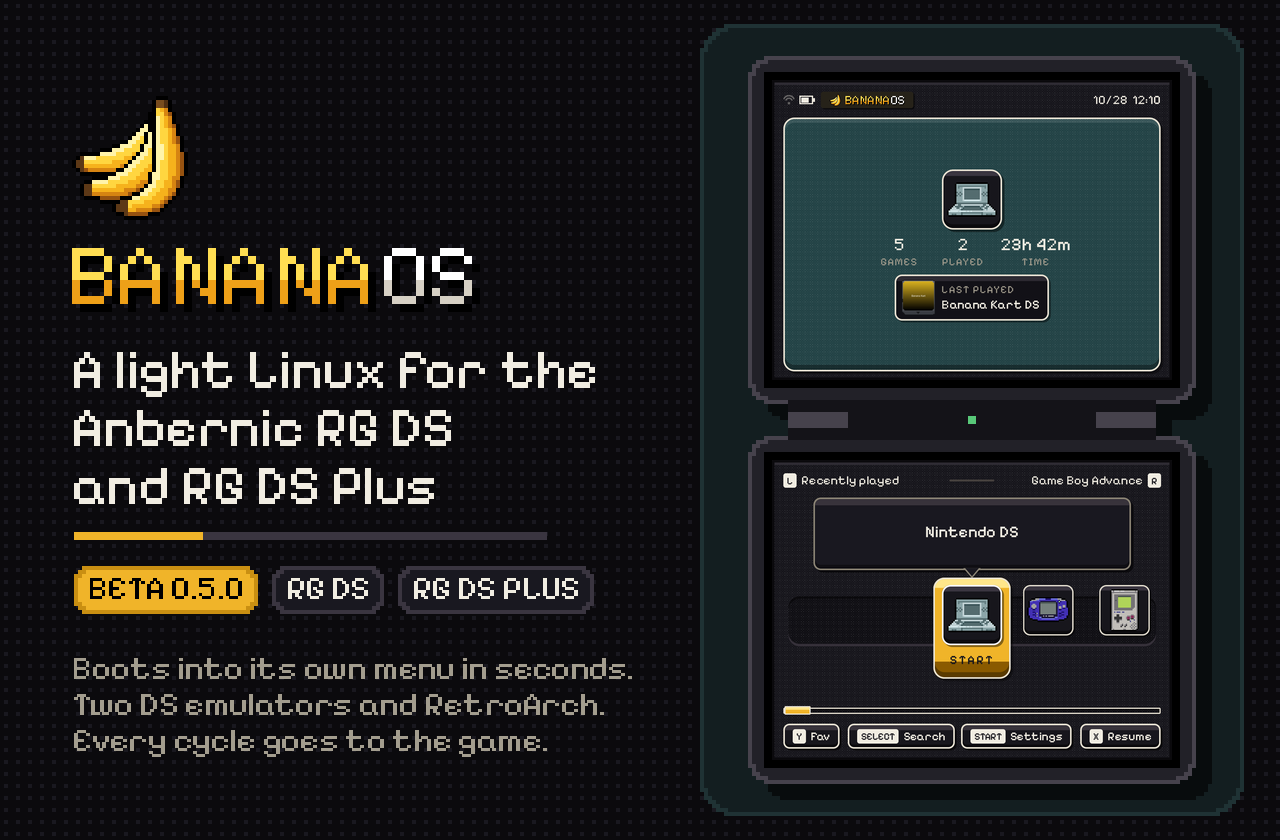
BananaOS 0.5.0 (beta) for the Anbernic RG DS Plus and RG DS
A faster, cooler BananaDS · DS games at 3x and 4x · Bluetooth headphones and controllers · updates over Wi-Fi · your library synced with a home server · Pokémon and GBA game companions · layout themes · a new first boot
Note
Beta. Tested by the QA team through the 0.5.0 betas, with the known issues listed below; the release is the last beta (beta.12) plus the ten built-in themes, installed and checked on both handhelds by the maintainer. Thank you, Duncan, Majirefy, Smizzle, nigel777 and v, for every report.
Tip
Simplified Chinese (简体中文), translated by Majirefy: this release carries Majirefy's 0.5.0 translation, 610 new lines and 344 revised ones. Thank you, Majirefy! RetroArch's own menu and messages now follow the language too.
⬇️ Install or update
| You have | Do this |
|---|---|
| BananaOS 0.4.x | Put banana-rgds-plus-0.5.0.update.tar (RG DS Plus) or banana-rgds-0.5.0.update.tar (RG DS) in banana/updates on the card, then Settings › System › Update, A on the package and A again. It installs to the card's other system slot and runs from the next restart; the version you had stays one restart away (Settings › System › Previous version). Games, saves and settings stay.
|
| A 0.5.0 beta | beta.2 or later: Settings › System › Update › Check for updates finds 0.5.0 (on the beta channel or, with Beta channel off, from GitHub); to follow the public releases from now on, switch Beta channel off. The very first beta (Update shows plain "0.5.0"): install the package from the card like 0.4.x. |
| A new card | Write banana-rgds-plus.img.gz or banana-rgds.img.gz with the BananaLinux Flasher or balenaEtcher.
|
From 0.5.0 on, updates come over Wi-Fi: Settings › System › Update checks this page, downloads the package for your handheld and checks it before installing. If a package ever says it is damaged, download it again and compare its SHA-256 with SHA256SUMS-rgds-plus.txt (RG DS Plus) or SHA256SUMS-rgds.txt (RG DS) below.
The first start after the update runs the new first-time setup once, prefilled with what your card already has: A goes through a step keeping what is there, START skips a step and B goes back one.
🧭 Settings guide: where everything is
Press START on the home screen to open Settings. Below is every row that is new or changed since 0.4.2, by Settings section, with its choices and the default in bold; rows not listed work as in 0.4.2.
Below Emulator, the list shows only the chosen DS emulator's own rows; switch Emulator to see the other's. Emulator, Quick resume, DS language and DS name are as in 0.4.2.
With Emulator on BananaDS:
With Emulator on SuperDrastic:
Display & sound (5 new or changed rows)
Sleep & power (1 new row)
Nintendo DS (6 new or changed rows)
Other systems (8 new or changed rows)
Network (4 new rows, plus the Home server page)
System (8 new or changed rows)
Buttons and places outside Settings
✨ Highlights
🎮 Nintendo DS
- BananaDS is 12.6% faster (fast-forward at 2x, nine games, RG DS Plus, against 0.4.2, measured on an early 0.5.0 beta; per-game numbers below, under Nintendo DS); in HeartGold: Origin's grass area at normal settings it needs ~25% less CPU and runs ~5 °C cooler. The LCD-grid shader now runs with the graphics chip at half its clock.
- 3x and 4x resolution (experimental) in Settings › Nintendo DS › 3D resolution with Emulator on BananaDS (SuperDrastic stays at 1x/2x), or per game. 4x is the RG DS Plus's own screen size; Mario Kart DS's demo races run at 55–59 fps there (shader off). 2x stays the default.
- Low latency, fixed (experimental): a press shows about two refreshes sooner in BananaDS, now without the pitch dip and with far fewer skipped frames. SuperDrastic's low latency no longer stutters on the RG DS.
- New in both DS emulators: F + SELECT swaps the screens, save-state pictures show both screens, a Hotkeys page, Quit without saving, brightness in the pause menu, and pop-ups for quick saves and loads.
- DS cartridges on the home row with box art or the game's own icon, and DSi games (.dsi, .cia) recognised and sent to BananaDS (still experimental: see Known issues).
🎧 Bluetooth
- Headphones and speakers with aptX, aptX HD, LDAC and FastStream, and controllers (Switch Pro and Joy-Cons included). Settings › Network › Bluetooth.
🔄 Updates and your library
- Updates over Wi-Fi (Settings › System › Update): checked, downloaded, verified and installed on the handheld, with a screen of its own while it installs.
- Home server sync (Settings › Network › Home server) with BananaOS's own Romhost or with RomM: games, box art and saves; all games or only the ones you choose.
- Delete a game from its page (X on a game).
🧩 Companions on the second screen
- Pokémon companion for Ruby, Sapphire, Emerald, FireRed, LeafGreen and Pokémon Unbound: party, summaries, battles with type matchups, the game's own region map, bag, Pokédex and a guide (inspired by PokeDaisy by Lidor Itzhari).
- Game companions for 500+ other Game Boy Advance games (off by default).
🎨 Look and feel
- Ten new layout themes built in (Comic Panel, Coral Reef, Felt Table, Neon Arcade, Oak Bookshelf, Orbital HUD, Paper Notebook, Phosphor Terminal, Swiss Poster, Vinyl Lounge), each drawing the whole menu, picked from a gallery with previews in Settings › Display & sound › Theme. The theme engine got 2–4x faster on the RG DS without changing a pixel.
- A new first boot: an arrival animation, then a step-by-step setup with a Wi-Fi connection test and a RetroAchievements login check. Plus a shutdown animation, a Credits page and the UX team's review of the whole menu.
🕹️ Other systems
- N64 up to twice as fast, PlayStation without stutter or crackle, GBA games with RetroAchievements start in a quarter of a second instead of 26 s, one GBA save for every core, an emulator choice per system, a screen border, and RetroArch's menu in Chinese, Japanese, Korean, Russian and more.
⚡ Faster everywhere
- Boot: 12.0 s → 9.8 s from the power button to the menu (measured by QA with a stopwatch, 0.4.2 against an early 0.5.0 beta).
- Games start and quit faster: a GBA game on the RG DS Plus is on screen ~0.8 s sooner, and SuperDrastic quits back to the menu ~0.6 s sooner there.
- Deep sleep works again on handhelds where two failed suspends had left it stuck in a lighter sleep, and no more black screens after a restart.
🎮 Nintendo DS
BananaDS: faster and cooler
Fast-forward throughput at 2x on the RG DS Plus, BananaOS 0.4.2 against an early 0.5.0 beta (beta.2's BananaDS; the CPU held at 1992 MHz, 30 s a run, on the handheld's own screens; higher is better):
| Game | Starting point | 0.4.2 | 0.5.0 | Change |
|---|---|---|---|---|
| Nintendogs: Best Friends | title | 123.9 fps | 154.0 fps | +24% |
| Pokémon HeartGold: Origin (hack) | first grass area | 108.8 | 127.4 | +17% |
| Pokémon Black Version 2 | save state | 81.3 | 93.6 | +15% |
| Pokémon Platinum | intro | 199.1 | 228.5 | +15% |
| Mario Kart DS | title / demo race | 101.6 | 115.0 | +13% |
| Golden Sun: Dark Dawn | save state | 93.8 | 104.5 | +11% |
| Pokémon HeartGold | intro | 207.1 | 229.9 | +11% |
| Metroid Prime Hunters | title | 118.9 | 123.8 | +4% |
| Dragon Quest Monsters: Joker | title | 101.3 | 105.3 | +4% |
| Average of 9 games (geometric mean) | +12.6% |
At normal settings (2x, CPU clock on Saves battery), Pokémon HeartGold: Origin's first grass area holds 60 fps on both versions, but 0.5.0 does it with ~94% of a CPU core instead of ~126% (−25%) and the chip ends a minute at 51–52 °C instead of 57 °C. Nothing in the emulation changed: the emulated sound of four games is bit-for-bit the same as 0.4.2's. Full data and method: docs/PERFORMANCE-0.5.0.md. The RG DS (non-Plus) wasn't measured.
What changed inside BananaDS (click to open)
3x and 4x resolution (experimental)
- Where: with Emulator on BananaDS, Settings › Nintendo DS › 3D resolution offers 3x (experimental) and 4x (experimental) next to 1x and 2x, and a DS game's own page (X on the game) has a 3D resolution row (As in Settings, 1x, 2x, 3x, 4x) for that game only.
- What it is: 3x draws the DS's 3D at 768 x 576, 4x at 1024 x 768, the RG DS Plus's own panel size (one DS pixel = 4 x 4 panel pixels, no scaling).
- How fast: at 4x on the RG DS Plus, Mario Kart DS's menu demo races run at 55–59 fps (shader off). 4x frames are drawn in 16-bit colour (half the memory traffic, the DS's own colours kept exactly), the 3D is split into 8-line work units so the three render threads fit the small shared cache, decal/toon/shadow polygons are drawn 8 pixels at a time (−23% CPU), and the LCD grid at 4x is drawn by the CPU while it writes the frame, with no graphics-chip pass (Mario Kart DS bench 37.9 → 43.0 fps).
- A warning first: choosing 4x asks before it is saved ("4x runs hot"): it heats the handheld and drains the battery much faster, and when it gets too hot the handheld slows down to cool off. Keep (the old value) is selected; Use 4x saves it.
- The RG DS (non-Plus) runs 3x and 4x too, but its 640 x 480 panels are smaller than 3x's and 4x's pictures, so they are drawn larger and scaled down and add no sharpness there; heavy 3D games also reach the thermal limit within a minute (see Known issues).
Low latency (experimental)
Settings › Nintendo DS › Low latency is Off / On, off by default, for each DS emulator.
| Off | On | |
|---|---|---|
| BananaDS, from a frame's start to the screen | 48–72 ms | 17–23 ms |
| SuperDrastic (RG DS), from DraStic's frame to the screen | 44–53 ms | 25–30 ms |
- BananaDS: no frame queue, each frame aimed at the panels' next refresh. Fixed in 0.5.0: frames finished just as the screen flipped were held back a refresh, losing a frame of sound each time; on the RG DS's cold start through Mario Kart DS's menus, repeated frames went from 123 a minute to 6 (the sound there is still stretched while the game stalls loading, as with low latency off). On the RG DS Plus, resuming Mario Kart DS with low latency on no longer slows the sound (138–341 stretched chunks a minute before, 0 now). The CPU clock rule is stricter with low latency on and remembers its clocks apart from the normal mode.
- Run-ahead is gone from the list: it was measured on Mario Kart DS, Golden Sun: Dark Dawn and New Super Mario Bros. (at 1x and 2x) and never fit in a refresh on these handhelds, only causing stutter. A card that had a run-ahead value keeps working as On.
- SuperDrastic: DraStic is no longer held to start its frames late (that hold was cut short by the sound nearly every frame and made the stutter): on the RG DS, Mario Kart DS's cold-start route went from up to 90 dropped frames a minute to 0, and Golden Sun: Dark Dawn's intro from 4 to 0. On the RG DS Plus it stays a little rougher than Off (see Known issues).
- The help texts now give these measured numbers.
New in both DS emulators (BananaDS and SuperDrastic)
- F + SELECT swaps the two screens. Touch follows the DS's bottom screen (on the RG DS, the top panel's touchscreen while swapped); the in-game menu stays on the bottom panel. Remembered for each game, with a pop-up saying which way. Listed in both Hotkeys pages.
- Save-state pictures show both screens (top over bottom) on the Save and Load pages and on the top panel.
- A Hotkeys page in the pause menu (X, or its pill on the main page): the emulator's own buttons, HOME, the exit combos and BananaOS's volume and brightness keys.
- Quit without saving: X on the quit question (asked again) quits without writing a resume state; the one from before stays. Save and quit stays the first choice.
- Brightness on the pause menu's main page, under the tiles: left/right, L/R or a tap on its bar; kept as Quick settings and the system keep it.
- Quick save and load pop-ups: "Saved to slot 1" / "Loaded slot 1" once the state is really written or read, or why not (BananaDS F + R / F + L; SuperDrastic R2 / L2).
- F or HOME with a volume key (F + volume is brightness) no longer opens the menu when let go, and SuperDrastic shows a brightness pill like the volume one.
- Long labels scroll: the picked tile's label and the game's name scroll when a translation is too long for its box.
- Charging shows as charging in the pause menu when a charger is plugged in (the battery gauge can still say Discharging then) (#35).
- Translations: a line written in another case than the language file's (e.g. all capitals) finds its translation.
- Power off after sleeping support: both emulators save a resume state and quit when the handheld turns itself off (see Sleep & power).
BananaDS
- The game's first picture ~125 ms sooner: the shader is made beside the first frame and the cheats are read while the panels open (RG DS Plus, Mario Kart DS: 654 → 525–551 ms from the launch to the first picture).
- Shaders compiled once: BananaDS had no shader cache, so its display shader was compiled at every start; it is now kept on the card.
- Sound at the start: after starting or resuming a game the sound no longer plays slower or a little low for the first second. It now waits for twice its buffer before it starts (the game's sound starts 60 ms later and catches up over ~12 s).
- The in-game menu keeps the shader's picture behind it (with Integer or any shader it showed the plain stretched game), and touch follows a shader's picture: with Integer, taps landed up to 64 px off at the edges (#49).
- Microphone: two rows in Settings › Nintendo DS, Microphone (On/Off) and Mic sensitivity (Low, Medium, High, Gate off). 0.4.2's Off let every sound through; a card with that Off gets the microphone turned off once. A game's own Microphone row (its page) turns it off for that game.
- DSi games: .dsi and .cia (unencrypted DSiWare) files show on the DS shelf, and they and DSi-only .nds games always start in BananaDS (DraStic is a DS only). BananaDS starts a DSi for them, a DS for everything else (DSi-enhanced games such as Pokémon Black 2 and White 2 play as before), uses your own DSi BIOS and NAND files from
/data/bioswhen they are there and free stand-ins otherwise (melonDS's free DSi BIOS, a blank NAND); when a game can't start without your own files (a secure area it can't decrypt, an encrypted .cia, a NAND it can't read), a 15-second notice says which file is needed. Still experimental: see Known issues. - Per-game 3D resolution (see 3x/4x above).
SuperDrastic
- Quits ~0.6 s sooner on the RG DS Plus: the speaker amplifiers' slow switch-off is left to a helper, so the menu no longer waits for it (exit combo → menu picture 1465 ms → 773–879 ms).
- Quitting with the pause menu open works: the quit was swallowed and DraStic kept running until it was killed.
- Slot pictures after a resume: a menu opened while a resume state was loading showed the resume picture on every slot, and kept it (SuperDrastic #4).
- The LCD grid on the RG DS is thin and even: at 2.5 panel pixels per DS pixel the grid made cells of 2 and 3 pixels with thick bars; every cell now loses the same light. The RG DS Plus's grid is unchanged pixel for pixel.
- A long sleep: DraStic's frame wait no longer turns into a wait of up to 36 minutes (white panels) after the handheld slept for more than ~36 minutes (#64); on the RG DS a one-hour clock jump froze Mario Kart DS for over a minute before. A different freeze after very long sleeps is still being looked at (see Known issues).
- CPU clock: a frame that would be late even at the top clock (Mario Kart DS's race start) no longer bans a lower clock, which had kept the race at the top clock.
- A Microphone row in Settings › Nintendo DS (Off by default, as in 0.4.2).
- DeSmuME saves: .dsv saves are converted with their footer cut at the exact size.
DS in the menu
- DS cartridges (Settings › Display & sound › DS cartridges): Box art (default: the scraped cover, or the game's icon when there is none) or Game icon (every DS game's own icon from the ROM, as the DSi menu shows it), on the cartridges of both home layouts.
- A DS game's page keeps its changes: its rows (emulator, shader, 3D resolution, threaded 3D, microphone) are saved the moment they change; B used to close the page and drop them.
- The RG DS Plus's shader note in the help now translates.
🎧 Bluetooth
Settings › Network › Bluetooth (Off by default: the radio stays unpowered and nothing else changes), Bluetooth devices and Bluetooth audio.
- Pairing: Bluetooth devices lists what is paired and what a search finds, connected first, each with its kind (Headphones, Controller, Keyboard, Mouse) and state. A pairs with a device in pairing mode, connects a paired one or disconnects it; X searches again (and switches Bluetooth on); Y forgets one; touch works as on the Wi-Fi page. The list refreshes every 3 s while it is open, and errors say why ("Couldn't pair with 8BitDo Pro 2: … Put it in pairing mode again").
- Headphones and speakers: while they are connected, all sound plays on them (the menu, SuperDrastic, BananaDS, RetroArch), and the volume keys set the headphones' own volume. When they disconnect, sound goes back to the speakers or the jack. The headphones played last are called back after a restart or a wake.
- Codecs (Settings › Network › Bluetooth audio): Low latency (the default: aptX, FastStream or high-quality SBC; short frames, almost no CPU) or Best quality (LDAC at 660 kbps with adaptive bit rate, aptX HD, aptX or SBC XQ; tens of ms later and a little more battery). Headphones take the first codec they share. Changing it reconnects connected headphones; switching it several times quickly now applies only the last choice.
- Headsets that only show up over Bluetooth LE while pairing (SteelSeries Arctis Nova Pro, AirPods) now pair over classic Bluetooth with the key kept, so they play and stay paired after a restart (verified with an Arctis Nova Pro on the RG DS Plus; the fix isn't confirmed with AirPods yet).
- No loud surprise after a wake: while headphones are being called back, a game's sound goes to a silent output instead of the speakers, and the game keeps its pace.
- The encoder runs at real-time priority, above both DS emulators' sound threads, so a busy emulator can't make the headphones click.
- Controllers: Bluetooth pads work in the menu and the emulators; Switch Pro controllers and Joy-Cons get their driver, and RetroArch knows 8BitDo, Xbox and PlayStation pads out of the box. Older controllers that need legacy pairing can pair.
- Through sleep: Bluetooth goes down before a sleep and comes back after it; pairings are kept on the card across restarts.
- Not supported: AAC, LE Audio and aptX Low Latency (the chip is Bluetooth 4.2, and licensing), and calls (the microphone stays the handheld's).
🔄 Updates and sync
Updates over Wi-Fi
- Settings › System › Update: Check for updates, then Download Banana <version> (progress in percent and MB; A cancels, B leaves the page and it carries on; a broken download resumes from where it stopped), then Install Banana <version> (A twice). The packages on the card are listed under it as before (#69).
- Checked before it installs: only this handheld's package is offered; room for it is checked first; the download's SHA-256 must match the release's
SHA256SUMSor it is deleted. - Installing has its own screen: the version, the step (unpacking and checking, writing, checking what was written), a progress bar and "Don't turn the handheld off"; then Update ready (A Restart) or Update failed with the reason. No button does anything while it writes.
- Clear errors: no answer, no DNS, a TLS or clock problem, or GitHub's hourly limit (with the time it resets).
- Update check (Settings › System): When asked or Daily (checks once a day when Wi-Fi connects; nothing is downloaded without you). The Update row says "<version> available" or "Downloading 42%".
- Test versions (Settings › System): whether the check counts pre-releases (Included by default: every BananaOS release so far is one).
- Beta channel (Settings › System › Update): test builds from bananaos-cfw.dev for beta testers, behind a password checked with the site.
- Delete old packages: on a package, Y deletes it (Y again); X removes every package not newer than the version running, for this handheld (X again; it says how many and how many MB).
- Safer slot switch: the boot file is synced and checked before it replaces the old one, so a power cut at that moment can't leave a card that doesn't boot. Cards first made before 0.4.2 also get 0.4.2's faster-boot kernel options added.
- Fixed: the Update row counted a Mac's hidden
._copy of a package ("2 packages"); Right on the Update page could start an install (only A does now); an "update failed" status could close the menu.
Home server sync
Settings › Network › Home server keeps the card in step with a server on your network: Romhost (BananaOS's own, found automatically, paired with a code) or RomM 5.x (a pairing code you approve on RomM).
- What syncs: games (into the right system folders, PlayStation sets as .m3u), box art, and saves and save states, both ways.
- Saves are never lost: a conflict keeps both (RomM: the newer wins, the other is kept as
.bak; Romhost: the server decides). Only files the sync put on the card are ever replaced or deleted. Saves never sync while a game runs. - Sync now with progress, which turns into Stop while a sync runs; what came stays, and the next sync goes on from there. Downloads resume after a broken connection.
- Games to sync: All, or Chosen: Choose games lists the server's games a system at a time (A ticks one, X a whole system, L/R a page). An unticked game already on the card is left as it is.
- Auto sync when you leave a game and when Wi-Fi connects, a per-system skip, and Forget.
- The handheld stays awake while games download.
Your library
- Delete a game: X on a game, Delete game… at the bottom. Left/right choose the game only (its saves, save states and box art stay, and come back with it) or the game with all of them; A, then A again. Only regular game files are offered (never a BIOS folder or PortMaster); one file per game, so other files of a .cue/.m3u set stay.
- Second SD card: its games went missing after some boots until Settings ran a scan (#65). The menu now also says when it is reading the second card ("Its games join the list in a moment").
- "Looking for games" pop-up while the game list is being read again, on the home screen only.
🧩 Companions
Both companions use the second screen while a Game Boy Advance game plays in RetroArch on the other one (Settings › Other systems › Second screen on). They read the game's memory as it runs and take names, maps and tables from your own ROM file: no game data is shipped. Inspired by PokeDaisy by Lidor Itzhari (its layout as a reference; none of its code or art).
Pokémon companion (Settings › Other systems › Pokémon companion)
- Games: Pokémon Ruby, Sapphire, Emerald, FireRed and LeafGreen (English releases) and CFRU hacks such as Pokémon Unbound (expanded species and moves, the Fairy type and the modern type chart; its unencrypted party, expanded Pokédex and bag read correctly).
- Party: six cards with the Pokémon's own icons, nickname and gender, level, status and a coloured HP bar. A tap opens a summary: types, HP and experience to the next level, weaknesses, resistances and immunities, the four moves with type, power and PP.
- Battle (opens by itself in a fight): both sides' balls, you and the foe (two foes in a double battle) with types, status and HP, and your lead's moves rated against the foe (2x/4x, 1x, ½x, 0x).
- Map: the game's own region map from the ROM (Hoenn, Kanto and the Sevii Islands; Unbound's Borrius too), the current area outlined and you marked on it, a key, and the name of any place you tap. Ruby and Sapphire's places were 16 off ("Route 101" in Littleroot); fixed.
- Bag (the five pockets and money), Dex (seen and caught, each entry's category, size and text) and Guide (badges, the next gym leader's team, your party's best hit against it, and the wild Pokémon of the current area, not-yet-caught ones highlighted).
- Game tab: the game panel as without the companion (achievements, Save / Load / Menu / Fast / Quit).
Game companions for other GBA games (Settings › Other systems › Game companion, off by default)
- 504 games have a definition: Status, Detail, Battle (in fights), Map, Bag, Collection and Progress pages in the Pokémon companion's look. Some definitions are not verified yet: tell us when a number is wrong.
- Fixed during the beta: Golden Sun's HP bar label, and Metroid Fusion's energy tanks and security locks showing -1 and 255 before the game started.
- Your own definitions in
banana/companionson the card are read before the built-in ones (format: docs/COMPANIONS.md).
Poketool
- Bank & Trade is now Poketool 0.2.0, still built in (removable in the Store): move Pokémon between parties, duplicates, and a Pokémon save editor, with its own logo on the home row.
🎨 Menu and themes
Layout themes
- A theme file can draw the whole menu: a theme's JSON describes both screens of each view as shapes, text, pictures and lists over your systems and games, with animations. Ten themes come built in, listed in Settings › Display & sound › Theme on every card: Comic Panel, Coral Reef, Felt Table, Neon Arcade, Oak Bookshelf, Orbital HUD, Paper Notebook, Phosphor Terminal, Swiss Poster and Vinyl Lounge, plus Canvas as a simple example. They were made with the Banana Theme Studio (online), which you can use to make your own: put its JSON in
banana/themeson the card. - Theme gallery: Settings › Display & sound › Theme, A opens a grid of the themes with a picture of each one's home screen (drawn by the menu itself, once) and the picked one's two screens large. A uses it at once; left/right on the row still steps through them.
- 2–4x faster on the RG DS, pixel for pixel the same. The ten built-in themes, home-row scrolling on the RG DS: the slowest (Vinyl Lounge) went from 51.8 ms to 14.3 ms a frame, and the themes averaging over a 60 Hz frame from 7 of 10 to 0 of 10. On the real panels:
| Theme (RG DS, home row) | Before | After |
|---|---|---|
| Vinyl Lounge | 26–32 fps | 42–45 fps |
| Neon Arcade | 24–32 fps | 44–46 fps |
| Comic Panel | 22–25 fps | 33–37 fps |
- How: the screen is redrawn in small tiles from the last solid layer, rows are blended four pixels at a time, the work is shared over all four cores, unchanging backgrounds are kept composed, and the theme language does its lookups by number. Earlier in the beta, Noir's and Nebula's stalls from full caches and per-colour glows were fixed too. The menu now uses the CPU's top clock while it animates (it was capped at 1416 MHz); idle, it stays at the lowest clock.
First boot
- The arrival: on a new card (and once after updating from 0.4.x), the cartridge zooms in, bananas burst out, the camera follows one, and "Welcome to BananaOS" fades in. A or START skips it.
- First-time setup as slides, one thing at a time: Language (only when a translation is installed; Majirefy credited), Wi-Fi (join a network, then a test: address, internet, clock set), Time zone, the DS's name, RetroAchievements (the login is checked with the site: "Logged in as X · N points" or what went wrong), Box art (keeps going in the background), and a summary. Progress at the top, B Back, START Skip, touch everywhere; a restart mid-setup comes back on the same slide.
- Updaters: each slide starts from what the card already has (a connected network tested at once, a saved RetroAchievements account checked), so A all the way through changes nothing.
- Again any time: Settings › System › First-time setup.
Around the menu
- Shutdown animation (by swouapiy): on Shut down or a restart the menu closes through the iris and the boot animation plays backwards to a CRT switch-off (~1.9 s). Not with the boot animation off, or right after a game.
- Credits (Settings › System › Credits): everyone who made this release, by section.
- Power menu: START, then Y: Sleep, Restart and Shut down.
- Hotkeys (Settings › System › Hotkeys): every button that does something, everywhere, in the menu and in each emulator.
- Shown systems (Settings › Display & sound): each system With games (the default), Hidden or Always. Systems with nothing to start stay off the home row; Ports stays while PortMaster is installed.
- Text on accent (Settings › Display & sound): Auto picks dark or light text by contrast with your accent colour, and the second lines take the accent's own hue; or force Dark or Light.
- The home row and game lists have two ends: the first item is leftmost; left on the first goes to the last.
- L/R go a page: five games in a game list, five rows in a Settings list.
- The left stick moves the cursor like the d-pad, in the menu, Settings and the game panel.
- "START Settings" among the home screen's hints, and the BETA badge beside the logo.
- Library: long titles on up to four lines with the details under them staying put; box art centred in one place with a frame that fits the cover.
- Less noise: no "01 / 07" counts where everything is on screen, and no maker under a system name that already says it ("Nintendo" under "Nintendo DS").
- Long labels scroll while picked instead of being cut (a translation longer than the English), and help texts step down a size instead of being cut off.
- Settings re-opens faster (RG DS: 142 → 36 ms), an idle game list no longer redraws unchanged frames, and the menu no longer wakes ~75 times a second for the RG DS Plus's unused right-stick channels.
- The wordmark's B has square corners, so it no longer reads as a G.
- About shows the Linux kernel's version (#70) and RetroArch's.
- Reset system settings and Reset emulator settings (Settings › System; by jesussaves-ai).
🕹️ Other systems
Nintendo 64
- Rendered at the N64's native resolution by default (shown at the panel's size): on the RG DS Plus the graphics chip was the limit, and Banjo-Kazooie run unthrottled went from 64 to 126 frames a second in gameplay. Core Options › Native res factor 2x brings back the sharper look at the cost of speed.
- Three swapchain images for the N64 core, so the graphics work overlaps the next frame: Bomberman 64 on the RG DS went from 70% to 99% speed, Banjo-Kazooie (PAL) from ~93% to 100%.
- The analog stick no longer presses the C buttons on the RG DS Plus: an unused input channel was bound as a right stick. The C buttons are R2 + A/B/X/Y.
PlayStation
- No more stutter and crackle: a CPU clock floor while a PlayStation game runs. Silent Hill on the RG DS Plus: 20–41 late frames and 3–6 sound dropouts per 30 s → 0 and 0; on the RG DS 50–59 late → 0.
- Cards with their own
systems.confkept 0.4.2's whole system list for good, so they missed this (and DSi files, and the Poketool name). The card's file now only changes the keys it sets. - From jesussaves-ai: the game panel on the second screen for PlayStation games, PCSX-ReARMed built with its NEON renderer and its defaults written once.
Game Boy Advance
- No 26-second freeze after the first frame with RetroAchievements on (a fix from rcheevos 12.2 backported): Pokémon Unbound on the RG DS Plus, 25.5–26 s → 0.25 s.
- One save for every GBA core (
/data/saves/gba), so a game can switch between gpSP and mGBA; an existing save is copied in from a core's folder the first time.
RetroArch
- Emulator choice per system (Settings › Other systems): GB, GBC, NES, SNES, Mega Drive, PlayStation and N64 get a row once two cores are installed. RetroArch's Core Downloader is shown and installs cores onto the card.
- Screen border (Settings › Other systems › Screen border, off by default): a quiet border in the menu's look and your theme's colours around GB, GBC, GBA, NES, SNES, Mega Drive, PlayStation and PICO-8 games, the picture placed exactly in its window. Not for the DS or the N64.
- Its menu in more languages: Russian, Belarusian, Ukrainian, Chinese, Japanese, Korean, Polish, Czech, Slovak, Turkish, Hungarian and Esperanto (it said "missing fonts" and stayed English).
- Follows the menu's language, with a Chinese font for its on-screen messages (they showed "?????").
- Shaders: presets such as zfast_crt_nogeo_svideo load again (651 of RetroArch's 684 GLSL shaders could fail to link on these graphics chips; RetroArch showed its stock shader) (#71).
- No white load bar at a game's start.
- Audio latency (Low 32 ms / Default 64 ms / Safe 128 ms) and VSync rows in Settings › Other systems.
- Faster start and quit: on the RG DS Plus a GBA game is on screen in ~1.8–2.1 s instead of ~2.9 s, the launch chime plays to its end, and on the RG DS quitting gets back to the menu in ~240–290 ms instead of ~320–620 ms.
- The game panel's RetroAchievements work again: every request had been refused since 0.4.2 (no achievements shown).
- Game panel when idle (Settings › Other systems): Dims (the default, to 25% of your brightness), Turns off or Stays on, after 10 s, 30 s or 1 minute. It now stays dim while you play; a touch or an achievement wakes it.
Apps and ports
- Zero-copy SDL apps (LÖVE games): an app that made its window again leaked a display buffer every frame and could show the old picture on one panel.
- The menu could come back upside down after an app that left the panels flipped; it now sets them upright.
🌙 Sleep, power and battery
- Power off after sleeping (Settings › Sleep & power): Never (default), 15 or 30 minutes, 1 or 2 hours. Asleep that long on the battery, the game saves a resume state (SuperDrastic, BananaDS and RetroArch; ports and PICO-8 are closed), the handheld shuts down cleanly, and the power button brings you back into the game. On the charger it stays asleep. The game is only resumed when its resume state was really written, and a game on the second SD card is waited for at boot.
- Deep sleep again: two failed suspends in one boot used to leave every later sleep in a lighter, battery-hungrier mode until a restart; now each sleep tries deep sleep first.
- No more black screens after a restart: a restart during the idle dim saved the dimmed level as your brightness, so each restart came back darker (70% → 21% → 6% → 2%). Brightness is also never saved or restored under 5%, and a card holding such a level gets 50% back.
- Brightness kept across restarts: it is saved at shutdown, one bad value no longer throws away both panels', and it no longer creeps down a step per boot.
- Battery after charging while off (#34): the handheld does charge while switched off, but the battery gauge could miss the charge and show the old percentage (a tester's RG DS Plus: 22 h off on a charger, 25% shown with 4.255 V on the pack). It now starts from what the battery voltage guarantees (please report if it still happens).
- Dark on the charger: a low battery on a good charger with the lid shut no longer shuts the handheld down at once; only when the level keeps falling.
- Sleep from the menu: START, Y, Sleep.
🌐 Network
- Wi-Fi test in the first-time setup: connected, internet and the clock set, a line per step.
- Wi-Fi and Bluetooth together: Bluetooth audio's codecs are chosen to leave Wi-Fi its air time.
- File sharing, SSH and Wi-Fi rows are as in 0.4.2, with Bluetooth and Home server added to Settings › Network.
🌏 Languages
- Simplified Chinese (简体中文) by Majirefy: the 0.5.0 translation, 610 new lines and 344 revised, covering the low-latency settings, the Pokémon companion, the DS pause menus and the UX review. Thank you, Majirefy!
- 简体中文 shows in the Language row with the menu in English (it showed boxes).
- Changing the language asks first, in both languages, with "No, keep it" selected.
- RetroArch follows the language (see Other systems).
- Long translations scroll instead of being cut, and a translated label too long is cut instead of showing cut English.
⚙️ System and boot
- Faster boot: both panels are powered up at the start of the boot instead of when the menu starts (an expected ~0.15 s on the RG DS), and old cards get 0.4.2's boot options. Measured by QA with a stopwatch, 0.4.2 against an early 0.5.0 beta: 12.0 s → 9.8 s from the power button to the menu.
- The power light is set before anything slower at boot.
- Bluetooth support in the kernel (only loaded while Bluetooth is on) and BlueZ.
- Frames no longer freeze after a signal: a wake or a volume key during the boot animation or the arrival could stop every later frame.
- Sound: the menu and games play at 48 kHz through one route shared with the microphone (by jesussaves-ai).
🔧 Fixed
Everything fixed since 0.4.2 (click to open)
Display and brightness
- Black screens after a restart: an idle dim at shutdown was saved as the brightness, so each restart came back darker.
- Brightness reset to 50% after a restart (never saved, or one bad panel value threw away both); it no longer creeps down a step per boot either.
- The menu upside down after an app that left the panels flipped.
- Frames froze after a wake or a volume key during the boot animation or the arrival.
- The game panel's dim went brighter than your brightness on a dim bottom panel (25% of the maximum, not of your level).
- The game panel woke with every button press, so it never stayed dim while playing.
Battery, sleep and power
- #34: "doesn't charge while switched off": it did charge, but the battery gauge missed it and showed the old percentage; it now shows the real level after charging while off (please report if it still happens).
- Every sleep after two failed suspends stayed in the lighter s2idle sleep until a restart.
- A low battery on the charger with the lid shut shut down at once.
- A leftover sleep request could turn an unrelated settings change into a sleep.
- Power off after sleeping resumed an older state when the new one wasn't written, and missed games on the second SD card.
Menu
- "Looking for games" stays only on the home screen (it stayed in a game list after quitting a game).
- The credits page and the language question froze the menu (a CJK font swap).
- The launch chime plays to its end under the cartridge's click.
- PortMaster stays on the home row while it is installed, even with no ports left.
- Noir and Nebula themes were laggy (full caches cleared at once, pulsing sizes and coloured glows drawn anew); all layout themes are 2–4x faster now.
- The language switch asks before it restarts the menu.
- A DS game's page dropped changes when closed with B.
- Settings help texts were cut off (the Shader row's at seven lines).
- 简体中文 showed as boxes in the Language row with the menu in English.
- Box art and its shadow jumped around between covers of different shapes.
settings.confgained a duplicate Bluetooth audio line at every start.- An "update failed" status could close the menu, and clearing the DS's name could leave its settings file empty on a full card.
- Two rare memory errors in the menu (a RetroAchievements check and the panels' flip events).
Updates and sync
- The Update row counted a Mac's hidden
._file as a second package. - Right on the Update page could start an install.
- A power cut during a slot switch could leave an empty boot file.
- A cut-short home-server sync no longer says it is still running.
Nintendo DS
- BananaDS compiled its shader at every start (no shader cache).
- BananaDS's in-game menu showed the unshaded game, and touch was off by up to 64 px with a shader like Integer (#49).
- BananaDS's sound played slower or low for the first second after a start or resume.
- BananaDS low latency: a pitch dip and many repeated frames.
- SuperDrastic low latency stuttered on the RG DS.
- SuperDrastic ignored a quit with its pause menu open.
- SuperDrastic's slot pictures showed the resume picture after a resume (SuperDrastic #4).
- SuperDrastic's long white screen after a sleep of more than ~36 minutes (#64); a different long-sleep freeze is still open (Known issues).
- SuperDrastic's LCD grid on the RG DS had thick bars and uneven cells.
- Both: charging didn't show as charging in the pause menu (#35); F/HOME + volume opened the menu.
- BananaDS's microphone Off let every sound through (0.4.2).
Bluetooth
- The Bluetooth audio setting no longer flips between Low latency and Best quality, or ends up on the speakers.
- Headsets that pair over Bluetooth LE (verified with an Arctis Nova Pro; AirPods not confirmed yet) had no sound or lost their pairing at a restart.
- A sleep waited up to a minute for a pairing in progress.
Other systems
- N64: the analog stick no longer doubles as the C buttons.
- PlayStation: stutter and crackle; cards with their own
systems.confkept 0.4.2's systems. - GBA: the 26-second freeze with RetroAchievements; separate saves per core.
- RetroArch shaders that failed to link (#71).
- RetroArch's menu stayed English in Russian, Belarusian and other languages ("missing fonts").
- RetroArch in Chinese: its menu follows the language, and its messages no longer show "?????".
- RetroArch's white load bar at a game's start.
- The game panel showed no RetroAchievements (refused since 0.4.2).
- Zero-copy SDL apps leaked a display buffer per frame after remaking their window.
Companions
- Pokémon companion: party icons were noise in Emerald; Unbound's party was empty and its Dex listed every species; Ruby and Sapphire's map places were 16 off.
- The Metroid Fusion companion no longer shows values before the game has started; Golden Sun's HP bar label.
Second SD card
- Its games went missing after a boot until Settings scanned it (#65); the menu now says when it is reading it.
⚠️ Known issues
- DSi games and DSiWare (.dsi, .cia) still stop at a white screen with the DSi BIOS files tested so far: not supported yet. DSi-enhanced DS games (Pokémon Black 2 / White 2) run as DS games.
- SuperDrastic's low latency on the RG DS Plus is a little rougher than with it off: DraStic runs at 60.0 fps and the Plus's panels at 60.17 Hz. BananaDS's low latency is smooth on both.
- The heaviest built-in themes (Neon Arcade, Vinyl Lounge, Oak Bookshelf, Felt Table) can still drop frames while scrolling the home row; on the RG DS Plus, Vinyl Lounge's, Neon Arcade's and Felt Table's home rows are still below 60 fps too.
- Chinese: lines added after Majirefy's 0.5.0 translation (the first-time setup's slides, the new low-latency help texts, a few Credits lines) still show in English or as a draft, for the next round.
- RetroAchievements shows "Achievement Unlocked: Unsupported Game Version" for a game it doesn't recognise; nothing is unlocked.
- 4x resolution heats the handheld in heavy 3D games; use 2x for long sessions. On the RG DS (non-Plus), 3x and 4x reach the chip's thermal limit within about a minute in Mario Kart DS, and the game then stays slow (also right after a restart, while the chip is hot).
- A DS game can freeze after a very long sleep (reported after 2 hours with the lid shut): the in-game menu still works and quitting is fine. Being investigated.
- Bluetooth headphones were tested with a SteelSeries Arctis Nova Pro; the fix for AirPods isn't confirmed yet: tell us how other headphones do. After a wake, if the headphones you played last aren't around, the speakers stay quiet for about 20 s while BananaOS tries to call them back.
- SuperDrastic's screen swap (F + SELECT) ended in a crash once in three test runs on the RG DS Plus; it didn't happen again in two more. Tell us if you see it.
- A DS game that stalls while loading (Mario Kart DS going into a race) can still slow its sound for about half a second, with low latency on or off.
- RetroArch's menu has no font for Greek, Arabic, Persian or Hebrew.
- No sound after a power-button sleep (RG DS): on the RG DS (non-Plus) the sound can stay off after a sleep started with the power button (reported in QA; the cause isn't found yet). A fix is planned for a later update.
✅ Tested
- Tested by the QA team through the 0.5.0 betas (a 36-item test plan), with every confirmed report fixed or listed above; the release is the last beta (beta.12) plus the ten built-in themes, installed and checked on both handhelds by the maintainer.
- The 0.5.0 packages installed on both handhelds through Settings › System › Update (to the other slot, restarted into it); the Wi-Fi updater tested with the beta builds.
- Every speed claim measured on the handhelds' own screens: BananaDS on 9 games, the themes benchmarked on both handhelds (and on the RG DS's own panels), pixel-identical to the old engine in 600 screenshots, low latency in 60-second scripted runs with the game's sound compared byte for byte.
🛠️ For developers and theme makers
- Layout theme format: docs/THEMES.md and a JSON Schema (
docs/theme.schema.json); example themes indocs/themes/(Hillside, Turntable, Classic). - Banana Theme Studio: a web editor (
tools/theme-studio, exact previews through the menu's own renderer, Send to handheld) and a desktop PySide6 designer (tools/theme-studio-desktop). - Game companions: the definition format in docs/COMPANIONS.md, with a validator and installer in
tools/companions. - Translations:
tools/lang-extract.pyfinds every line on screen (the menu, the themes, both DS emulators' menus),tools/lang-to-docx.pywrites the translator's next document,tools/lang-from-docx.pymerges it back. - Credits are a plain text file in the image (
/etc/banana/credits.txt);systems.confon the card now overrides the image's per key instead of replacing it. - Home server protocol: Romhost's
PROTOCOL.md;banana-syncspeaks it and RomM 5.x. - BananaDS settings for testing and debugging (
audio.tap,debug.pc,render.gengis_verify,kms.lowlat_trace...) are in its docs/SETTINGS.md; the tests grew host checks for OTA, sync, setup, systems merge, help-text fit and the UX rules.
💛 Credits
- Development: JorreFog (maintainer) · jesussaves-ai · marlupatrocinio
- Translation: Majirefy (简体中文)
- QA: Duncan · Majirefy · Smizzle · nigel777 · v (QA and mod)
- UI/UX: Numberjerry
- Thanks: jesussaves-ai (the BananaLinux Flasher, the PS1 game panel, idle dimming, microphone routing, reset rows) · casualducko (zero-copy LÖVE apps) · swouapiy (the shutdown animation) · PokeDaisy / Lidor Itzhari (the Pokémon companion's inspiration) · TakWolf (Fusion Pixel Font) · ROCKNIX · Exophase (DraStic) · melonDS · Retro Game Corps and forthenext (for showing BananaOS to a lot of people) · GammaOS (for all the inspiration)