
Bloodborne Windows launcher 1.6.6
Xbox prompts correction: The 1.6.6 ZIP accidentally omitted the Xbox button texture, although its README says it is bundled. To use Xbox prompts with this release, download the author's Elden Ring Style - Xbox 360 prompts, extract it so the file is at bbport-windows/mods/Xbox 360 Prompts (Elden Ring)/menu/common.tpf.dcx, then choose Xbox on the launcher's Mods page and restart the game. The next package will include it.
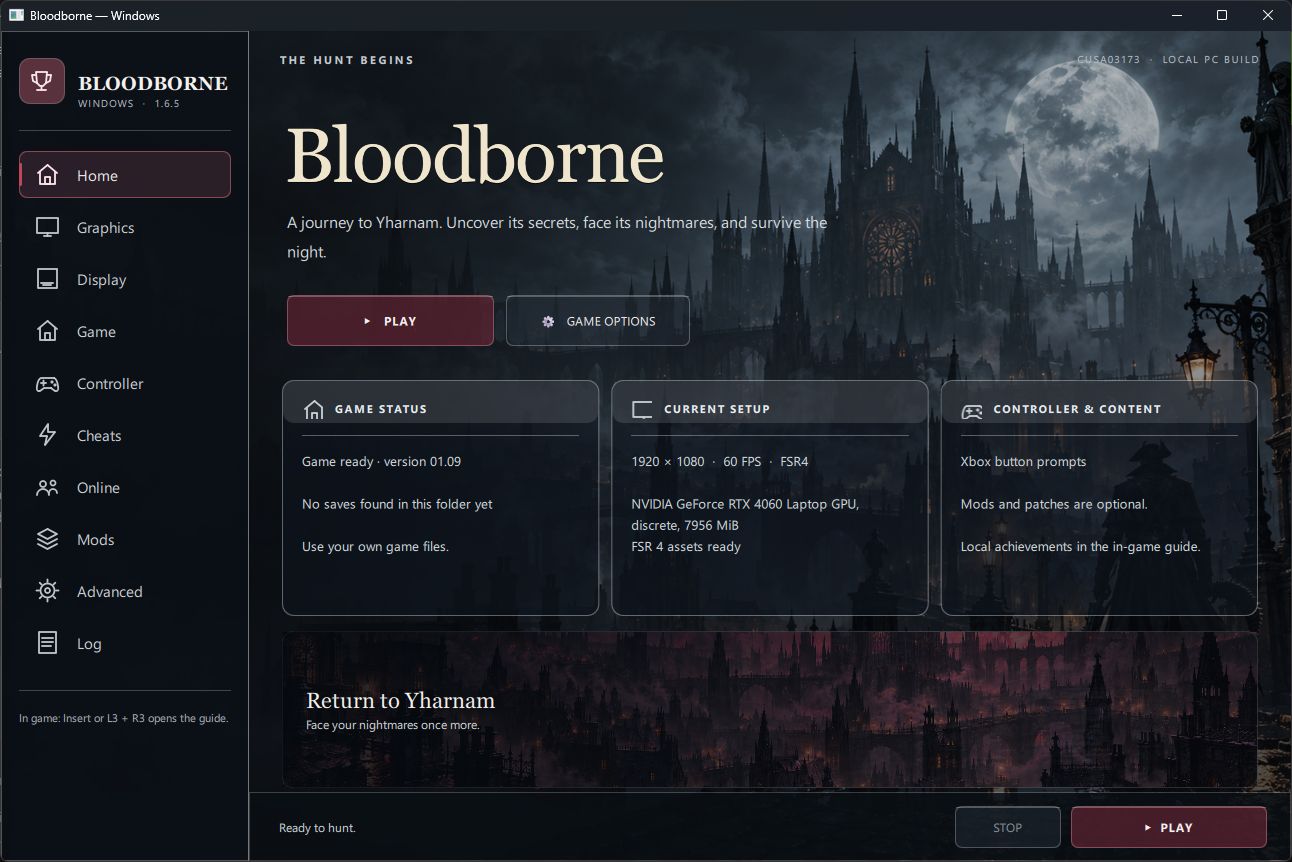
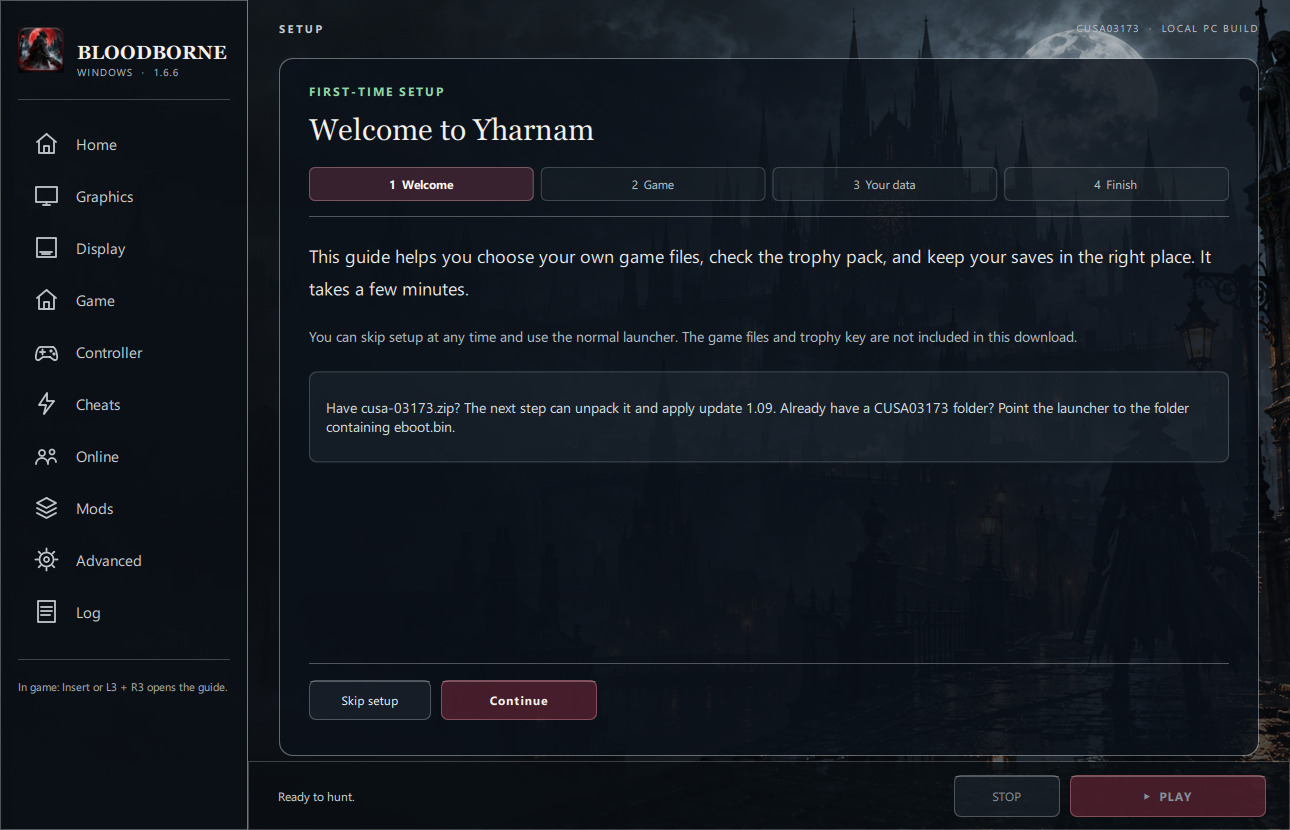
The redesigned launcher now opens a skippable setup wizard on first run. It installs your own CUSA03173 game ZIP or base and 1.09 update PKGs, checks the selected game files, trophy pack, and save folder, then lets you play. Its top-left image now matches the Windows app icon.
Download bbport-windows.zip below. The source-code ZIPs are for developers. This download contains the launcher and port, not Bloodborne's game files, saves, or trophy key.
If you have cusa-03173.zip
- Download bbport-windows.zip below. In File Explorer, right-click it, choose Extract All, and put the
bbport-windowsfolder somewhere permanent, such asC:\Games\Bloodborne\bbport-windows. Keep the whole folder together. - Open that folder and double-click Bloodborne.exe. The setup wizard appears automatically. Click Continue, or Skip setup if you prefer the normal launcher. You can open the wizard again from Game → Setup wizard.
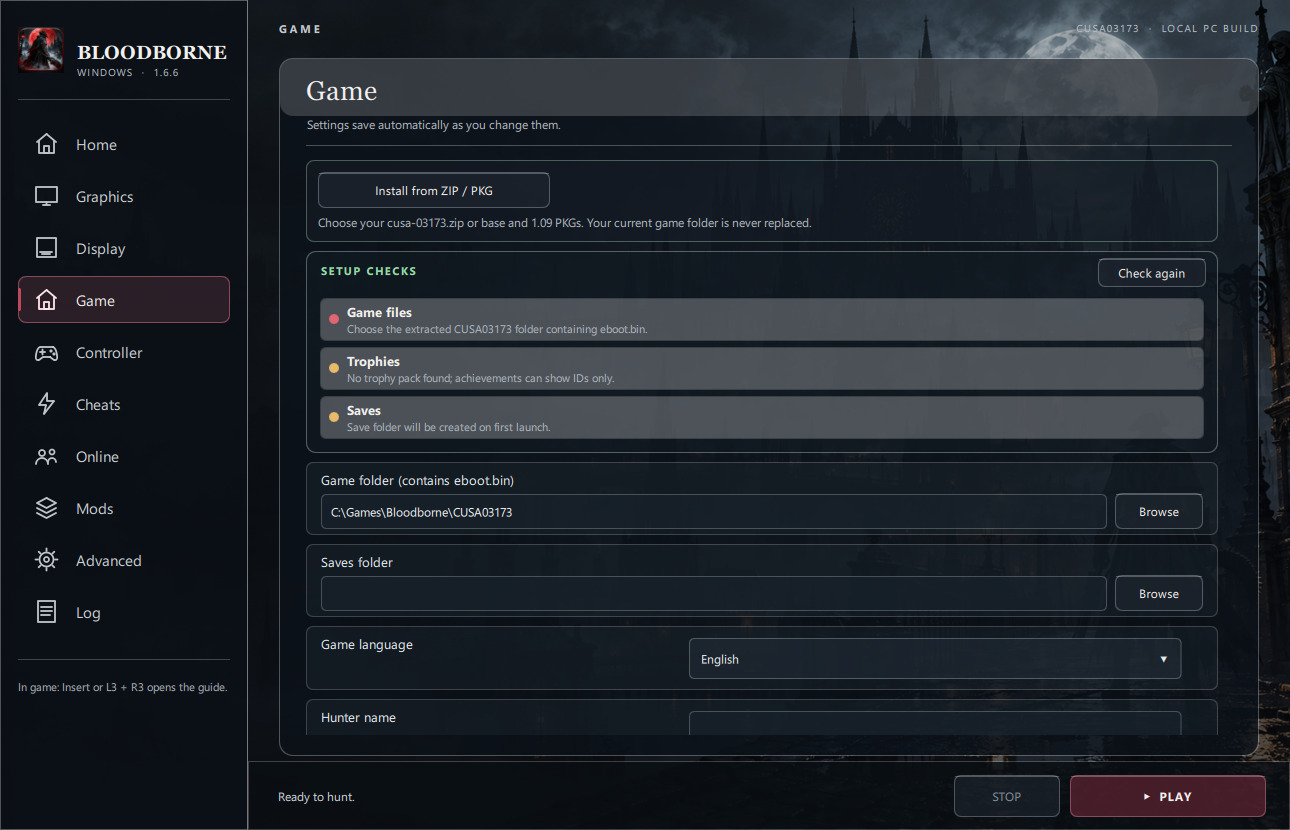
- In the wizard's Game step, click Install from ZIP / PKG. Choose your own
cusa-03173.zip, then choose the folder where you want the game installed, such asC:\Games\Bloodborne. The launcher creates a newCUSA03173folder there. It will not replace an existing one. - Leave the launcher open while it unpacks and applies the plain 1.09 update. A 30 GB ZIP needs about 70 GB of free space during setup. Your ZIP stays where it is.
- In the wizard's Your data step, optionally import your own
keys.jsonor choose an old saves folder. Game files should turn green and say version 1.09. Saves may be amber until you make your first save. Trophies may be amber until you import a key and launch the game once; the key's format can be checked before launch, but trophy-name decryption is only confirmed when the game reads the pack. Use Check again after changing files. - Finish setup and click Play now, or open the launcher and click PLAY. The first run can take a while. Shader compilation may briefly stutter when you enter new areas.
If you already extracted the game
Open Bloodborne.exe and choose Continue → Game → Choose existing game folder. Select the folder with eboot.bin directly inside it. Do not select eboot.bin itself, the ZIP, or the bbport-windows folder. Review the wizard's checks, then finish and play. You can also skip the wizard and do this on the launcher's Game page.
Switching from another launcher
Keep your extracted game folder. Back up the old launcher's user folder first. Extract this release to a new bbport-windows folder, select the existing game folder on its Game page, and set Saves folder to your old user folder if you want to continue those saves. You can also copy the backed-up saves into this release's user folder while both launcher and game are closed. Do not replace only the EXE in an old installation; this package needs its matching bin, scripts, and support files.
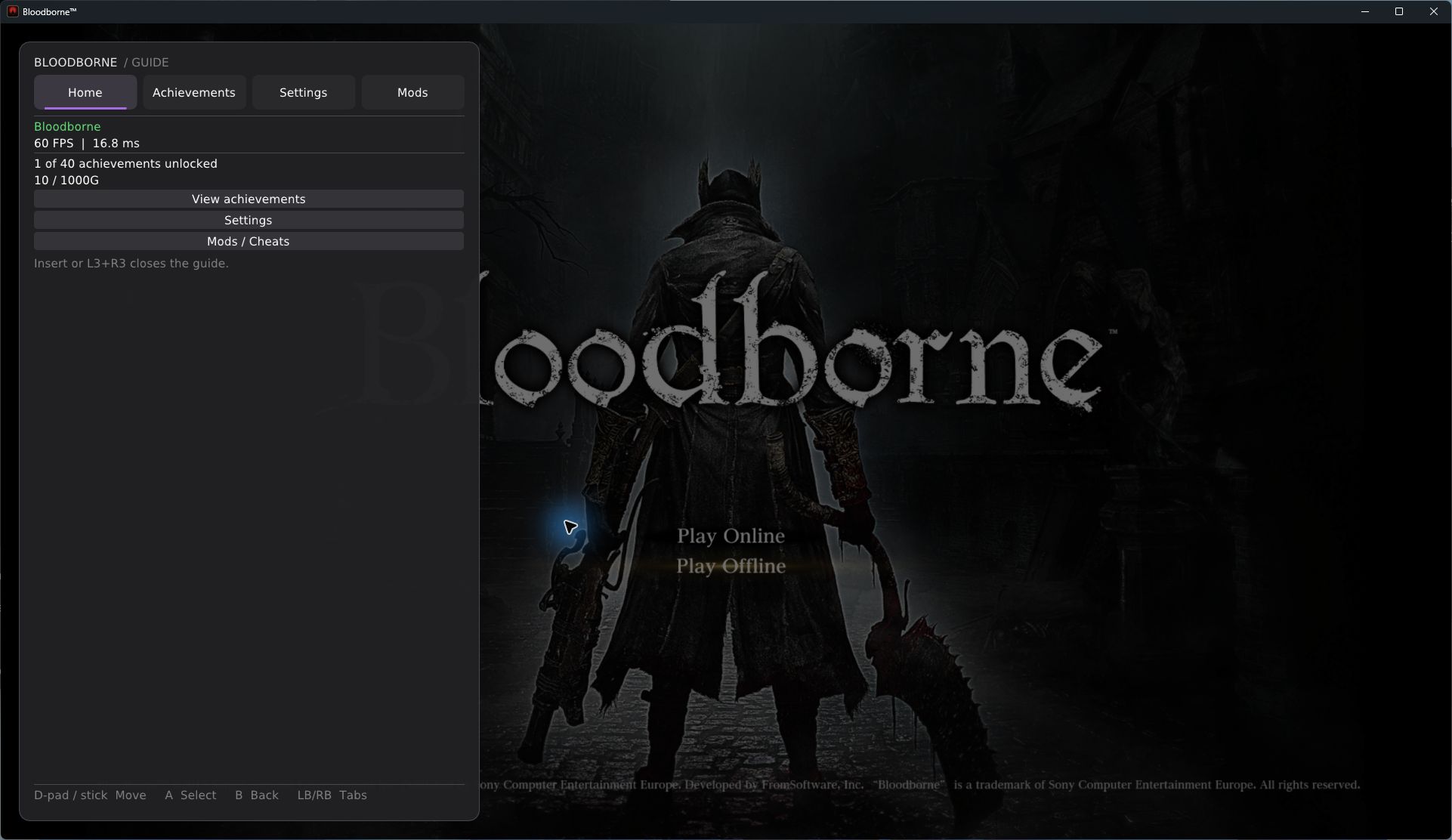
The in-game guide opens with Insert or L3+R3. It includes Settings, Mods, and local Achievements. Unlocks appear in a green toast; no online account or backend is needed.
The ZIP includes the GPL-licensed ShadPs4Plus PKG Extractor 1.1 for installation from your own PKGs. No game files or private keys are included.
SHA-256 (bbport-windows.zip): 0fc15f1feff5cc335674ac2f8f499c95e535a9e74b65f1014521c03544e46c33