
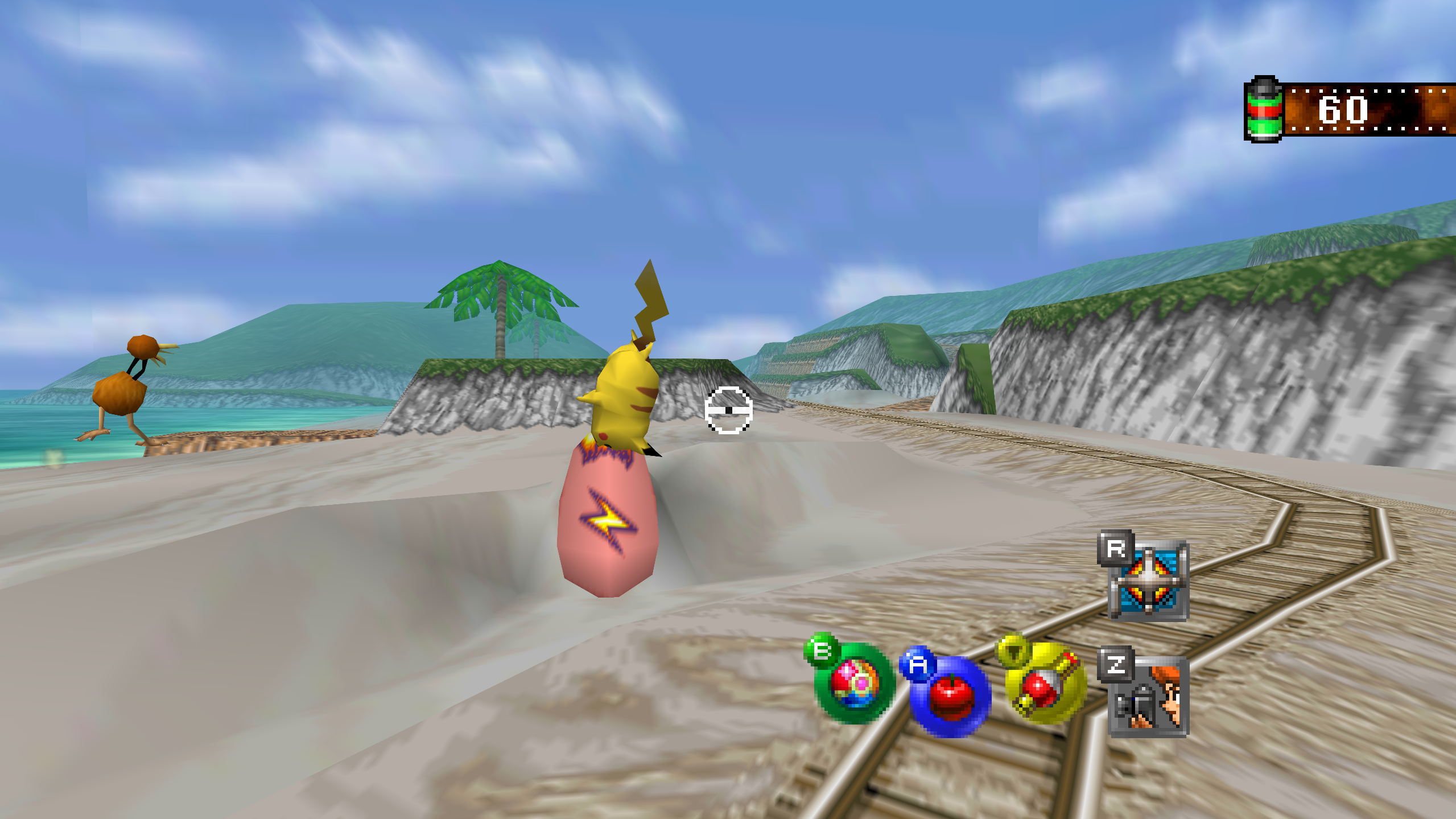
Snap64 Recomp is a native port of Pokémon Snap (Nintendo 64, US release) made by static recompilation: the game's own code runs on your PC, the port only hosts it, and everything about how it looks is off unless you turn it on. 1.1.7 adds an Autosave row, fixes the Steam Deck's Gaming Mode and gives it gyro aim and Steam art, gives Android's touch controls their own Options rows, and fixes photo scores with MSAA on, a click between a setting's arrows, and a freeze when the Options opened during a change of music.
Note
Snap64 Recomp is released only on this repository's
Releases page.
Copies posted anywhere else are not the project's. On Windows the port is
a ZIP holding a folder with Snap64Recomp.exe, and nothing has to be
installed. It opens no network connection and asks for no account or
password. Each file has a .sha256 beside it, and SECURITY.md says how to check a download.
Downloads
| File | For |
|---|---|
Snap64Recomp-1.1.7-win64.zip
| Windows 10 (version 1809 or newer) or 11, 64-bit, with a GPU driver that provides Direct3D 12 and Shader Model 6.3: any driver since late 2018. Nothing else to install. |
Snap64Recomp-1.1.7-linux-x86_64.tar.gz
| Linux, experimental: needs the system's SDL2, GTK 3 and a Vulkan 1.2 driver. This file ran a scripted ride on a Steam Deck in Desktop Mode. |
Snap64Recomp-1.1.7-linux-x86_64.flatpak
| The same Linux build with its own SDL2, GTK 3 and Vulkan loader; installs with one command on a Steam Deck or any desktop with Flatpak. This file was built and started on GitHub's machine and ran a scripted ride on a Steam Deck in Desktop Mode; its Gaming Mode fixes were played on earlier builds made here. |
Snap64Recomp-1.1.7-linux-arm64.tar.gz
| Linux on ARM64 (a Raspberry Pi 5, an ARM laptop, a Linux virtual machine on a Mac). Built on GitHub's ARM machine, not yet played on real hardware. |
Snap64Recomp-1.1.7-macos-universal.zip
| macOS 14 or newer, Apple Silicon and Intel in one app. Built and run on GitHub's virtual Mac, not yet on a physical one. |
Snap64Recomp-1.1.7-android.apk
| Android 10 or newer on a 64-bit (arm64) phone or handheld, with a Vulkan 1.2 driver. A beta: 1.1.6 has run on a player's AYN Odin 3 Pro and on a Galaxy S25 Ultra, and this release on Android's emulator; no real pad has been tried yet. ANDROID.md has the steps. |
You need your own cartridge dump. No game data is included. Start the program and choose your pokemonsnap.z64 when it asks (US, SHA-1 edc7c49cc568c045fe48be0d18011c30f393cbaf), or put the file next to the executable yourself. START HERE.txt in each archive says the rest, in one page. On Android the file goes in Internal storage > Snap64, or the app asks for it with the system's file picker.
What's new
Saving
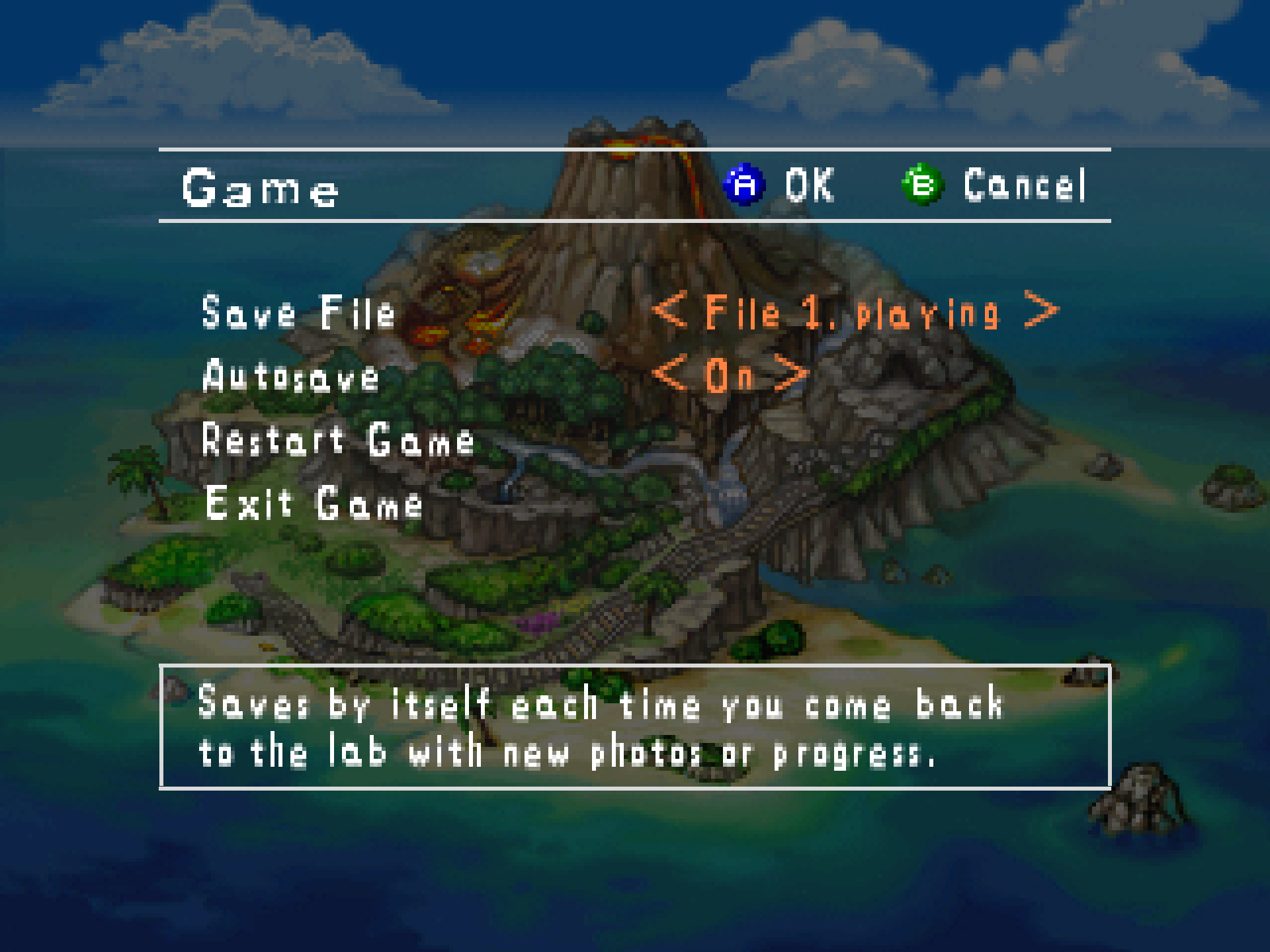
- Autosave, a new row on Options > Game, Off as shipped. The cartridge saves only when asked, and closing the window ends the session at once, so a session could end with nothing saved. On, each time the lab opens with anything the last save does not hold, the port runs the game's own save, the one the lab's Save makes, with no text and no pause. After a new game started over a saved one, it waits for the first save made by hand, so the old save is not written over unasked. Off, nothing the game can see changes. From TommyDahlin's post in #34.
Steam Deck
- Gaming Mode, the Flatpak above all (#30). The start is smooth: the picture no longer runs at about ten frames a second for three seconds and then shrinks. The lime, cyan and magenta blocks and the ghosts of earlier frames are gone. Gyro Aim works in Gaming Mode: the port reads the Deck's own sensor, which Steam's virtual pad does not pass on. The Mods page's Restart no longer throws Steam off. When Steam points Mesa's shader cache at a folder the Flatpak cannot write, the cache moves to one it can. The port measures the screen's real rate, which follows Steam's refresh slider (checked against a model of the Deck's presents, not yet on a Deck). Each fix says in the log what it did.
- Steam art. Added to Steam as a shortcut, the game gets a poster, a background, a logo and a wide picture in the library. The port writes them only for a shortcut that names the game, never replaces a file already there, and
SNAP_NO_STEAM_ART=1turns it off. - The Flatpak's icon is the logo at every size from 16 to 256 pixels, on the desktop and in Gaming Mode.
Android
- The touch controls have their own rows on Options > Controls: Touch Controls (Auto, Always, Never), Touch Size, Touch Opacity, Left-Handed, Idle Fade and Move Buttons, which lets you drag each button where your thumb wants it. A swipe scrolls the page and stops at its first or last row. Never hides the buttons only while a pad is attached, so a phone cannot lock itself out of its own Options.
- The first start's question about the game folder can no longer be lost. Rhys Wittingslow, on his AYN Odin 3 Pro, tapped beside it, and the app never asked again. Now only an answer closes it, Not now asks again at the next start, and a new Don't ask again keeps the app's own folder. When access is given later, the app's own folder is copied into Internal storage > Snap64, never over a file already there.
The mouse and the controllers
- The mouse on the menus, from fizzlepicklepop's post in #32. In fullscreen the pointer stays while the mouse is in use, through Oak's talk too, and a click on a hidden pointer only brings it back, so it chooses nothing unseen. A new Pointer Shows row keeps it up on every screen that takes the mouse. On the game's questions, a click on an answer's words counts, not only its icon. Mouse Speed steps by five from 5 to 200, and [ and ] show the new speed on screen.
- A click changes a setting only on its arrows. A click between a value's arrows changed it, and on a few values a click on the right arrow stepped back. Found in play.
- The album's comment grid takes the keyboard and the mouse, as the name card does.
- Every controller is read, and the one pressed last is the one in use, so a pad paired beside a Steam Deck's own controls should work without turning them off (not yet tried on a Deck). The Pad Preset is kept for each controller, and Auto says what it picked.
- Save Photo, Fast Forward and Slow Motion are rows on the Button Setup page, so a pad that sends its C buttons as stick clicks can still have them.
- The Button Setup page names an N64-shaped pad's parts as that pad has them, and Stick Swap on a pad with one stick no longer leaves the aim with nothing.
- With Steam Input on, Steam's virtual pad keeps Steam's layout; Auto no longer lays it out a second time.
- The clear red N64 USB pad (0079:0006) has a line for
gamecontrollerdb.txtin the manual, from MatyMeatBoy's capture of the pad in #37.
Fixed
- Photo scores with MSAA on. The photo check reads each photo back from memory, and RT64 drew that copy with the picture's MSAA, so with MSAA 8x the points of 14 photos of 21 moved on the Beach tape. The copy is now drawn at one sample; the picture keeps its MSAA. With and without MSAA, the photo check now reads the same bytes and Oak gives the same points.
- A photo in a wide window lists what the cartridge would. The Widescreen patch had widened the test that decides which Pokémon a photo may list. Now only the drawing takes the wider picture.
- The Options could freeze the game at the next change of music. While the Options are up, the music is held, and a song stopping or fading went on sending to the held player until its queue was full. The hold now ends a fade at its target and waits for a stopping song. Found on a test build; no player has reported it.
- A mod's options page kept a change made with the pad's A. A did nothing on every row but the last, and B then undid the change. Found on a Steam Deck.
- The Options pages can no longer overrun the game's display list, which is the game's own panic: they now draw into a list of their own. A mod's details with its picture, then its options, had come within 192 bytes.
The release checks
- The checks press the controller's buttons on the built game, as the Switch Online N64 controller and as an Xbox-style pad, and check each press against the console, and they check Autosave, on and off, on the scoring ride.
Nothing else changed since 1.1.6; its page says what 1.1.6 brought.
Every change, with its cause, is in CHANGELOG.md.
Note
Upgrading from 1.1.6 or any earlier release: unpack the new archive over the old folder or beside it. Your save is in saves/ and your settings in snapsettings.json, both untouched by the upgrade and both read by 1.1.7 as they are. If you keep the old folder, copy those two across, and pokemonsnap.z64 with them, or let the new one ask you for it. On Android, install the new APK over the app you have; your saves stay.
Warning
The Windows executable is not signed, and the Mac app is signed by nobody. SmartScreen may say "Windows protected your PC" on the first start, macOS refuses a plain double-click, and an antivirus may flag a program it has never seen; the builds on this page are what the source produces, GitHub's provenance says so, and the .sha256 beside each archive lets you check what you downloaded. The APK is the exception to the provenance: it is signed with the project's key on the release machine, so it carries no GitHub build record, and its .sha256 is the check. The Android app is installed from the file, not from a store: Android asks once to let your browser or file manager install apps.
First start
- On Windows, past SmartScreen: choose More info, then Run anyway, once.
- On a Mac: right-click the app and choose Open, or on macOS 15 double-click, dismiss the message, and click Open Anyway in System Settings > Privacy & Security, once.
- On Android: open the APK, turn on "Install unknown apps" for the app you downloaded it with when Android asks, and install. The first start asks for "All files access" for the Snap64 folder; Not now asks again at the next start, and Don't ask again keeps everything in the app's own folder.
- The box asks for your ROM; choose the file and the game starts. The first start also compiles the shipped shader list during the boot logos and takes longer.
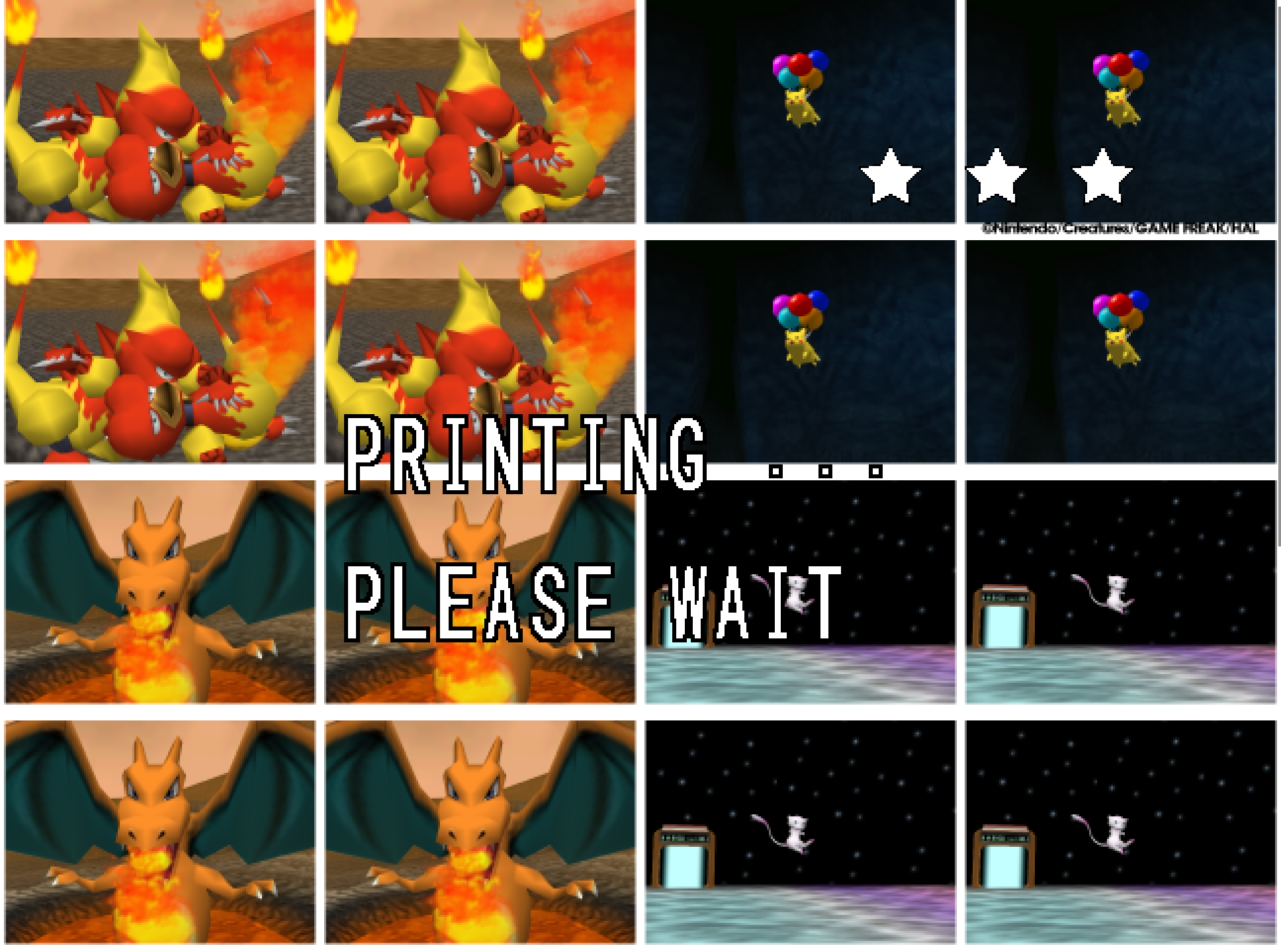
- The Snap Station's Print restarts the program twice, on purpose. It is not on Android.
- On a Deck, add the executable as a non-Steam game and run it in either mode, or install the Flatpak; the Deck page under
docs/has the shortcut and gyro settings.
Known limitations
- The Android app is a beta. 1.1.6 has run on a player's handheld and on one phone; this release has run on Android's emulator. No real pad has been tried, and the touch controls' new rows have run on the emulator only.
- On an AYN Thor (Snapdragon 8 Gen 2, Android 13), 1.1.6 crashed after the ROM was chosen (#36). The cause is not known yet: no log has come in, and 1.1.7 has not been tried on a Thor. A
snap64.logfrom one is welcome. - The Mac build has not run on a physical Mac, and the ARM64 build has not run on real hardware. Their sounds, pads and speed are unheard and unmeasured.
- A few 2D pictures still move at the game's rate when the frame rate is raised: one that slides past the side of a menu in a wide window, and one that jumps a long way in a single frame. Outside Oak's check, a slide that slows to a stop can still end a pixel at a time.
- A mod installed during play loads at the next start; the page says so.
- On an N64-shaped pad with neither a ZR nor a spare right trigger, such as the Mayflash N64 Adapter, fast forward has only its key until the file names another button.
- A Pokémon pops out of the picture before it has fully left it: the cartridge draws a Pokémon only while its collision point projects within 1.5 times the half-screen of the center. The port keeps the rule as the cartridge has it.
- Gyro has been confirmed on a Steam Deck, in both modes, and on no other pad yet. In Gaming Mode it felt too slow on two rides of four; on the measured ones its scale is right, and the cause is still open.
- Some changes were made without the hardware they are for, from the drivers and the code: Steam's virtual pad keeping Steam's layout, the clear red N64 USB pad, and the Steam art on Windows and on a Linux desktop. A report from any of them is welcome.
How this release was checked
- The release suite (
tools/release_check.py) on the Windows executable GitHub built: 39 of 39 checks (the speed check passed on a second run alone, after the first run's 3x ride had scored 37 photos in its 160 seconds against the 1x ride's 45), and the Snap Station's 5 of 5 in 488 s. - The same suite on the build made here: 39 of 39 in 1414 s, and the Snap Station's 5 of 5 in 488 s. It now checks Autosave on the scoring ride, on and off. VERIFICATION.md says what each check does.
- The click fix in the game: a scripted run clicked every two pixels along the Sound page's Master Volume. Only the clicks on its arrows changed it, none of the nine on the number between them, where the build before the fix changed it at all nine.
- On a Steam Deck OLED in Desktop Mode, the tarball and the Flatpak on this page, each: a scripted Beach ride with MSAA 8x and Widescreen on scored its 37 photos exactly as the Windows build does, and the Mods page drew whole with Island Skies on. Earlier builds of the same Deck fixes, made here, in Gaming Mode: the blocks of #30 gone at Frame Rate 120, a smooth start, Gyro Aim from the Deck's own sensor, four Restarts from the Mods page, and the Steam art and icon.
- The APK on this page on Android's emulator (x86_64, Android 15): every stage of
tools/android_check.py, 114 of 114 checks in 1295 s, and the Android-only paths 11 of 11 on a later run, after two fixes to the check itself: its "Don't ask again" path now waits for that answer's own start, and its copy test file now goes in a folder the app made, as a player's files are. It is GitHub's own build, signed here with the project's key: its contents are those of the unsigned build, whose provenance verifies. - The Mac workflow's checks on GitHub's virtual Mac: 15 of 15 natively and 10 of 10 through Rosetta 2, no crash reports, on the first run. The package checks passed on all six archives, and the build provenance of the five archives and of the unsigned APK the signed one was made from verifies.