
What's New
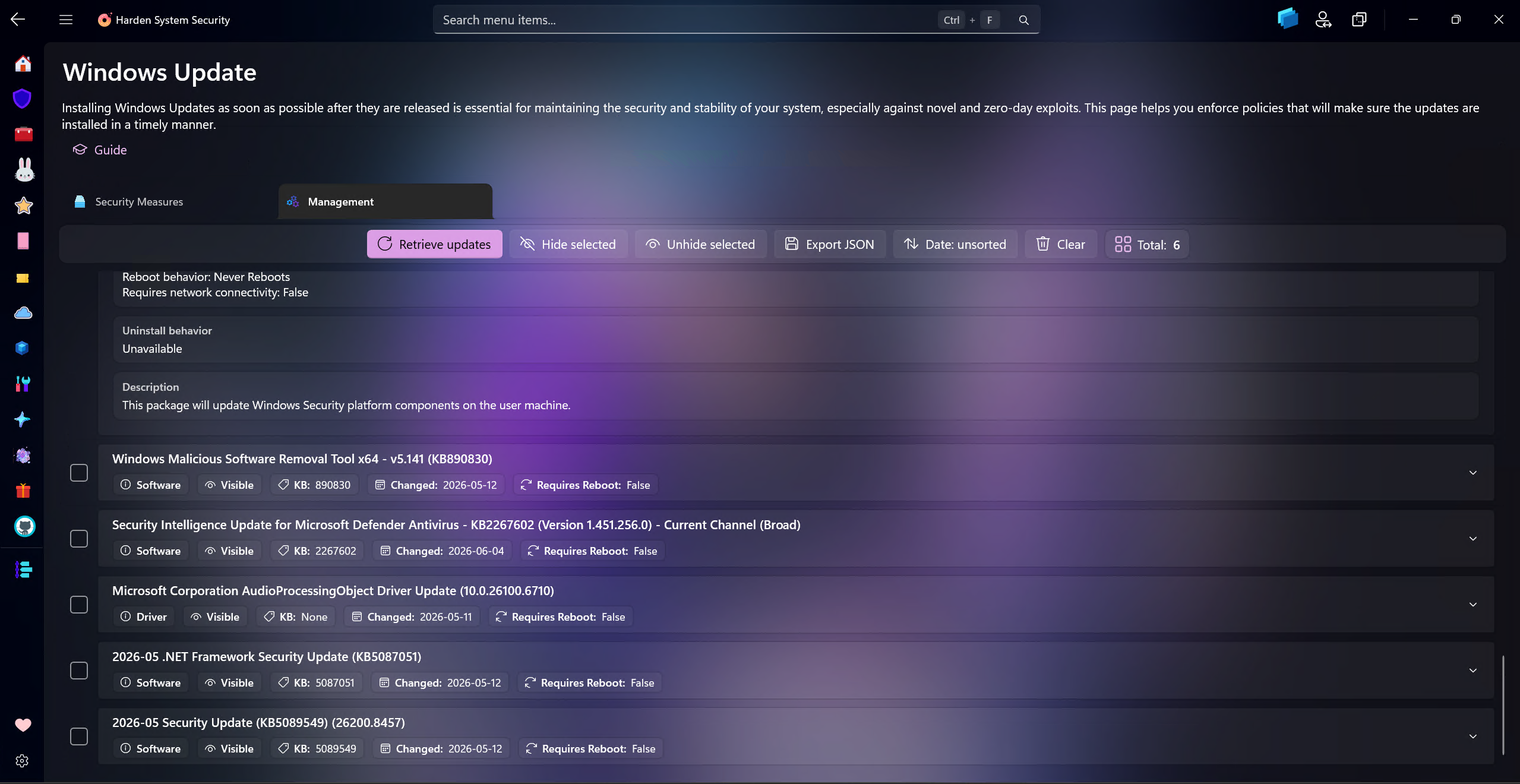
Added a new Management tab to the Windows Update page, designed to show available Windows updates that are not currently installed. Users can retrieve the available update list, inspect detailed metadata for each update, hide or unhide selected updates, sort updates by deployment date and export update metadata to JSON.
Tip
When you or Windows itself checks for updates, there is no way to select which ones you want to install and which ones you don't want, but now with this new feature, you have that option. This also means that if someone, some other software or even malware has hidden important security updates on your system, you can now view them in this management page and unhide them.
Being able to hide updates is useful in some scenarios, for example when a specific update is causing issues and you want to prevent it from being installed until a fix is released, or when Windows Update offers an old driver version even if newer version is installed. Each hidden update can be shown again easily via the UI controls.
Updates available in Windows carry a lot of metadata with them but Windows Update in Windows Settings only displays a tiny fraction of it. The management tab in the app allows users to inspect all the metadata for each update, which can be useful to understand what the update is about, its severity, whether it's a security update or not, the link to online articles and so much more. You can also instantly export them to JSON file, which can be useful for further analysis or record-keeping.