
What's New
Introducing Device Usage Intents
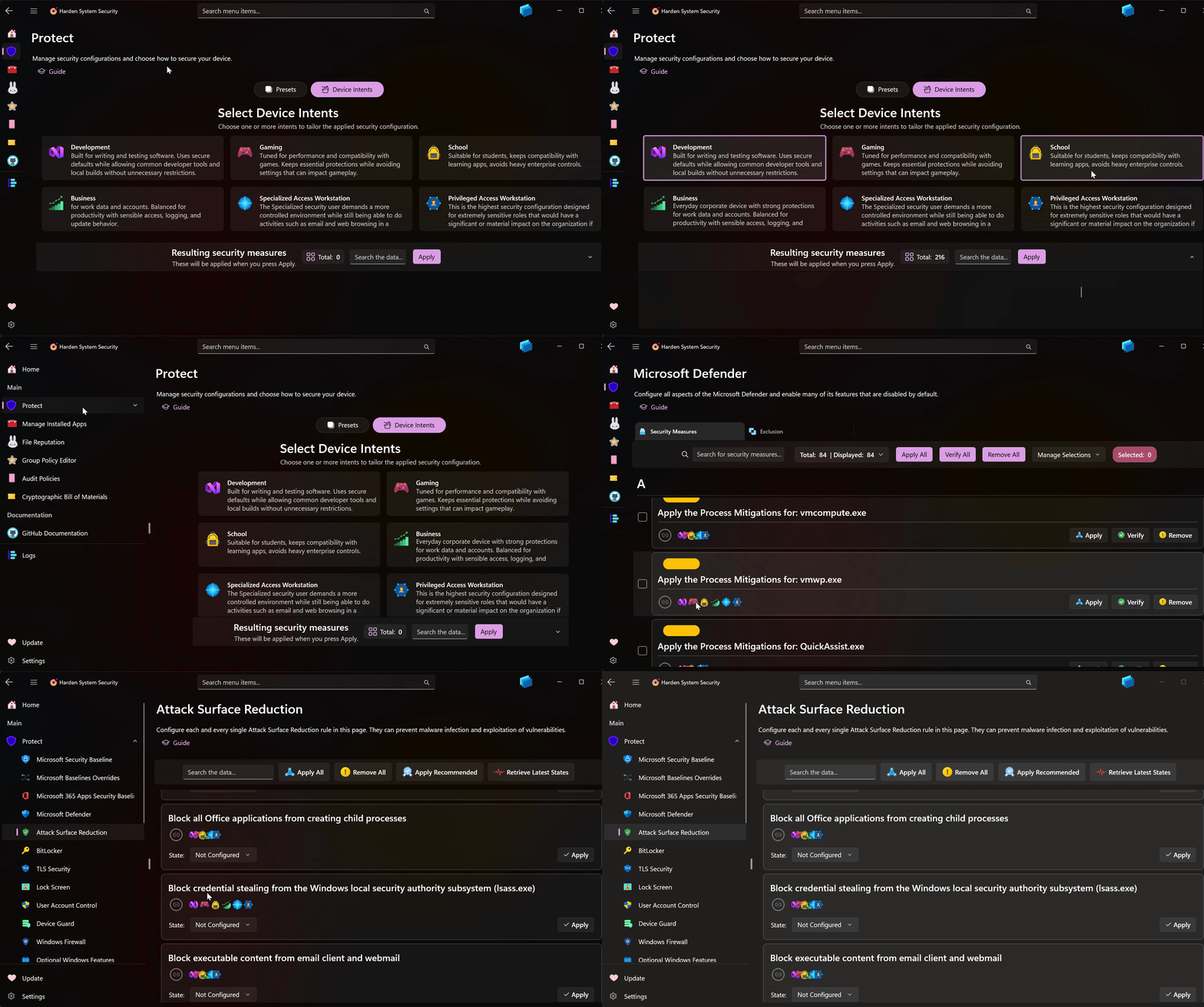
Harden and secure your devices according to how you use them. Device Usage Intents work like the OS's Out-of-Box Experience (OOBE): during initial Windows setup you're asked how you'll use the device. Intents provide an easy, complementary way (in addition to the existing Presets) to configure your entire system. The currently available Device Usage Intents are:
-
Development: Built for writing and testing software. Uses secure defaults while allowing common developer tools and local builds without unnecessary restrictions.
-
Gaming: Tuned for performance and compatibility with games. Keeps essential protections while avoiding settings that can impact gameplay.
-
School: Suitable for students, keeps compatibility with learning apps, avoids heavy enterprise controls.
-
Business: Everyday corporate device with strong protections for work data and accounts. Balanced for productivity with sensible access, logging, and update behavior.
-
Specialized Access Workstation: The Specialized security user demands a more controlled environment while still being able to do activities such as email and web browsing in a simple-to-use experience.
-
Privileged Access Workstation: This is the highest security configuration designed for extremely sensitive roles that would have a significant or material impact on the organization if their account was compromised.

Each security measure in their own dedicated page is also annotated with device usage intent badges so you can easily tell which security measure belongs to which device usage intent.
If you have feedback regarding the association of security measures to device usage intents, please open an issue on GitHub so we can talk about it.
Note
Beginning with this update, when the Microsoft Security Baselines or Microsoft 365 Security Baselines are selected in the Protect page, either via Presets or Device Intents, they will be applied first among the selected categories. Similarly, if the Overrides for Microsoft Security Baselines category is among the selected categories, it will be applied last. Any other categories that are selected will be applied between these priority groups. This type of prioritization ensures complete and proper application of the security measures.
Other Changes
-
In the Manage Installed Apps page, the item selections in the list view will persist after performing searches or retrieving the list of the apps again.
-
Added Country IP Blocking's State sponsor of terrorism block list to the Protect page so you can select it for both Presets-based and Intents-based scenarios.
-
Removed the grouping of items in the Protect page alphabetically. Each alphabetical group would have mostly 1 item and it makes more sense to remove them and use available space better.
-
Fixed an issue that was caused by provider congestion under heavy usage of internal group policy related events.
-
Updated dependencies to the latest versions.
-
Lots of code quality improvements.
-
Added lots of useful comments for code reviewers.