
SpartanPort 3.2.0: shaders prepared on the first start, brightness, contrast, gamma and HDR10, any engine frame rate from 30 to 240, cheats in the launcher, RecompLauncher support, and crash fixes for RX 570/580 cards and integrated GPUs. Updating from 3.1.0 through the launcher keeps your saves and settings. These notes list every change since 3.1.0, the requests it closes and what is still open.
Updating from 3.1.0
- Windows: update through the launcher as usual, or download
spartanport-windows.zipfrom this release. - Linux: download
spartanport-x86_64.AppImagefrom this release and replace the old file. - Settings carried over: everything you set in 3.1.0 stays, including your engine frame rate. Brightness, contrast and gamma start at the values that leave the picture exactly as before.
- HDR: if Allow HDR output was already on in the launcher, the game now really uses it: with Windows HDR on for that display, the picture comes out in HDR10. Turn the option off to keep SDR.
- First start: the game prepares its shaders and pipelines once before the title screen. It took about 8 minutes on the test PC (an RX 6700 XT); Esc or Circle skips it and the rest is built while you play.
Shaders prepared on the first start (#1332, #1344, #1346)
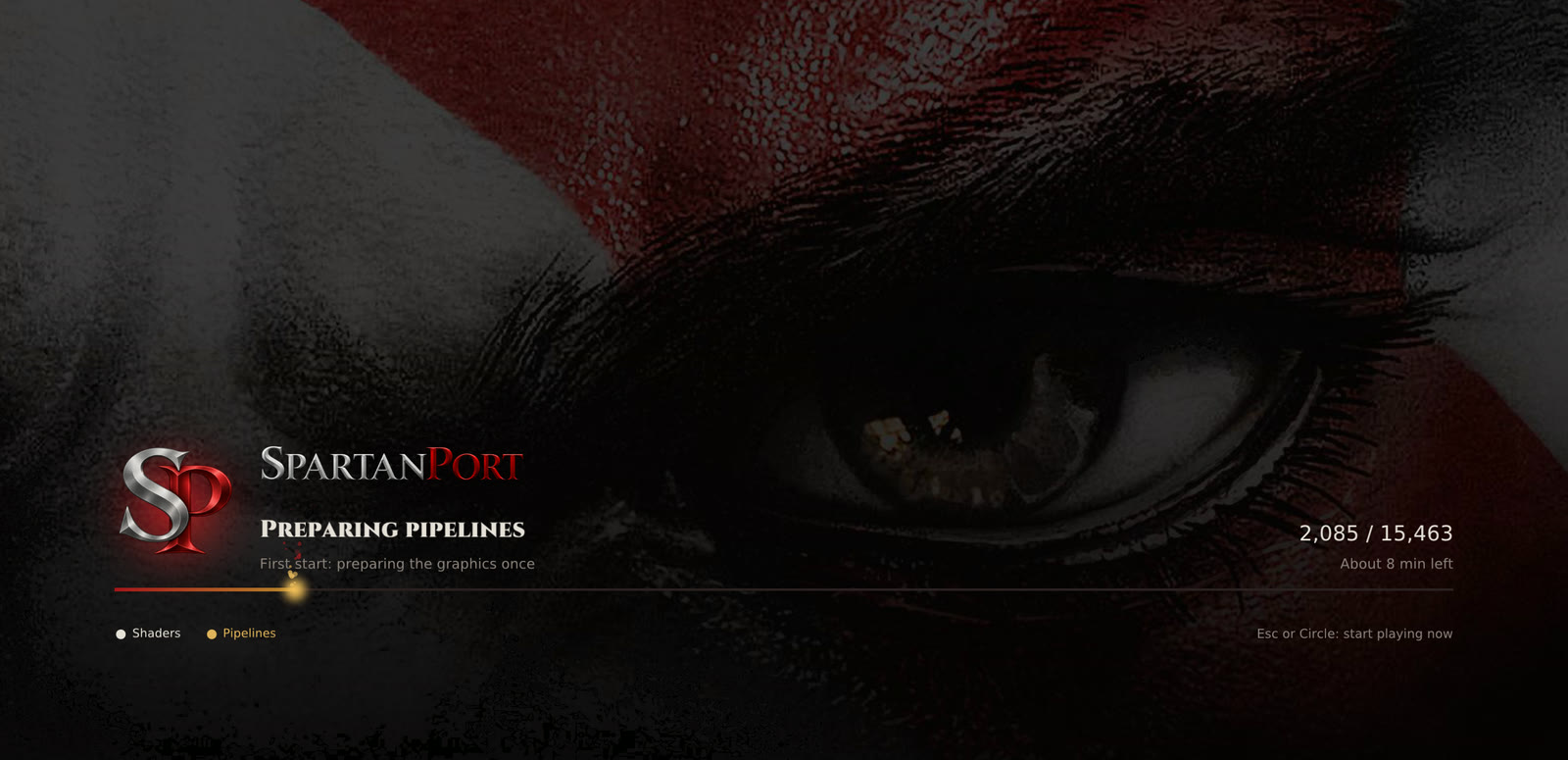
- Almost no shader stutters: the first start prepares every shader and pipeline the campaign uses, from a shader list shipped with the port (#1332). After it, areas stutter far less the first time you enter them: on the test PC only 3 pipelines were left to build while playing.
- No game code in the list: each PC reads the shader code from its own game files, checks it by hash and builds it for its own GPU. Recordings sent by players on Intel and Linux were added to it (#1344); the tables below show which game versions and systems were tested.
- A new preparation screen (#1346) shows the step, why it runs (first start, new graphics driver, new shader list or port update), the count and the time left, in all 15 launcher languages.
- It runs again only when needed: after a graphics driver update, a new shader list or a port update. A pipeline that crashes the driver is skipped on the next start.
- Launcher > Advanced > Export recorded shaders saves your recording, so you can send it to grow the list.
What the shader list covers and what was tested. A shader that is not in the list, or that differs in your game files, is not an error: it is built while you play, as before 3.2.0.
| Game | Version | Shader list | Status |
|---|---|---|---|
| CUSA01623 | 01.00 | Its own list, recorded over a full campaign | Validated in game: Windows 11, RX 6700 XT, 27742 shaders and 15460 pipelines prepared with 0 refused, then gameplay with no shader builds |
| CUSA01623 | 01.02 | The same list | Checked, not played: a 1.02 recording matched the list (10 of 9958 shaders differ; those are built while you play). No full first start on 1.02 yet |
| CUSA01715 | 01.00, 01.02 | The CUSA01623 list | Not tested |
| CUSA01720, CUSA01740 | any | The CUSA01623 list | Not tested |
| System | Status |
|---|---|
| Windows, AMD (RX 6700 XT) | Validated in game (preparation, title, save load, gameplay) |
| Windows, NVIDIA | Not tested |
| Windows, Intel UHD | Recording only: a player's recording (1.02, 720p patch) was added to the list; the preparation itself was not tested on Intel |
| Linux | Recording only: a player's recording was added to the list (#1310); the preparation was not run in game on Linux |
| macOS | Not built or tested |
We are asking for full shader recordings of the versions still missing: CUSA01623 01.02, CUSA01715 (01.00 and 01.02), CUSA01720 and CUSA01740. A full recording, from the start of the campaign to the end, lets those versions get a list of their own. If you play one of them:
- Play as much of the campaign as you can, ideally all of it, with SpartanPort 3.2.0.
- Close the game, open Launcher > Advanced > Export recorded shaders and save the zip.
- Send it to the SpartanPort team: open an issue titled "Shader cache submission" with the zip attached (as in #1310), or send it in a ticket on the Discord. Say which game, version, GPU and system you played on.
The recording holds no game code, only which shaders the game asked for. Recordings from NVIDIA, Intel and Linux are welcome too. If you only want to tell us how the first start went on another title, version or system, open an issue with user/last_run.log.
RecompLauncher support (#1294)
SpartanPort can now be installed, set up and started from RecompLauncher, next to your other recompiled and ported games. The port ships a recomplauncher.json recipe that tells RecompLauncher how to do each step:
- Install: RecompLauncher downloads
spartanport-windows.zip(or the AppImage on Linux) straight from this project's releases. - Your game: it asks for the folder of your own dump (CUSA01623 or CUSA01715, with
eboot.bin) and, if you keep it apart, the 01.02 update folder. - Checked during setup: it runs the port's own check on that folder, with a progress bar, so a bad or unsupported dump is reported right away instead of when you press Play.
- Settings in RecompLauncher: window mode, resolution, engine frame rate, frame rate limit, V-Sync, upscaling and its quality, anti-aliasing, texture filtering and Show FPS, on the game's page and in Big Picture mode. They change only their own lines in
spartanport.ini, so everything else you set in SpartanPort's launcher stays. - Play: starts the game directly, without SpartanPort's launcher window.
- Saves and logs: RecompLauncher knows where they are, to open them or back them up.
It needs 3.2.0: the setup check it uses is new in this release. SpartanPort's own launcher keeps working as before, and both use the same saves and settings.
Picture: brightness, contrast, gamma and HDR10 (#1335, #1343)
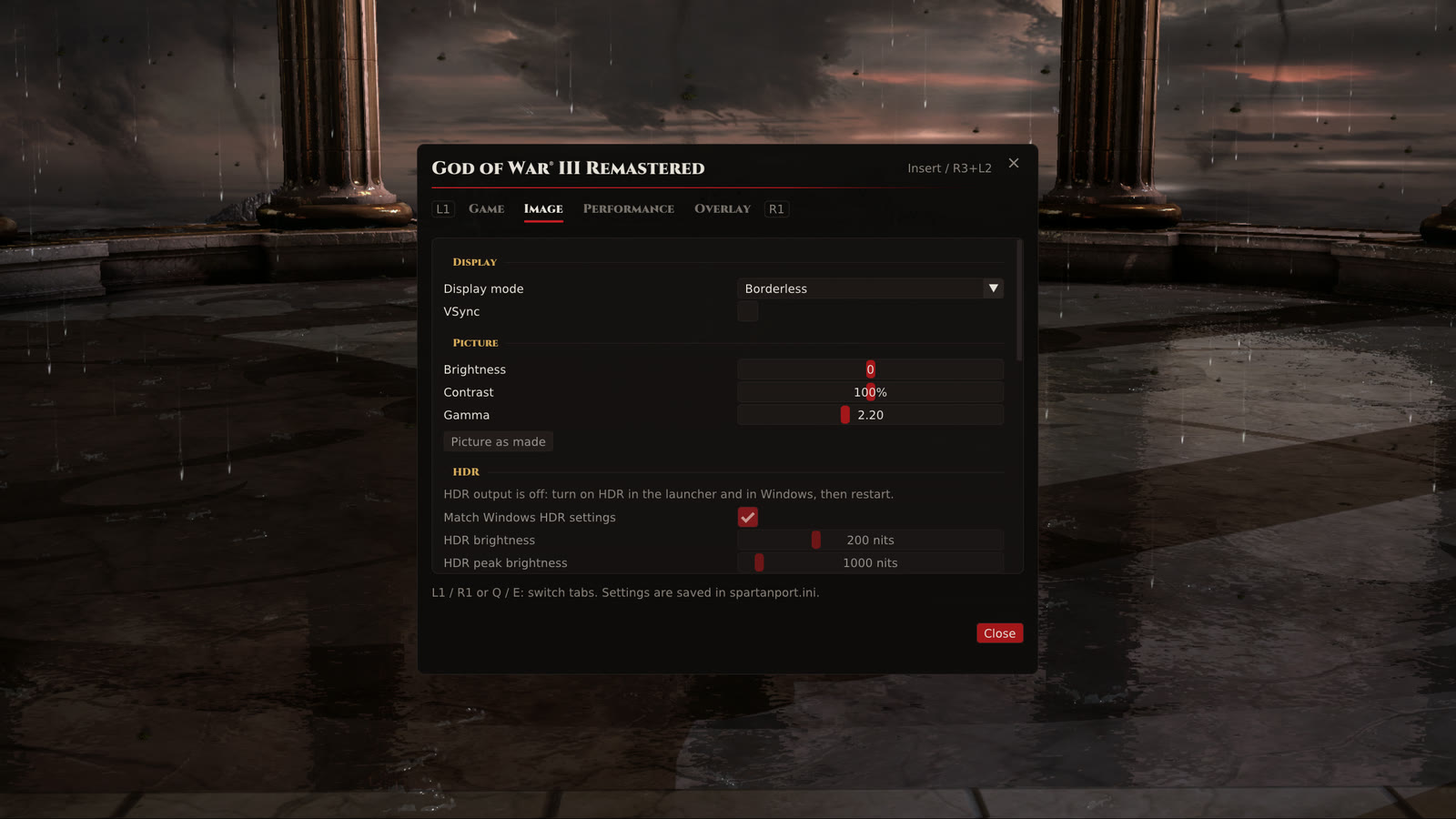
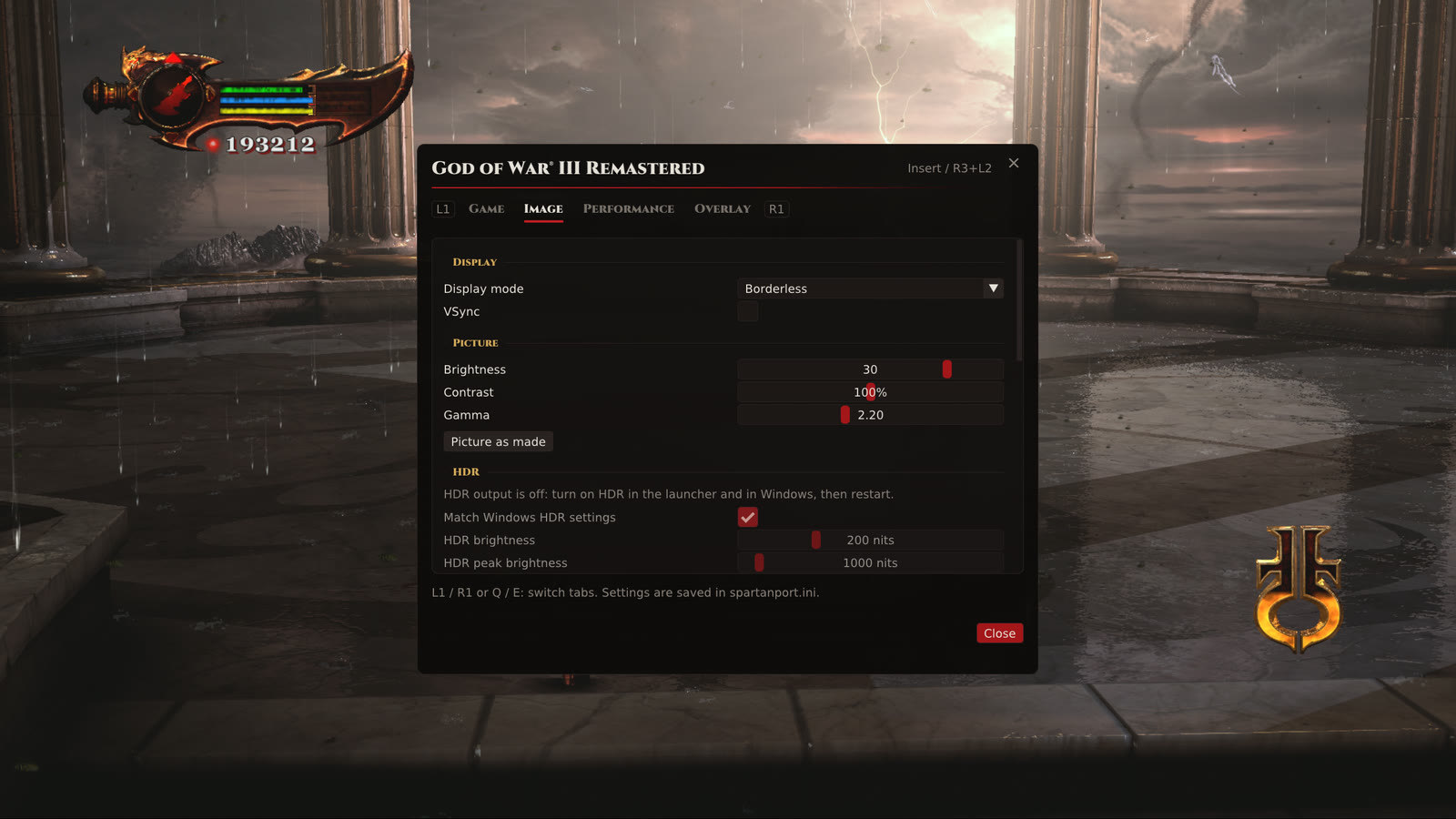
| Brightness 0 (as made) | Brightness +30 |
|---|---|
| 
|
- Brightness, contrast and gamma (#1335) in Insert > Image > Picture: brightness from -50 to +50, contrast from 50% to 150% and gamma from 1.80 to 2.80. Picture as made puts all three back to the game's own picture, unchanged to the last bit. A fine dither keeps dark gradients from banding.
- HDR10 output (#1343): with Graphics > Allow HDR output on in the launcher and Windows HDR on for the display, the game's SDR picture is expanded to HDR10. It is off by default.
- HDR brightness and peak in Insert > Image > HDR: HDR brightness (paper white) from 80 to 500 nits, 200 by default, and peak brightness from 400 to 10000 nits, 1000 by default. Match Windows HDR settings, on by default, takes both from Windows at start. The brightness, contrast and gamma controls work in HDR too.
- The port's menu, counters and trophy notices are drawn at the HDR brightness, so they do not glare.
Frame rate and resolutions (#1278, #1280)
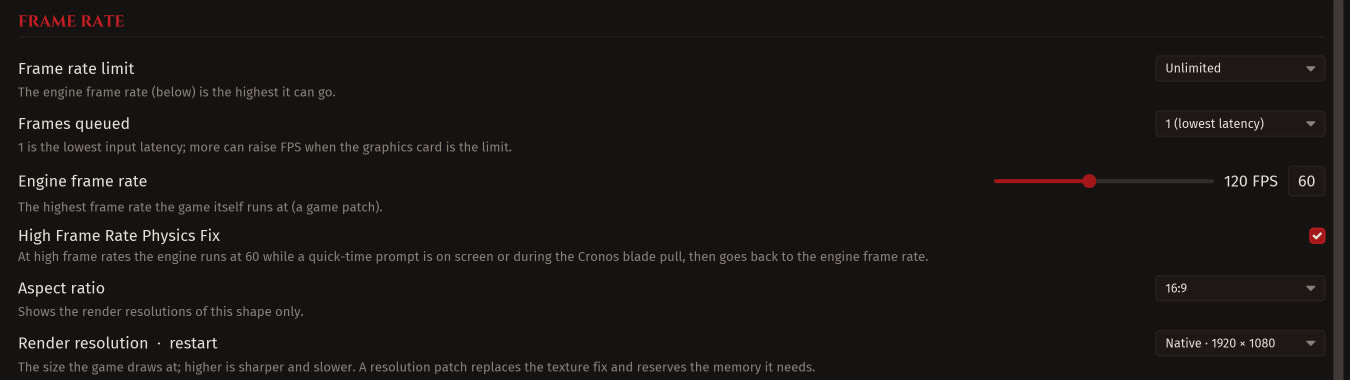
- Any engine frame rate from 30 to 240 (#1278), instead of six fixed values: a slider with a 60 button in Launcher > Performance and in the port's menu. In game, the Display row of the game's menu, R3 + R1 / L1 held and F9 + Right / Left held step 5 FPS, with a stop at 144.
- New render resolutions, beta: 11520x2160 under a new 48:9 aspect, for three 4K screens side by side (#1280), plus 5120x2880 and 2880x1800 (#1278).
Cheats in the launcher and the trophy sound (#1286)
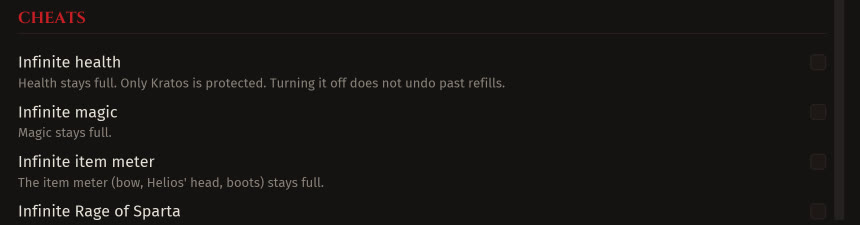
- Every cheat and multiplier from the port's menu can be set on the launcher's Game page before the game opens. Turn off all cheats brings back the original game in one click.
- In game: hold F10 and press 1 to 8 to switch a cheat; a notice shows its new state.
- Trophy sound: mute it or set its volume on the same page.
Graphics (#1276)
- New TAA defaults, tuned slider by slider in game: colour tolerance 175%, moving objects 55%, texture detail 80%, moving object edges 55% and TAA sharpening 130%. Values you already saved are kept.
- Intel XeSS, Windows, experimental: a new upscaler choice next to FSR and the TAA. It runs at the game's own resolution (XeSS "AA") and replaces the TAA's accumulation, with its own sharpening and moving objects sliders. If XeSS cannot run, the TAA runs and the menu says why.
Crash fixes
- RX 570, 580 and 590 cards (#1296, #1340). Before: the game closed with code 23, the log ending at
SurfaceFormat: Unknown data_format=... and num_format=.... Now: vertex formats these cards cannot read are converted, and the game runs. - Out of video memory on integrated GPUs (#1323, #1324). Before: on APUs with a small video memory carve-out (Vega 8 and similar), images and buffers filled the carve-out until the game stopped with
ErrorOutOfDeviceMemory. Now: they go to the shared system memory, and the carve-out is used only as a last resort. - Out of video memory on any card (#1296, #1323). Before: a full video memory budget ended the game with
Failed allocating buffer. Now: a buffer is tried once more beyond the budget (#1296), and an image beyond the budget and then in system memory (#1323). - NVIDIA 595 drivers on Linux (#1170). Before: with the pipeline binary cache on, the game crashed at start reading
0x11. Now: the port works around the driver bug, and the cache can stay on. - Readbacks overwriting the game's writes (#1325). Before: a pending GPU readback could overwrite newer CPU writes or be skipped by an exact wait. Now: both cases wait for the right copy.
Stability and fixes from sibling ports
- 21 fixes from shadPS4 and the sibling ports (#1296), each credited in its commit: device loss on RDNA 2 cards with an upscaler, a heap corruption race when VSync, HDR or AA change, old textures coming back when the cache grows or reuses an image, stale frames after loading a save from another scene, and frames presented back to back after a late one.
- Thread memory (#1187): finished game threads give back their stack and TLS on Linux instead of keeping them for the session.
Launcher and tools
- RecompLauncher support (#1294), see above.
- Copy saves both ways with shadPS4 (#1311):
tools\shadps4_saves.ps1(in the source download, not the release zip) copies every slot from the port to shadPS4 and back, converting the save information, so you can play a place in shadPS4 and bring the save back. Both sides are backed up first, and a slot that is newer on the side being written stops the copy. - Launchers up to 3.0.0 see new releases again (#1287): the release files they look for are attached again.
- README reorganized in English, Portuguese and Spanish, with system requirement tiers and a troubleshooting table (#1274).
Requests addressed
| Issue | Fixed by |
|---|---|
| #320, #1135 Cheat options and an on/off switch in the launcher | #1286 |
| #1243 Lower or mute the trophy sound | #1286 |
| #831 More engine frame rate options | #1278 |
| #964, #1038 2880x1800 and 5120x2880 render resolutions | #1278 |
| #719 Native 48:9 resolution | #1280 |
| #1284 Update check stays at 3.0.0 | #1287 |
| #1181, #1313, #1328 Crash on RX 570/580 (code 23) | #1296, #1340 |
| #1068 Crash with ErrorOutOfDeviceMemory | #1323, #1324 |
| #1310 Shader cache submission | #1344 |
| #1329 RecompLauncher support | #1294 |
| #437 Low brightness on an HDR display | #1335, #1343 |
| #1142 Game won't launch on Linux (NVIDIA 595) | #1170 |
| #1304 Shader preparation stuck at 8% with mods | #1332 |
#1313, #1328, #1329, #437, #1142 and #1304 stay open until players confirm the result on 3.2.0.
Known issues
- XeSS, the 48:9, 5120x2880 and 2880x1800 resolutions and HDR10 are new; tell us how they work on your system. XeSS was not tested on Intel Arc or AMD cards.
- Hard disks: reading the shader cache at the second start can keep the disk at 100% (#1331). Launcher > Performance > Read the shader cache before the game starts helps.
- Game speed: the game can run faster than its cap on some systems (#1083, #1312).
- Frame pacing is erratic on some systems (#1293), and the game can lose frames with a render resolution other than 1080p (#1297).
- Crashes in some places: Chain of Balance in the Hermes chase (#1234), kicking objects (#1291), and crashes after a few minutes on some systems (#1289, #1223).
- Lighting in the main menu looks wrong on some systems (#1272).
- Launcher: the home page can show the wrong render resolution (#1316), and Traditional Chinese mixes Chinese and English in places (#1259).
- Frame generation inactive in some areas (#1149), infinite loading screens on some area transitions (#1131) and missing floors where Kratos falls through (#1133).
- Intel integrated GPUs (#1055, #1018, #1126): keep using the latest Intel test build linked in those issues.
- macOS remains a separate test build (#425).
For a new or continuing problem, open an issue with the release version, operating system, CPU, GPU and driver, render resolution, upscaler and preset, and the user/last_run.log file.
Validation
- Launcher: the full Rust launcher suite (1341 tests, 0 failures) with the version at 3.2.0.
- C/C++ tests: savedata, services, register dirty tracking, frame pacing, graphics settings, player and ledge hooks, slot vector, subresource extent, IRQ controller, surface format, post-process pass (SDR and HDR), readback queue, precompile state and loading text.
- Integration builds: the PRs from contributors were built and tested together in #1320 and #1345 before they reached main; #1345 also passed the Windows ZIP and Linux AppImage workflows.
- In game by the maintainer on Windows 11 with an RX 6700 XT at 2560x1440: a clean first start prepared 27742 shaders in 95 s and 15460 pipelines in 405 s with 0 refused, then the title, a save load and gameplay at 30 FPS with 0 shader compiles and no fault; brightness checked at 0 and +30; HDR10 checked on an HDR display.
- shadPS4 save script: two real slots copied to shadPS4 and back came out byte-identical; a newer slot on the target, a second run on the same shadPS4 folder and a failed backup all stop without changing anything.
- Final packages: built from
75da8dbf: the Windows ZIP workflow and the Linux AppImage workflow passed. The downloaded Windows ZIP matched its SHA-256 (0f0f128d71161fe5d55dbca4eea9e765ec4921bf7bb7fbee66ad95598a8a1a98), carries the release identitywindows-v3.2.0, the shader list and Intel XeSS, and reached the title, a save load and gameplay at 30 FPS at 2560x1440 with no fault. AppImage SHA-256:5e1babd8cc1b8929ffd7bf90efaab0e80b770f0bb2405e8b78de7ea4f18cb349. - Not validated: the video memory fallbacks for integrated GPUs and the RX 570/580 fallback on that hardware (covered by review and unit tests), XeSS on Intel Arc or AMD, the 48:9 resolution on three real screens, Linux gameplay on real hardware and macOS.
Coming next
Ideas and requests being worked on or planned. There is no date and no promise for any of them; they show where the port is heading.
Graphics and performance
- Picture and HDR settings in every menu: brightness, contrast and gamma; HDR brightness, HDR peak brightness and Match Windows HDR settings; and turning HDR output on or off. All of them in the launcher, the port's menu (Insert) and the game's own Options menu.
- DLSS and DLSS Frame Generation, tested on NVIDIA cards.
- XeSS frame generation (#1263).
- HUD proportions on ultrawide, so the HUD is not stretched or pushed to the edges.
- FSR 3.1 with native HUD and text on ultrawide, instead of falling back to the regular FSR 3.1.
- Frame generation in every area (#1149).
- Adjustable field of view.
- Intermediate shadow quality levels (#1204).
- Motion blur and bloom strength, not only on and off.
Gameplay and accessibility
- Skip in-engine cutscenes, not only the pre-rendered videos.
- Hide the HUD with one key.
- Colour-blind filters and larger subtitles with a background.
- LiveSplit and autosplitter support for speedruns.
Controllers
- DualSense options in the launcher, next to the in-game menu.
- Adaptive triggers per weapon and magic on the DualSense.
- DualShock 4 light bar brightness (#1305).
- An option to always hide the mouse cursor (#1302).
Stability
- Infinite loading screens (#1131) and missing floors (#1133).
- Intel integrated GPUs in the main release (#1055, #1018, #1126).
- Game running faster than its cap (#1083, #1312).
- Missing sounds at high frame rates (#1212).
- Linux with the latest NVIDIA driver (#1142).
Tools and platforms
- Export and import graphics presets to share them.
- The game's menu in more languages (#1205).
- An official macOS build (#425).
Credits
Thank you to everyone who sent code, tested builds and reported problems:
- @maze1377 for brightness, contrast and gamma, HDR10 output and the 21 fixes brought over from shadPS4 and the sibling ports, each with its source credited (#1335, #1343, #1296).
- @VHXXIII for the new TAA defaults and Intel XeSS (#1276).
- @Sabari-Vasan-SM for the video memory fallbacks on integrated GPUs and the readback fix (#1323, #1324, #1325).
- @testsenvergonha-sys for the RX 570/580 vertex format fallback (#1340).
- @eletrolitico for the NVIDIA 595 driver workaround (#1170).
- @JohnCarter2021 for freeing finished threads' memory (#1187).
- @Xarishark for RecompLauncher support (#1294).
- @odanysjcruz-sys for the shadPS4 save script (#1311).
- @t4vin-7 and a Discord player for the shader recordings added to the list (#1310, #1344).
- @marxman1412, @outlander-03, @babywin, @HexBix, @ahmedbasir123456789-create, @Fifonge, @CryptoPeppy, @aj2dh, @philipheferrari-dotcom, @Sheikstr, @pa5651157-sys, @levai8778, @cristiano399, @theraineydaze, @hafezsamy and @VermillionFury007 for the reports and requests that led to these changes.
This project builds on the work of Supermedo/bloodborne_pc, deadinside28/bloodborne_pc and shadPS4.
Full changelog: 3.1.0 to 3.2.0